[Resolved] All languages are mixed in the backend for one custom post type
This thread is resolved. Here is a description of the problem and solution.
Problem: The client reported that all languages of a specific custom post type are listed together in the backend, ignoring the WPML language filter. Additionally, the language switch was missing in the frontend for that post type. This issue appeared without any recent updates to WPML. Solution: We identified that the issue might be related to server-side caching, as nothing had changed on the WPML side and the problem resolved itself. We recommend clearing your server cache to see if this resolves the issue. Furthermore, we are addressing similar caching issues in the upcoming WPML 4.9 release. You might want to test the beta versions to see if they resolve your issue:
If this solution does not apply to your case, or if it seems outdated, we highly recommend checking related known issues at https://wpml.org/known-issues/, verifying the version of the permanent fix, and confirming that you have installed the latest versions of themes and plugins. If the issue persists, please open a new support ticket.
This is the technical support forum for WPML - the multilingual WordPress plugin.
Everyone can read, but only WPML clients can post here. WPML team is replying on the forum 6 days per week, 22 hours per day.
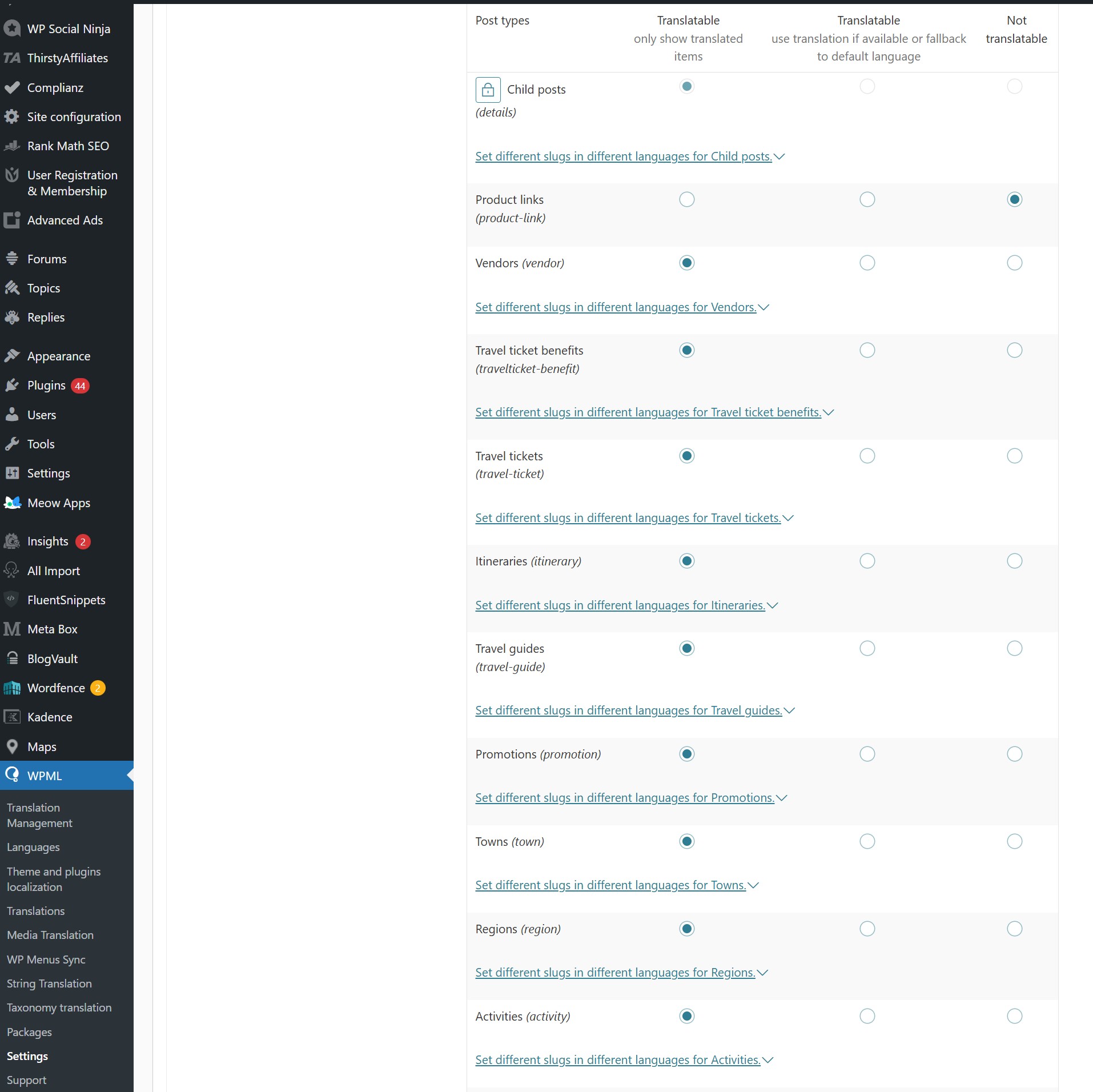
All languages of one of my custom post types are listed together in the backend: German and English, all in the same list, ignoring the WPML language filter in the top toolbar. I checked the settings, and it is still set to "Translatable" (although this setting is disabled and I cannot change it if I wanted to).
Also, the language switch is missing in the frontend, only for that post type.
This is a recent issue; it was fine before. I have not updated WPML in the meantime. It seems to be some kind of bug or database issue that is confusing WPML.
I was not able to attach the WPML debug info because your site threw an error.
Could you please upload a screenshot from the WordPress backend showing the issue? It would also be helpful to include a screenshot of the relevant settings showing that they are still set to “Translatable.”
Thank you for your feedback. That does sound unusual, especially since the post type is already set as Translatable, as you mentioned.
Have you tried temporarily disabling all plugins except WPML and the ones required to display this post type, to check whether a plugin conflict might be causing the issue?
If the problem still persists after that, I’ll need to request temporary access to your site (WP-Admin and FTP), preferably to a staging or test site where the issue can be safely reproduced. This will allow me to investigate further and provide more accurate assistance.
When you log in to leave your next reply, you’ll find the required fields below the comment area. Please note that any credentials you enter there are private and visible only to you and me.
I’ve reviewed your website, and it appears that the issue may be related to outdated WPML plugins.
Could you please complete the following steps and let me know whether the issue persists afterward?
1. Update WPML to the latest version 4.8.6, including all WPML add-ons.
2. Update all WordPress plugins to their latest versions.
3. Update the plugin responsible for the custom post type “Child Posts.”
This may not necessarily resolve the issue, but working with the most recent versions is essential to accurately troubleshoot the problem.
You can check the latest WPML versions under My Account → Downloads on our website. Instructions for updating WPML are available here: http://wpml.org/faq/install-wpml/
If you don’t see the updates, please go to Plugins → Add New → Commercial and click the Check for updates button.
I cannot update all plugins. That's done twice per year along with extensive tests. It worked fine for a long time with the current version. This issue occurred spontaneously and comes and goes randomly.
Also, this morning, the problem is still not present on the staging site, so we can't compare before/after updates anyway.
I'm quite sure it's caching-related. WPML has a hard time dealing with caching. We often have to disable Object Cache Pro, just to see the correct translation statuses. That's a different issue though, and has been going on for years.
Ok, as long as the problem is not getting worse (no big frontend issues), let's simply wait until we have updated all plugins later this year. That will save us both a lot of time 🙂
That definitely makes sense — there’s no point in trying to troubleshoot an issue that may already be resolved. Let’s keep our fingers crossed that the updates take care of it 🙂