
This is the technical support forum for WPML - the multilingual WordPress plugin.
Everyone can read, but only WPML clients can post here. WPML team is replying on the forum 6 days per week, 22 hours per day.
| Sun | Mon | Tue | Wed | Thu | Fri | Sat |
|---|---|---|---|---|---|---|
| - | 9:00 – 12:00 | 9:00 – 12:00 | 9:00 – 12:00 | 9:00 – 12:00 | 9:00 – 12:00 | - |
| - | 13:00 – 18:00 | 13:00 – 18:00 | 13:00 – 18:00 | 13:00 – 18:00 | 13:00 – 18:00 | - |
Supporter timezone: Asia/Singapore (GMT+08:00)
Tagged: Bug
This topic contains 17 replies, has 1 voice.
Last updated by Kor 1 day, 20 hours ago.
Assisted by: Kor.
| Author | Posts |
|---|---|
| November 18, 2025 at 11:55 pm #17589867 | |
 romanL-25 |
Background of the issue: Symptoms: Questions: |
| November 19, 2025 at 12:10 am #17589870 | |
|
romanL-25 |
I don't understand how your reporting system works. I described my problem in great detail, but the AI condensed it into a few sentences, and then redirected me to the chat where I spoke with the AI. Here's my full description again: I'm having a few issues with FSE templates assigned to translated pages and custom posts. I didn't notice these issues when I had the WPML plugin in version 4.8.1 and WP 6.8.2. Now I have WPML 4.8.5 and WP 6.8.3, and the following issues have appeared: 1. In my primary language, I have the "Pages" template (slug: "page"). When I open the pages assigned to this template, the Query Monitor (QM) plugin shows the "44grupa//page" template. I translate this template into English and see that it appears in Appearance -> Editor -> Templates (slug: "page-2", I renamed it "Pages EN"). Then I translate the pages from Polish to English. When I open these translated pages, QM shows the "templates/page.html" template, and I don't understand why. When I edit these pages, I see the correctly assigned "Pages EN" template in the right bar, and I can't do anything else with it. 2. In my primary language, Polish, I have a "Single item: Project" template (slug: "single-project"), which I use for custom posts. When I open custom posts assigned to this template, the Query Monitor (QM) plugin displays the "44grupa//single-project" template. I translate this template into English and see that it appears in Appearance -> Editor -> Templates (slug: "single-project-2"). Then, I translate the custom posts from Polish to English. When I open these translated pages, QM displays the "templates/index.html" template instead of automatically assigning it to the previously translated template. I have to edit the custom post and manually change its template to the correct one (in which case QM displays the "44grupa//single-project-2" template). 3. In both cases, after translating the page or custom post, the logo disappears from the menu (which is embedded in the template, in the "main-header" as a classic "Site Logo" block). I tried this workaround, but it didn't help: I'm a PHP developer, so feel free to use technical language 🙂 |
| November 19, 2025 at 8:07 am #17590299 | |
 Kor WPML Supporter since 08/2022 Languages: English (English ) Timezone: Asia/Singapore (GMT+08:00) |
Thanks for your reply. I will require temporary access (WP-Admin and FTP) to a test site where the problem has been replicated, if possible. This will enable me to provide better assistance and determine if any configurations need to be modified. Please note that it is important to have a backup for security purposes and to prevent any potential data loss. You can use the UpdraftPlus plugin (https://wordpress.org/plugins/updraftplus/) to fulfill your backup requirements. Your upcoming reply will be treated with confidentiality and will only be visible to you and me. ✙ To resolve the issue, I may need your consent to deactivate and reactivate plugins and the theme, as well as make configuration changes on the site if necessary. This emphasizes the significance of having a backup. |
| November 19, 2025 at 5:36 pm #17592989 | |
|
Kor WPML Supporter since 08/2022 Languages: English (English ) Timezone: Asia/Singapore (GMT+08:00) |
Thanks for your reply. I've checked your translation dashboard hidden link and I noticed that some templates and patterns are not translated. Could you check? I've highlighted it using a screenshot. 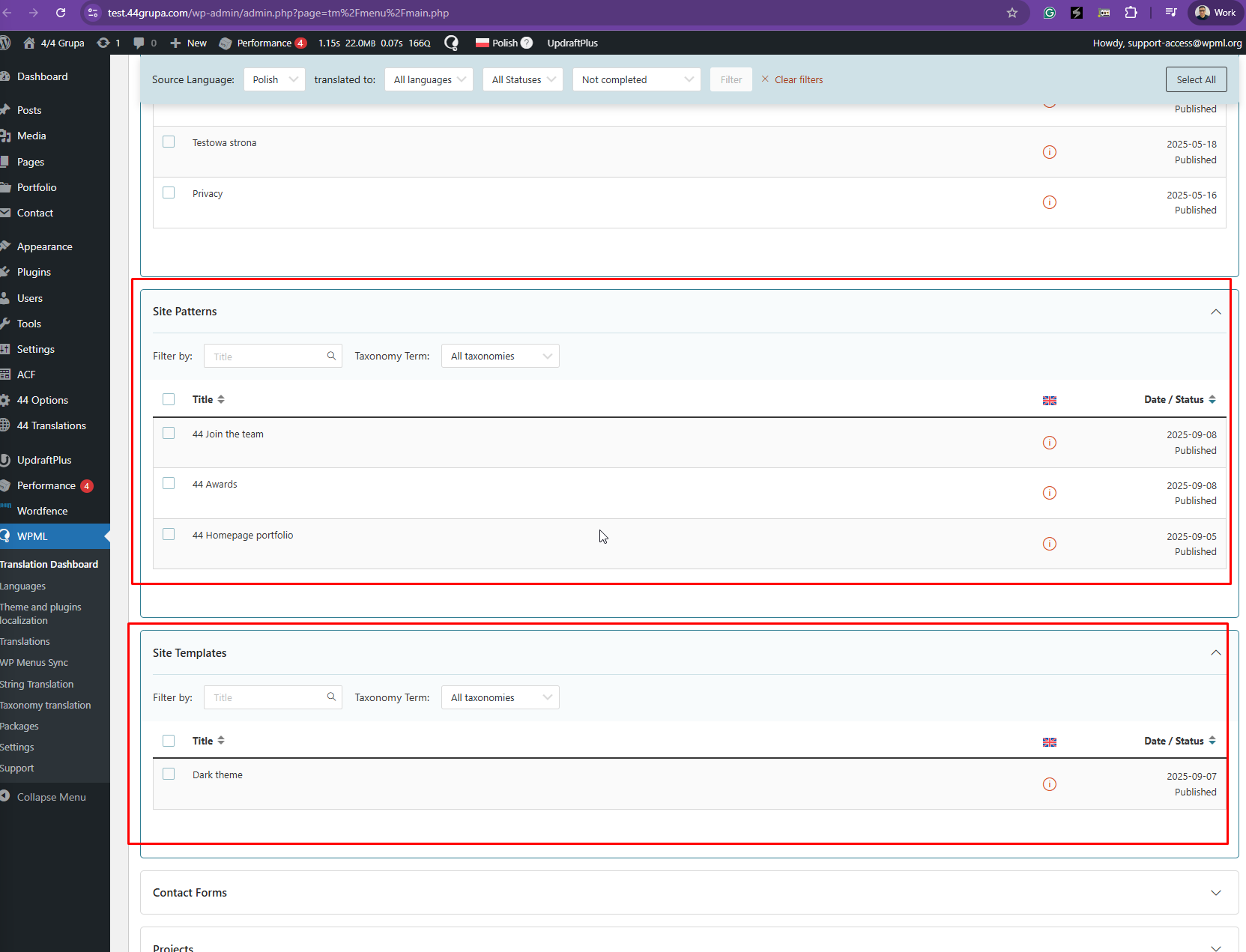 |
| November 19, 2025 at 8:47 pm #17593506 | |
|
romanL-25 |
These templates aren't translated because I'm not using them yet. The ones I do use are translated, and that's where the problem lies 🙂 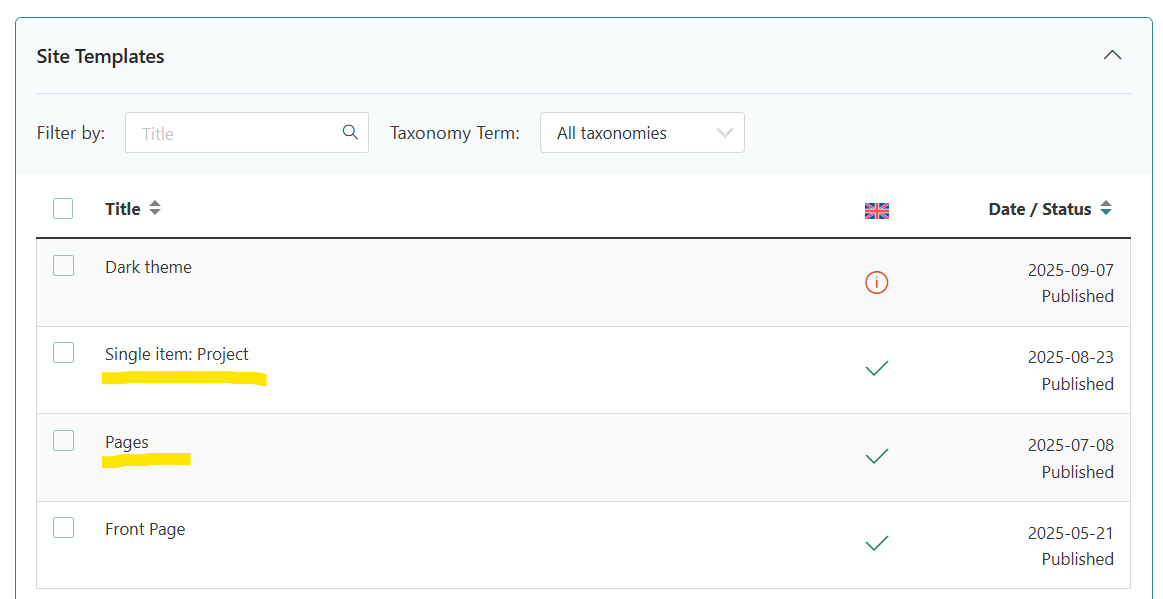 |
| November 19, 2025 at 8:53 pm #17593527 | |
|
romanL-25 |
In the "Portfolio" menu you will find posts assigned to the "Single item: Project" template. |
| November 20, 2025 at 6:09 pm #17596884 | |
|
Kor WPML Supporter since 08/2022 Languages: English (English ) Timezone: Asia/Singapore (GMT+08:00) |
Thanks for your reply. I can now see the primary language template. I’ve checked your translated project here: hidden link and it’s not displaying any content or template. Is this the issue you’re referring to? |
| November 20, 2025 at 10:37 pm #17597236 | |
|
romanL-25 |
Yes, this is one example of a problem. Compare the primary (PL) language: ...with secondary (EN) language: This is a custom post assigned to "Single item: Project" template but the same problem applies to regular pages e.g.: I described everything in detail at the beginning of the thread. |
| November 21, 2025 at 7:28 pm #17600502 | |
|
Kor WPML Supporter since 08/2022 Languages: English (English ) Timezone: Asia/Singapore (GMT+08:00) |
Thanks for your reply. I can see the issue now. Could you please replicate it on our sandbox site hidden link ? You may install the required plugin or theme needed to reproduce the problem. Please only install what is necessary to replicate the issue. Once it's ready, I will escalate this to our 2nd Tier Support for further investigation. |
| November 21, 2025 at 11:02 pm #17600743 | |
|
romanL-25 |
I don't know how I could recreate my environment on yours. I built the templates in the native WordPress editor (Full Site Editing) and using the theme.json file. I created the blocks myself using the ACF Pro plugin. I exported my theme (using "Create Block Theme" plugin) and installed it on your sandbox, but I can't see my templates detected in WPML -> Translation Dashboard. Can you just download the files and database from the “UpdraftPlus” menu and recreate a 1-to-1 copy of my site in your sandbox? |
| November 24, 2025 at 6:12 pm #17605923 | |
|
romanL-25 |
Any progress? This problem is preventing us from launching the website. |
| November 24, 2025 at 6:55 pm #17606023 | |
|
Kor WPML Supporter since 08/2022 Languages: English (English ) Timezone: Asia/Singapore (GMT+08:00) |
Thanks for your reply. Can I have your permission to create a snapshot of the site using the free plugin "Duplicator."? If you're already familiar with Duplicator (https://wordpress.org/plugins/duplicator/), please skip the following steps and simply send me the archive file you downloaded. To guide you further, please adhere to these instructions: 1. View the Duplicator instructions video: hidden link 2. Consult WPML's instructions on providing supporters with a copy of your site: https://wpml.org/faq/provide-supporters-copy-site/ 3. If the archive file exceeds 400MB, please use Duplicator's file filters to exclude cache, wp-uploads directory, media, and archive files. Once you have the archive file ready, kindly share the link with us. You can utilize platforms like Google Drive, Dropbox, or similar for file sharing, as the snapshot file might be large. Please note that your next reply will be private, visible only to you and me. You can paste the file link there. Rest assured that once the issue is resolved, I will delete the local site. |
| November 25, 2025 at 7:43 pm #17609658 | |
|
Kor WPML Supporter since 08/2022 Languages: English (English ) Timezone: Asia/Singapore (GMT+08:00) |
Thanks for your patience. I have the copy of the site and I will check and come back to you as quickly as possible. |
| November 25, 2025 at 8:26 pm #17609708 | |
| romanL-25 |
Hi Kor. I've attached some screenshots. New threads created by Kor and linked to this one are listed below: https://wpml.org/forums/topic/cannot-translate-pdf-file-using-acf/ 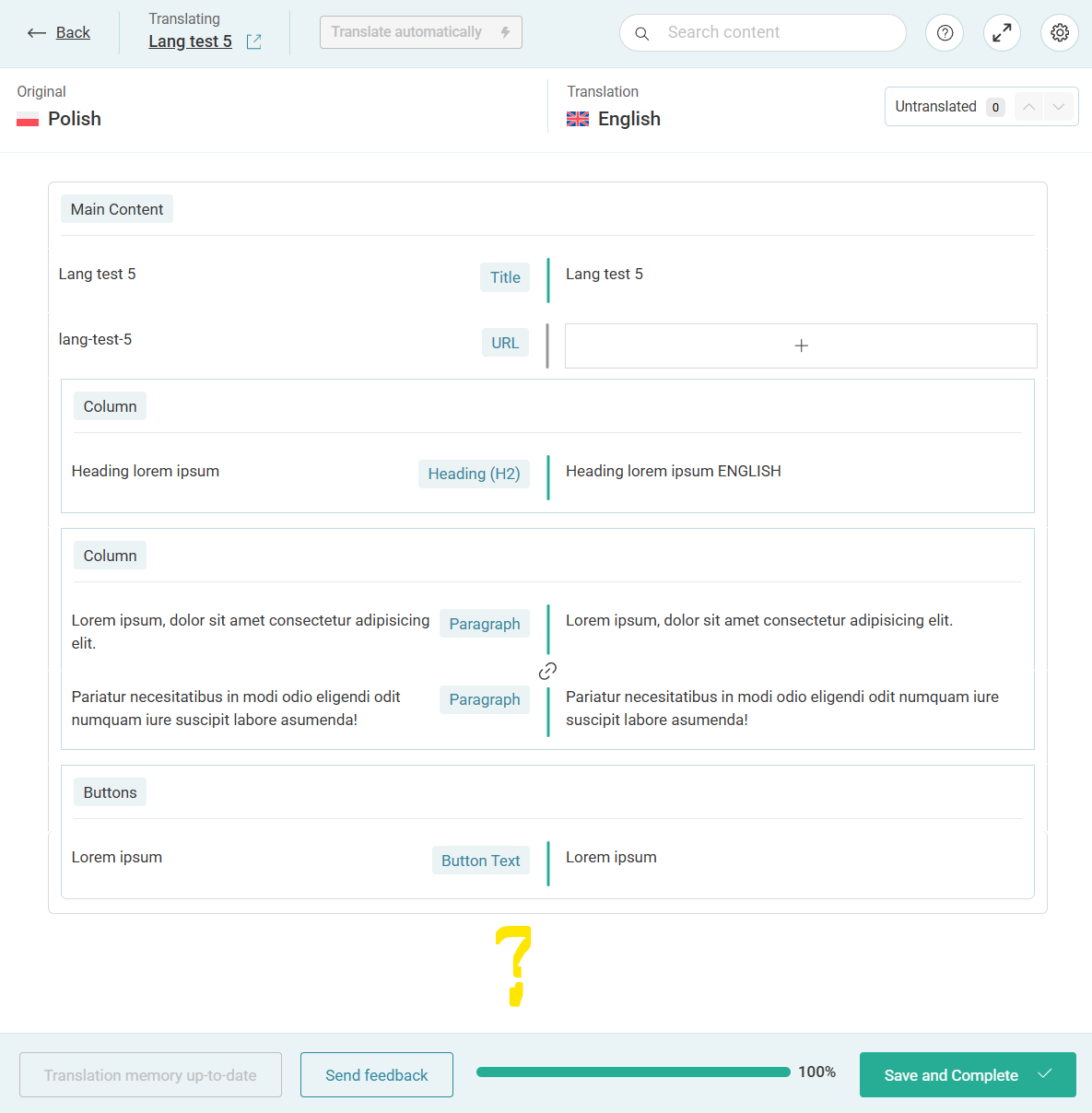 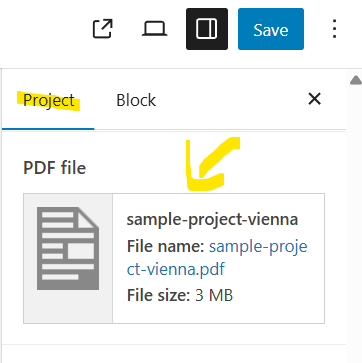  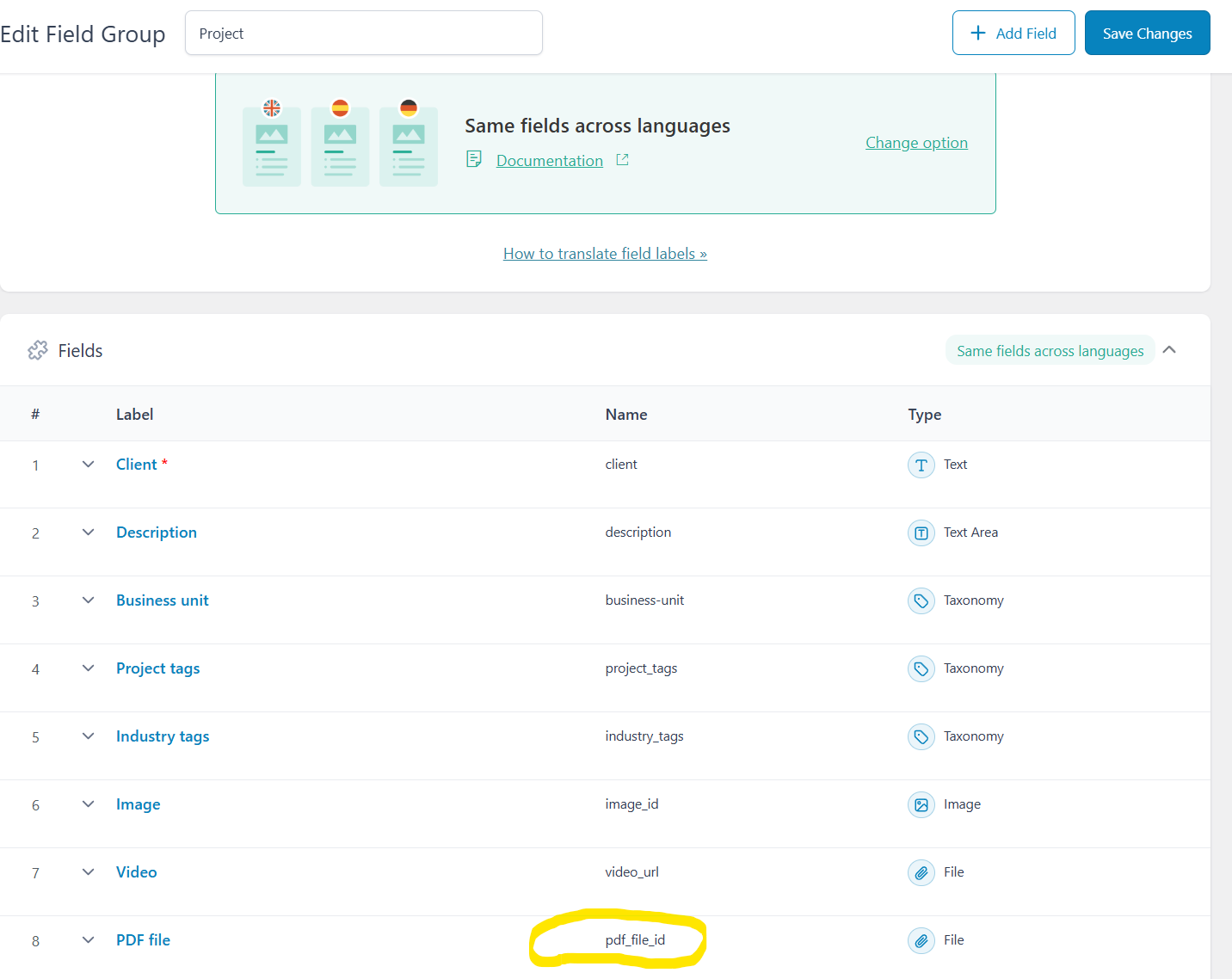 |
| November 26, 2025 at 9:12 am #17610545 | |
|
Kor WPML Supporter since 08/2022 Languages: English (English ) Timezone: Asia/Singapore (GMT+08:00) |
Thanks for your patience. I've split the ticket here https://wpml.org/forums/topic/cannot-translate-pdf-file-using-acf/ so that we can check on the PDF translation issue. As for this ticket, I will focus on the template issue. I will come back to you once I've results. |

