This thread is resolved. Here is a description of the problem and solution.
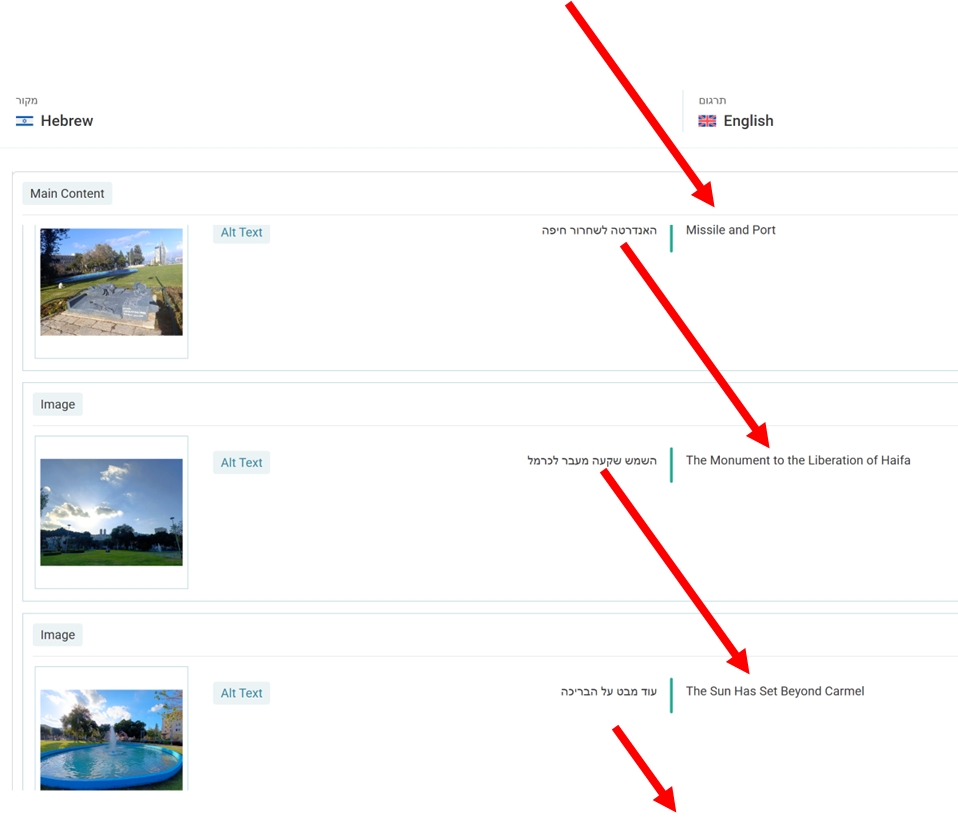
Problem: The client experienced an issue with media translation where the translated text skipped to the next picture, affecting multiple images sourced from a dummy page. Solution: We explained the difference between 'connected media' and 'copied media'. 'Connected media' allows changes in Media Translation to affect all languages, whereas 'copied media' does not. To address the issue: 1. Disable the 'Automatically detect best options for translating image texts' in WPML > Settings > Media Translation if you prefer not to use this behavior. 2. For images already marked as 'Copied Media', translate the Alt Text through the Advanced Translation Editor while translating the page. 3. Test by adding new images to a new page to see if they are no longer marked as 'copied media'.
If this solution does not resolve your issue or seems outdated, we recommend checking related known issues at https://wpml.org/known-issues/, verifying the version of the permanent fix, and confirming that you have installed the latest versions of themes and plugins. If the problem persists, please open a new support ticket.
This is the technical support forum for WPML - the multilingual WordPress plugin.
Everyone can read, but only WPML clients can post here. WPML team is replying on the forum 6 days per week, 22 hours per day.
Hi, I had a bug concerning media translation when the translated text skipped to the next picture. I thought it was just a small amount of pictures but now I've found out it is in more than one. Apparently all came from the same dummy-page I was requested to put up (which is a very dummy method).
So now my question is how to re-translate a page, hoping this will work now?
And hoping you won't charge me for credits for your bugs.
The dummy page is: hidden link
And the pages that use it and got mistranslated texts (in the pictures below the text part) are: hidden link hidden link hidden link
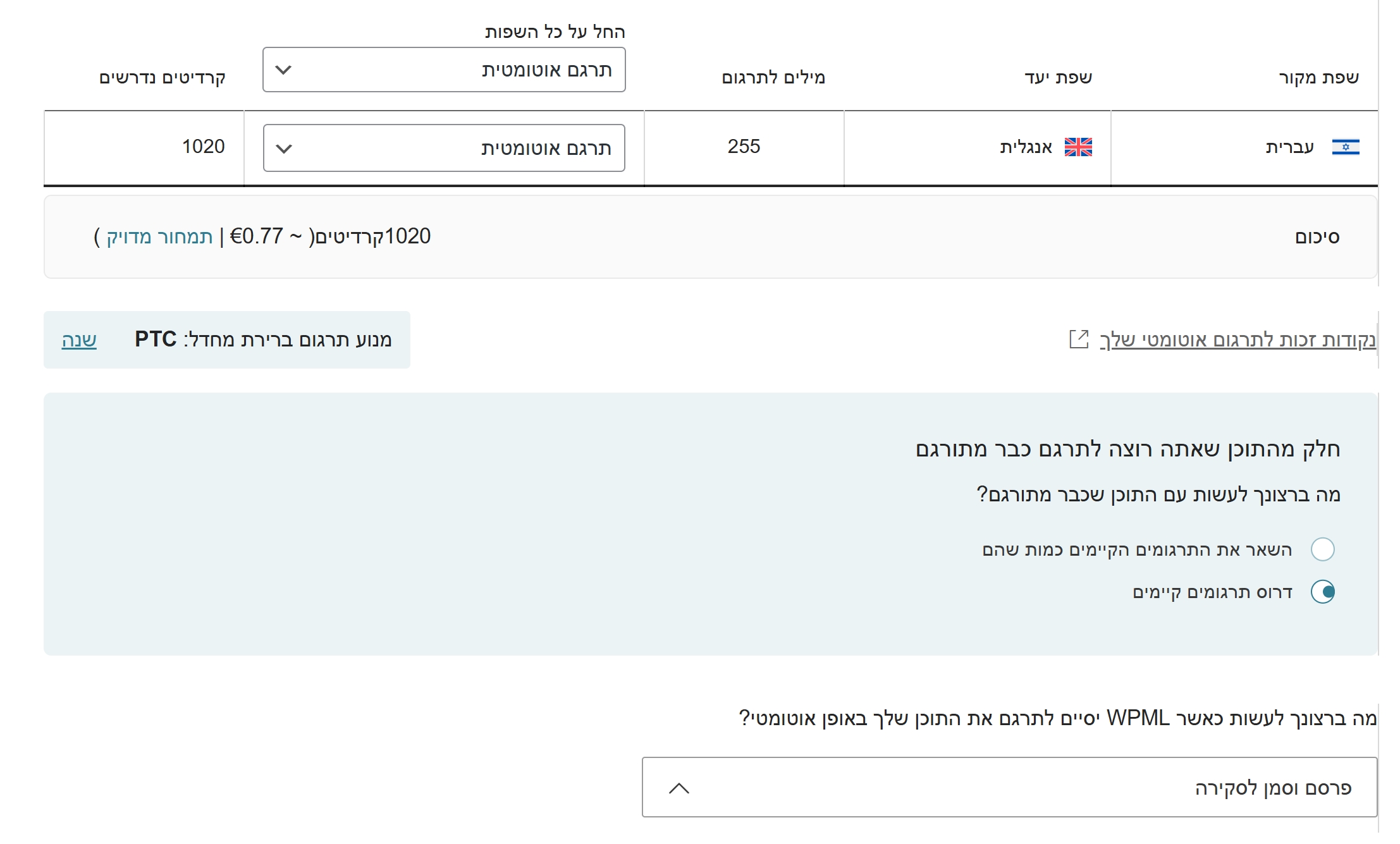
Update: I have found how to release the job, and I retranslated the dummy page containing all the pictures. It cost me 1020 credits (please reimburse this since this is due to your bug), and this time translated correctly, when I checked the translation (and approved it).
HOWEVER it did not pupulate to the pages that use the media.
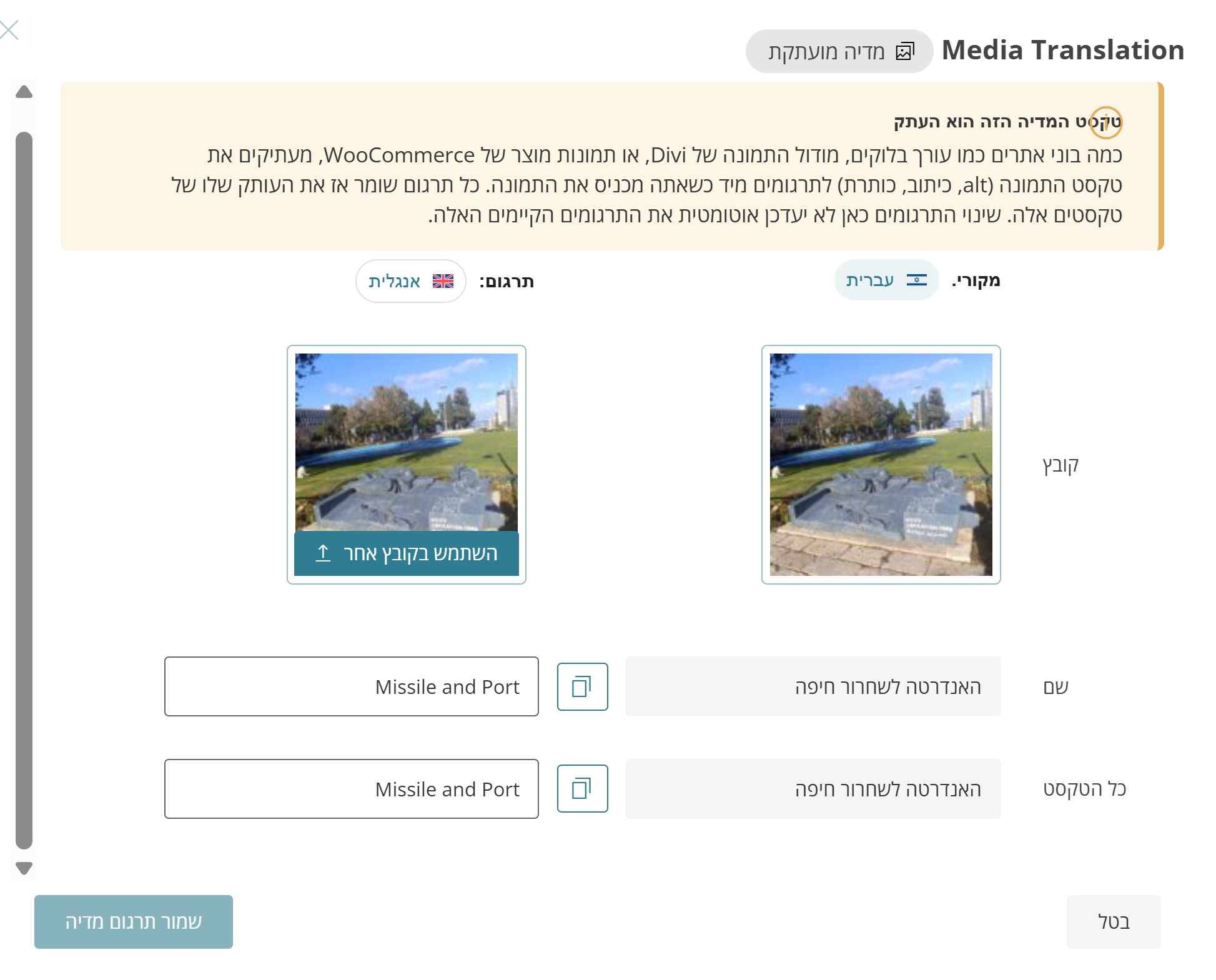
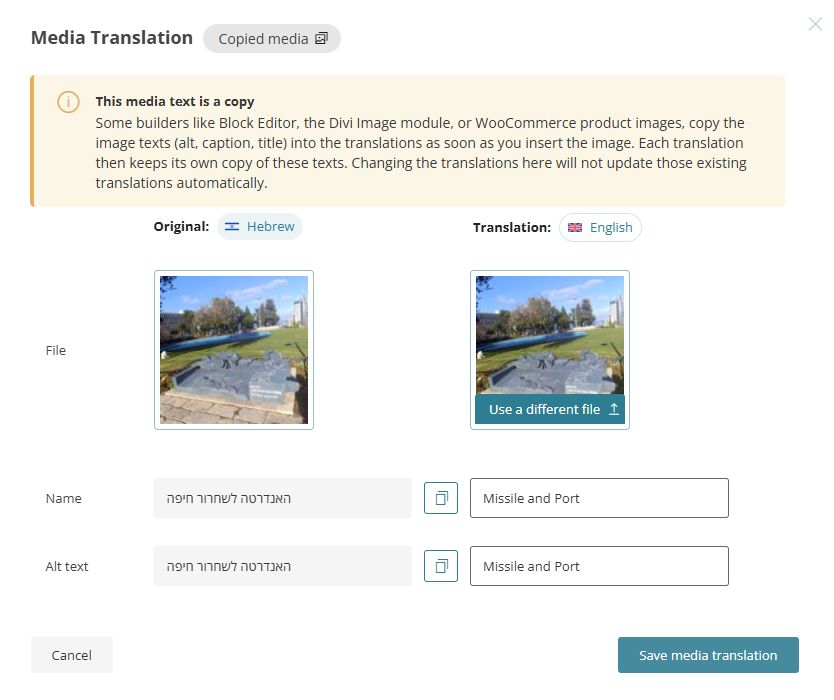
Checking the media translation I get a weird message that it is "a copied media" with the old, buggy, WRONG translation, and the message says that the translation will not be used in the page.
So now what should I do???
Thanks for your patience. Before we proceed with reimbursing the credits, I’d like to first verify the issue on your side.
To do this, I will need temporary access (WP-Admin and FTP) to a test site where the issue can be reproduced, if possible. This will allow me to investigate more effectively and determine whether any configuration changes are required.
I will also review the following pages to understand what’s happening in the backend and how the credits are being calculated and charged:
hidden link hidden link hidden link
Please make sure you have a backup in place for security reasons and to avoid any potential data loss. You can use the UpdraftPlus plugin https://wordpress.org/plugins/updraftplus/ to create a backup.
Your reply will be treated confidentially and will only be visible to you and me.
To help resolve the issue, I may also need your permission to temporarily deactivate and reactivate plugins or the theme, as well as make necessary configuration changes. This is why having a backup is important.
Thanks for your reply. I’ve checked your website and reviewed several pages, but I’m still unclear about the exact issue you’re experiencing.
When I first checked this page: hidden link
the image order did not match the primary language version here: hidden link
After retranslating the page, the images appeared in the correct order, matching the primary language version: hidden link
However, there was no mention of an issue related to image order.
For reference, this is how media translation normally works:
1. You create a page and add media.
2. When you translate the page, you can translate the media information, such as titles and captions.
3. If you want to display a different image on the translated page, you can do so via Media Translation.
Note: Media information can also be translated directly in Media Translation.
To help us investigate further, could you please replicate the issue “WPML can’t translate the image meta texts automatically when they are used in a Robo Gallery plugin” on our sandbox site here: hidden link . Since you've mentioned "You can try to recreate that at your sandbox (not on my site...)"
This will allow us to better understand and reproduce the problem.
Hello Kor,
Please just help me fix the problem on my site. I'm not here to QA your bugs.
I only want to have correct translations on my media and I'm quite frustrated with this terribly cumbersome process, especially when you promise to translate everything automatically.
So there was a glitch, perhaps one of the pictures did not load properly in the translation, or it loaded just a fraction of a second after the translation process started. I don't really care as it was fixed as stated by re-translating, and I don't expect that bug to happen again.
THIS IS WHAT NEEDS TO BE FIXED:
--------------------------------------------------
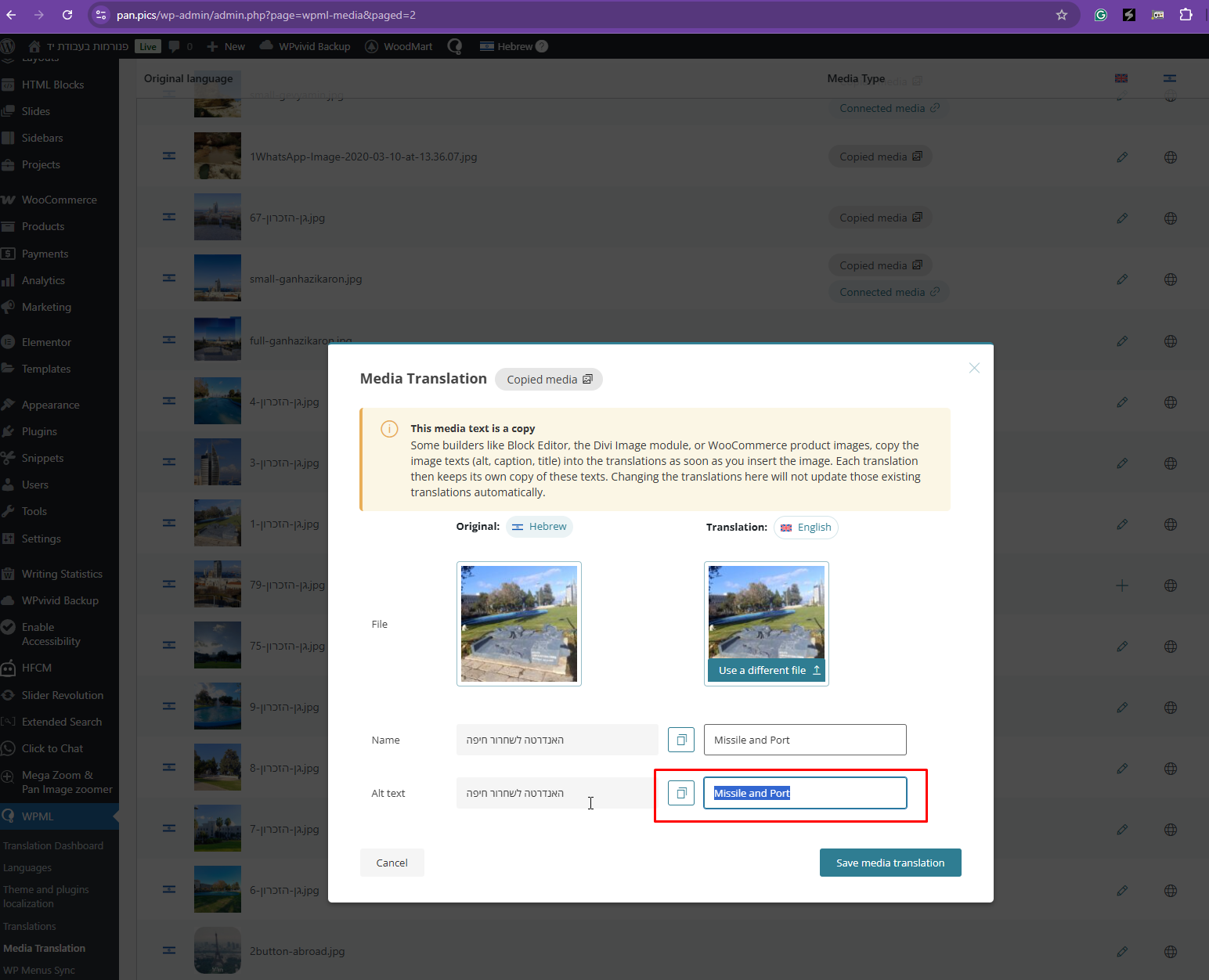
There are several dozens of "copied media" with wrong translation. See image attached, I changed the interface to English for you.
I ask to get rid of these copied media, whatever it is and why I don't care, and get the correct translations to the media. That's all.
Thanks for your patience. For now, we’ll skip replicating the issue on our sandbox site, but I’ll need a bit more clarification to better understand what you’re experiencing.
From what I understand, you’re trying to ensure that your media translations are applied correctly, but the results are not as expected.
Let’s look at the example page you shared: hidden link
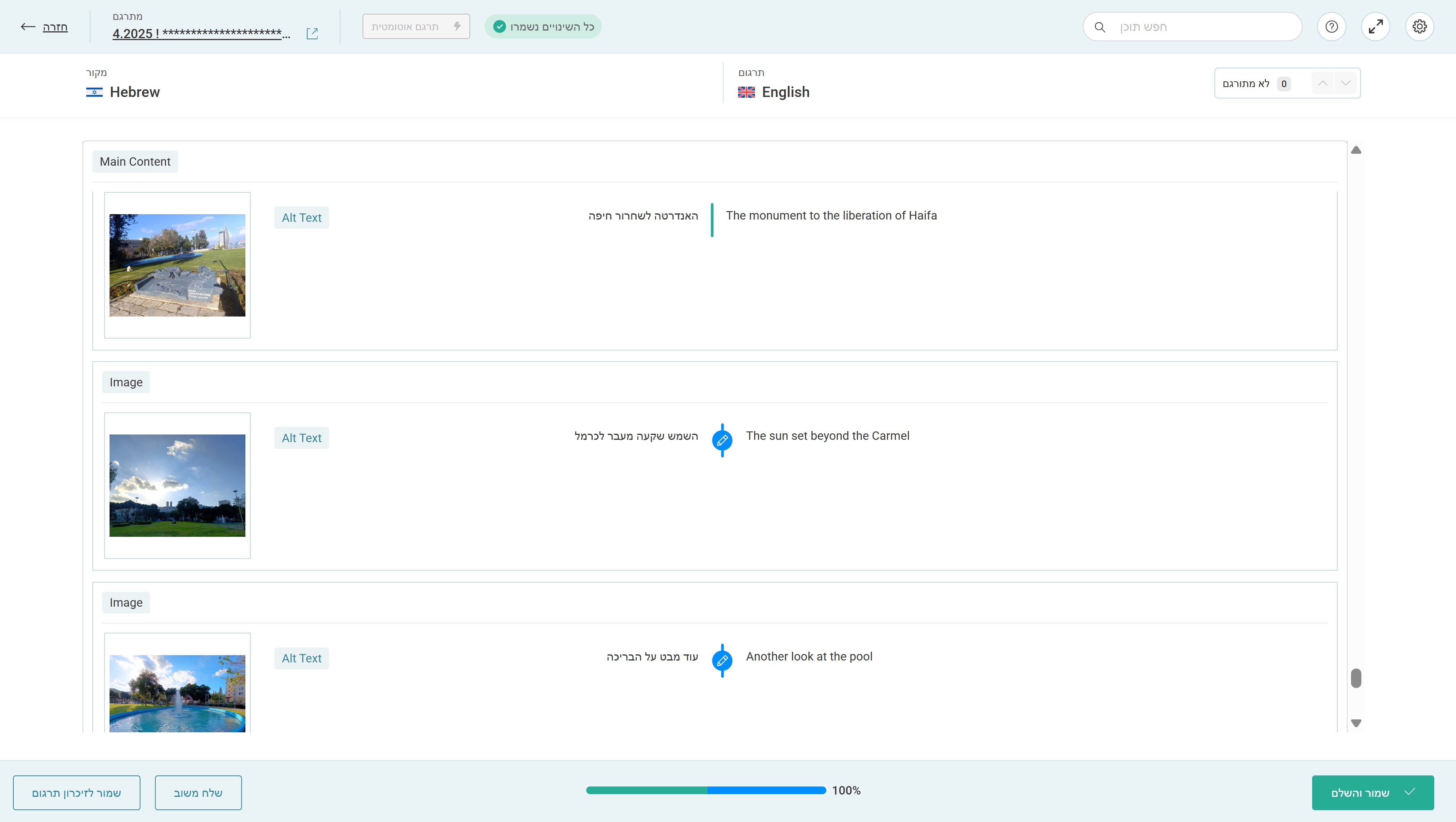
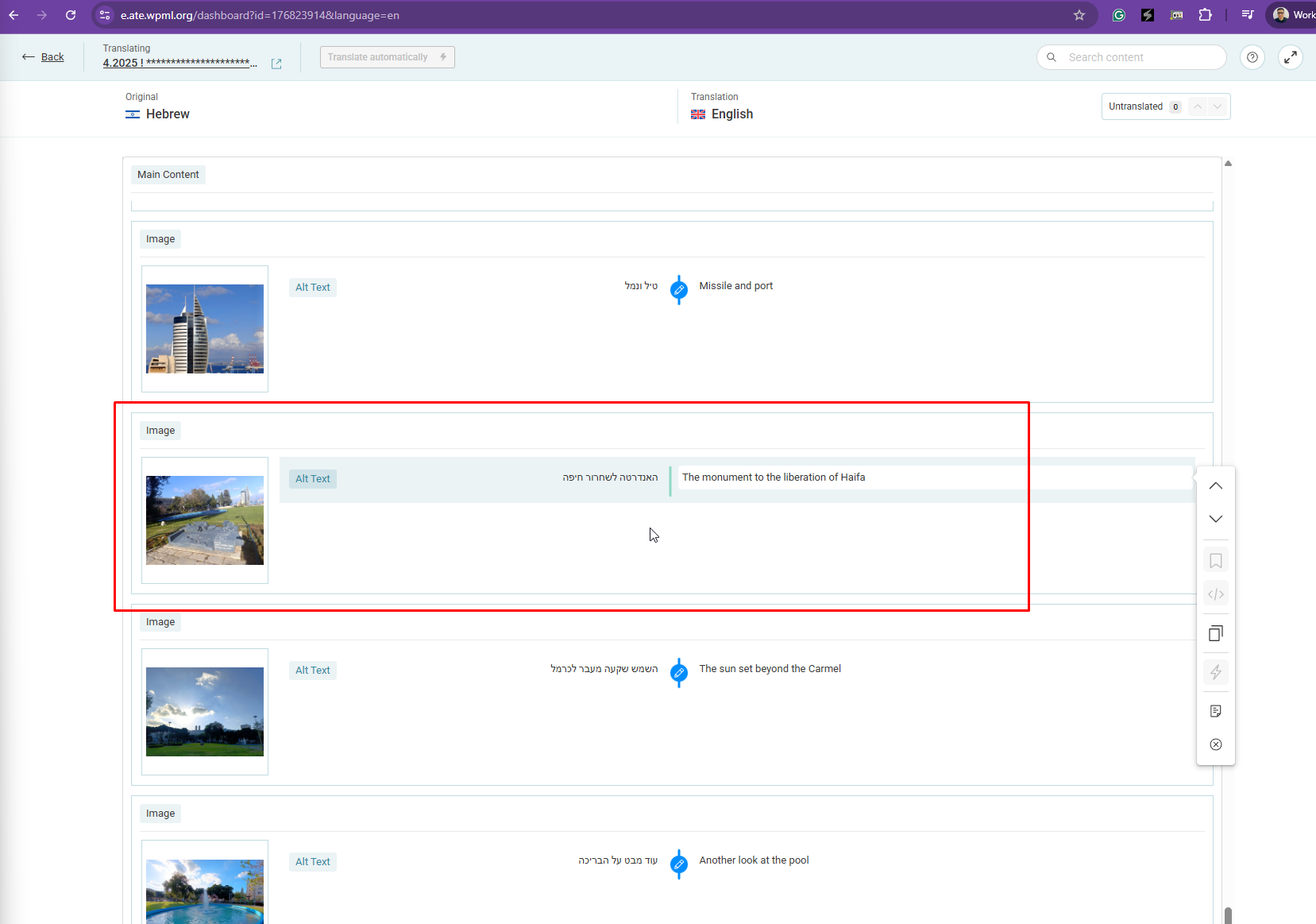
I’ve opened the Advanced Translation Editor and located the media Alt Text you mentioned, “האנדרטה לשחרור חיפה.” In the Advanced Translation Editor, this text is translated as “The monument to the liberation of Haifa” (see the screenshot labeled ATE).
However, in Media Translation, the same media item is translated as “Missile and Port” (see the screenshot labeled MT).
To confirm, are you expecting the media Alt Text translation shown in the Advanced Translation Editor to follow the translation you’ve set in Media Translation? Is this the discrepancy you’re trying to highlight?
Yes, this is exactly the problem.
I don't know what it means to have "a media copy" and I don't care. Just get rid of it and have the correct translation as it should be on the correct media without the "copy" fuss.
Thanks for your reply. The difference between connected and copied media isn’t something you can directly control, as it depends on how the theme or page builder handles media.
When media is shown as “copied media”, it means the page is using an image that was previously uploaded to the Media Library. In this case, you can only translate the media information (such as alt text or title) within the page itself.
When media is shown as “connected media”, it means the image was uploaded directly while editing the page. In this scenario, changing the media information in Media Translation will affect that media’s information across all languages.
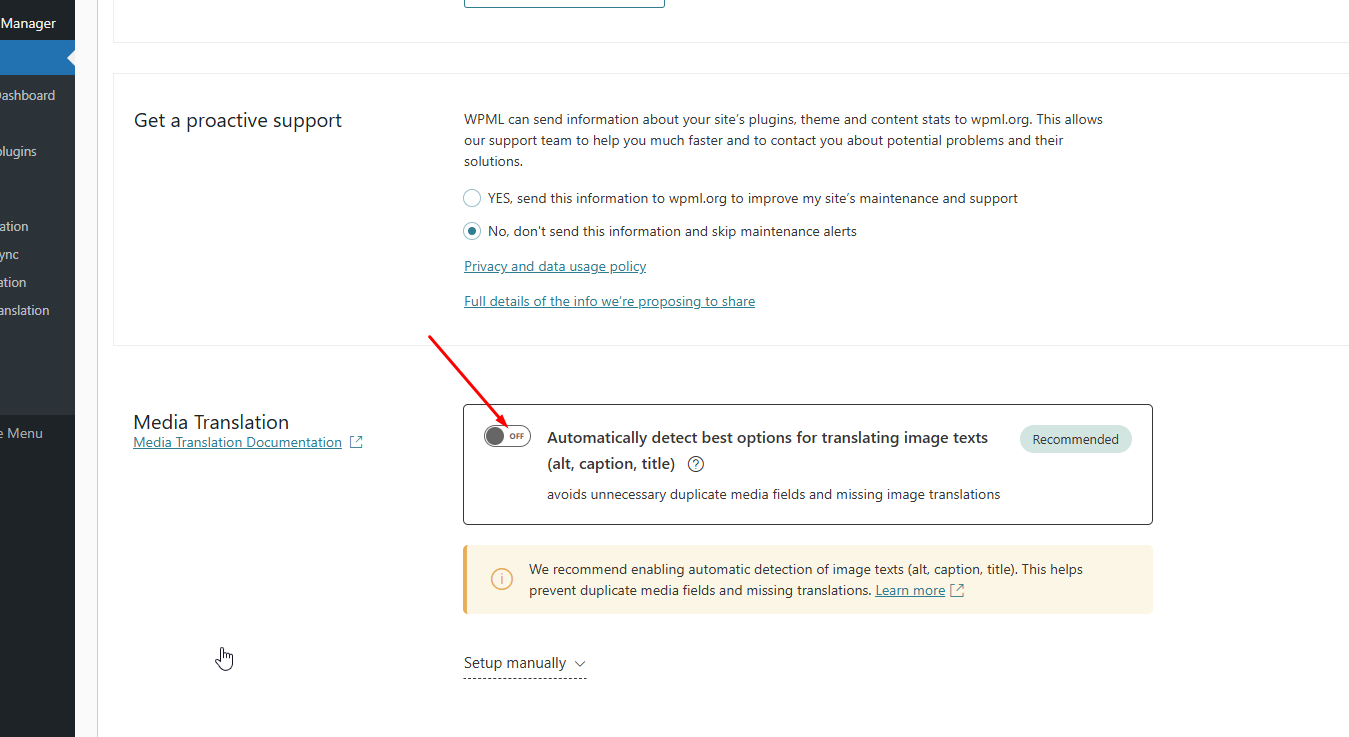
If you prefer not to use this behavior, you can disable it in WPML > Settings > Media Translation, as shown in the attached screenshot.
Hi Kor, sorry but this didn't work at all.
I turned off the option in the settings (it was on), but I still see the WRONG translation and the "copied media" message is still there at the media translate window (although not in the page anymore).
PLEASE HELP... How to turn off the "copied media" thing??? Just get inside my site and remove it.
Thanks for your reply. It looks like disabling this option will not remove the “copied media” status from images that were already processed.
For images already marked as “Copied Media”, the only way to translate their information is by translating the Alt Text through the Advanced Translation Editor while translating the page, not via Media Translation.
Now that the “Automatically detect best options for translating image texts” option is turned off in WPML → Media Translation, newly added images will no longer be marked as “copied media.” Could you please test this by adding new images to a new page and let me know the result?
Yes, now the bug is fixed, thanks.
All I needed to do is to approve the translation, didn't even need to add new images.
Now all you need is to reimburse the 1020 credits charged due to your bug.
Can I switch Translate Everything Automatically back on?
And should I change the media translation switch back to on or keep it off? Assuming the bug won't happen again.
Thanks for your patience. I've credited 1020 credits to your account dashboard. However, I'd like you to know that this isn't a bug but a feature from our media translation addon. If a media is in a "Copied Media" status, you can only translate the media information in the Advanced translation Editor.
Yes, you can turn on Translate Everything Automatically. If you do want to use the media translation features, you can keep them off and use the default method to translate the media.
Thanks for reimbursing due TO A BUG - the jumping translation. Don't deny it.
Also the whole copied media issue IS a bug. I didn't want to have ANY copied media. I don't understand what it is for, why I got it, how I use it, how to get rid of it.
The whole issue of translating media is a bad, bad, bad experience for me. Terrible. I hope you'll pass it upwards to dev.