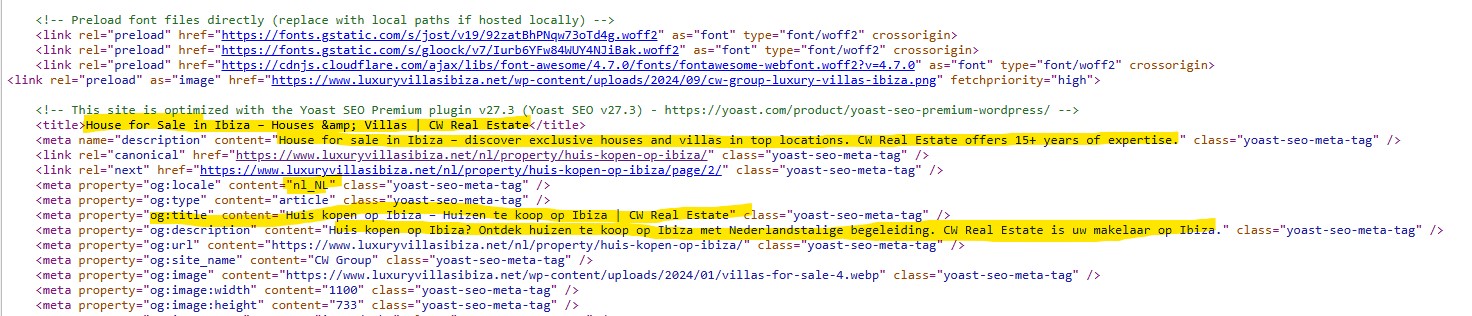
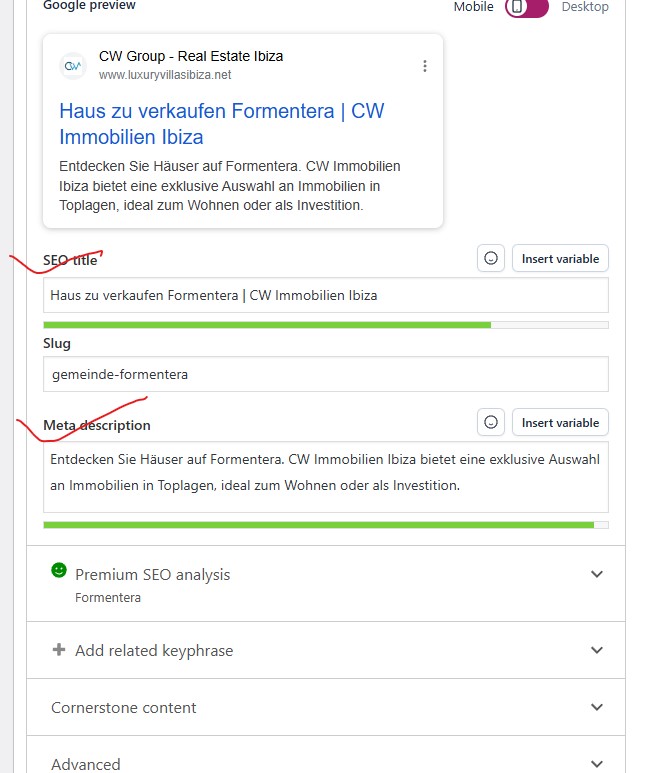
Until Friday, everything was fine. When we updated Yoast and WPML on Saturday, I started facing the issues. It is Multilingual Website. set with WPML and Yoast both Premium one. After the latest Updates, Yoast Remove all Language wise Meta title and Description and set the title and meta description form default language english. Its Happened only in Category and Tags. Rest all are good. I shared the screenshot also. In the Backend all is translated, but in the Frontend its showing in English in all Language. This push me down in the Google Ranking. Please help me to sort it out. I want solutions before my rank is completely affected.
1.- Please increase the WP memory Limit. Minimum requirements are 128Mb: https://wpml.org/home/minimum-requirements/
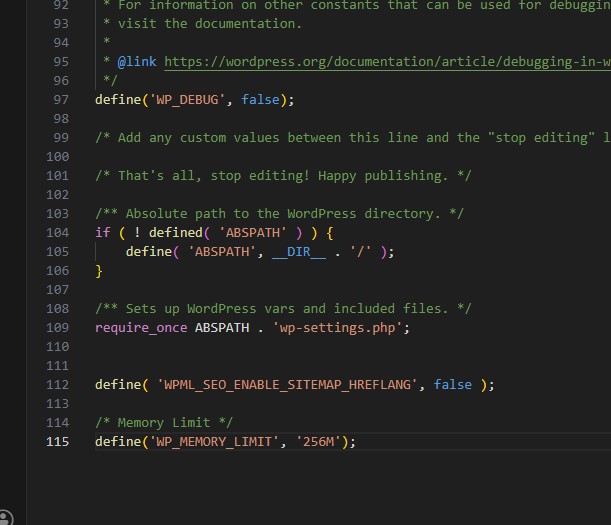
You can add this to wp-config.php to increase WP memory:
- Add it above the line /* That's all, stop editing! Happy blogging. */
You can double-check the WordPress memory limit in WPML -> Support
2.- If the issue persists after increasing the WordPress memory limit, then follow these steps:
- Edit a category in the original language
- Make sure the metadata is correct
- Re-save the category
- Update the translations
- Check if the issue has disappeared in the front end
Can you tell me the results of the steps described above?
Regards,
Carlos
Still the problem Persist. As per your suggestion I Updated the Memory size 256MB and then save the category from each language. but still facing same issues.
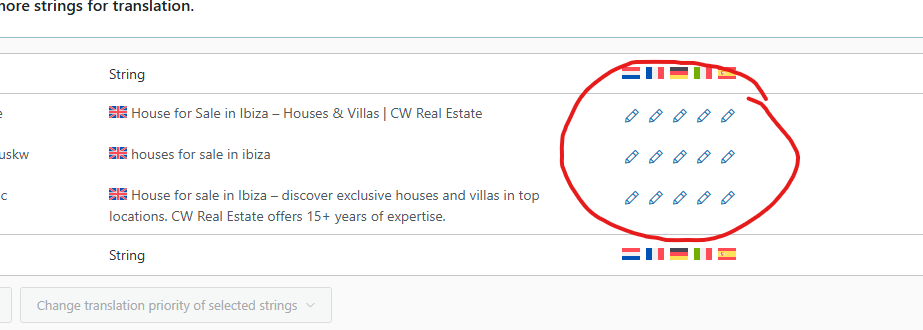
But I also talked with Yoast Team, They logged in my website and showed me one thing that when we are updating the title and Meta Descriptions from hidden link then only its fetching in the website, which is not normal. they updated that WPML overwrites the information you enter in the Yoast meta box with their own string translation feature. WPML can provide you with further information about why this happens and how to change the behavior, if WPML offers other options.
After I changed there its showing the actual Data in the frontend hidden link
1.- Please share a URL where the issue can be seen and that we can use as a reference.
2.- Can you explain where you got the code that appears in line 112 of the wp-config.php file that you shared in the screenshot of your last message?
3.- Share the access credentials to your site in your next message, which I have set private, so I can reproduce the issue and double-check the WPML configuration.
Confirm you have created a full site backup that you can restore if necessary.
Important note: The code to increase the WordPress memory limit must be above the line: /* That's all, stop editing! Happy blogging. */ in line 101