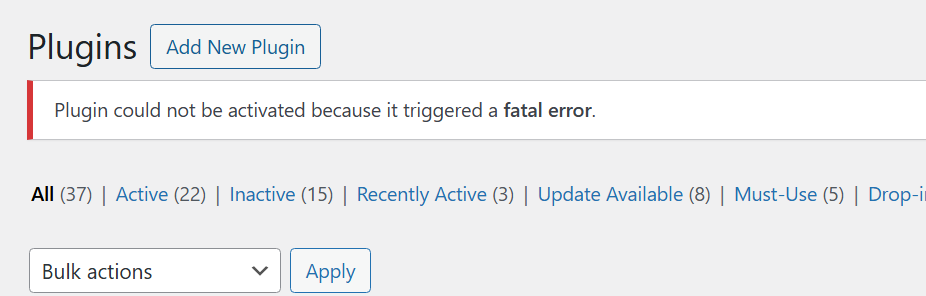
[Resolved] There has been a critical error on this website.
This thread is resolved. Here is a description of the problem and solution.
Problem: The client is experiencing a critical error on the Arabic version of their website, which only occurs when logged in. The issue was suspected to be related to plugin compatibility. Solution: We took the following steps to diagnose and resolve the issue: 1. Updated WPML plugins to the latest version, which did not resolve the issue. 2. Updated the Meta Box AIO plugin, after which the error reappeared, indicating a compatibility issue with its latest version. 3. Rolled back WPML plugins while keeping the updated Meta Box AIO, but the error persisted. This confirmed that the problem is specifically with the latest version of the Meta Box AIO plugin. We recommend contacting the Meta Box AIO plugin author for a potential fix, as previous versions were compatible with WPML. We have temporarily reverted to an older version of Meta Box AIO to stabilize the site.
If this solution does not resolve your issue, or if it seems outdated, we highly recommend checking related known issues at https://wpml.org/known-issues/, verifying the version of the permanent fix, and confirming that you have installed the latest versions of themes and plugins. If the problem persists, please open a new support ticket at WPML support forum.
This is the technical support forum for WPML - the multilingual WordPress plugin.
Everyone can read, but only WPML clients can post here. WPML team is replying on the forum 6 days per week, 22 hours per day.
Background of the issue:
I am trying to resolve an issue with the Arabic version of our website, which is located at hidden link. I expected to see translated pages.
Symptoms:
There has been a critical error on this website. This error occurs only when logged in.
Questions:
Why is there a critical error on the Arabic version of the website?
Why does the error only occur when logged in?
I was unable to take a copy of your site due to an error during the process. If the translations are not working, I recommend restoring the backup you took before providing the login details.
Meanwhile, I’ll set up a test site on our Cloudways server and will share simple steps in my next reply to migrate your site there. This will allow us to debug the issue without affecting your live site.
To further debug this issue without affecting your live site, I have set up a fresh WP site on a test server(cloudways). Please migrate your site to our test server so that we can further debug this issue.
I shared the migration details in my previous private reply.
Thanks for providing the staging/test site login details. I’m going to debug the Fatal error issue on Arabic language in this ticket and get back to you with an update soon.
For other issues, please feel free to create a new chat/ticket for each new issue with more details and we would be happy to help as we limit one issue per chat/ticket as per our support policy.
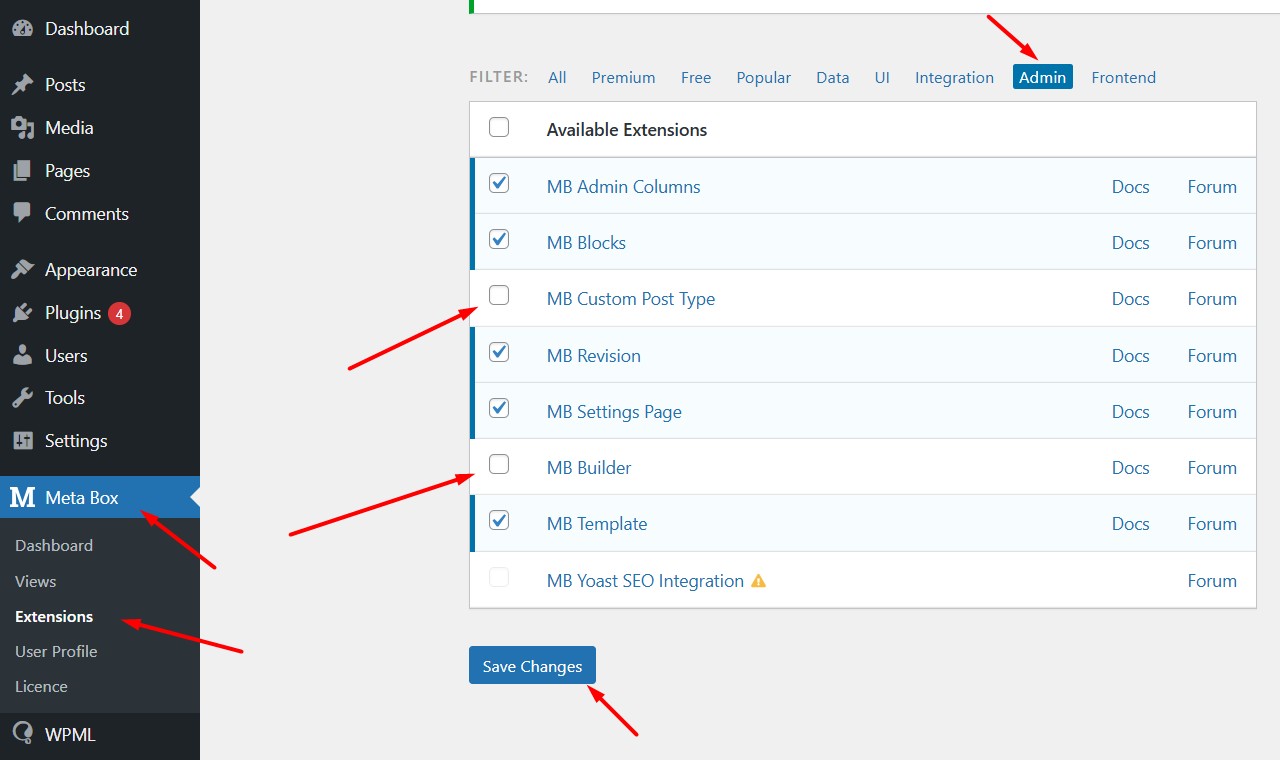
I’ve noticed that when we disable these two extensions:
1. MB Custom Post Type
2. MB Builder
From Meta Box >> Extensions > Admin as you can see in the attached screenshot it starts working correctly in Arabic language.
I suspect there might be a compatibility issue between these two Meta Box extensions and the WPML String Translation plugin. When we spot a compatibility conflict we need to replicate it at a fresh WP site in order to escalate it to our compatibility team.
So, I created a fresh WP site and installed WPML plugins. Could you please try to replicate the issue by following the below steps:
1. Login to the fresh WP site by clicking on the auto login URL: hidden link
2. Install the Meta Box AIO plugin and configure it as you did on your site.
3. Create a test page in the default language and translate it into Arabic language and let me know how it goes.
Please note that we only need above mentioned plugin functionality, you don't need to set up an entire website or clone your existing site.
Please let me know the results,
Thank you for your cooperation
Our website is built with MetaBox plugin. Property pages, all custom fields...
Removing MetaBox plugin is not a option.
CPT: Testimonials
CF: property pages
We dont have access to MB account, website was build by Agency. I cant install copy as it requires licence.
---
Your team released new updated for String, CMS, Media...
Ive updated all and there is still error on AR version. BUT!
****
1. Ive updated String plugin first and then I refreshed AR version and it worked! There was no errors.
2. Ive updated CMS plugin and then I got error again
****
Can you please send rollback for CMS plugin? or can you test it on Staging website hidden link (Ive tried to update WPML on staging but its not possible).
Thank you for the details. I understand removing Meta Box isn’t an option. I tried updating the WPML plugins on the staging/test site, but the issue still persists.
I managed to install the Meta Box AIO plugin on a fresh WP site: hidden link
Could you please configure it the same way as on your site and let us know the steps you followed to replicate the issue? This will help us better understand the problem and escalate it further if needed.
I rolledback WPML String plugin and now it looks fine. (maybe its because I override files, corrupted files were removed).
**
Ive asked you to rollback, String plugin you said you did and nothing happened?!
**
For me it worked. I pulled backup from 30 days ago.
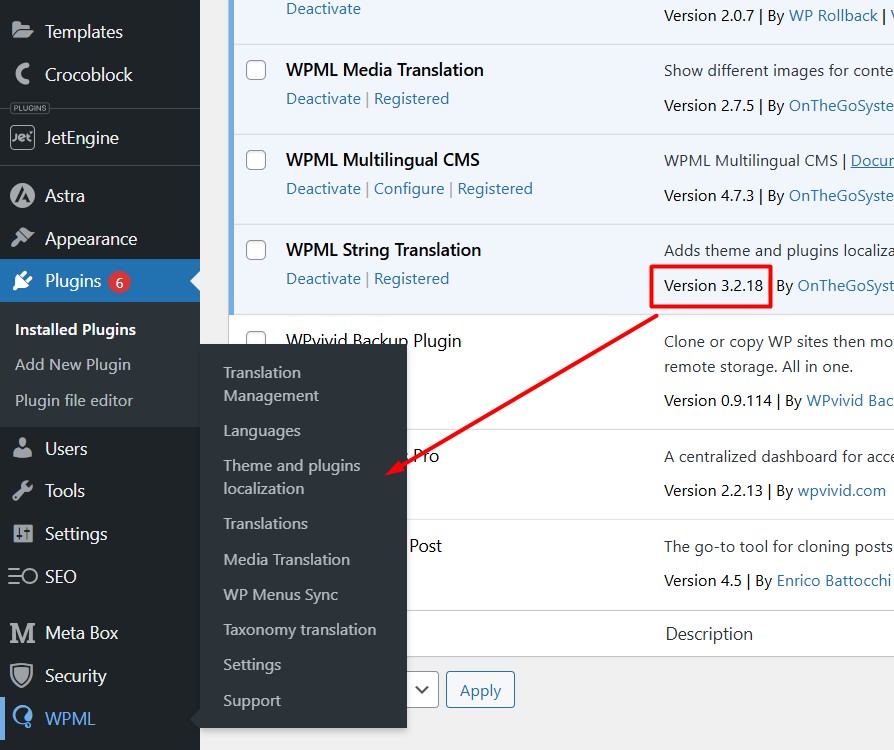
Version 3.2.18 if last working version for String Plugin, after gets error.
I checked your forums, there were some issues with MetaBox Advanced image field, and updates after...but its marked as solved so I couldnt investigate more.
What I did:
1. requested 30 days old backup from hosting company
2. Via SFTP - rolledback back plugin version with files extracted from old backup (only String plugin) no other plugins or filer were rolledback or changed.
wp-content/plugins/wpml-string-translation
3. Cleared cache
4. AR version works properly (I didnt try to add translations)
Please go and check AR version on Staging website:
hidden link hidden link
hidden link
----
Other problem: now as you can see in screenshots.
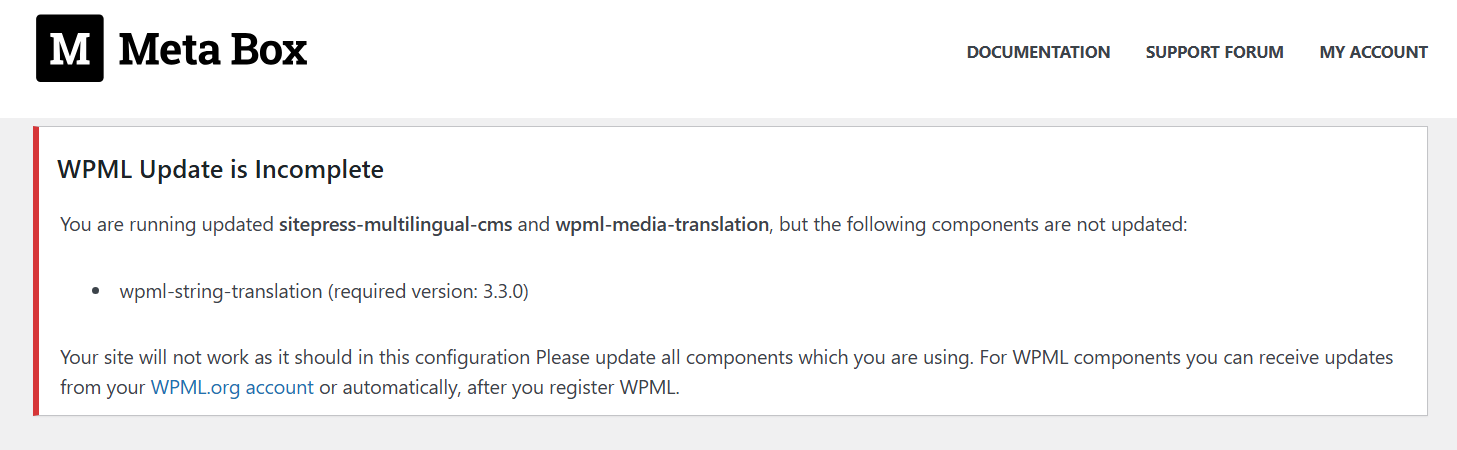
** You are running updated sitepress-multilingual-cms and wpml-media-translation, but the following components are not updated: wpml-string-translation (required version: 3.3.0).
Should I rollback CMS, and Media plugin as well?
----
Please ask tech team to check Staging website, if all is OK I would do same for Live website (rollback String plugin version).
Sorry for the delay, I was off during the weekend (Friday-Saturday). Thanks for the additional details, I’m trying some troubleshooting steps on staging/fresh WP site and get back to you with an update soon.
- It seems this is a site-specific issue, as the latest version of WPML String Translation works fine with the latest Meta Box AIO on a fresh WordPress setup.
- On the staging site, I noticed the Arabic version is working because the String Translation plugin is technically disabled, it's an older version and not compatible with the current WPML Multilingual CMS, which is why the String Translation menu is missing (screenshot attached).
- I tested by rolling back the WPML Multilingual CMS to version 4.6.15, making the String Translation plugin active again. However, the error reappears on the Arabic version, confirming a conflict.
- From my testing, the issue only occurs when both the latest WPML String Translation and Meta Box AIO are active. Arabic works fine when either is deactivated.
- To move forward, I recommend rolling back the Meta Box AIO, WPML Multilingual CMS, and WPML String Translation plugins to the versions used in your working backup. This will help confirm if the conflict is related to the latest updates.
Please let me know how it goes. Really appreciate your patience and cooperation.