Eslam Badr
|
Background of the issue:
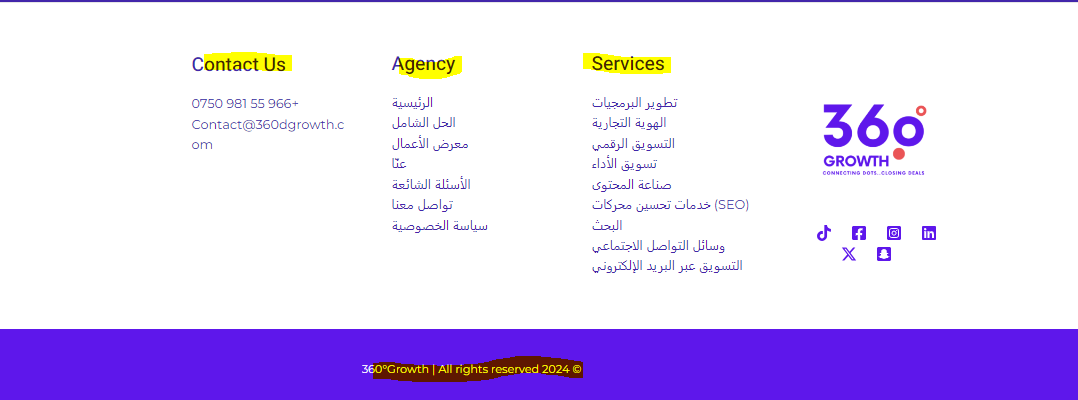
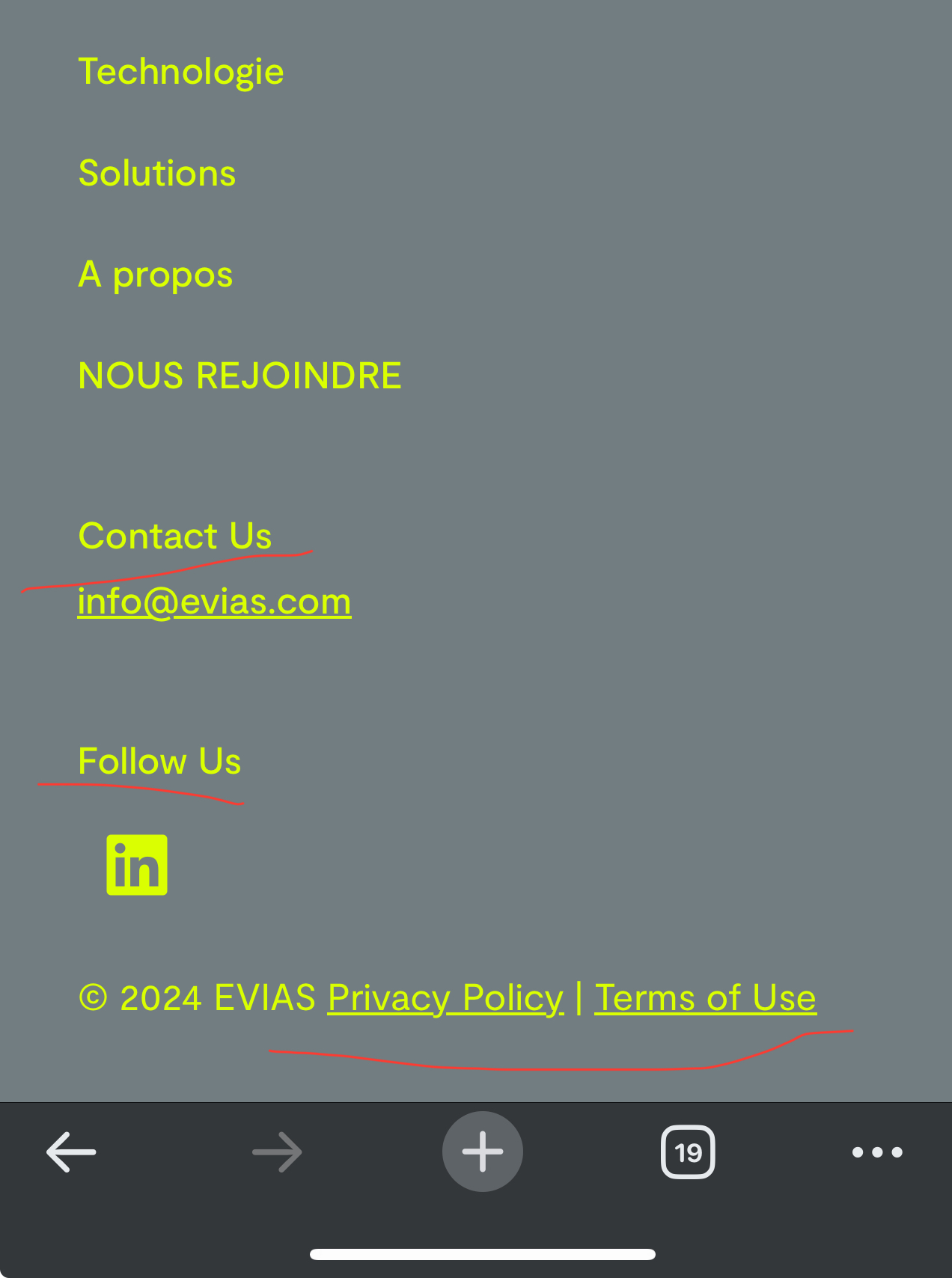
I can't translate some headings in the footers section and copyrights section along with a CTA button in the headings. I tried to translate them from English to Arabic but when I do so it takes effect in both versions. The site is under development.
Symptoms:
Translations for headings in the footers section, copyrights section, and a CTA button are not working correctly. Changes in one language affect both versions.
Questions:
How can I translate headings in the footers section and copyrights section without affecting both language versions?
How can I translate a CTA button in the headings using WPML?
|

Mihai Apetrei
WPML Supporter since 03/2018
Languages:
English (English )
Timezone:
Europe/Bucharest (GMT+02:00)
|
Hi there.
Before this ticket gets assigned to my colleagues, I will try to help.
The proper way to translate strings depends a lot on how they have been implemented inside the theme/plugin.
Please try both methods and see if any of them resolves the issue.
Method 1:
Go to WPML > String Translation and at the bottom of the page you will find a checkbox called "Look for strings while pages are rendered". You can enable (check) that and then go to the front end to a page where you have that string showing up and then go back to WPML > String Translation and search for that string and see if it now shows up.
Method 2: If you can't find them inside the WPML > String Translation, they might be added as admin text strings.
This should be the normal process to find and translate admin text strings:
https://wpml.org/documentation/getting-started-guide/string-translation/finding-strings-that-dont-appear-on-the-string-translation-page/
PS: The sections seem to come from widget areas (as I can see in the code, they were probably added from inside the widgets area from the backend) - so, in order to translate widgets, please take a look at the available options in our documentation below:
https://wpml.org/documentation/getting-started-guide/translating-widgets/
I hope that you will find this information helpful.
Mihai Apetrei
|
Eslam Badr
|
Hi, Mihai,
Thanks for your reply. You're right it comes from a widget.
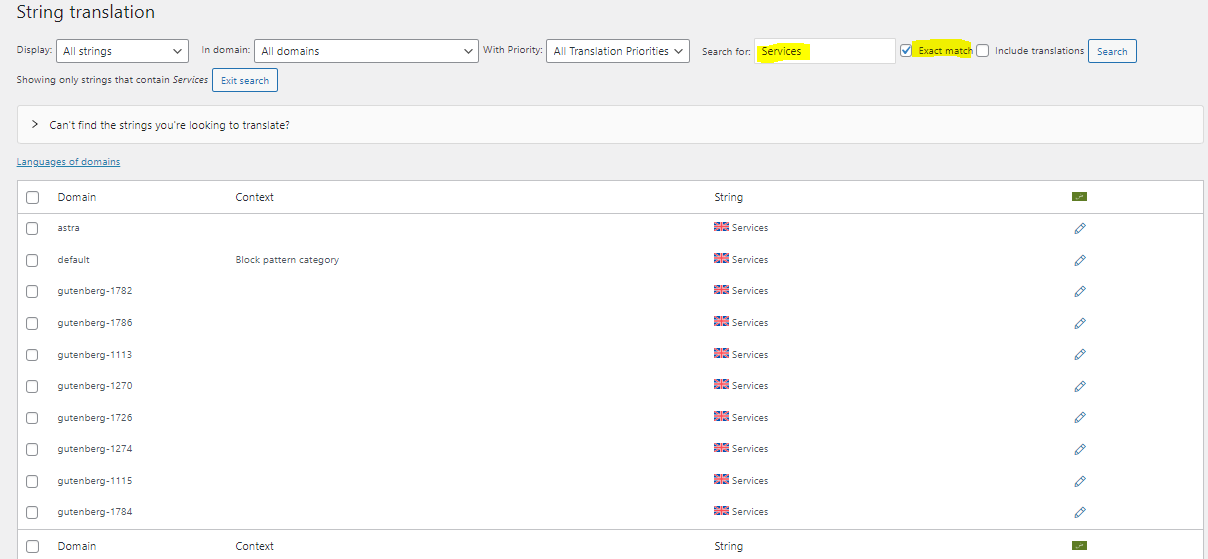
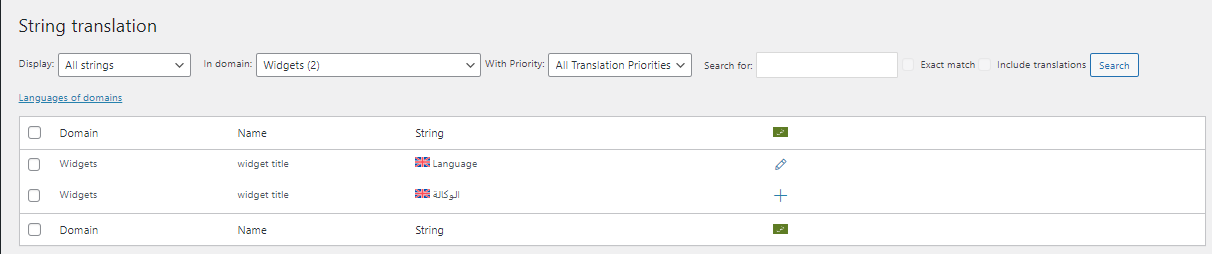
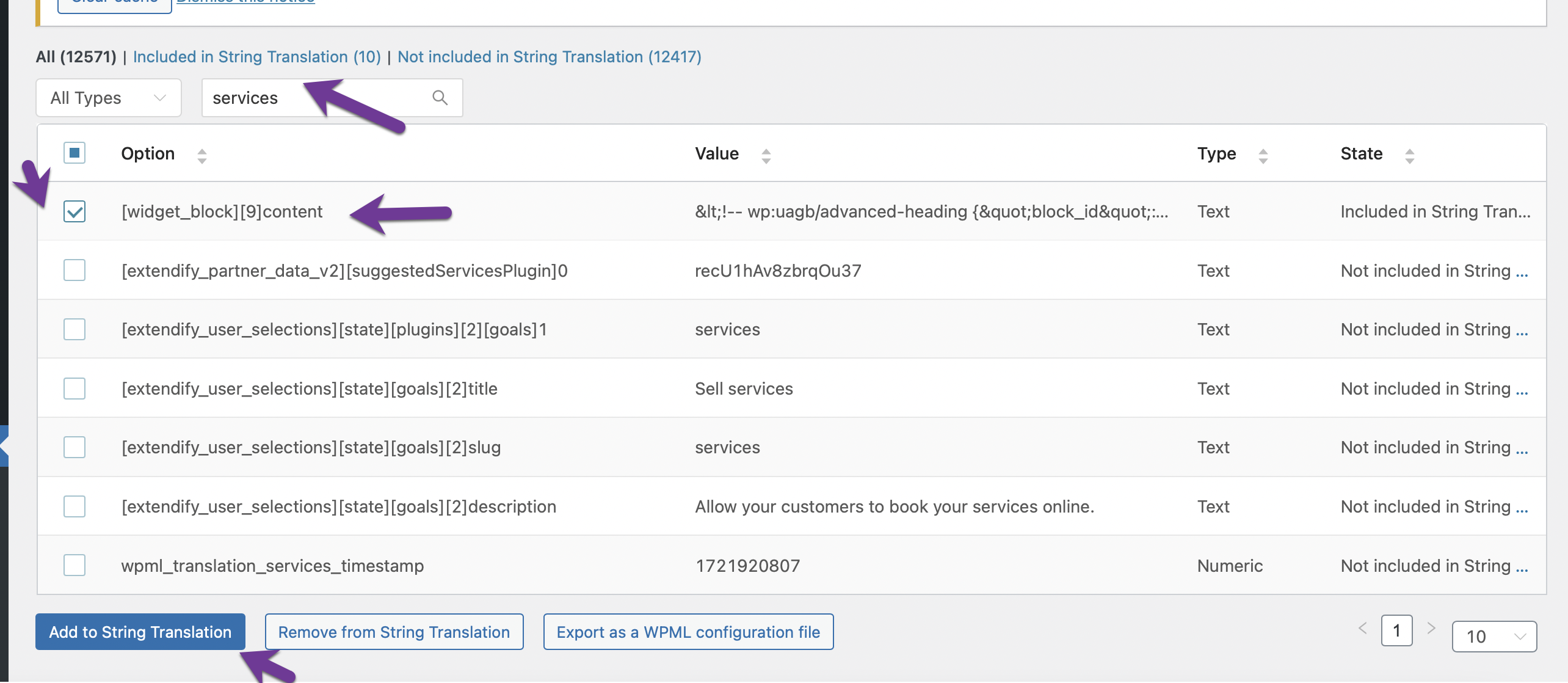
I searched for the word, For example, "services" like the screen with the exact match I got all of these words and I made sure all of them were translated but I still had the same issue.!
Please let me know if there an easy way to solve that.
Regards
|
Eslam Badr
|
Hi,
I still need help.
Thanks
|
Mihai Apetrei
WPML Supporter since 03/2018
Languages:
English (English )
Timezone:
Europe/Bucharest (GMT+02:00)
|
Hi there.
My preferred option to translate strings is the one mentioned here:
https://wpml.org/documentation/getting-started-guide/translating-widgets/#using-different-widgets-for-different-languages
Can you please let me know if you had the chance to try this option, too? This might be better for avoiding conflicts, too.
Please let me know how things go.
I will be waiting for your response.
|
Eslam Badr
|
Hi, Thanks for your reply.
I tried searching for it using the method you suggested but didn't find the header name that I needed to translate.
But, As I mentioned before I tried to search for the required word with an exact match and I found all the words and already made sure that I translated it.
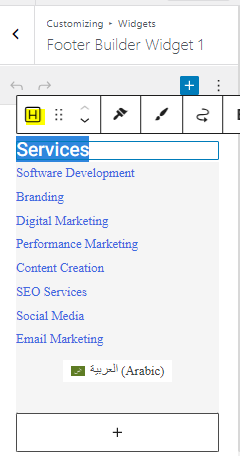
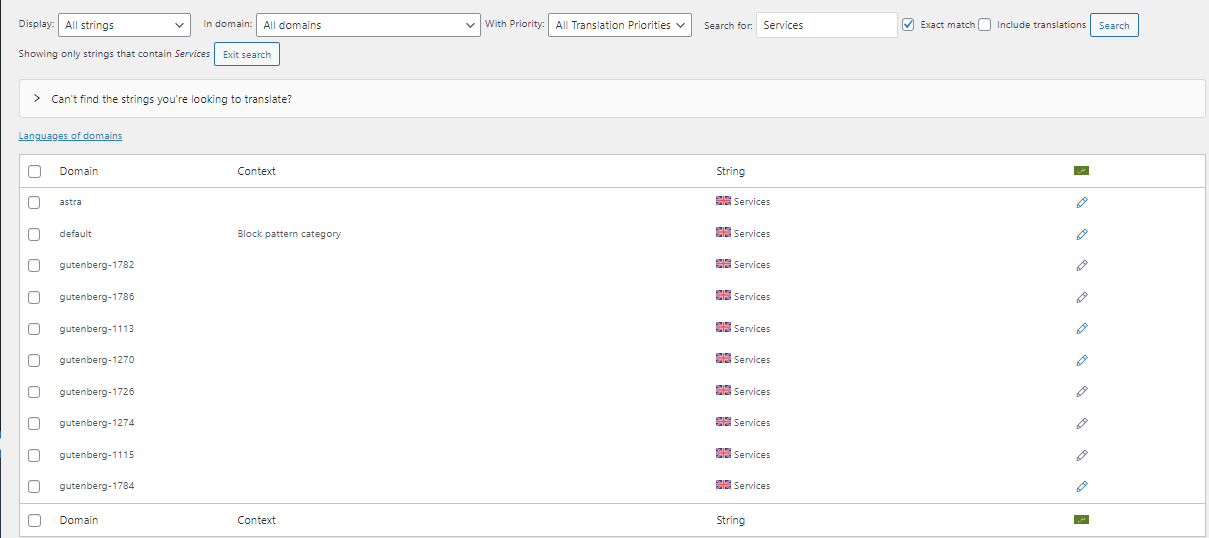
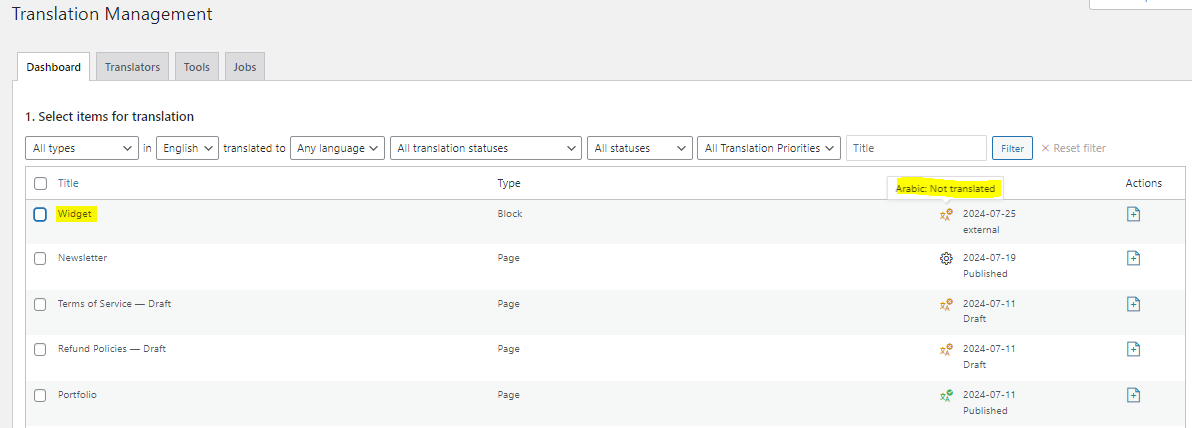
Just to confirm, The widget itself was already translated by the plugin but the heading of the widget is the one that I've an issue with. Please check the below screens.
Thanks
|
Mihai Apetrei
WPML Supporter since 03/2018
Languages:
English (English )
Timezone:
Europe/Bucharest (GMT+02:00)
|
Hi there.
Thank you for the update.
Maybe there is some caching active?
I would like to request temporary access (wp-admin and FTP) to your site so I can better examine the issue. The needed fields are below the comment area. When you log in to leave your next reply, the information you enter is private, meaning only you and I can see and access it.
Our Debugging Procedures
I will check various settings in the backend to see if the issue can be resolved. Although I won't be making changes that affect the live site, it is still good practice to back up the site before providing us access. In the event that we do need to debug the site further, I will duplicate it and work in a separate, local development environment to avoid affecting the live site.
Privacy and Security Policy
We have strict policies regarding privacy and access to your information. Please see:
https://wpml.org/purchase/support-policy/privacy-and-security-when-providing-debug-information-for-support/
**IMPORTANT**
- Please back up the site files and database before providing us access.
If you do not see the wp-admin/FTP fields, your post and website login details will be made PUBLIC. DO NOT post your website details unless you see the required wp-admin/FTP fields. If you do not, please ask me to enable the private box.
The private box looks like this: hidden link
I will be waiting for your response.
|
Eslam Badr
|
Sorry, But I also have a concern about the translation widget , How it can be look like this cause the normal widget looks bad.
|
Mihai Apetrei
WPML Supporter since 03/2018
Languages:
English (English )
Timezone:
Europe/Bucharest (GMT+02:00)
|
Hi there.
Unfortunately, I am not able to log into the site.
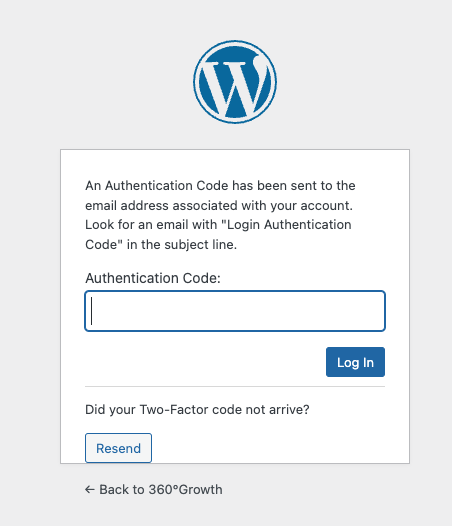
Also, that code might expire until I am able to see your reply so it would be great if we can disable that for this user or if we can find a way to disable that for now.
I will be waiting for your response.
|
Eslam Badr
|
Sure, I turned it off.
Please, try again.
|
Mihai Apetrei
WPML Supporter since 03/2018
Languages:
English (English )
Timezone:
Europe/Bucharest (GMT+02:00)
|
Hi and thank you for the credentials.
I can confirm that I was able to log in successfully.
I am spending more time on this and I will get back to you as soon as I have more feedback.
I will leave the ticket assigned to myself for the moment.
PS: Please note that I won't be working over the weekend, but I will be able to get back to you at the beginning of next week.
|

louisC-7
|
I am facing the same problem, my site is using theme called “twenty twenty four” and twentig plugin, I added french translations for the footer, but some parts not working.
I can find the the domain corresponding to wordings in “string translation”, i added french translate but still not working.
|
Eslam Badr
|
Hi Mihai,
Is there any news?
I hope we can find a solution as soon as possible.
Regards
|
Mihai Apetrei
WPML Supporter since 03/2018
Languages:
English (English )
Timezone:
Europe/Bucharest (GMT+02:00)
|
Hi Eslam, I'm back.
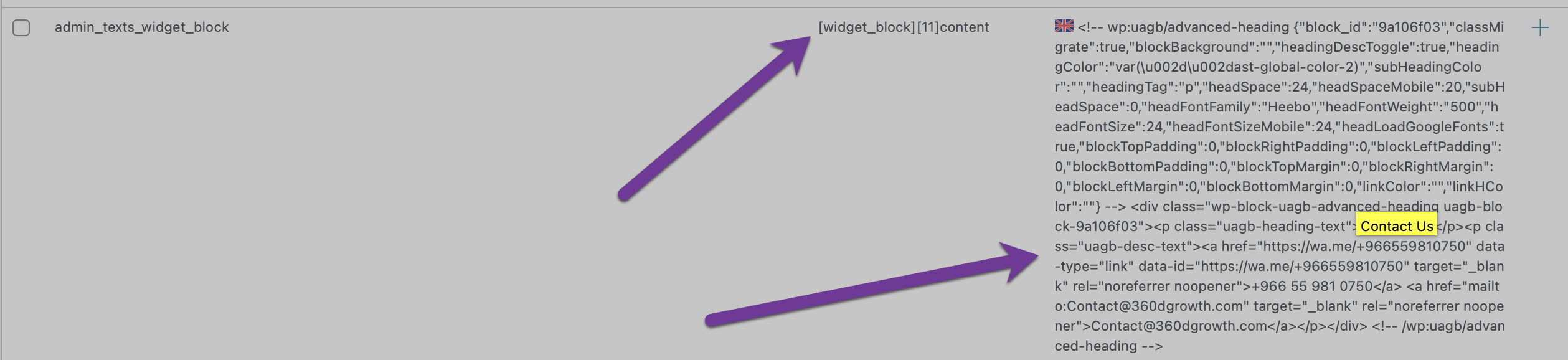
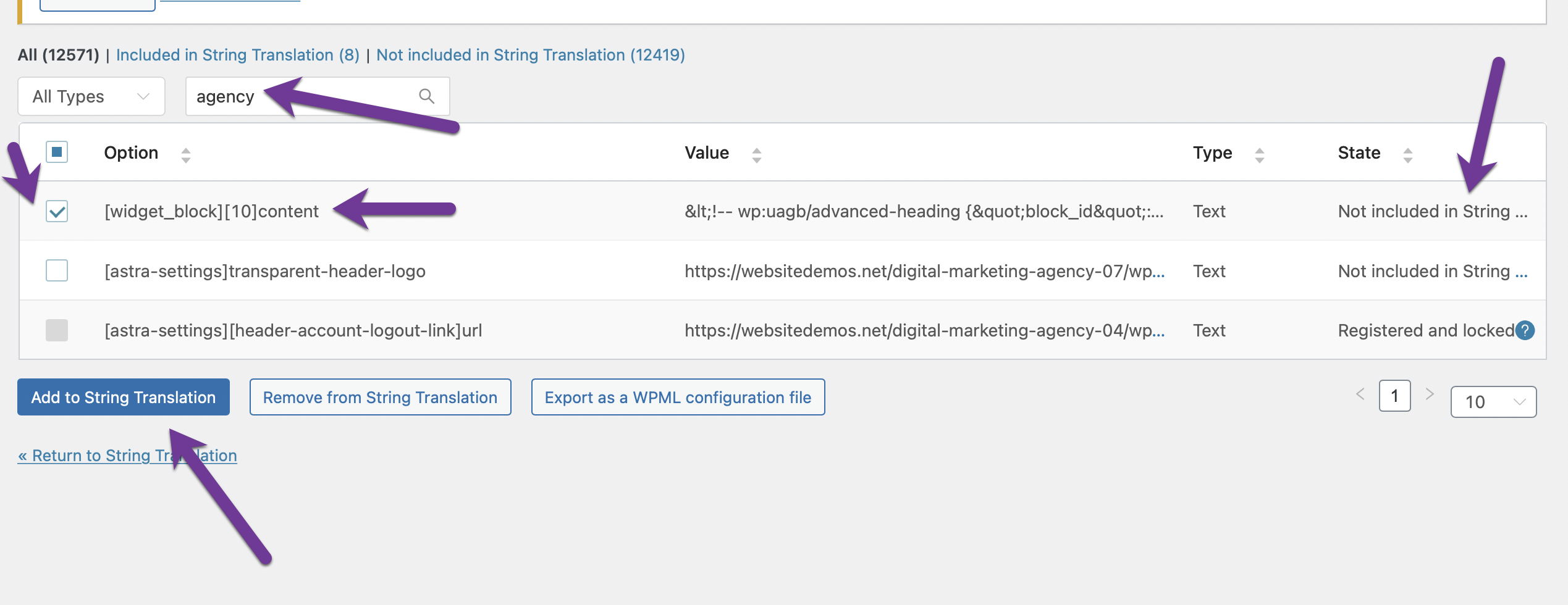
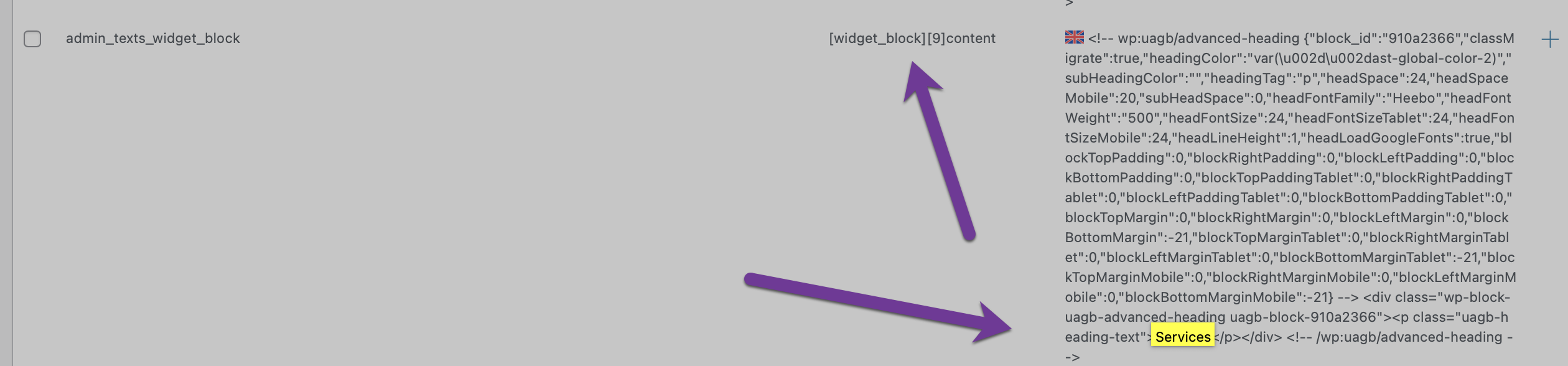
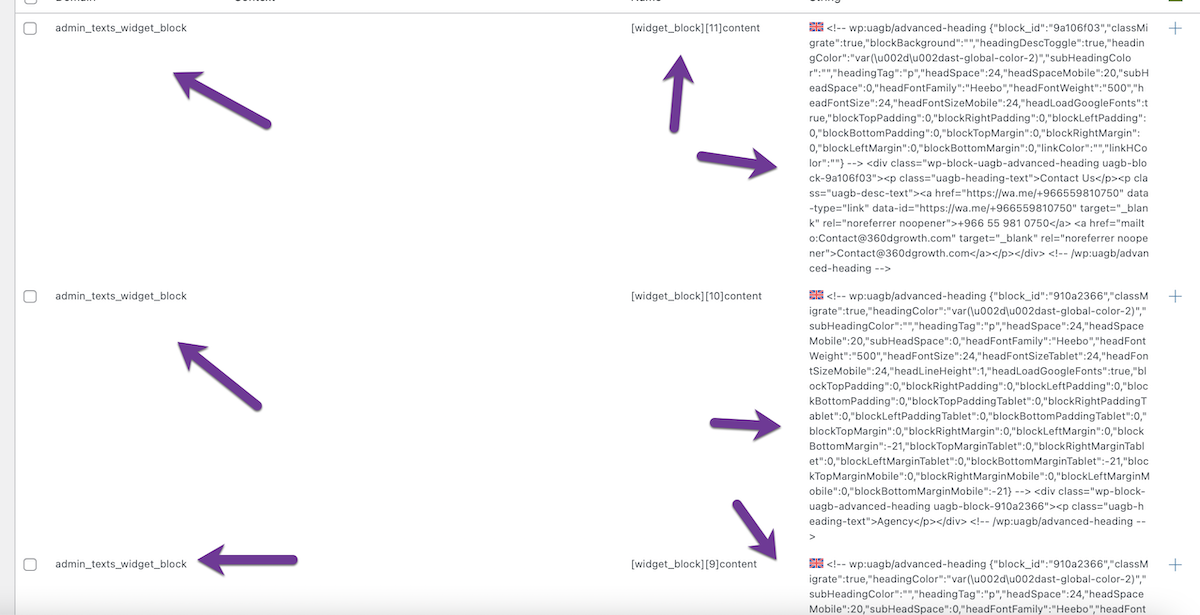
It seems that I was able to find the strings - I think those are the correct ones as they have the widget text domain:
hidden link
They should show up at the top of that link now as I registered them by using method 2 that I shared here:
https://wpml.org/forums/topic/i-cant-translate-some-headings-in-footers-section-and-copyrights-section/#post-15994540
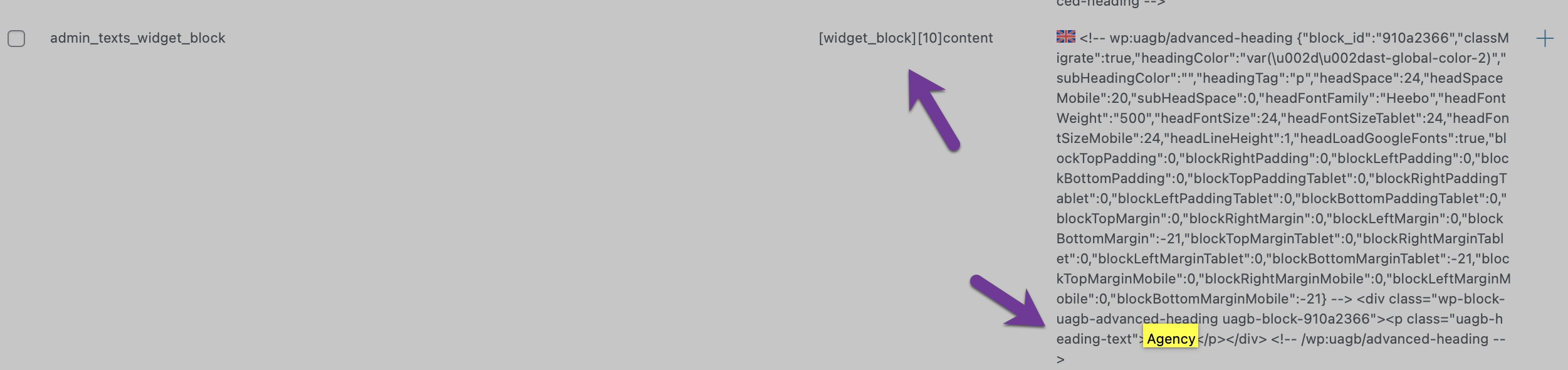
So you have to click +, then click the button in the middle so that you can copy all the code from the left area to the right area, and then you can translate only the word used in the title: Services, Agency, Contact Us
Please let me know how things go.
---
Hi louisC-7.
Please open a new ticket so that we can handle that issue separately and properly investigate it.
|
Eslam Badr
|
Hi, Hope you had a good holiday.
Thanks a lot it is worked 🙂
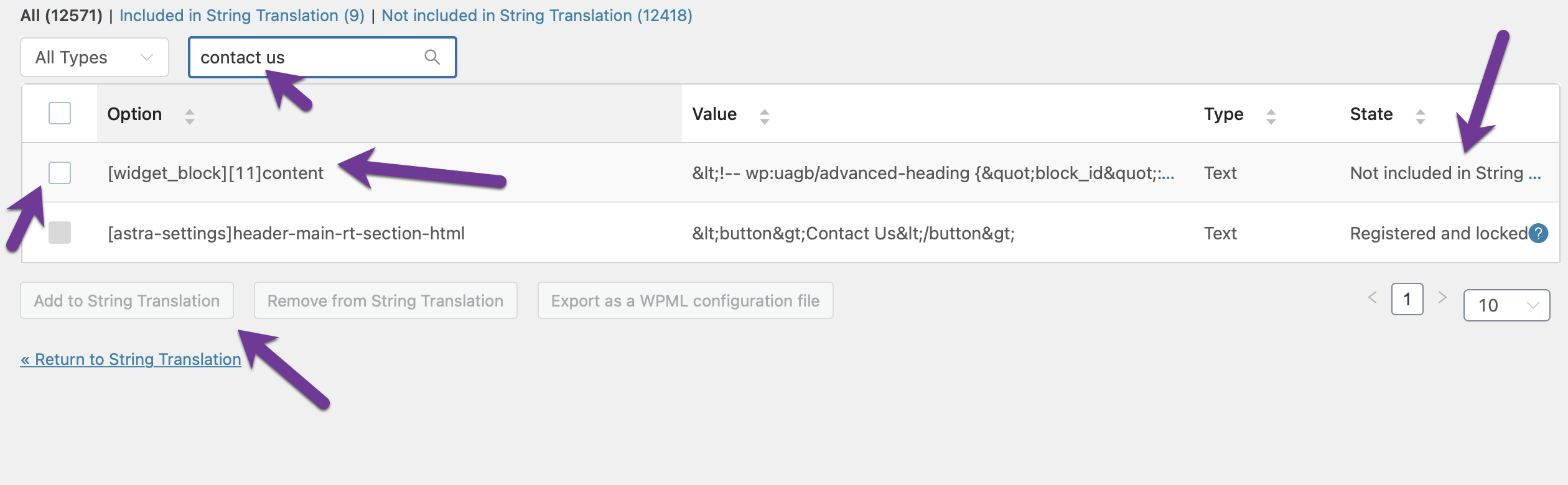
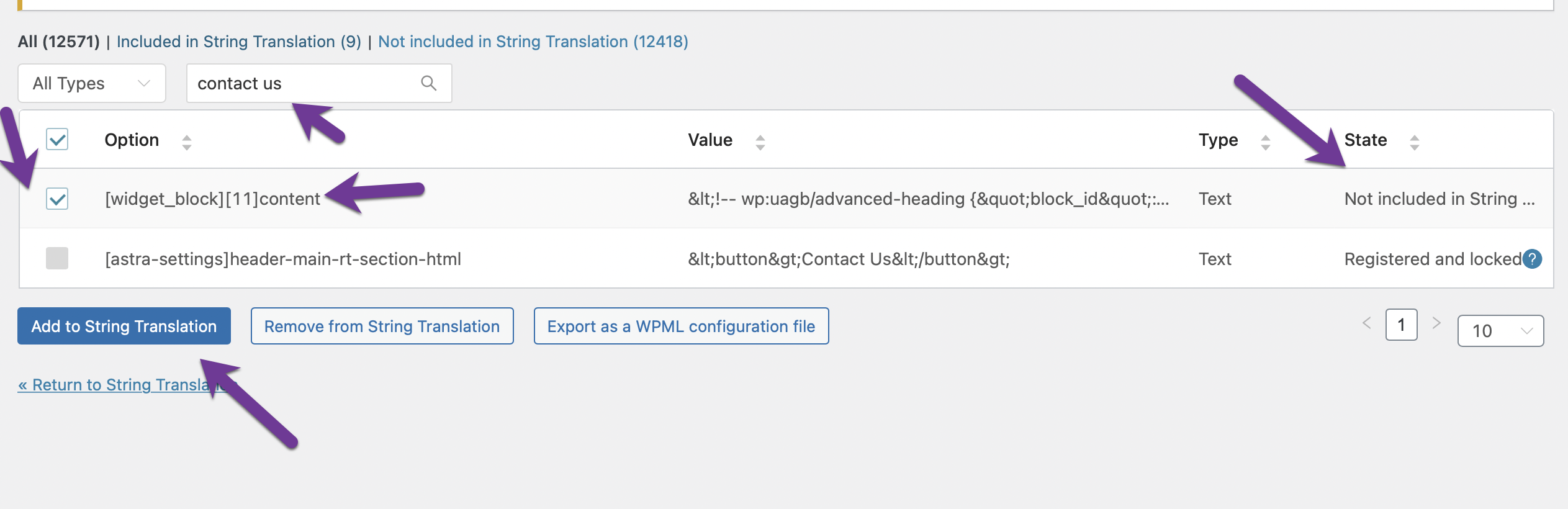
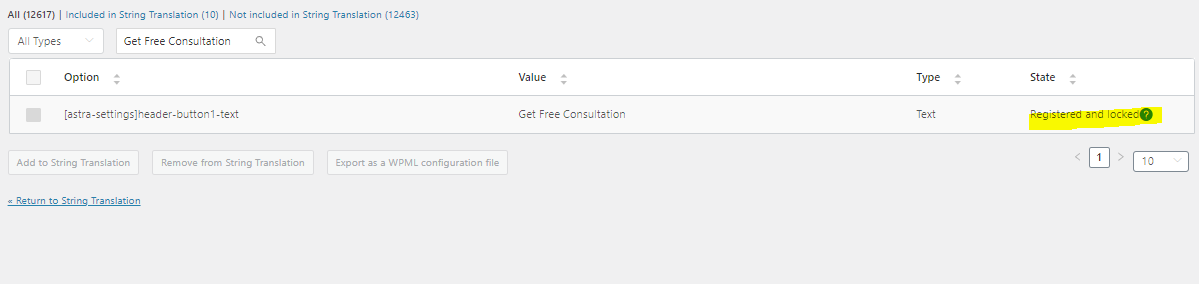
Just the last thing is the CTA button on the screen, I followed what you did and found that the string is locked. so can't add it to the string translation.
please check the screen.
Thanks again
|