Skip to content Skip to sidebar

This thread is resolved. Here is a description of the problem and solution.

Problem:
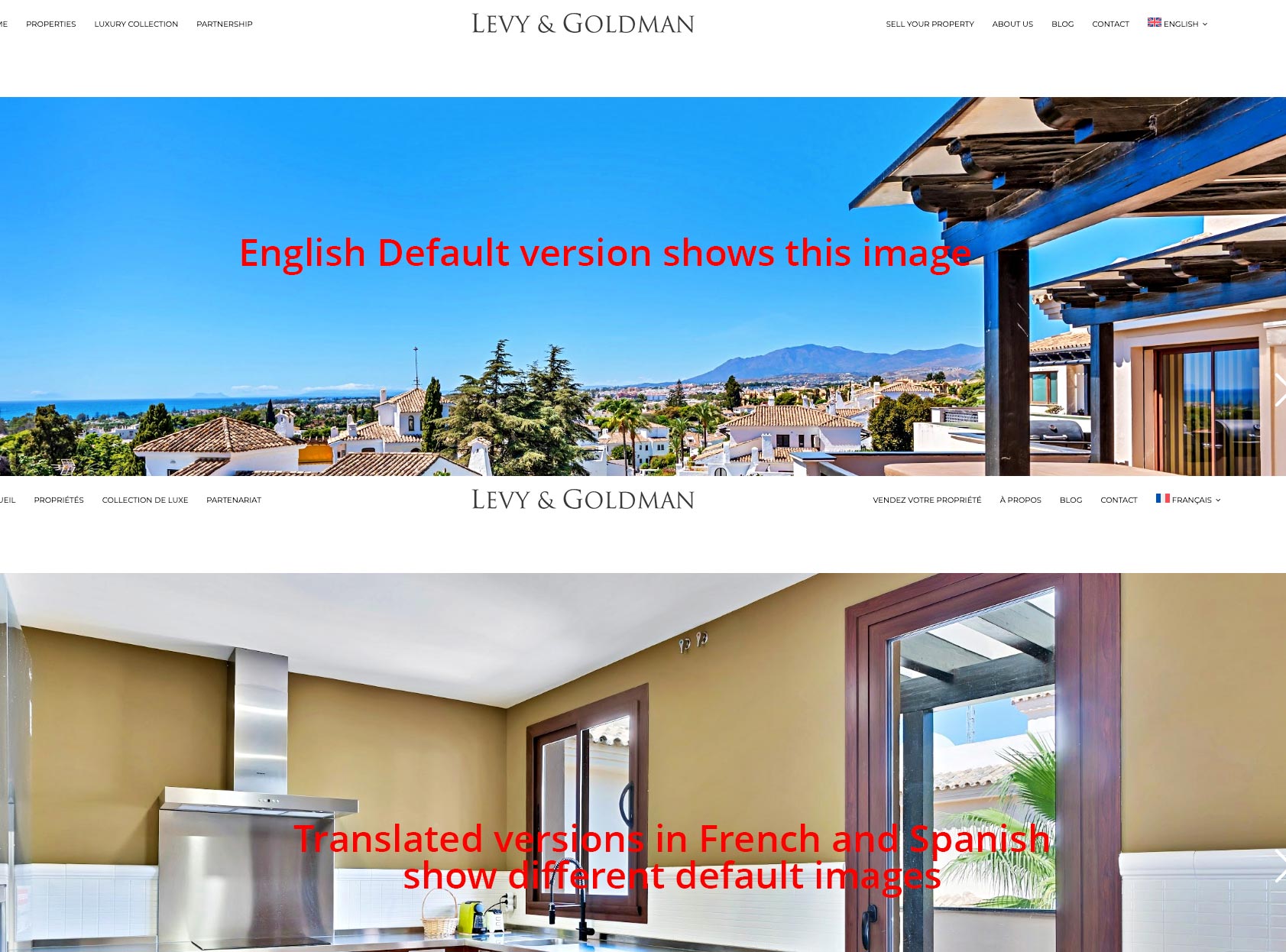
1. When properties are duplicated on your website, they do not display the same main selected image for each language on the front end.
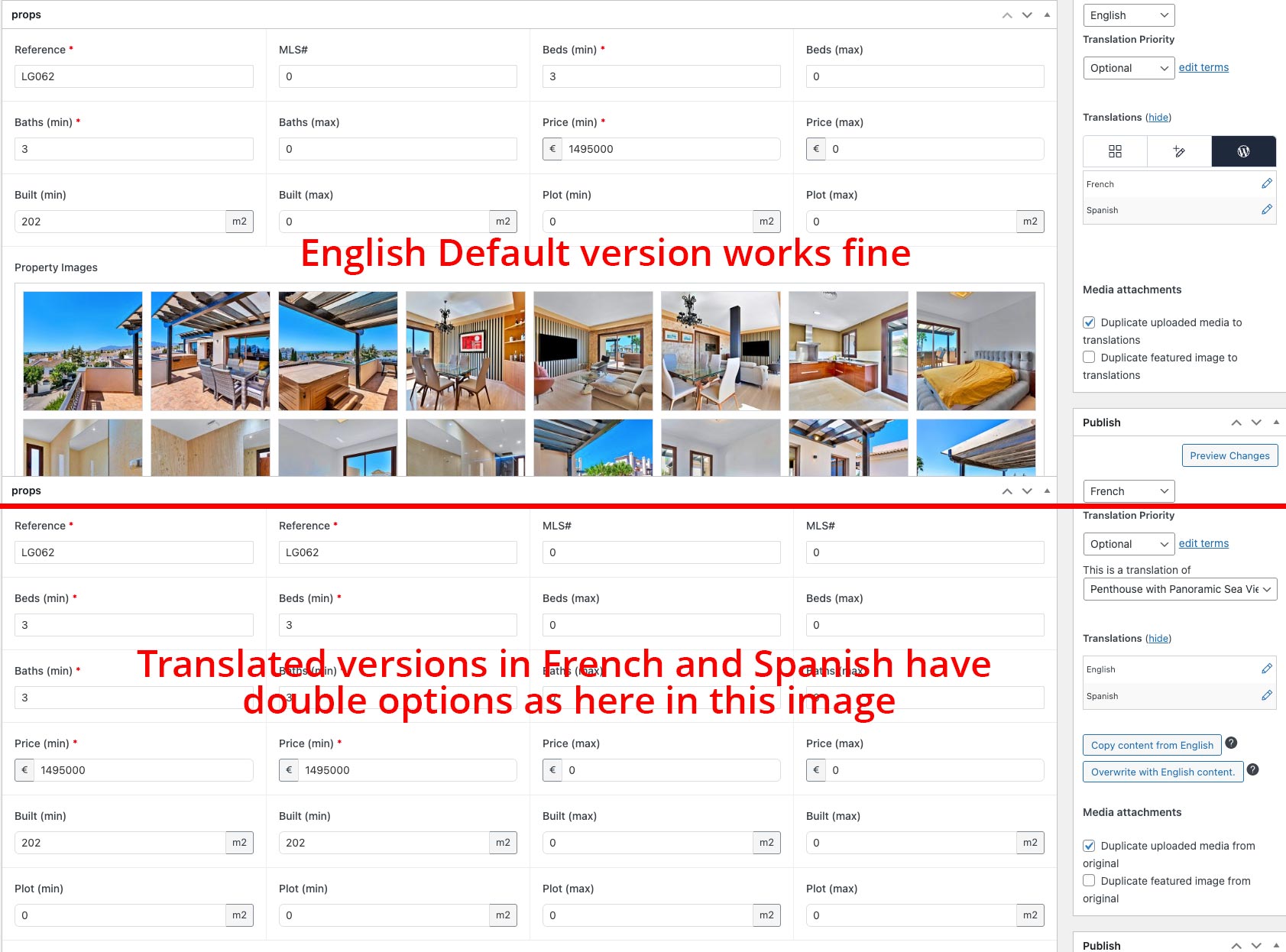
2. When properties are translated with WPML, the system shows doubled options in the backend, such as two descriptions and two sets of fields for each property in the translated versions.
Solution:
To address these issues:
1. Install the ACF Multilingual add-on to ensure compatibility between ACF and WPML. You can find the add-on and setup instructions here: https://wpml.org/documentation/related-projects/translate-sites-built-with-acf/
2. Increase your WordPress memory limit as it is below the minimum requirement. Add the following lines to your

wp-config.php

file, just before the line

/* That's all, stop editing! Happy publishing. */

:

define( 'WP_MAX_MEMORY_LIMIT', '256M' );<br />define( 'WP_MEMORY_LIMIT', '128M' );

Afterwards, verify the new memory limit under WPML > Support > WordPress > Memory limit.

If this solution does not resolve your issue or seems irrelevant, we highly recommend checking related known issues at https://wpml.org/known-issues/, verifying the version of the permanent fix, and confirming that you have installed the latest versions of themes and plugins. If further assistance is needed, please open a new support ticket at WPML support forum.

This is the technical support forum for WPML - the multilingual WordPress plugin.

Everyone can read, but only WPML clients can post here. WPML team is replying on the forum 6 days per week, 22 hours per day.

This topic contains 3 replies, has 1 voice.

Last updated by david 2 days, 15 hours ago.

Assisted by: Kor.

Author Posts
January 29, 2026 at 10:07 am #17772966

david

1. the properties on our website, when duplicated are not showing the same main selected image for each language on the front end.

2. when the properties are translated with WPML, the system is now showing doubled options in the back end. 2 descriptions, 2 sets of fields for each property on the translated versions. (the original versions are not showing this issue.

January 29, 2026 at 10:10 am #17773005

david

Hello What happened to the direct support team?

January 29, 2026 at 10:47 am #17773077

david

The system has been working fine and no issues for several months, the client has been able to upload and translate properties with no issues,

then in the last week, the WPMl and ACF pro system seems to be having a conflict in regards to duplicating them and now all duplicated properties are showing doubled content in the back end.

January 29, 2026 at 12:30 pm #17773457

Kor
WPML Supporter since 08/2022

Languages: English (English )

Timezone: Asia/Singapore (GMT+08:00)

Hi there,

Thanks for your patience. I’ve checked your website’s debug information and I have some feedback for you.

Since you’re using ACF together with WPML, you’ll need to install the ACF Multilingual add-on: https://wpml.org/documentation/related-projects/translate-sites-built-with-acf/

Once it’s installed, please follow the setup instructions provided in that guide.

Additionally, I noticed that your WordPress memory limit is currently below the minimum requirement. The minimum required is 128M, and we recommend 256M, but your site is currently set to 40M.

You can find more details here: https://wpml.org/home/minimum-requirements/

To increase the memory limit, please add the following lines to your `wp-config.php` file, right before this line:
`/* That’s all, stop editing! Happy publishing. */`

define( 'WP_MAX_MEMORY_LIMIT', '256M' );
define( 'WP_MEMORY_LIMIT', '128M' );

After making this change, you can verify the new memory limit under WPML > Support > WordPress > Memory limit.

February 2, 2026 at 10:49 am #17783314

david

Thanks so much for the ideas on the fix.. Very kind.