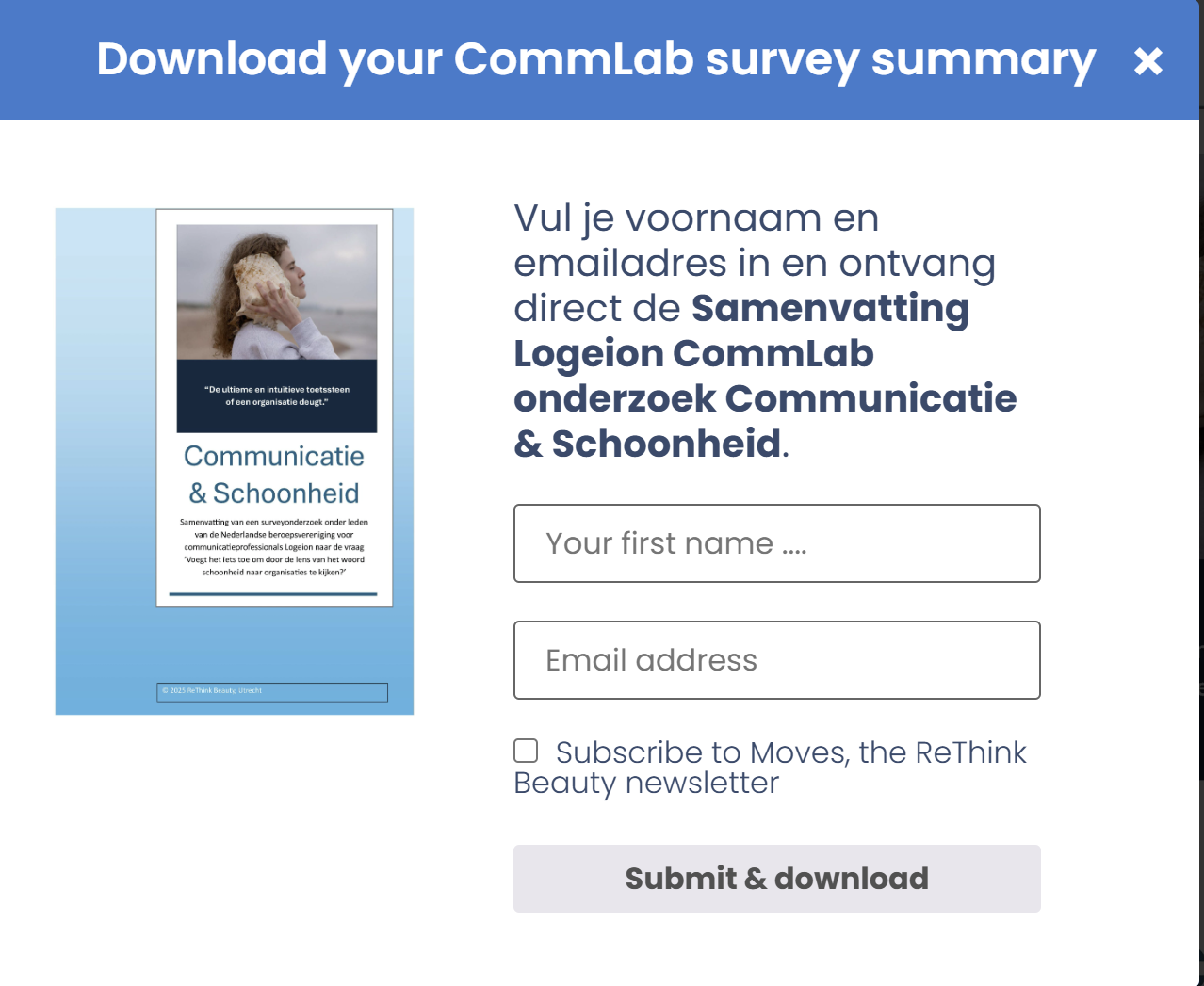
Hi,
I created string translations in the WPML Translation dashboard for a number of strings that didn't translate from English to Dutch.
Just in the site nothing changes: I still keep seeing the English texts in stead of the Dutch translations.
It concerns the pop-up screen for a Dutch product where some of the text are translated and some aren't.
Even the text that I found in the string translation setting and that I did translate are not updated...
Thank you for following the steps. This seems to be a compatibility issue with the plugin in question. As we do not have any integration with that plugin, we can not guarantee a working solution, but we will do our best.
To be able to report the compatibility issues, we need to replicate the issue on a clean installation.
I created a clean installation of WordPress, WooCommerce, WPML, and all necessary WPML add-ons.
You can access the WordPress dashboard using the link below: hidden link
Kindly follow the steps below:
- Install the plugin.
- Add a pop up.
- Try to replicate the issue
- Give us the steps to see the issue
This will help us to report the probable issue to the compatibility team and solve the possible problem faster.
Pfff 🙄 Is still need help, but it's becoming complicated.
I did as you advised:
- Installed the Plugin Free Downloads Woocommerce in the sandbox environment
- Activated the plugin
- Created a new Product: Download only tye
- Uploaded a PDF file to the Product section
- And added a small Product description
You should be able to see this all.
But then....
The popup where the font issue appears is meant to ask users if the - before direct download a pdf without any pause- if they want to subscribe to a newsletter. This is acrually the added vallue: extending out mailing list.
Turns out for this I need to switch on the tracking and email settings, and these are part of the Pro License. Can this be done in this sandbox environment??
Also: We've installed Free Downloads Wooc Pro already to the max of our license, so I would first need to unregister it at another site.
This is Andrey here. Christopher is currently away, so I will be assisting you further.
I have already checked what you have done so far on the sandbox.
In this test environment, you can do everything you need to replicate the issue. Once we have verified and handle the issue, you can unregister the sandbox environment.
I am still testing and for some reason the sandbox site does not show the popups Free Donload Woocommerce Pro is creating. All settings of this app are the same as on the ReThink site and still in your Sandbox the popups don't show.
Could there be any setting that blocks this?
The String Translation error appears in the popup, so I can't show you this way....