Skip to content Skip to sidebar

This thread is resolved. Here is a description of the problem and solution.

Problem:
The client is unable to access the ACF Options page in German for translation, receiving an error message indicating lack of permissions, despite the fields being set to translatable and working in English. The issue persists even after using WPML Troubleshooting tools.
Solution:
We resolved the issue by resetting the capabilities for the client's current admin accounts. This adjustment allowed the client to access and edit the theme options in German successfully. If you're experiencing similar issues:
1. Verify that your fields are set to be translatable and check their functionality in the primary language.
2. If encountering permission errors, consider resetting the capabilities of your admin accounts.
3. For detailed steps on translating ACF Options pages, refer to our documentation: Translating the ACF Options Page Custom Fields with WPML.

Please note that this solution might be outdated or not applicable to your specific case. We highly recommend checking related known issues at https://wpml.org/known-issues/, verifying the version of the permanent fix, and confirming that you have installed the latest versions of themes and plugins. If the problem persists, please open a new support ticket.

This is the technical support forum for WPML - the multilingual WordPress plugin.

Everyone can read, but only WPML clients can post here. WPML team is replying on the forum 6 days per week, 22 hours per day.

Tagged: 

This topic contains 5 replies, has 2 voices.

Last updated by Stefan 3 years, 6 months ago.

Assisted by: Osama Mersal.

Author Posts
October 7, 2022 at 8:26 am #12199749

Stefan

I have an ACF Options page that has Custom Fields added that needs translating with WPML.

I have followed the steps here: https://wpml.org/documentation/related-projects/translate-sites-built-with-acf/translating-the-acf-options-page-custom-fields-with-wpml/.

The fields for the Options page are set to be translatable, and are working in the EN (the primary language).

All other fields and content on the site are translating correctly.

If I try to edit the Options page in DE for translating I get the error message: "Du bist leider nicht berechtigt, auf diese Seite zuzugreifen." ("Sorry, you do not have permission to access this page.")

I have tried the WPML Troubleshooting tools to fix any issues but without luck. I have followed topics on the support forum here but again without any luck (e.g. https://wpml.org/forums/topic/setup-sorry-you-are-not-allowed-to-access-this-page/).

Please could we have a support engineer look at this?

October 9, 2022 at 9:55 am #12208329

Osama Mersal

Hi,

Thanks for contacting WPML forums support. I'll be glad to help you today.

First of all, sorry for the late reply due to a higher workload. I would need to look closely at your site, so I would need to request temporary access (WP-Admin and FTP)
– preferably to a test site where the problem has been replicated if possible –
in order to be of better help and check if some configurations might need to be changed.

Your following answer will be private, which means only you and I can access it.
❌ Please backup your database and website ❌

✙ I would need your permission to de-activate and re-activate the Plugins and the Theme and change configurations on the site. This is also a reason the backup is critical.

✙ I also need your permission to take a local copy of your site to debug the issue without affecting your live site.

Thanks for your cooperation and patience

Regards,
Osama

October 12, 2022 at 7:20 am #12224875

Osama Mersal

Hi,

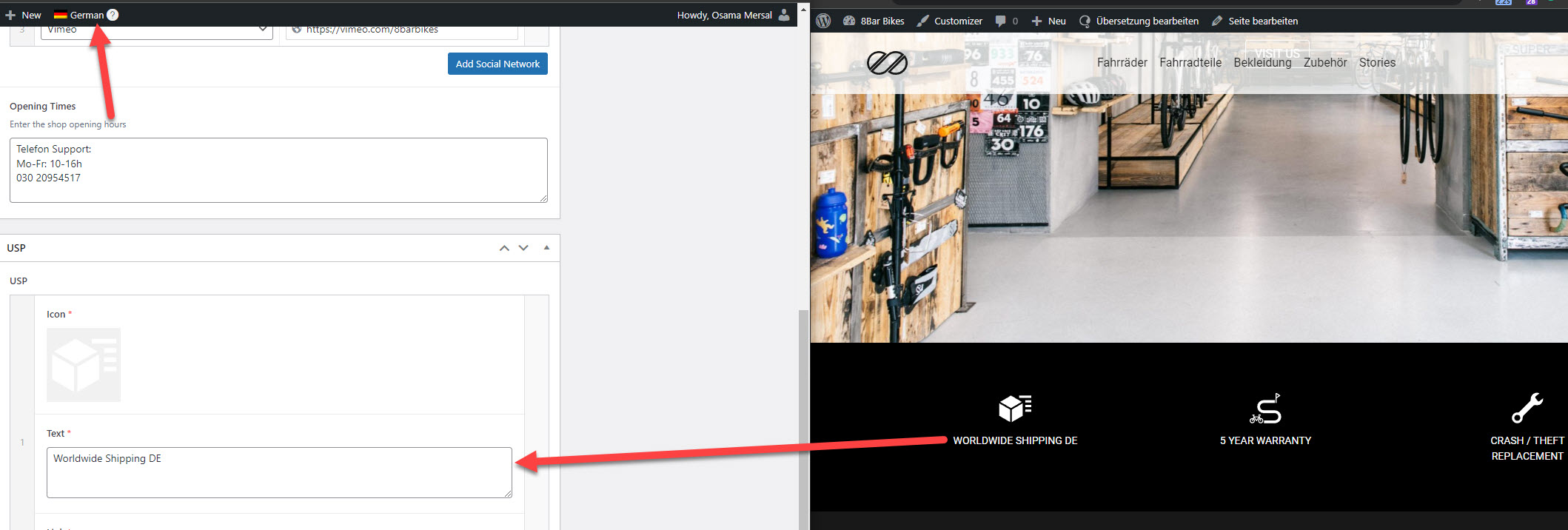
1) Thanks for the access details. I've edited the theme options in German, and it worked correctly. (Kindly check the attached screenshot)

Would you please let me know the steps to reproduce the issue?

2) The emails are sent automatically to the email address in your WPML account. If you need the emails to be sent to another email address, please change the email address in your wpml.org dashboard. (https://wpml.org/account/account-settings/)

Best regards,
Osama

1.jpg
October 12, 2022 at 8:21 am #12225441

Stefan

Ha yes! - it works when I log in with the new account we gave you, but all our existing admin accounts get the error "Sorry, you are not authorized to access this page" when trying to access the Theme Options.

October 12, 2022 at 8:39 am #12225673

Osama Mersal

Hi,

I think you need to reset the capabilities for your current admin accounts in order to fix the issue.

I tried to reset WPML capabilities, so please check your account and let me know if it works correctly.

Thanks,
Osama