
This is the technical support forum for WPML - the multilingual WordPress plugin.
Everyone can read, but only WPML clients can post here. WPML team is replying on the forum 6 days per week, 22 hours per day.
| Sun | Mon | Tue | Wed | Thu | Fri | Sat |
|---|---|---|---|---|---|---|
| - | 9:00 – 12:00 | 9:00 – 12:00 | 9:00 – 12:00 | 9:00 – 12:00 | 9:00 – 12:00 | - |
| - | 13:00 – 18:00 | 13:00 – 18:00 | 13:00 – 18:00 | 13:00 – 18:00 | 13:00 – 18:00 | - |
Supporter timezone: Asia/Singapore (GMT+08:00)
This topic contains 20 replies, has 0 voices.
Last updated by veronikaS-2 2 hours, 17 minutes ago.
Assisted by: Kor.
| Author | Posts |
|---|---|
| November 24, 2025 at 8:59 am #17603361 | |
 veronikaS-2 |
Background of the issue: Symptoms: Questions: |
| November 24, 2025 at 9:55 am #17603898 | |
 Kor WPML Supporter since 08/2022 Languages: English (English ) Timezone: Asia/Singapore (GMT+08:00) |
Thanks for your patience. Here is the ticket and I will require temporary access (WP-Admin and FTP) to a test site where the problem has been replicated, if possible. This will enable me to provide better assistance and determine if any configurations need to be modified. Please note that it is important to have a backup for security purposes and to prevent any potential data loss. You can use the UpdraftPlus plugin (https://wordpress.org/plugins/updraftplus/) to fulfill your backup requirements. Your upcoming reply will be treated with confidentiality and will only be visible to you and me. ✙ To resolve the issue, I may need your consent to deactivate and reactivate plugins and the theme, as well as make configuration changes on the site if necessary. This emphasizes the significance of having a backup. |
| November 24, 2025 at 3:18 pm #17605406 | |
|
Kor WPML Supporter since 08/2022 Languages: English (English ) Timezone: Asia/Singapore (GMT+08:00) |
Thanks for your reply. I’ve checked your Website and below are my answers to your questions. How can I ensure that variation colors are always synchronized in all languages? How can WPML automatically create all variations for all translated versions? Once done, retranslate the product and check whether the variation shows correctly. How can I ensure that product status (published/draft) syncs properly across all languages? How can I resolve the issue without repeatedly running Troubleshooting → Synchronize posts taxonomies?  |
| November 24, 2025 at 9:23 pm #17606265 | |
|
veronikaS-2 |
Hello, here is a short clarification of the issue: The problem appears randomly after updating a product or adding a new color. This happens on older and new products. Example: chocolate-en But the swatch renders: chocolate This mismatch explains why the swatch cannot be clicked. Running Synchronize posts taxonomies fixes the issue temporarily, Currently, on the reported products, the color “Black” is not selectable. We are looking for a permanent solution, because manually syncing taxonomy mapping across 5 languages is not sustainable. |
| November 25, 2025 at 4:57 pm #17609285 | |
|
Kor WPML Supporter since 08/2022 Languages: English (English ) Timezone: Asia/Singapore (GMT+08:00) |
Thanks for your reply. I need to be able to see the issue before I can troubleshoot this. I've checked this product hidden link and I'm able to select the "Black" color without issues, as shown in the attached screenshot. May I know which product you are having issues with? 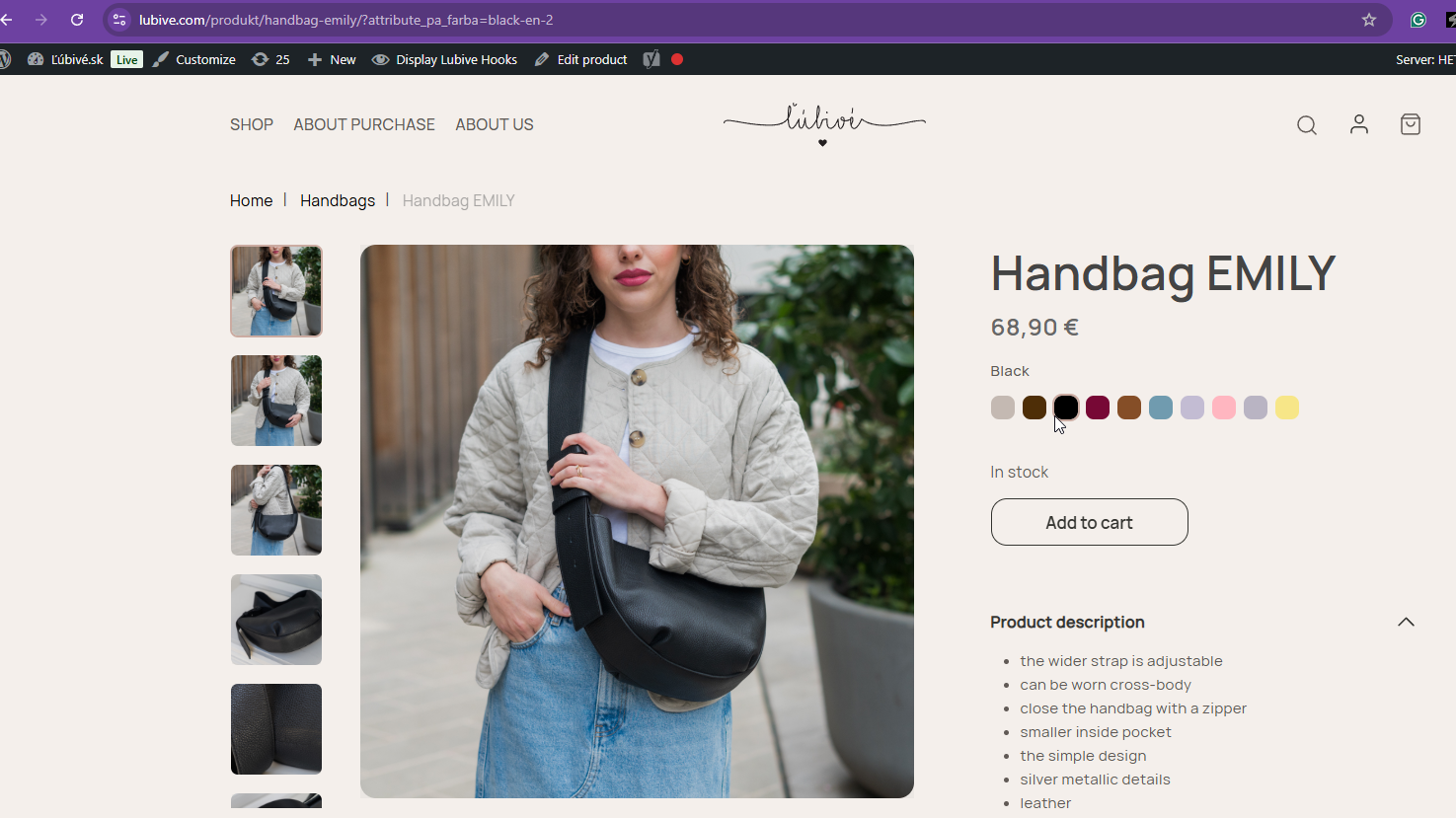 |
| November 26, 2025 at 12:00 am #17609964 | |
|
veronikaS-2 |
Hello, I am sending a video describing the problem. |
| November 26, 2025 at 11:04 am #17611116 | |
|
Kor WPML Supporter since 08/2022 Languages: English (English ) Timezone: Asia/Singapore (GMT+08:00) |
Thanks for the screen recording. I see the issue now. I regret any inconvenience caused, but to proceed with troubleshooting, I kindly ask for a snapshot of the site. Alternatively, with your permission, I can create one myself. For this purpose, I typically recommend using the free plugin "Duplicator." If you're already familiar with Duplicator (https://wordpress.org/plugins/duplicator/), please skip the following steps and simply send me the archive file you downloaded. To guide you further, please adhere to these instructions: 1. View the Duplicator instructions video: hidden link 2. Consult WPML's instructions on providing supporters with a copy of your site: https://wpml.org/faq/provide-supporters-copy-site/ 3. If the archive file exceeds 400MB, please use Duplicator's file filters to exclude cache, wp-uploads directory, media, and archive files. Once you have the archive file ready, kindly share the link with us. You can utilize platforms like Google Drive, Dropbox, or similar for file sharing, as the snapshot file might be large. Please note that your next reply will be private, visible only to you and me. You can paste the file link there. Rest assured that once the issue is resolved, I will delete the local site. |
| November 27, 2025 at 9:02 am #17614142 | |
|
veronikaS-2 |
Hello, thank you for the information. Just one small request: Packeta Pošta EPH SuperFaktúra WooCommerce You can then proceed with testing and troubleshooting on your copy. Thank you. |
| November 28, 2025 at 8:51 pm #17619016 | |
|
Kor WPML Supporter since 08/2022 Languages: English (English ) Timezone: Asia/Singapore (GMT+08:00) |
Thanks for your patience. I have the copy of the site and I will check and come back to you as quickly as possible. |
| December 1, 2025 at 8:49 pm #17623940 | |
|
veronikaS-2 |
Hi, thank you, we will be eagerly waiting for your reply 🙂 |
| December 3, 2025 at 9:25 am #17629782 | |
|
Kor WPML Supporter since 08/2022 Languages: English (English ) Timezone: Asia/Singapore (GMT+08:00) |
Thanks for your patience. I will have to escalate this further to our 2nd Tier Support for further investigation. I will come back to you once I've feedback. |
| December 3, 2025 at 10:09 am #17629974 | |
|
veronikaS-2 |
Hello, we will wait. Hopefully, it will be resolved as soon as possible. |
| December 3, 2025 at 8:18 pm #17632208 | |
|
Kor WPML Supporter since 08/2022 Languages: English (English ) Timezone: Asia/Singapore (GMT+08:00) |
Thanks for your reply. I was preparing a report, and I retested it. But the issue is no longer there. Check out this screen recording hidden link . Did you sort it out? Or do I have to do something to replicate the issue again? If it is, please create a test product and share the link with me. Tested product. |
| December 4, 2025 at 8:53 am #17633030 | |
|
veronikaS-2 |
Hello, nothing was changed on our side. Yes, we can see the issue has disappeared, but that is not a solution for us. We need to identify the root cause, because I reported two separate problems to you, and both “resolved themselves” without any action from us or from you. The first case was the product Emily — by the time you checked it, the issue was already gone. Then we recorded a video for Vivien Coko, a few days passed, and the problem disappeared again. I can describe exactly what happened: two new colors were being added to existing products. In the past, the same issue also occurred with completely new products. Something is clearly not behaving as it should. We restock handbags, and customers are unable to place orders because they can’t click on a specific color. We have no idea why the issue resolves itself after some time, but it definitely shouldn’t be considered closed. |
| December 4, 2025 at 2:59 pm #17634996 | |
|
Kor WPML Supporter since 08/2022 Languages: English (English ) Timezone: Asia/Singapore (GMT+08:00) |
Thanks for your reply. Understood. The next step is to update all outdated WPML plugins to the latest versions hidden link . Since updates can occasionally cause issues, I recommend creating a full backup first and performing the update during a low-traffic period. Once that's done, we can monitor the site over the next couple of days to see if the issue persists. |

