Skip to content Skip to sidebar

This thread is resolved. Here is a description of the problem and solution.

Problem:
You are trying to change the permalink structure of your English website from https://icryocanada.com/en-usa/ to https://icryocanada.com/en/. After attempting to delete the old English version and import XLIFF files, you encountered a WordPress fatal error when trying to access the 'translation' page.
Solution:
Unfortunately, once a language has been added to your site, its language code cannot be changed. For more details, please refer to this forum post.

If this solution does not apply to your case, or if it seems outdated, we recommend opening a new support ticket. We also highly recommend checking related known issues at https://wpml.org/known-issues/, verifying the version of the permanent fix, and confirming that you have installed the latest versions of themes and plugins. For further assistance, please visit our support forum at WPML Support Forum.

This is the technical support forum for WPML - the multilingual WordPress plugin.

Everyone can read, but only WPML clients can post here. WPML team is replying on the forum 6 days per week, 22 hours per day.

This topic contains 9 replies, has 2 voices.

Last updated by nicolasr-17 1 year, 5 months ago.

Assisted by: Bruno Kos.

Author Posts
October 7, 2024 at 9:19 pm #16263532

nicolasr-17

Background of the issue:
I am trying to change the permalink structure of my English website from hidden link to hidden link. My website is in English and French, and it is based in Canada. I attempted to delete the old English version and import XLIFF files, but encountered issues.

Symptoms:
When I delete the English language, I get a WordPress fatal error when trying to access the 'translation' page.

Questions:
Can you help me change the permalink from /en-usa/ to /en/ step by step?
How can I resolve the WordPress fatal error when accessing the translation page after deleting the English language?

October 8, 2024 at 6:49 am #16263965

Bruno Kos
WPML Supporter since 12/2018

Languages: English (English ) German (Deutsch ) French (Français )

Timezone: Europe/Zagreb (GMT+02:00)

Hi,

Thank you for contacting WPML support!

Can you check this answer?
https://wpml.org/forums/topic/changing-the-language-code-en-in-the-urls-by-the-code-gb/#post-14479973

In a nutshell the language code cannot be changed after a language has been added.

Regards,
Bruno Kos

October 8, 2024 at 9:59 pm #16267429

nicolasr-17

I tried to follow the process but I get some issues:

- Some pages are now 404
- The menu is all messed up

I figured out how to duplicate translations from pages that were created in "EN-US"

But some pages were then created in french and then translated in the old "EN-US" version and I cant figure out how to duplicate these pages to the new "EN-CA" version - They turn out 404.

Also, how can I duplicate the old "EN-US" menu and "translate it" to "EN-CA"?

Thanks for your help

October 9, 2024 at 5:01 am #16267842

Bruno Kos
WPML Supporter since 12/2018

Languages: English (English ) German (Deutsch ) French (Français )

Timezone: Europe/Zagreb (GMT+02:00)

Hi,

Would you be willing to provide me with WordPress credentials so I could investigate the issue directly?

And send me 1-2 examples of the pages that give 404 now.

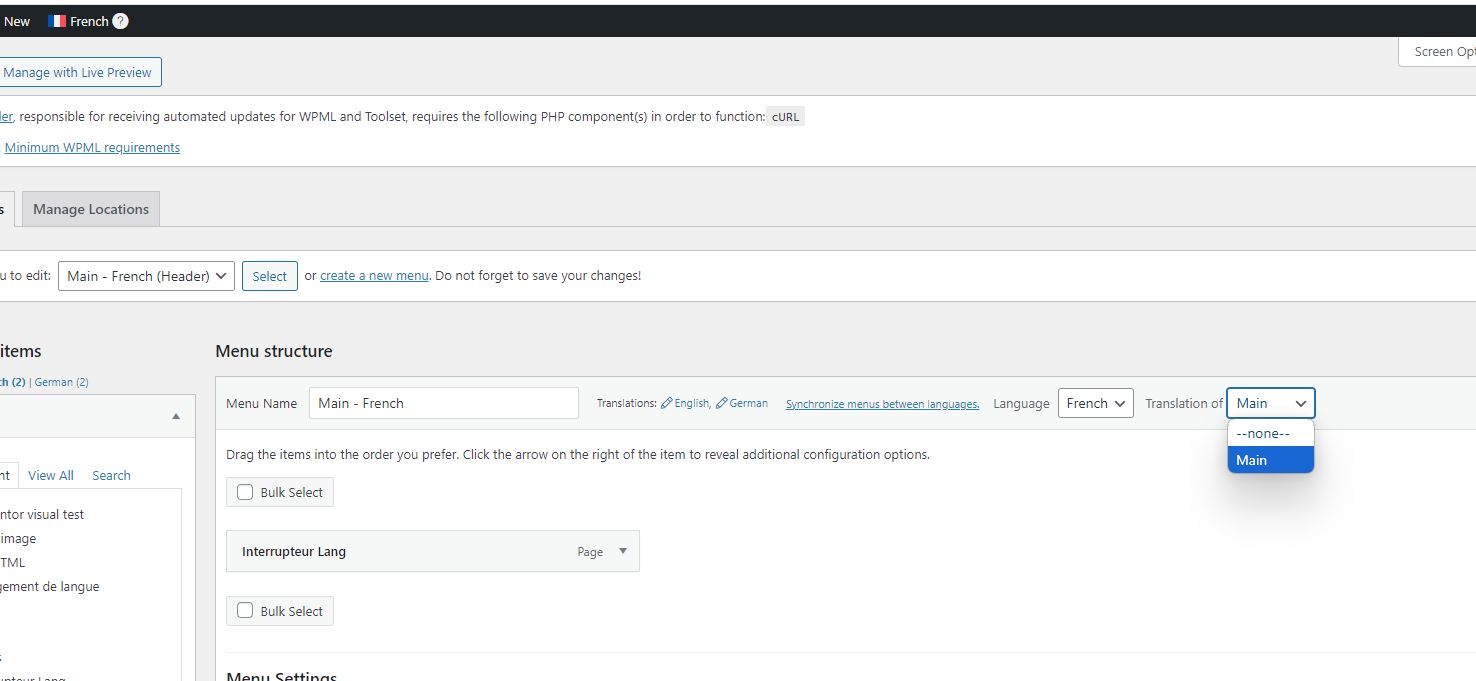
For the menus, switch to translated menu, make it that is it translation of "none" and change its language.

https://wpml.org/purchase/support-policy/privacy-and-security-when-providing-debug-information-for-support/

I marked your next reply as private so that you can safely add credentials.

Regards,
Bruno Kos

for menus switch to another language.jpg
October 10, 2024 at 5:38 am #16272880

Bruno Kos
WPML Supporter since 12/2018

Languages: English (English ) German (Deutsch ) French (Français )

Timezone: Europe/Zagreb (GMT+02:00)

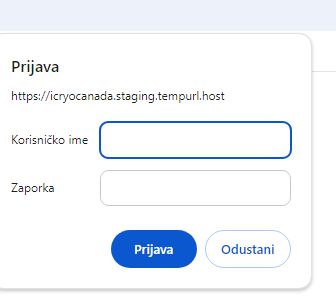
It seems like there is a server protection in place, can you share credentials for this as well?

October 11, 2024 at 9:16 pm #16281221

nicolasr-17

I don't have access to the server.

October 14, 2024 at 5:57 am #16284015

Bruno Kos
WPML Supporter since 12/2018

Languages: English (English ) German (Deutsch ) French (Français )

Timezone: Europe/Zagreb (GMT+02:00)

I mean this, how can I go through it?

server.jpg
October 16, 2024 at 8:38 am #16294046

Bruno Kos
WPML Supporter since 12/2018

Languages: English (English ) German (Deutsch ) French (Français )

Timezone: Europe/Zagreb (GMT+02:00)

Let me focus on this first:
hidden link

If I try any of these locations on any of the languages I get 404.

Can you disable WPML on the above site so I could see how it works without it? Do any of these urls give 404?

October 16, 2024 at 4:03 pm #16296922

nicolasr-17

I just figured out why there are 404 for the location pages.

It is because it is using a plugin that is linked to the domain name and since this is the staging website, it creates a conflict.

Here are the issues I am still trying to fix:

- Translate the blog tags
- Quickly duplicate the menu

Thanks!

October 16, 2024 at 9:19 pm #16297812

nicolasr-17

Also, I see that there are thousands of string translated in the old english version.

I need to duplicate all the translated strings from the old english version to the new english version.

I cant find a way to do that

October 16, 2024 at 10:37 pm #16297956

nicolasr-17

i just translated ebverything manually