
This is the technical support forum for WPML - the multilingual WordPress plugin.
Everyone can read, but only WPML clients can post here. WPML team is replying on the forum 6 days per week, 22 hours per day.
Tagged: Exception
This topic contains 14 replies, has 0 voices.
Last updated by artakG 2 days, 2 hours ago.
Assisted by: Noman.
| Author | Posts |
|---|---|
| December 11, 2025 at 10:53 am #17655546 | |
 artakG |
The website is multilingual, and the theme allows creating custom product templates. I haven’t had any issues translating the site itself, but I’m unable to translate the terms used inside the custom templates I created. I tried using the Translation Dashboard, but it only translates the template title. The terms don’t appear in String Translation, and they’re also missing from “Translate texts in admin screens.” I also tried translating the templates with the WordPress editor and then translating the template ID, but the ID can’t be found either. |
| December 14, 2025 at 1:41 pm #17662103 | |
 Noman WPML Supporter since 06/2016 Languages: English (English ) Timezone: Asia/Karachi (GMT+05:00) |
Hi, Thank you for contacting WPML Support. Sorry for the delay due to high workload and the reply time will be shorter from now. If you are using a custom PHP template, the texts/terms you want to translate need to be wrapped in the “gettext” function. For example, use "__( 'Your text', 'text-domain' )". this will make them appear in WPML >> String Translation. Here’s more information about the gettext function: https://wpml.org/documentation/support/how-to-use-gettext/ If the issue continues, please share the custom template code you’re trying to translate so we can guide you further. Thank you |
| December 17, 2025 at 2:39 pm #17671463 | |
|
artakG |
Sorry for the late reply. There is another issue with the website related to the theme. I have now contacted the theme support and am waiting for their response. After that, I will be able to work on the translations, as they are interconnected. Please do not close the ticket until the theme support resolves the theme issue. Thank you in advance. |
| December 17, 2025 at 3:40 pm #17671793 | |
|
Noman WPML Supporter since 06/2016 Languages: English (English ) Timezone: Asia/Karachi (GMT+05:00) |
Thanks for the update. No problem at all, we’ll keep the ticket open for now. Please note that the ticket will remain open for up to two weeks from our last response. Once the theme issue is resolved, feel free to update us and we’ll continue with the translations. If it takes longer than that, please feel free to open a new ticket and share a link to this one, and we’ll be happy to help. Thank you |
| December 20, 2025 at 11:28 am #17679839 | |
|
artakG |
Dear Support, thank you for not closing the ticket. I am facing the following issue: When translating products created with the theme’s custom structure into Russian and Armenian using the WPML translation dashboard, a critical error occurs in those languages. At first, I thought the problem was related to the theme’s custom product template (which I had already asked about earlier, as it couldn’t be fully translated). Since the site was built a long time ago by a third party, I don’t know what changes were made inside. I contacted the theme support and sent them this question. Because I think it’s important to understand the exact issue, I am quoting my question them: “The website is multilingual, using the WPML plugin with three languages: the primary language is English, followed by Armenian and Russian. After enabling debug mode, I found that the problem is related to the vehicle gallery. When I remove the gallery module from the template, the text displays correctly. Here is the debug log: PHP Fatal error: Uncaught TypeError: Cannot access offset of type string on string in /wp-content/plugins/cardealer-helper-library/elementor-templates/vehicle-gallery/vehicle-gallery.php:67”. They are still trying to figure out the problem and have not responded yet. Since I need to hand over the site for operation soon, I can no longer wait. Today, during testing, I realized that when I edit the product directly in the WordPress editor, the product translates normally. I have demonstrated all this in a video. hidden link I will try translating all products this way for now, but please let me know if this is a WPML issue or a theme issue. Also, I have one more question: When I enable the debug log, it fills up with a large number of PHP Deprecated warnings and notifications related to WPML. Thank you. |
| December 20, 2025 at 2:53 pm #17680030 | |
|
artakG |
Regarding the first part of my ticket inquiry: |
| December 21, 2025 at 3:19 pm #17680637 | |
|
Noman WPML Supporter since 06/2016 Languages: English (English ) Timezone: Asia/Karachi (GMT+05:00) |
Thanks for the detailed explanation and the video, that was very helpful. Based on the error you shared, this does not appear to be a WPML issue. The fatal error is coming from the theme’s helper plugin (cardealer-helper-library), specifically the vehicle gallery module. Regarding the PHP Deprecated warnings, those are only notices and do not cause critical errors. They usually come from outdated code and can be safely ignored on production if WP_DEBUG is disabled. Could you please try to follow the below steps: 1. Take a backup of your site first for safety reasons. 2. The current WP Memory Limit on your site is 40MB. The WP memory limit needs to be increased, it's different from PHP memory. PHP memory is fine but WordPress uses 40MB as default in your site. The minimum requirements for WPML are 128MB: https://wpml.org/home/minimum-requirements/ Please add this line to your wp-config.php file to increase WP memory, wp-config.php file is located in the root of your WP install:
/* WP Memory Limit */
define('WP_MEMORY_LIMIT', '256M');
You can add it anywhere in your file. I recommend placing it right before the following line: /* That's all, stop editing! Happy blogging. */ 3. You are currently using version 6.2.0, while the latest version is 6.4.0, which includes multiple bug fixes. Please update the theme and test again. hidden link 4. Please make sure you are using the latest version of other plugins on your site. 5. Go to WPML >> Support > Troubleshooting page and press the below buttons: 6. Your Vehicle post type uses many custom fields. To translate them using the WPML Translation Editor, text fields should be set to Translate and image fields to Copy from WPML >> Settings > Custom Fields Translation section. After adjusting this, re-save the original language post and try translating again. Here is a doc for more details. https://wpml.org/documentation/getting-started-guide/translating-custom-fields/#how-to-translate-custom-fields 7. Clear all sorts of site/server/CDN cache and see if this resolves the issue. At this stage, the root cause still points to a theme compatibility issue. If the problem persists after updating, I recommend following up with the theme author as they claim the theme is compatible with WPML, maybe they already have a fix for it so that it will work fine with WPML. hidden link Let me know the results after trying the steps above, and I’ll be happy to continue helping. |
| December 21, 2025 at 8:30 pm #17680807 | |
|
artakG |
I did all the steps you mentioned, but some parts of the template still won't translate. By the way, I had already set the memory limit in wp-config as 256M: define('WP_MEMORY_LIMIT', '256M'); |
| December 22, 2025 at 9:04 am #17681489 | |
|
Noman WPML Supporter since 06/2016 Languages: English (English ) Timezone: Asia/Karachi (GMT+05:00) |
Thanks for trying the above steps. To take a closer look at this issue, please provide temporary access (WP-Admin and FTP Login info) to your site (preferably staging site), so that I can look into your setup and debug the issue. Your next answer will be private, meaning only you and I can access it. === Please backup your database and website === ✙ I would need your permission to deactivate and reactivate Plugins and the Theme and to change configurations on the site. This is also a reason the backup is essential. ✙ Please provide me with example post link where I can see the issue. Thank you |
| December 22, 2025 at 7:27 pm #17683243 | |
|
Noman WPML Supporter since 06/2016 Languages: English (English ) Timezone: Asia/Karachi (GMT+05:00) |
Thanks for providing the login details. I checked this post: It appears to be correctly translated in the secondary language. Could you please confirm which specific strings are still untranslated, and whether you can translate them using the default WordPress editor but not via the WPML Translation Editor? Thank you for your cooperation 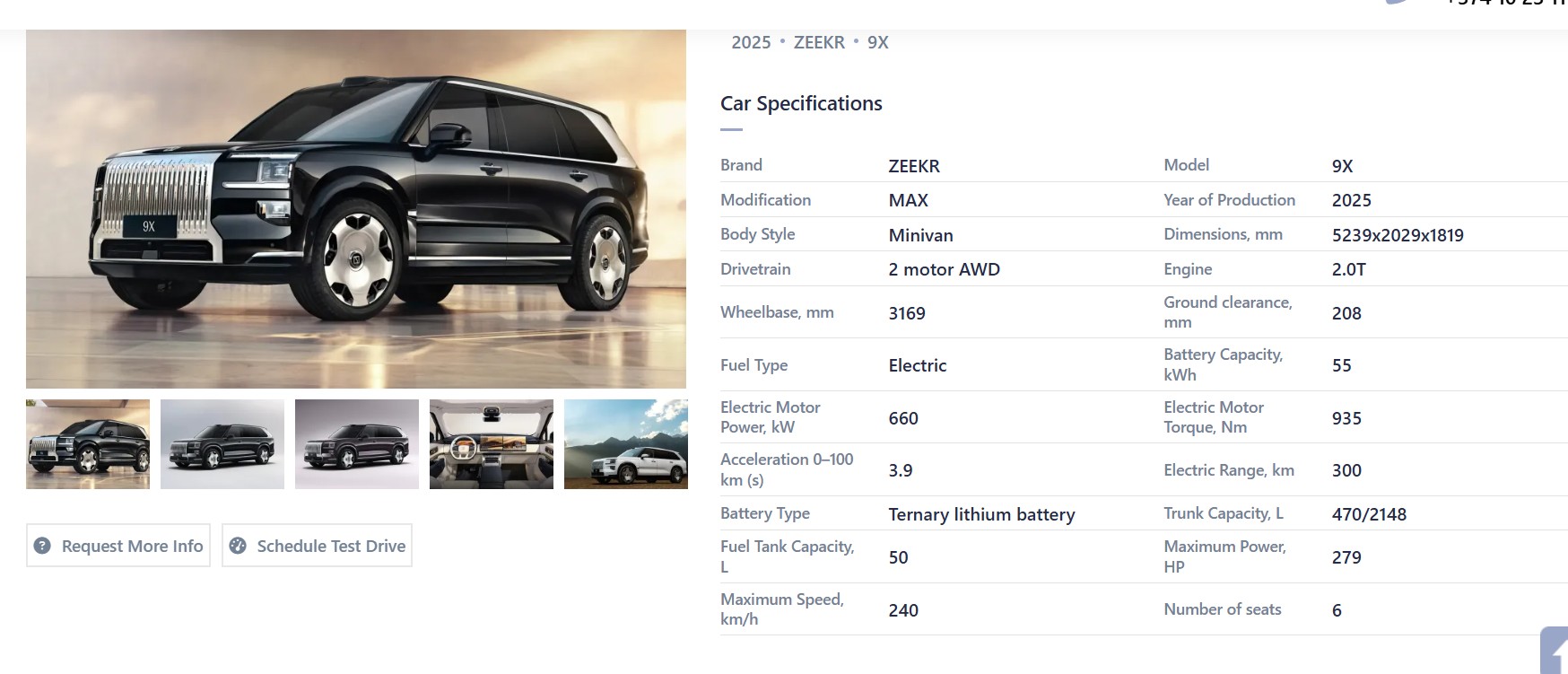 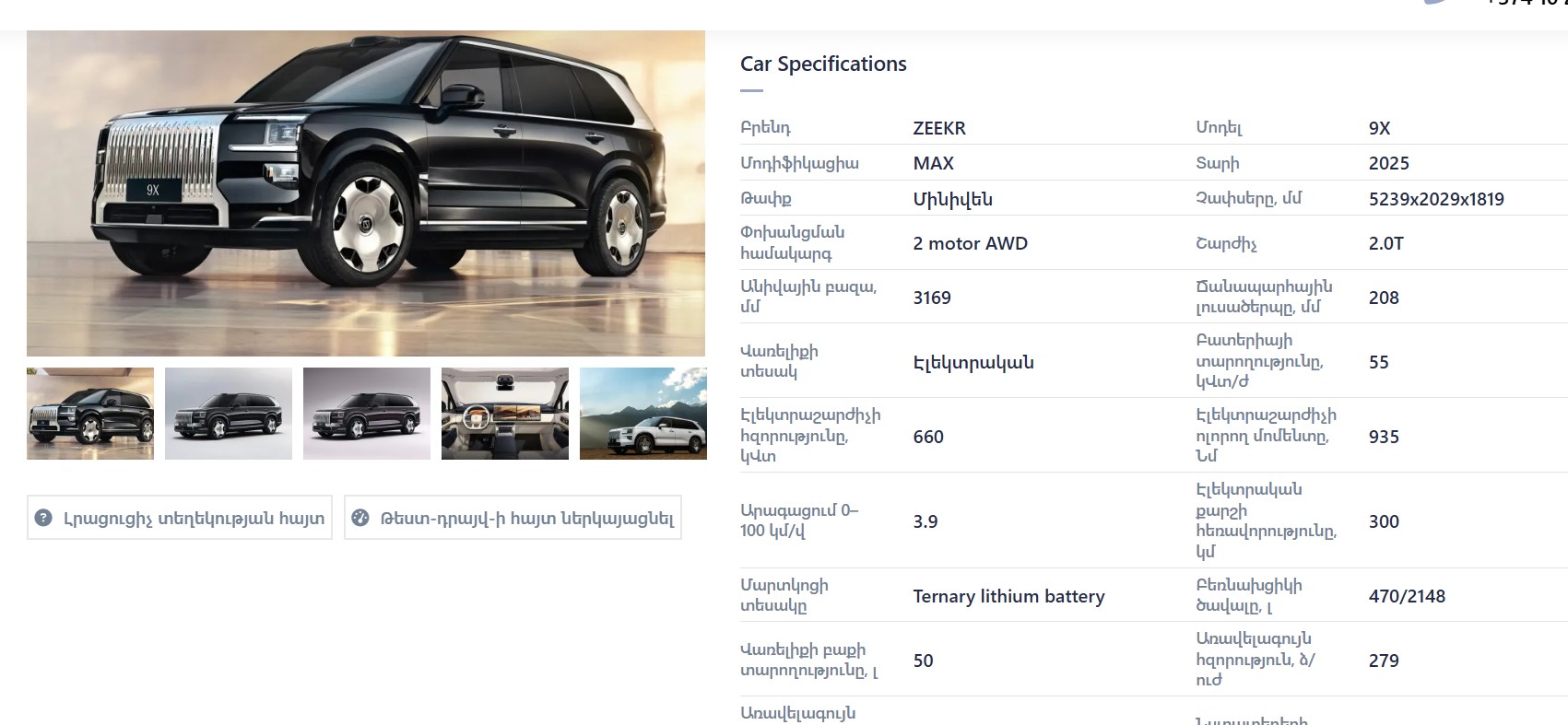 |
| December 23, 2025 at 8:22 am #17684039 | |
|
artakG |
The attributes can be translated, but the terms "Car specifications" and "Related vehicle" are not translated. 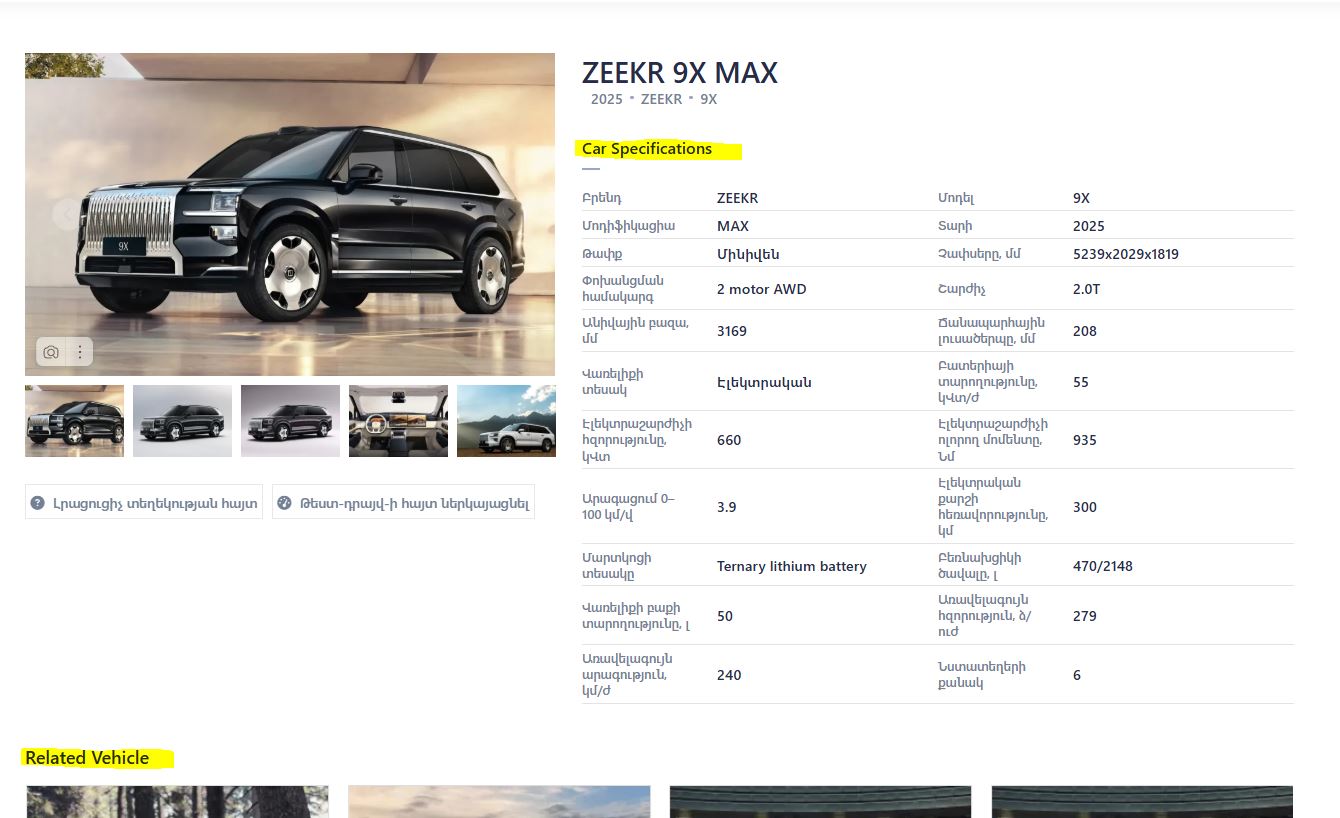 |
| December 23, 2025 at 5:39 pm #17685316 | |
|
Noman WPML Supporter since 06/2016 Languages: English (English ) Timezone: Asia/Karachi (GMT+05:00) |
Thanks for the additional details. I followed the below steps:
<wpml-config>
  <elementor-widgets>
    <widget name="cdhl_vehicle-attributes">
      <fields>
        <field>title</field>
      </fields>
    </widget>
    <widget name="cdhl_vehicle-related-vehicles">
      <fields>
        <field>title</field>
      </fields>
    </widget>
  </elementor-widgets>
</wpml-config>
2. Made a small change in the default language template, opened up the translated template in WPML Translation Editor and it translated both titles as you can see in the attached screenshot. 3. Went to WPML >> String Translation, searched for default language template ID “16122” and added the translated template ID “16138” as translation: hidden link Now it shows the correct translation at the front end. Could you please check and confirm? Thank you for your cooperation and patience. 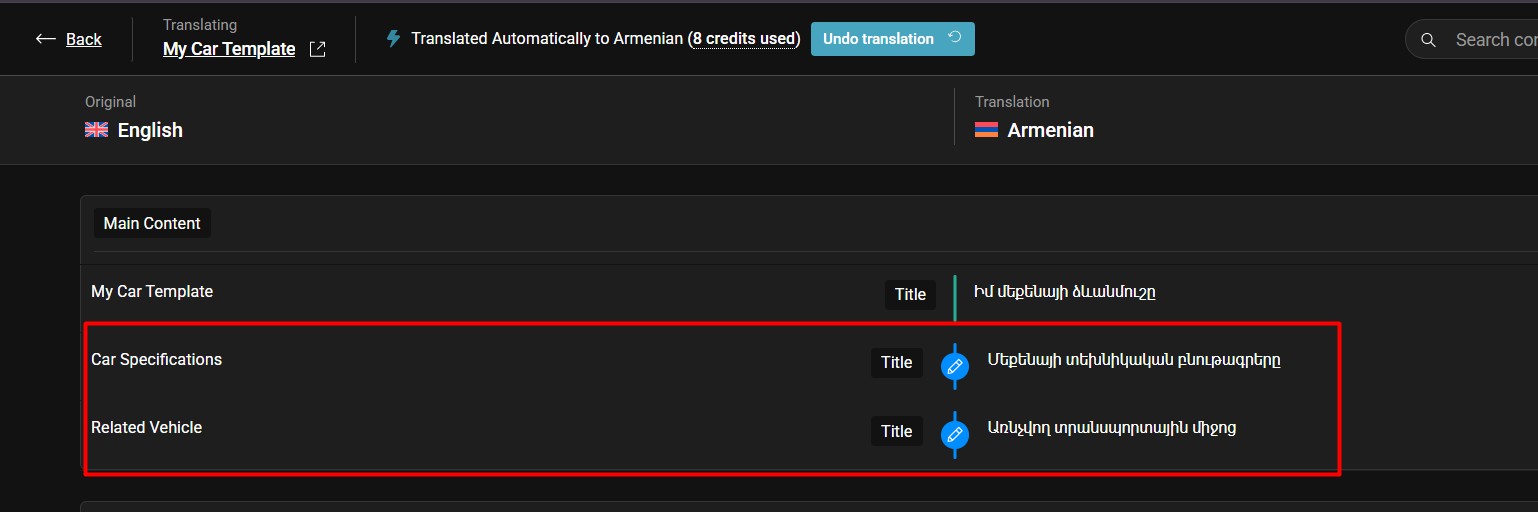 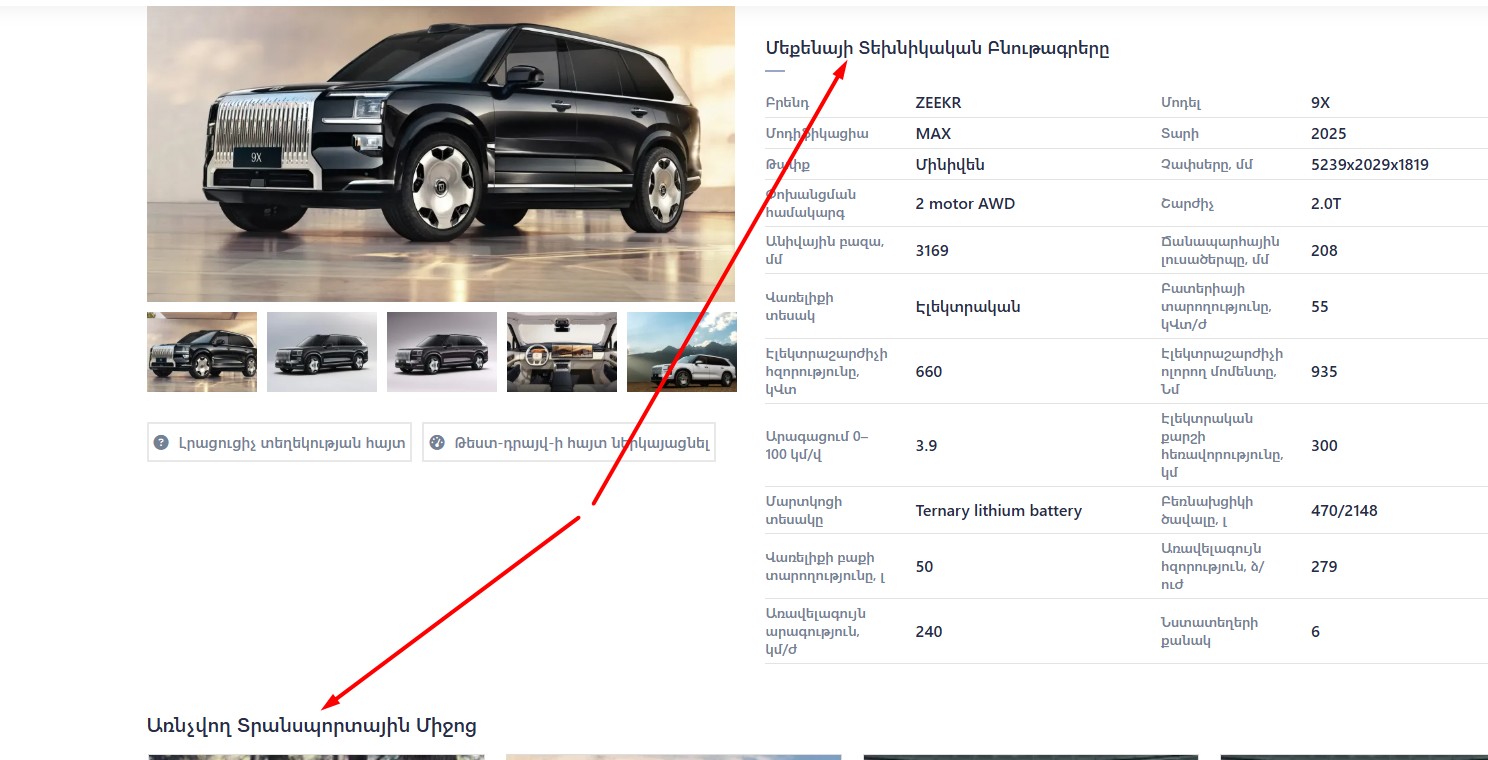 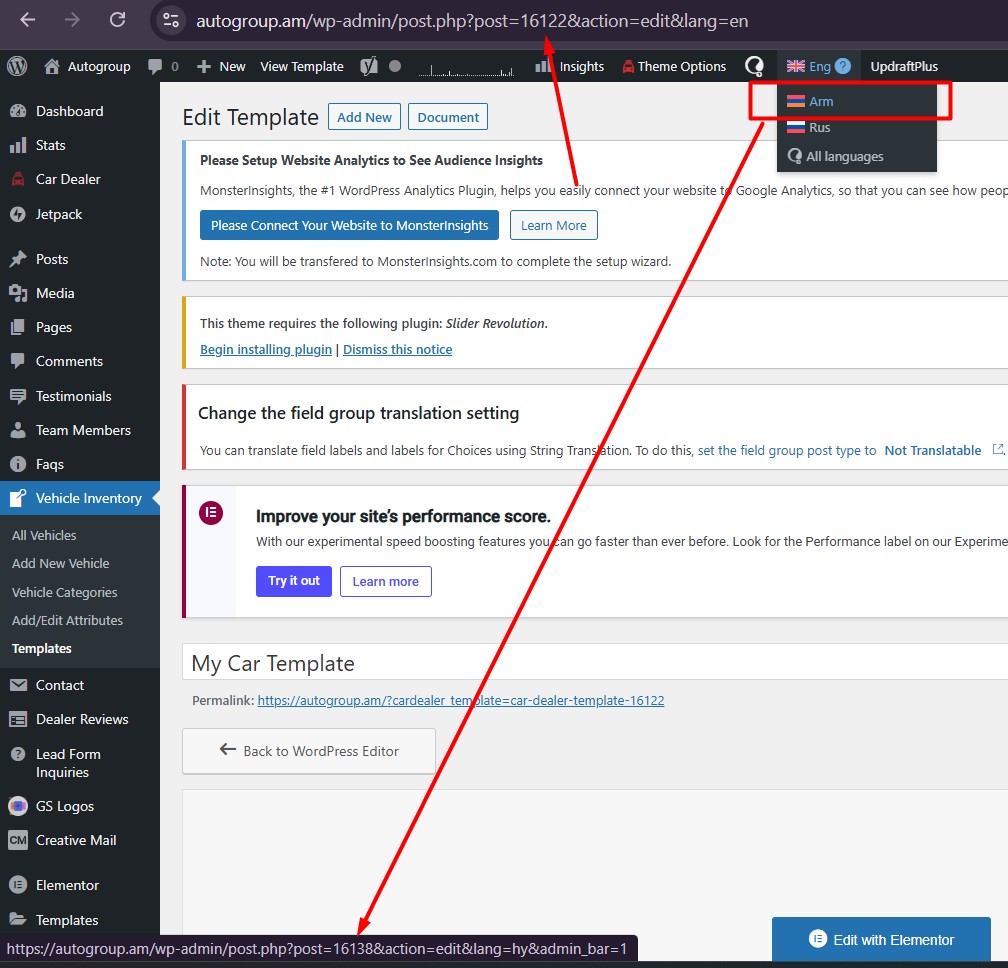 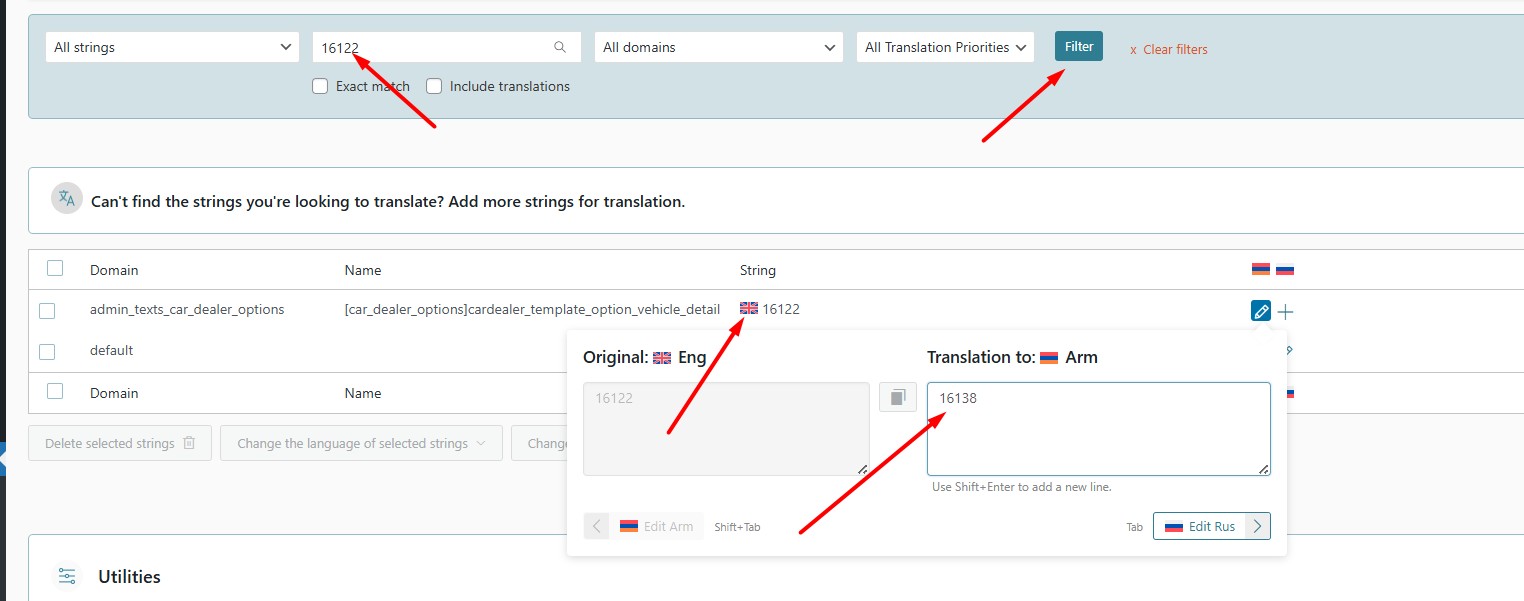 |
| December 23, 2025 at 6:32 pm #17685468 | |
|
artakG |
Thank you very much for your help. |
| December 24, 2025 at 8:05 am #17686093 | |
|
Noman WPML Supporter since 06/2016 Languages: English (English ) Timezone: Asia/Karachi (GMT+05:00) |
You’re correct. If the mymobile template uses the same Elementor widgets, there should be no issues translating it since the required XML is already added and those elements are now compatible with the WPML Translation Editor. You may also need to map the new template ID in WPML >> String Translation, the same way we did for the previous template. Thank you |
| December 24, 2025 at 8:57 am #17686134 | |
|
artakG |
Thank you very much! |






