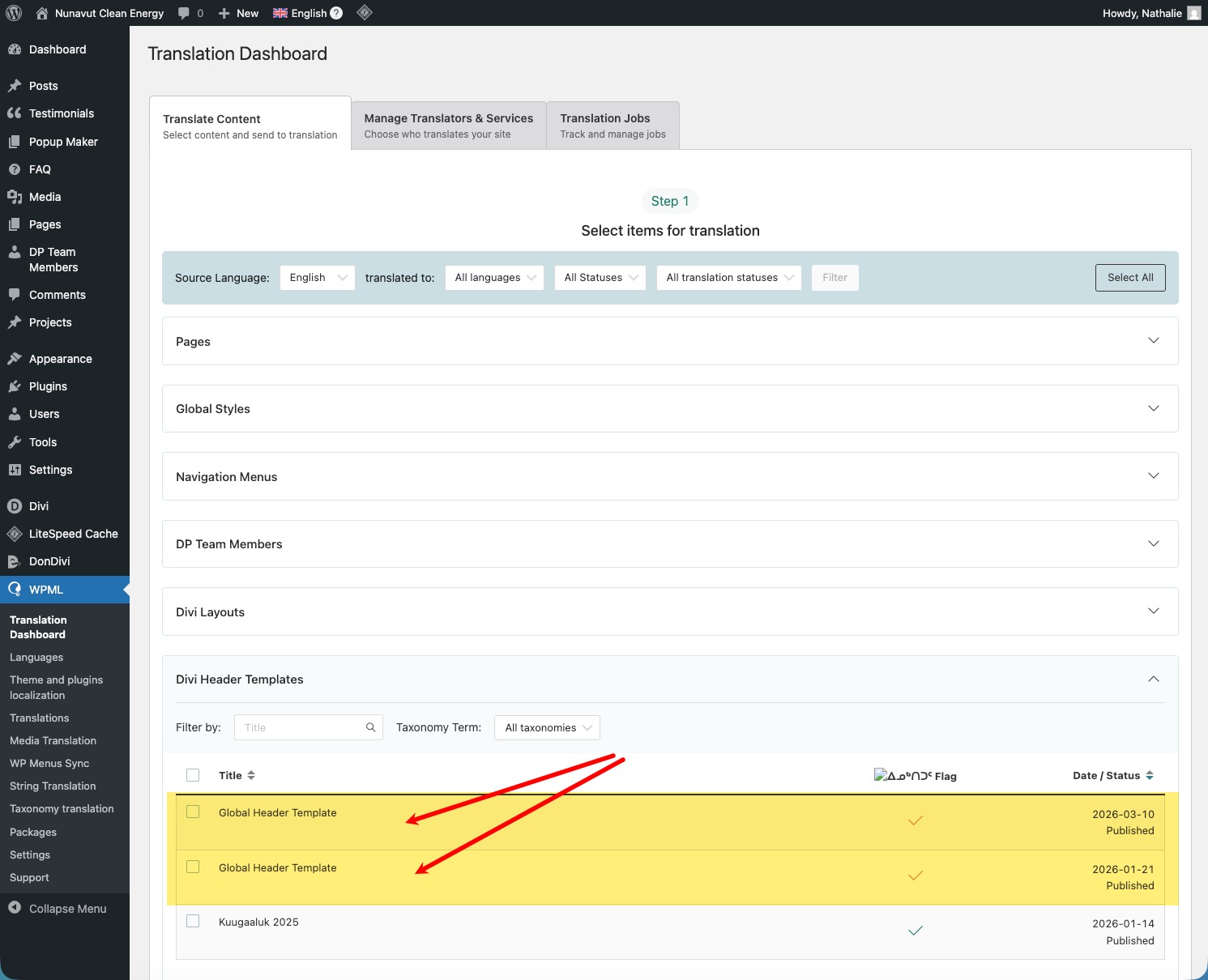
I created a new template in Divi Theme Builder so that I can use a different header on a new web page. I can't seem to figure out how to get this new template translated and show on the new translated page.
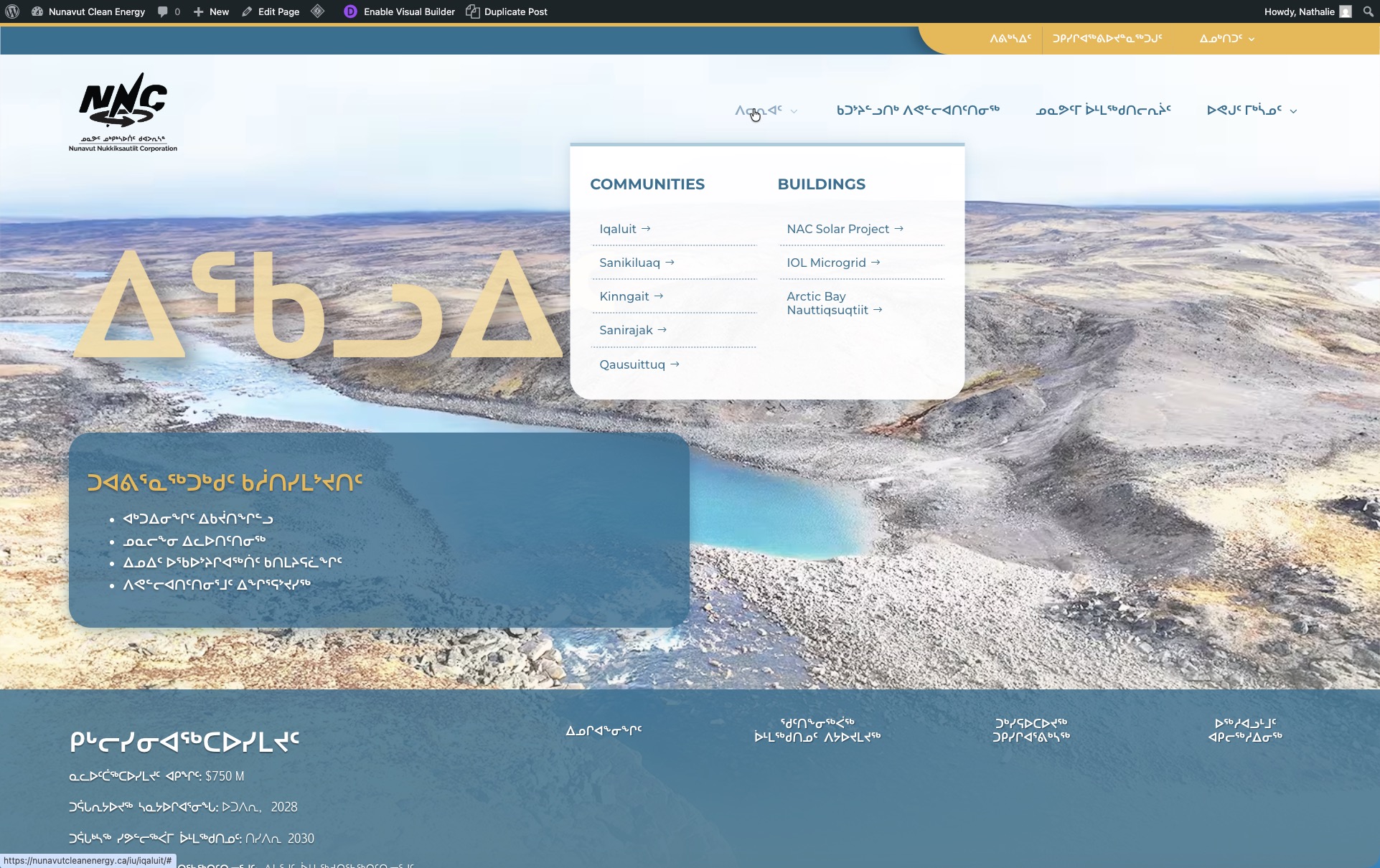
I noticed on the Inuktitut language site, the homepage shows the correct language in the dropdown menu but on other pages, the dropdown menus are in English (see "WPML screenshot 9.jpg").
I created 3 templates for different headers in Divi Theme Builder. When I go to WPML > Translation Dashboard > Header Templates, I'm seeing "Global Header Template" twice, then Kuugaaluk 2025 (see "WPML screenshot 10.jpg"). Shouldn't it show the template name "Homepage only"?
When I click to edit the translation (using WordPress Editor), the dropdown menu items are correctly showing Inuktitut, so it should work but it's not (I've cleared the cache & history).
I'm confused on what I'm doing wrong, can you help me troubleshoot this issue, please?
Ok - I checked and everything seems to be in order on my end.
Again, I apologize for my confusion but this reflects my puzzled state on why this is happening. I won't be adding anymore comments here until I hear back from you.
Languages: English (English )Spanish (Español )German (Deutsch )
Timezone: America/Lima (GMT-05:00)
My apologies for the delay in answering, as I work from Tuesdays to Saturdays!
The menus can be synced at WPML > WP Menus Sync. This will automatically create the menus in each language if all pages that are used on the menu have been translated.
Important:
Avoid at any time to open Divi Template in a second language at any time in Divi. The translation will not work out this way. Always use the WPML Translation Dashboard to translate the Divi templates.
Let me know if there is something else I can do for you.