
This is the technical support forum for WPML - the multilingual WordPress plugin.
Everyone can read, but only WPML clients can post here. WPML team is replying on the forum 6 days per week, 22 hours per day.
Tagged: Bug
This topic contains 7 replies, has 0 voices.
Last updated by Lucas Vidal de Andrade 1 week ago.
Assisted by: Lucas Vidal de Andrade.
| Author | Posts |
|---|---|
| February 19, 2026 at 8:39 am | |
 aleksandarP |
Hello,  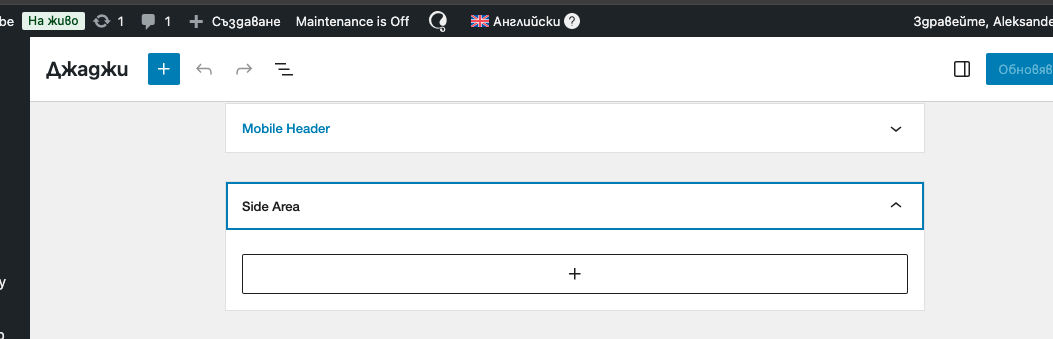  |
| February 19, 2026 at 12:22 pm #17835738 | |
 Lucas Vidal de Andrade WPML Supporter since 11/2023 Languages: English (English ) Spanish (Español ) German (Deutsch ) Portuguese (Brazil) (Português ) Timezone: Europe/Vienna (GMT+01:00) |
Hey there, I downloaded a copy of your website, and I'm still looking into it. It's likely that I'll need to escalate this issue for analysis. I'll keep you updated. |
| February 19, 2026 at 4:25 pm #17836719 | |
|
aleksandarP |
I was able to edit the widgets. Regards |
| February 19, 2026 at 5:38 pm #17836888 | |
|
Lucas Vidal de Andrade WPML Supporter since 11/2023 Languages: English (English ) Spanish (Español ) German (Deutsch ) Portuguese (Brazil) (Português ) Timezone: Europe/Vienna (GMT+01:00) |
I'm glad to hear that. Can you please clarify how you were able to fix the issue with the widgets? Regarding the header link, I couldn't really find the header settings to investigate that. How is the header logo link inserted? Where can I find the option to change that on the admin panel? Please explain where I can find this option in detail. Thank you. |
| February 24, 2026 at 12:19 pm #17846471 | |
| aleksandarP |
Hello, Everything is a big mess. All widgets are messed up after changing the default language. I cant translate widgets (Headers and Footers) independently. The Shop page - hidden link is also broken it should be like this page - hidden link When i try to change something with WPML it brokes the website. please check asap Thanks New threads created by Lucas Vidal de Andrade and linked to this one are listed below: https://wpml.org/forums/topic/split-translate-headers-and-footers/ |
| February 24, 2026 at 5:31 pm #17848281 | |
|
Lucas Vidal de Andrade WPML Supporter since 11/2023 Languages: English (English ) Spanish (Español ) German (Deutsch ) Portuguese (Brazil) (Português ) Timezone: Europe/Vienna (GMT+01:00) |
Hey there, WPML is a flexible plugin and sometimes needs manual adjustment do it works well with a specific website - that's what we are here for. Regarding the widgets, you can translate them in WPML > String Translation. It's necessary to delete and re-add them (likely because of the default language switch). I recorded a video better showing the steps: hidden link The video was recorded in a copy of your website. Regarding the other issues, I need to gather more information with you. Due to our policy, I can only support one issue per ticket, so I decided to create a ticket for each: Translate Headers and Footers: Translate WC emails: Shop page URL: I'll answer about this other topics in each of the links shared above soon. Let's leave this ticket for the widgets issue only. |
| February 25, 2026 at 9:05 am #17850207 | |
| aleksandarP |
Hi, I will try to explaine one more time. How can i edit and connect the urls between both languages in the widgets. Is this the option? Screenshot 2? Regards New threads created by Lucas Vidal de Andrade and linked to this one are listed below: https://wpml.org/forums/topic/split-translate-my-account-icon-link/  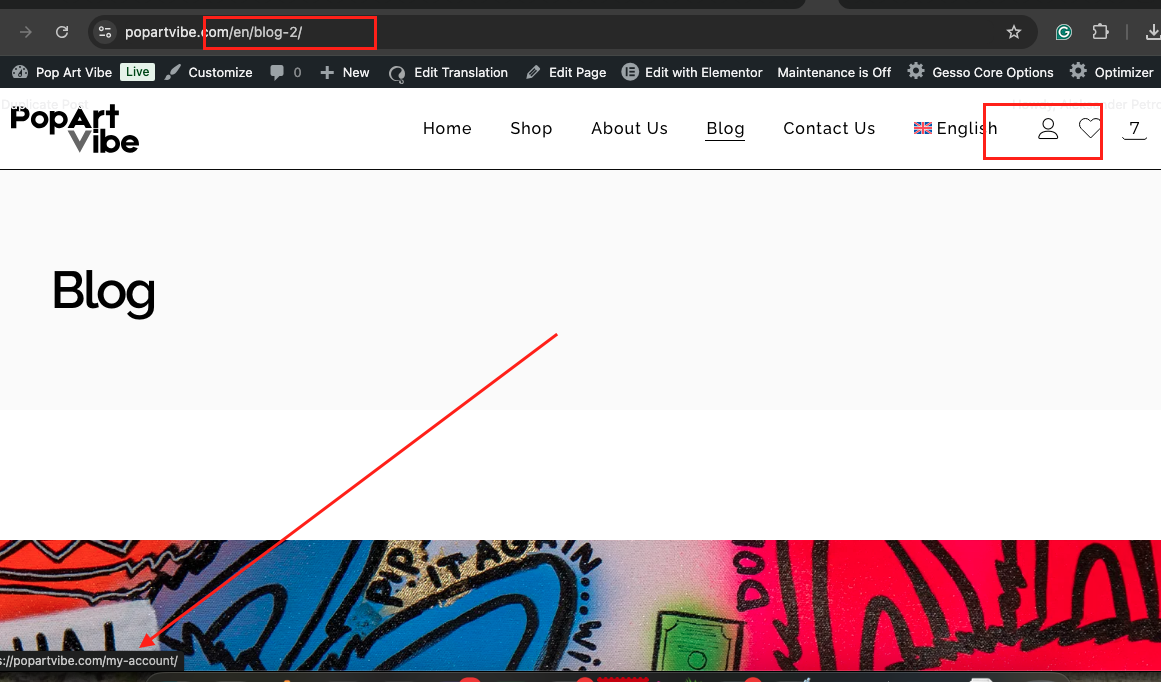 |
| February 25, 2026 at 1:58 pm #17851773 | |
|
Lucas Vidal de Andrade WPML Supporter since 11/2023 Languages: English (English ) Spanish (Español ) German (Deutsch ) Portuguese (Brazil) (Português ) Timezone: Europe/Vienna (GMT+01:00) |
Hey there, I got that. You sent multiple issues under the same ticket, so again, I'll need to create a new one to address this issue with the "my account" link: https://wpml.org/forums/topic/split-translate-my-account-icon-link/ I'll answer you there. Please let me know if the initial issue you had with the widgets is now solved. |
