Skip to content Skip to sidebar

This thread is resolved. Here is a description of the problem and solution.

Problem:
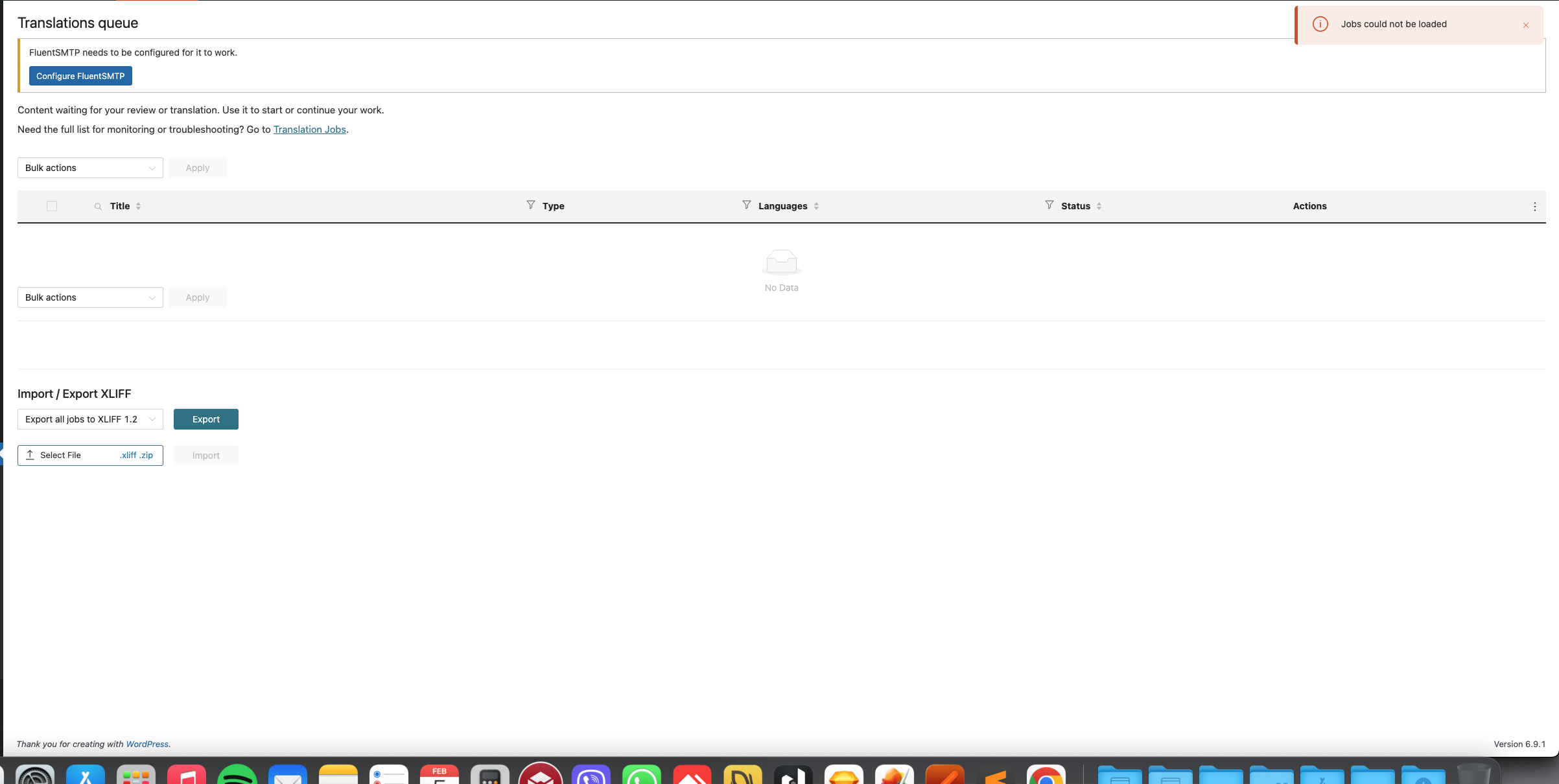
Jobs could not be loaded in the Translations queue.
Solution:
If you're experiencing this issue, we recommend you try the following steps:
1. Install the Adminer plugin on your site.
2. Run the following SQL query:

UPDATE wp_icl_translation_status SET status = 1 WHERE status = 2;

After executing these steps, the WPML >> Translations and WPML >> Translation Dashboard > Translation Jobs pages should load correctly. If the issue persists, please check which specific page or post you were trying to translate when the problem occurred.

Please note that this solution might be outdated or not applicable to your case. We highly recommend checking related known issues at https://wpml.org/known-issues/, verifying the version of the permanent fix, and confirming that you have installed the latest versions of themes and plugins. If you still need assistance, please open a new support ticket at WPML support forum.

This is the technical support forum for WPML - the multilingual WordPress plugin.

Everyone can read, but only WPML clients can post here. WPML team is replying on the forum 6 days per week, 22 hours per day.

Tagged: 

This topic contains 9 replies, has 0 voices.

Last updated by Noman 2 months, 1 week ago.

Assisted by: Noman.

Author Posts
February 4, 2026 at 10:39 am

iliasK-9

Jobs could not be loaded in Translations queue

February 4, 2026 at 6:02 pm #17793664

Noman

I’m able to fix this issue by following the suggestions from this thread: https://wpml.org/forums/topic/issues-that-jobs-could-not-be-loaded-found-out-why/#post-17002633

Could you please check and confirm?

Thank you for your cooperation

February 5, 2026 at 10:52 am #17795554

iliasK-9

the error is not fixed now is in the first page

February 5, 2026 at 10:54 am #17795559

iliasK-9

here is the image

Screenshot 2026-02-05 at 12.53.36 PM.png
February 5, 2026 at 12:14 pm #17795928

iliasK-9

we have a server load pls fix it

February 5, 2026 at 4:34 pm #17796983

Noman

Hello I am off today for public holiday. I will check this tomorrow first thing and update you accordingly.

Thanks for your cooperation and patience.

February 6, 2026 at 9:06 am #17798625

iliasK-9

ok thank you

February 6, 2026 at 11:34 am #17799467

Noman

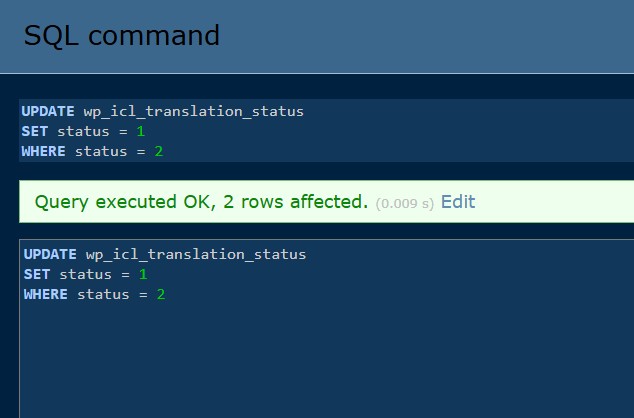
I followed the steps below:

1. Installed the Adminer plugin on your site.
2. Ran this query:

UPDATE wp_icl_translation_status
SET status = 1
WHERE status = 2;

After this, the WPML >> Translations and WPML >> Translation Dashboard > Translation Jobs pages are loading correctly, as shown in the attached video: hidden link

If this happens again, please check which specific page or post you were trying to translate when the issue occurred.

Thank you for your cooperation and patience.

two rows updated.jpg
February 7, 2026 at 8:10 am #17801687

iliasK-9

All the work on your part is finished? is the problem solved? also remove the WP File Manager plugin I don't need it, thanks

February 7, 2026 at 5:52 pm #17802245

Noman

Yes, the main investigation is complete and the issue is resolved based on our last tests.

I used WP File Manager plugin only for debugging purposes and it has now been removed.

Please let me know if you still notice anything unexpected on your side related to this issue.

Thank you for your patience and cooperation