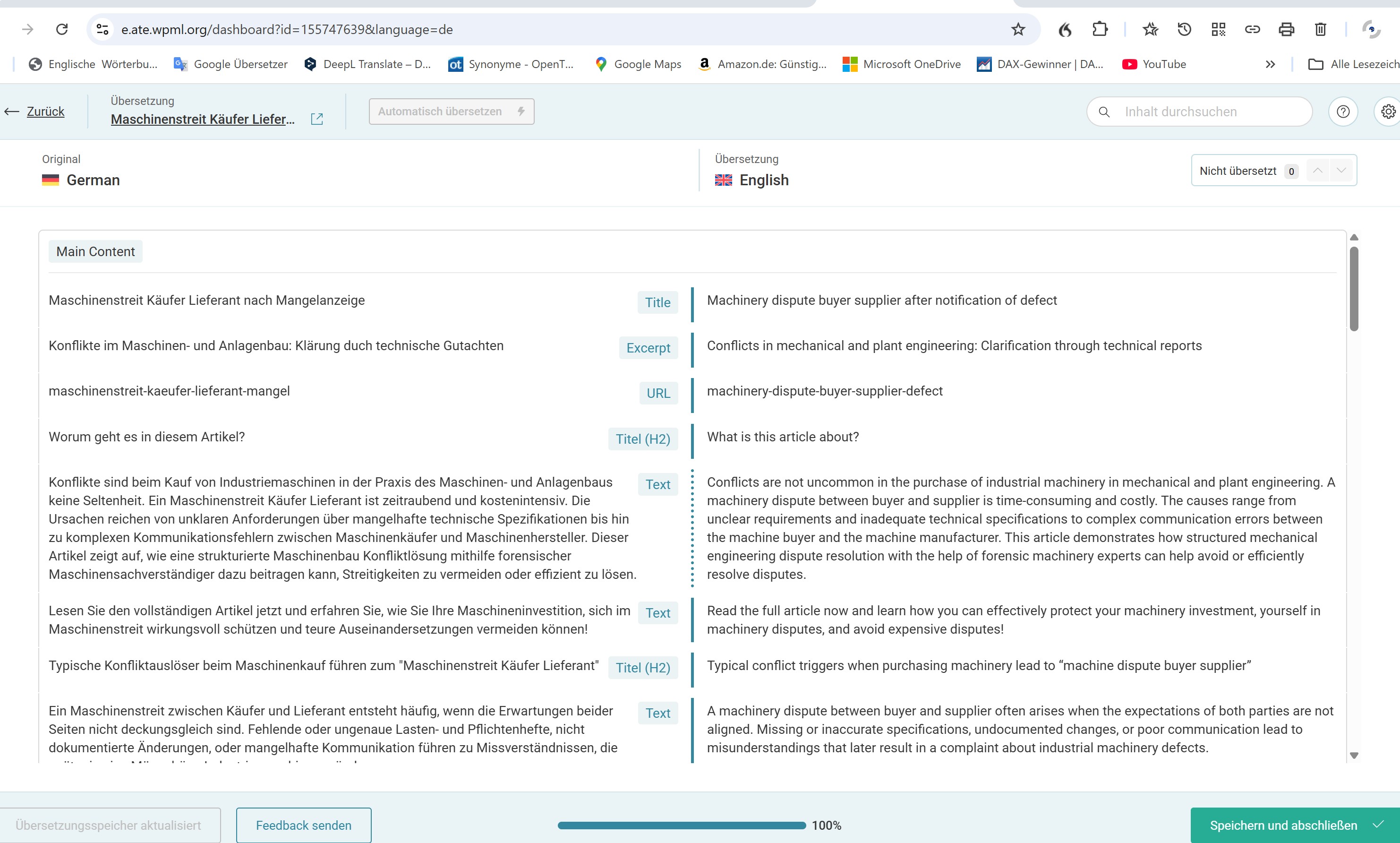
Background of the issue:
I am trying to update and translate changes made to an article on my website hidden link using WPML. Last month, after not working on my website for a month, I updated an article and wanted to translate the changes. I encountered an issue where the translation environment was completely changed, and I couldn't see the original German text on the left and the translated text on the right. I resolved this by reinstalling a 4-week-old version of the website. Now, after fixing some mistakes in a German article, I wanted to translate it again and faced the same issue.
Symptoms:
The translation environment in WPML is completely changed, preventing me from seeing the original and translated texts side by side. I cannot check the translation.
Questions:
Do you have any idea what can cause these problems?
Are there WPML changes or do you know if there are problems with some plugins?
What can cause the environment you can see on the provided screenshot to disapprear and not to be available for translations?
Thank you for contacting WPML support. While you are waiting for one of my colleagues to take this ticket and work on it, let me provide you with first debugging steps or if I can perhaps help with the issue quickly. The screenshot that you provided - is this how it currently looks, or is this how it used to look? If you can provide both screenshots of what you had before so we can compare to what you see now, that will be very helpful for us to determine what may have happened. It could be that you are seeing the advanced translation editor and you were previously using the classic editor? These settings can be found and managed in WPML -> Settings if you would like to see what you have selected there and make adjustments. Make sure you have a full backup before changing translation settings and updating translations.
The topic ‘[Closed] tanslation does not work for a 2nd time’ is closed to new replies.