Skip to content Skip to sidebar

This thread is resolved. Here is a description of the problem and solution.

Problem:
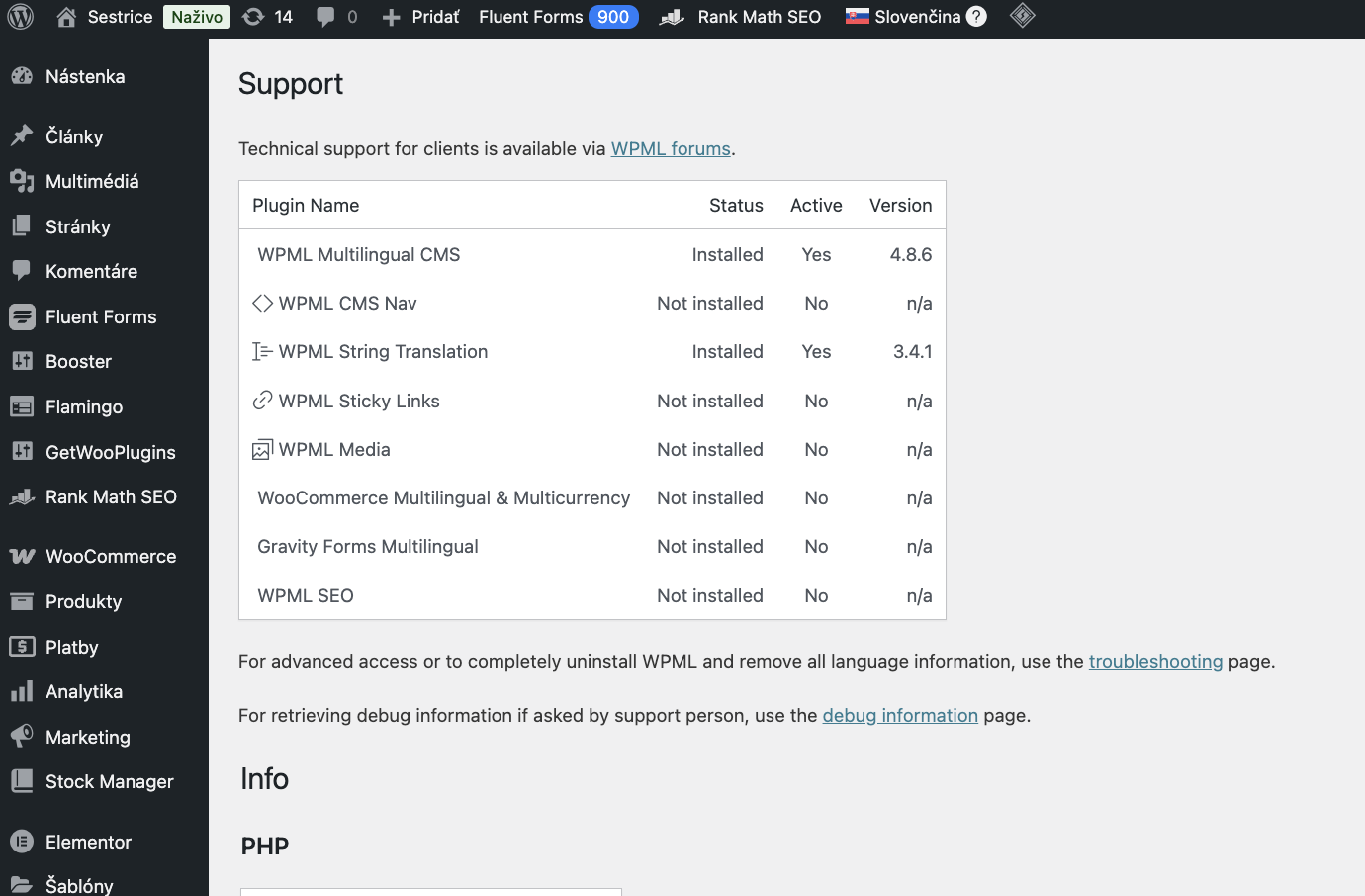
The client is experiencing an issue where WPML add-ons such as WPML String Translation, WPML CMS Navigation, WPML Media Translation, and WooCommerce Multilingual & Multicurrency are installed and active, but still appear as 'Not installed' in the WPML → Support section. Despite trying steps like reactivating plugins in the recommended order and re-registering WPML, the issue persists.
Solution:
We acknowledge this problem and recommend ignoring it for now as it does not impact the functionality of the site or the plugins. The plugins should continue to operate normally. We will include a fix in an upcoming release.

If this solution does not seem relevant, or if it becomes outdated, we encourage you to open a new support ticket. We also highly recommend checking related known issues at https://wpml.org/known-issues/, verifying the version of the permanent fix, and confirming that you have installed the latest versions of themes and plugins. For further assistance, please visit our support forum at WPML Support Forum.

This is the technical support forum for WPML - the multilingual WordPress plugin.

Everyone can read, but only WPML clients can post here. WPML team is replying on the forum 6 days per week, 22 hours per day.

Tagged: 

This topic contains 1 reply, has 0 voices.

Last updated by Andrey 3 weeks, 2 days ago.

Assisted by: Andrey.

Author Posts
December 12, 2025 at 1:59 pm #17659433

matusP

Hello WPML Support Team,
we are having a problem with our WPML installation and need assistance. We are using these WPML components on our website:
- WPML String Translation
- WPML CMS Navigation
- WPML Media Translation
- WooCommerce Multilingual & Multicurrency

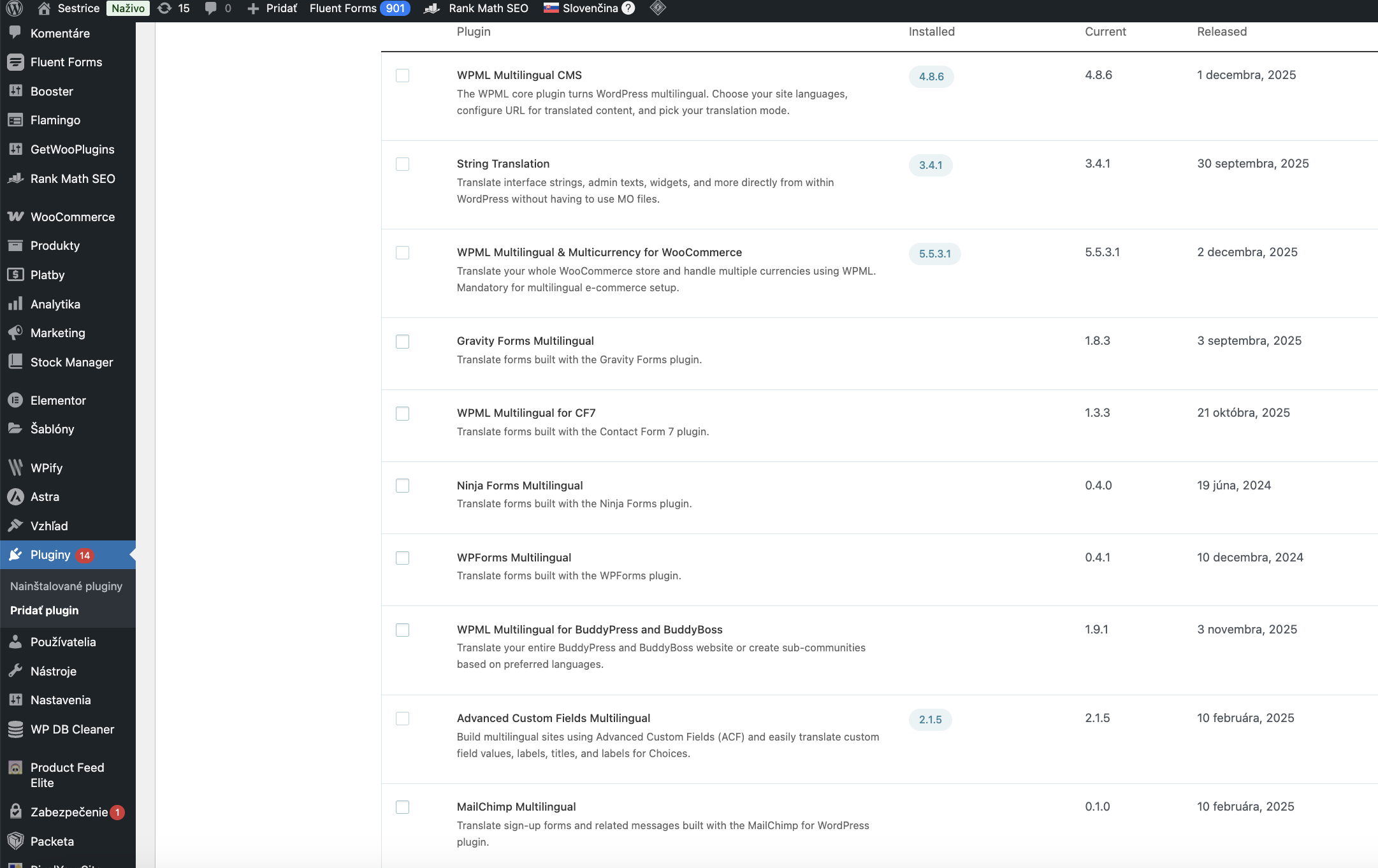
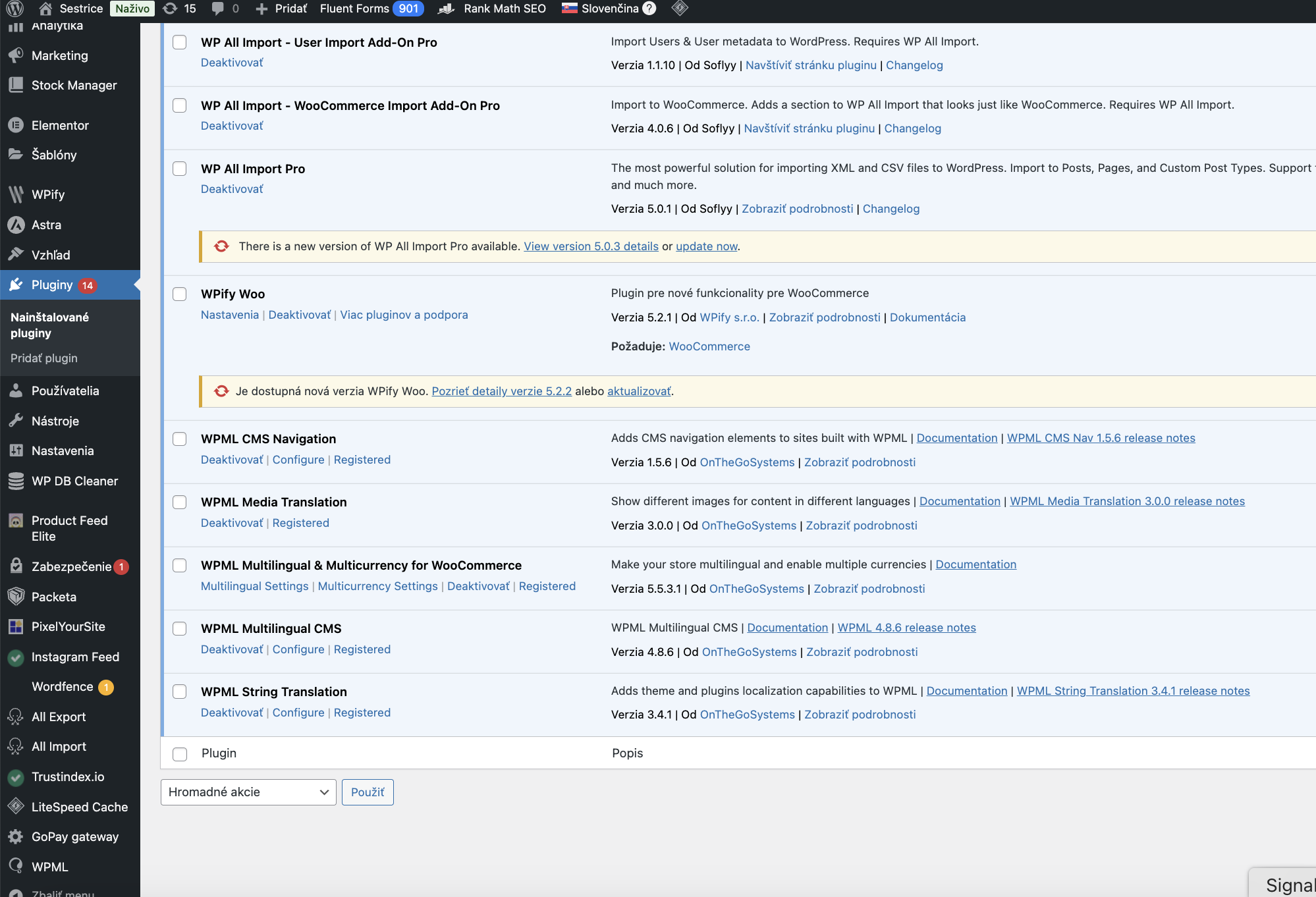
All these plugins are installed, active, and updated to the latest versions (no beta version). However, in WPML → Support, these add-ons are still shown as “Not installed”, even though they are clearly present and active in our Plugins list.

What we have already tried:
- Deactivated and reactivated all WPML plugins in the recommended order.
- Unregistered WPML from the site and registered it again with the existing key.

Attempted to generate a new Site Key, as suggested in some support threads — but in our WPML account we only see our existing key and there is no option to generate a new one for this site. Checked the Commercial tab in Plugins → Add New → Commercial, and all components appear there correctly as Installed. None of these steps resolved the issue. The Support page continues to show the WPML add-ons as “Not installed”.

Our questions:
Is it possible to generate a brand-new Site Key for this domain, even if the account currently only shows the existing one?
What else can we do to ensure that WPML properly recognizes these installed add-ons in the Support section?

We are attaching screenshots from WPML → Support and from the list of active plugins for your review.
Thank you very much for your help.
If you need any additional details, we will gladly provide them.
Best regards,
Barbora

December 12, 2025 at 2:54 pm #17659701

Andrey
WPML Supporter since 06/2013

Languages: English (English ) Russian (Русский )

Timezone: Europe/Kyiv (GMT+02:00)

Hello Barbora,

Thank you for contacting WPML support.

We’re aware of this issue, and you can safely ignore it for now. All WPML plugins will continue to work normally, and this should not affect your site in any way. The fix will be included in one of the upcoming releases.