
This is the technical support forum for WPML - the multilingual WordPress plugin.
Everyone can read, but only WPML clients can post here. WPML team is replying on the forum 6 days per week, 22 hours per day.
| Sun | Mon | Tue | Wed | Thu | Fri | Sat |
|---|---|---|---|---|---|---|
| - | 9:00 – 13:00 | 9:00 – 13:00 | 9:00 – 13:00 | 9:00 – 13:00 | 9:00 – 13:00 | - |
| - | 14:00 – 18:00 | 14:00 – 18:00 | 14:00 – 18:00 | 14:00 – 18:00 | 14:00 – 18:00 | - |
Supporter timezone: America/Los_Angeles (GMT-07:00)
Tagged: Exception
This topic contains 32 replies, has 1 voice.
Last updated by Bobby 11 hours, 10 minutes ago.
Assisted by: Bobby.
| Author | Posts |
|---|---|
| December 26, 2025 at 7:22 pm #17688811 | |
 isabelleL-11 |
I should not get any 500 errors. I lost a lot of places in ranking because of that and I had to deactivate the plugin. |
| December 26, 2025 at 7:25 pm #17688812 | |
|
isabelleL-11 |
I also see that error in admin dashboard 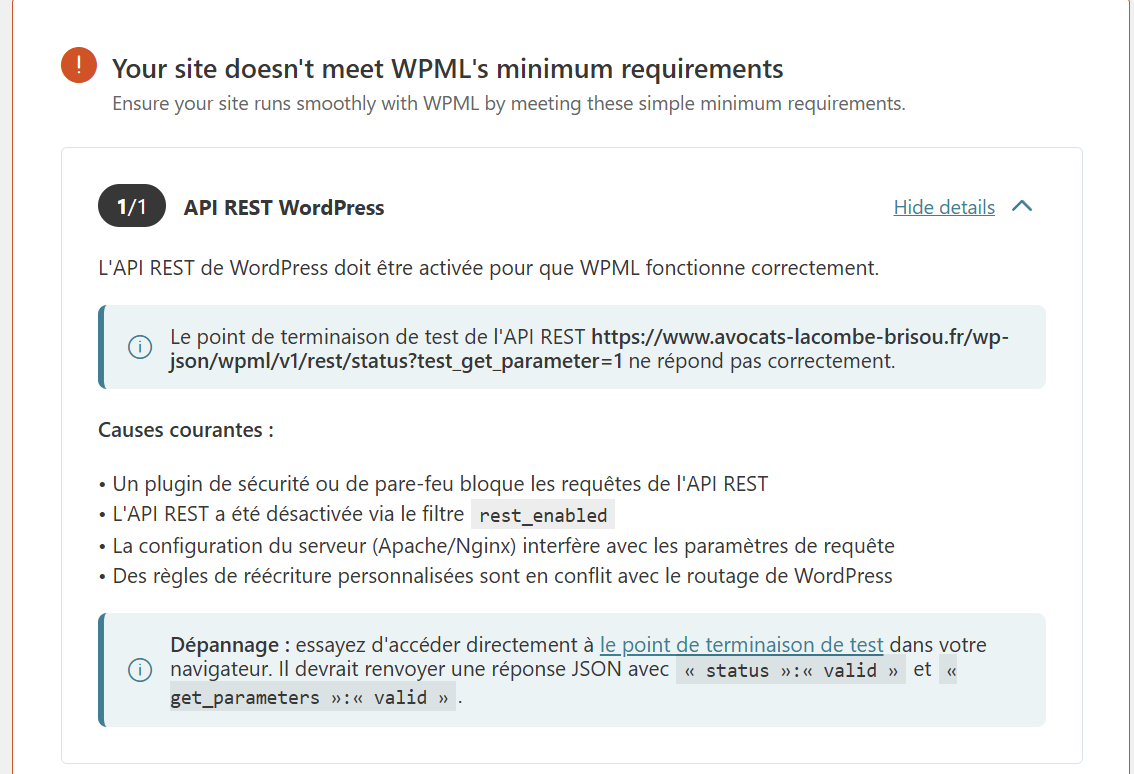 |
| December 27, 2025 at 9:53 am #17689295 | |
|
isabelleL-11 |
looks like ES translation broke my htaccess file : # BEGIN WP Rocket # FileETag None is not enough for every server. # Since we’re sending far-future expires, we don’t need ETags for static content. <IfModule mod_alias.c> <FilesMatch "\.(css|htc|js|asf|asx|wax|wmv|wmx|avi|bmp|class|divx|doc|docx|eot|exe|gif|gz|gzip|ico|jpg|jpeg|jpe|json|mdb|mid|midi|mov|qt|mp3|m4a|mp4|m4v|mpeg|mpg|mpe|mpp|otf|odb|odc|odf|odg|odp|ods|odt|ogg|pdf|png|pot|pps|ppt|pptx|ra|ram|svg|svgz|swf|tar|tif|tiff|ttf|ttc|wav|wma|wri|xla|xls|xlsx|xlt|xlw|zip)$"> <IfModule mod_mime.c> # Compress all output labeled with one of the following MIME-types # END WP Rocket # END WordPress |
| December 27, 2025 at 10:09 am #17689304 | |
|
isabelleL-11 |
I created a new htaccess and kept the old one as htaccess.bad. I need you to tell me what went wrong and if I can reactivate the plugins or not. |
| December 27, 2025 at 6:31 pm #17689674 | |
 Andrey WPML Supporter since 06/2013 Languages: English (English ) Russian (Русский ) Timezone: Europe/Kyiv (GMT+02:00) |
One of my colleagues will be taking over your ticket. In the meantime, I’d like to share some helpful information. You are experiencing the issue described here: As a workaround, you can add the snippet provided in the article to your theme’s functions.php file to prevent the .htaccess file from being overwritten. Before making any changes, please make sure to take a complete backup of your site. |
| December 30, 2025 at 1:53 pm #17696902 | |
|
isabelleL-11 |
For now I did not reactivated WPML plugins. $wpml_root = parse_url(get_option('home')); $rules = str_replace("RewriteBase $home_root", "RewriteBase $wpml_root", $rules); return $rules; And it will be safe to reactivate WPML plugins after that? Is it possible for you to do it ? Or to find a permanent fix instead of a workaround |
| December 30, 2025 at 6:24 pm #17697300 | |
 Bobby WPML Supporter since 04/2015 Languages: English (English ) Timezone: America/Los_Angeles (GMT-07:00) |
Hi there, Please note that this is not caused directly by WPML and it is caused by a third party plugin. "Sometimes, third-party plugins call the flush_rewrite_rules(true) function too often. This leads to changes in the rewrite rules in your .htaccess file, which can cause issues on your WordPress site." The workaround is very safe and will quickly resolve this issue. Outside of the work around "Identifying the specific plugin causing this issue can be challenging. It involves testing in a minimal environment and deactivating plugins one by one. After finding the responsible plugin, you would need to contact the author and request that they add a fix that limits the rewrite rule flushing to happen only once. " If you would like us to add the workaround for you, I'd be happy to do so. **Before we proceed It is necessary to take FULL BACKUP of your database and your website. Providing us with access, you agree that a backup has been taken ** Thank you, |
| January 5, 2026 at 9:11 pm #17705391 | |
|
Bobby WPML Supporter since 04/2015 Languages: English (English ) Timezone: America/Los_Angeles (GMT-07:00) |
Thank you for the access details! The code from the Errata documentation has been added to the child theme's functions.php and when activating WPML it is working as expected. Let me know your results, please. |
| January 7, 2026 at 9:18 am #17708740 | |
|
isabelleL-11 |
It looks ok but can you confirm there is no risk to come back ? Also, is it possible for you to run as much translations as possible with all remaining credits I got ? Kind regards, |
| January 7, 2026 at 9:24 am #17708747 | |
|
isabelleL-11 |
Also, I still see this error message on my WordPress dashboard : That's not reassuring. |
| January 7, 2026 at 9:13 pm #17710725 | |
|
Bobby WPML Supporter since 04/2015 Languages: English (English ) Timezone: America/Los_Angeles (GMT-07:00) |
Hi there, I can confirm that the workaround is going to prevent this from happening again, this workaround has been around for a long time and has helped many clients with the same issue. Multilingual Tools is an add-on plugin, and that is correct, it requires String Translation to be activated, however, I don't believe you need that add-on plugin as it's meant for testing and debugging. I have safely deactivated. (which removes the notice) That being said, is there a reason why WPML String Translation is deactivated? We recommend that plugin to be activated. |
| January 9, 2026 at 10:10 am #17715499 | |
|
isabelleL-11 |
No there is no reason for that. If it is needed, coud you please set it up ? |
| January 9, 2026 at 10:12 am #17715505 | |
|
isabelleL-11 |
Also, is it easy to disable one langage (eg : spanish) and remove related content (articles, etc..) ? |
| January 9, 2026 at 2:38 pm #17716348 | |
|
isabelleL-11 |
+ I see that I have pages with Hreflang to non-canonical : EG : hidden link hidden link hidden link hidden link hidden link is it possible to fix it from wpml ? |
| January 9, 2026 at 2:55 pm #17716366 | |
|
isabelleL-11 |
maybe i should select this option ' Utiliser le répertoire pour la langue par défaut' ? 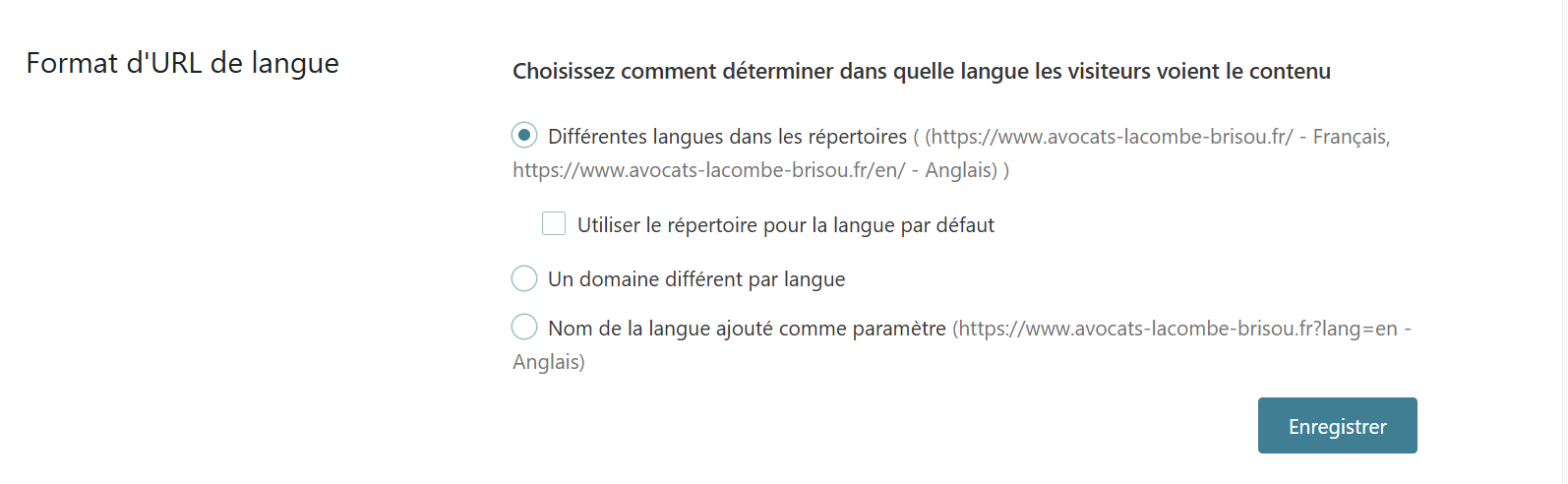 |






