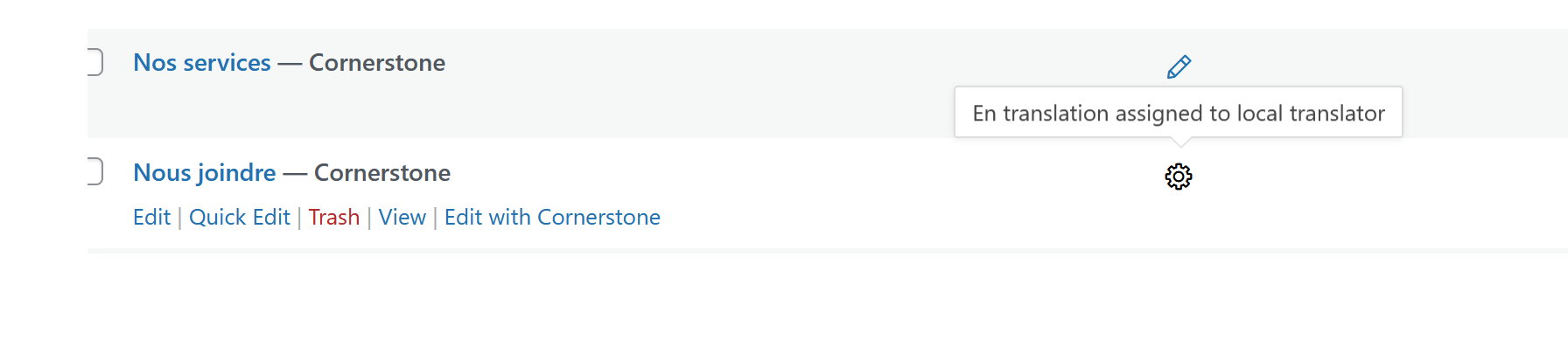
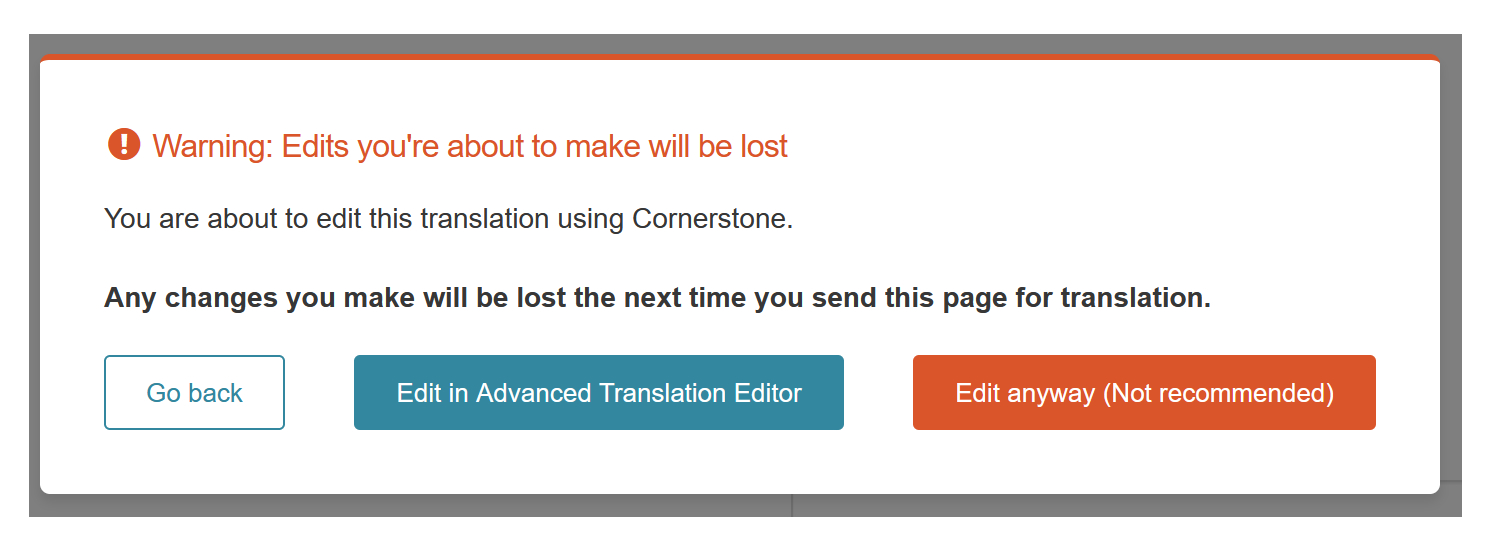
I'm stuck with "En translation awaiting first available translator" I can't make changes to the En page. The changes appear in the backend : "hidden link " but not the front end: "hidden link"
Welcome to WPML support. Can you send the translation again?
- Go to WPML > Translation Dashboard.
- Find the page in question.
- Select it.
- At the bottom, send the page for translation.
- Go to WPML > Translations
- Take the translation and make sure it is 100% complete:
If the problem persists, I'd appreciate it if you could give me the URL/User/Pass of your WordPress dashboard after you make sure that you have a backup of your website.
It is absolutely important that you give us a guarantee that you have a backup so if something happens you will have a point of restore.
Make sure you set the next reply as private.
I will also need to know if the issue happens on all pages or on a specific page you mentioned.
Thank you. Unfortunately, the user you gave me does not have the administrator role and I can not see the WPML translation dashboard to be able to do troubleshooting.
Would you please check that?
Meanwhile, I wonder what the original language of the contact page was that was created in the first place? Was it FR or EN?
I think that the default language was FR Now it's EN because I was trying anything to make the translation work.
Also, I get no e-mail notification that there is a response from WPML for the support issue. I have to go check sporadically. It would be nice if I was advised that there is a message waiting.
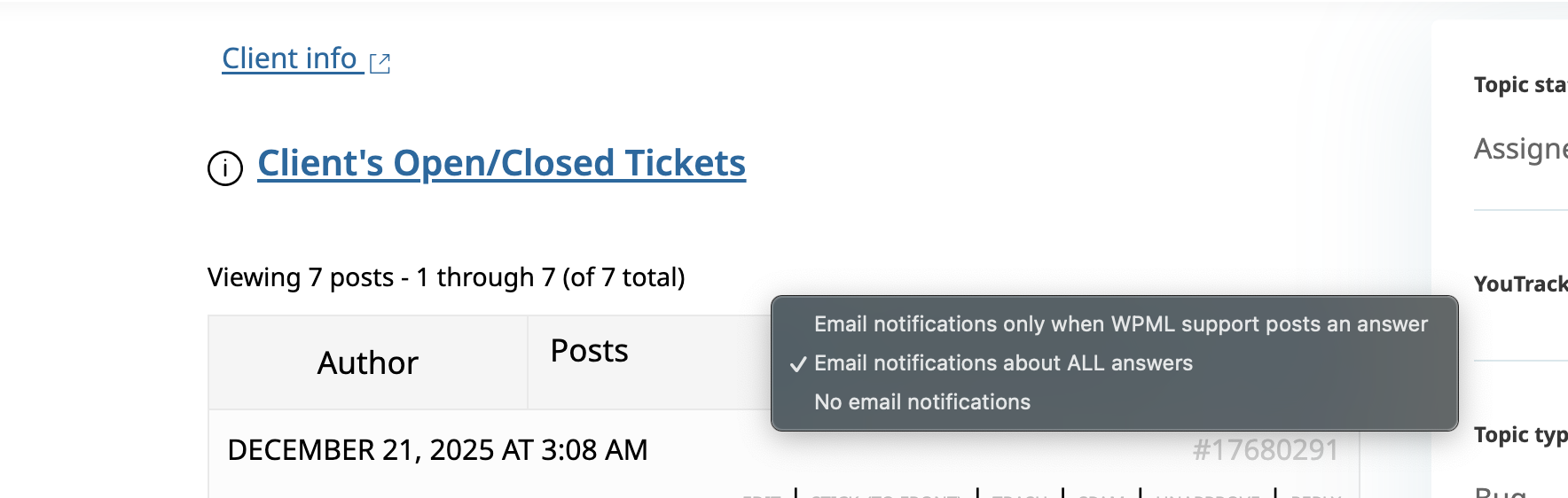
The email notifications are enabled by default, but if for some reason they are not, you can enable them by selecting the option at the top right section of the first question in the forum. (Please check the screenshot.)
I changed the default language to FR as it is important to have the default language as the language that the website is created to avoid missing the pages when there is no translation.
I spent some time trying to find the cause of the issue but I could not. I wonder if we have permission to install the Cloudways plugin to copy your website to our server so we can report this to our second-tier support?
Thankyou. The copying process has started. Just for your information, it might take time as reporting to the second-tier support might result in a longer reply time due to the holiday season.
Thank you for your patience, I managed to copy the website and tested it by adding a new page and it worked. It seems that there is a problem with that specific page.
Please create a new page and use the new Column system of Cornerstone and not the Classic ones and recreate the page.
Created new pages and it did not resolve the issue. Then I disablet Contact7 forms and installed WPforms. Recreated the pages and created new forms. That worked. The contact pages in EN and FR work correctly now.