Skip to content Skip to sidebar

This thread is resolved. Here is a description of the problem and solution.

Problem:
If you're experiencing issues with the width of the dropdown menu in WPML not being able to be shortened after adding CSS to WPML's additional CSS section, it might be due to the CSS settings of the JetMenu submenu.
Solution:
First, check the CSS controlling the submenu's width. The relevant CSS is:

.jet-mega-menu.jet-mega-menu--layout-horizontal .jet-mega-menu-sub-menu {<br />    position: absolute;<br />    top: 100%;<br />    min-width: 200px;<br />    z-index: 998;<br />}

You can adjust the

min-width

property to a value that suits your needs. If you want to specifically target only the WPML menu item, use its unique ID, which in this case is

jet-mega-menu-item-wpml-ls-52-en

.
Additionally, we recommend inserting the CSS in the WordPress Customizer under Appearance > Customizer > Additional CSS to ensure it takes effect.

If these steps do not resolve your issue, or if the solution becomes outdated, please check the related known issues and verify you have the latest versions of themes and plugins installed. If the problem persists, we highly recommend opening a new support ticket on the WPML support forum.

This is the technical support forum for WPML - the multilingual WordPress plugin.

Everyone can read, but only WPML clients can post here. WPML team is replying on the forum 6 days per week, 22 hours per day.

This topic contains 5 replies, has 1 voice.

Last updated by Lucas Vidal de Andrade 4 months, 2 weeks ago.

Assisted by: Lucas Vidal de Andrade.

Author Posts
December 5, 2025 at 6:00 am #17636770

kai-man-kantC

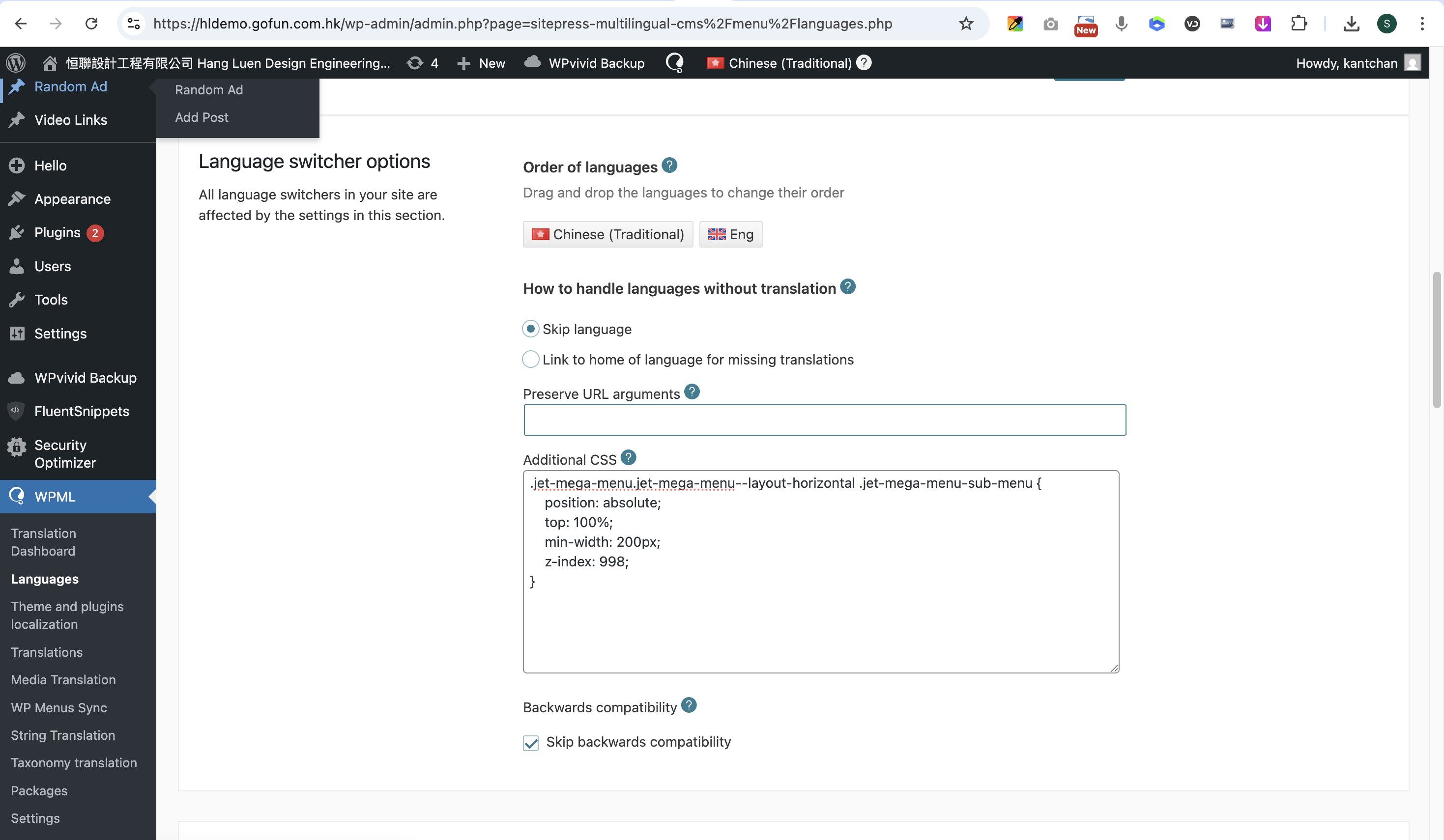
nav ul[class*="menu"] li.wpml-ls-menu-item ul.sub-menu,
nav ul[class*="menu"] li.wpml-ls-menu-item ul.sub-menu li a {
width: auto;
min-width: 30px;
}

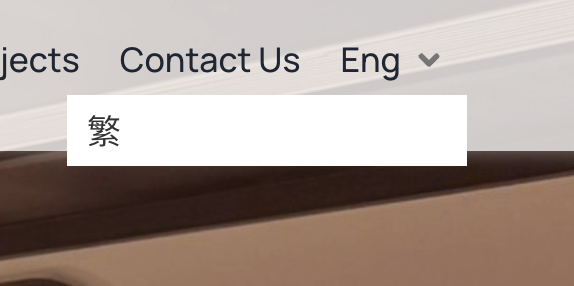
I had add css to wpml additional css, not the width of the dropdown menu cannot be shorten.

the website is hidden link

December 5, 2025 at 6:53 am #17636844

Dražen
Supporter

Languages: English (English )

Timezone: Europe/Zagreb (GMT+02:00)

Hello,

Thanks for reaching out to us.

While you wait for my colleague to take over the ticket, let me try to help you with the issue in the meantime.

I checked, and it appears this is a standard submenu dropdown from JetMenu. That means the behavior would be the same regardless of what you place inside the dropdown, not only WPML. The following CSS controls the width:

.jet-mega-menu.jet-mega-menu--layout-horizontal .jet-mega-menu-sub-menu {
    position: absolute;
    top: 100%;
    min-width: 200px;
    z-index: 998;
}

You can adjust the min-width to any value you prefer. However, keep in mind that this will affect all submenu items. If you want to target only this specific menu item, you can use its ID: jet-mega-menu-item-wpml-ls-52-en.

Hope this helps.

Regards,
Drazen

December 5, 2025 at 8:32 am #17637106

kai-man-kantC

I had place the css code to wpml, but there is nothing change. You can check with this link
hidden link

螢幕截圖 2025-12-05 下午4.29.08.png
December 5, 2025 at 8:56 am #17637209

Lucas Vidal de Andrade
WPML Supporter since 11/2023

Languages: English (English ) Spanish (Español ) German (Deutsch ) Portuguese (Brazil) (Português )

Timezone: Europe/Vienna (GMT+02:00)

Hey there,

Please try inserting the CSS on Appearance > Customizer > Additional CSS. Let me know if takes effect when put there.

If not, I'll ask for access to the website. Thank you.

December 7, 2025 at 1:52 pm #17641913

kai-man-kantC

#jet-mega-menu-item-wpml-ls-52-en {
position: absolute;
top: 100%;
min-width: 70px;    
z-index: 998;}

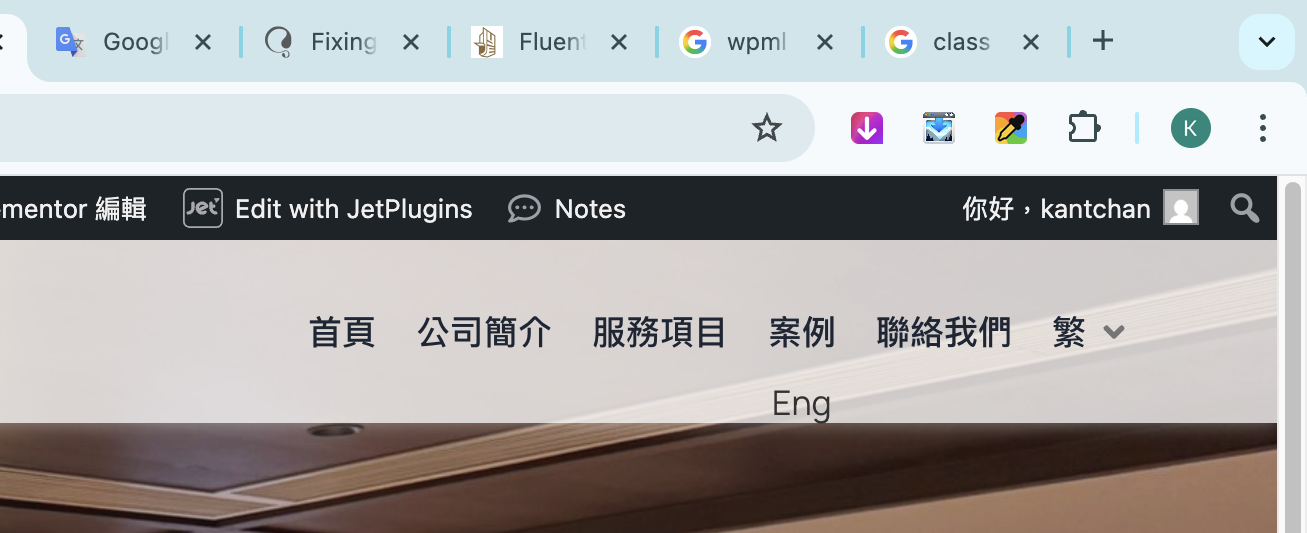
it takes effect, but the dropdown menu is not below the switcher.
hidden link

螢幕截圖 2025-12-07 下午9.51.02.png
December 8, 2025 at 11:05 am #17643497

Lucas Vidal de Andrade
WPML Supporter since 11/2023

Languages: English (English ) Spanish (Español ) German (Deutsch ) Portuguese (Brazil) (Português )

Timezone: Europe/Vienna (GMT+02:00)

The switcher shows as expected to me. Check the video:
hidden link

If you are having different results, try clearing all caches, or checking from another browser. Let me know.