Background of the issue:
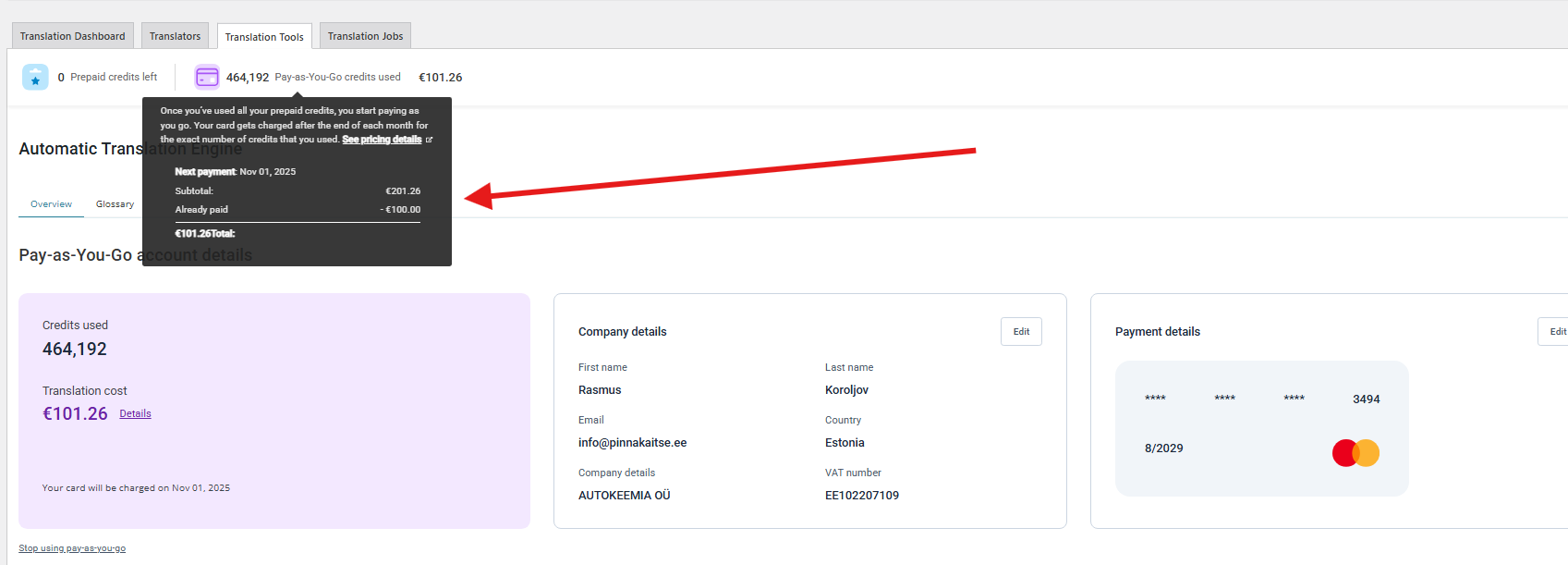
I want to translate content using WPML, but my 'Pay as you go' balance is over 100€. I have added all the correct credit card information.
Symptoms:
The system does not charge me 100€ so I can continue with translating.
Questions:
Why is my credit card not being charged?
How can I continue translating after reaching the 100€ limit?
I found some errors in the ATE error log that look like it might be coming from a conflict with a plugin/theme. Do you have a staging site where we can test minimal settings (meaning only WPML plugins and a default theme)? IF so, see if the same issue is happening when the site is set to minimal settings.
If not, you can create one with something like WP Staging or use Troubleshooting Mode (safe for live sites)
Goal: find which plugin/theme triggers the bad filter call.
1. Install Health Check & Troubleshooting (official WP.org).
2. Go to Tools → Site Health → Troubleshooting → Enable.
This affects only your user session, not visitors.
3. In troubleshooting mode:
-Theme: switch to Twenty Twenty-Five.
- Plugins: activate only WPML core + String Translation + ATE/TM.
- Try sending the page to ATE.
If the error is gone → start enabling other plugins in small batches until it returns. That batch contains the culprit; narrow within it.
If the error still happens with only WPML and a default theme, let us know and we can further troubleshoot. Please let us know the results.
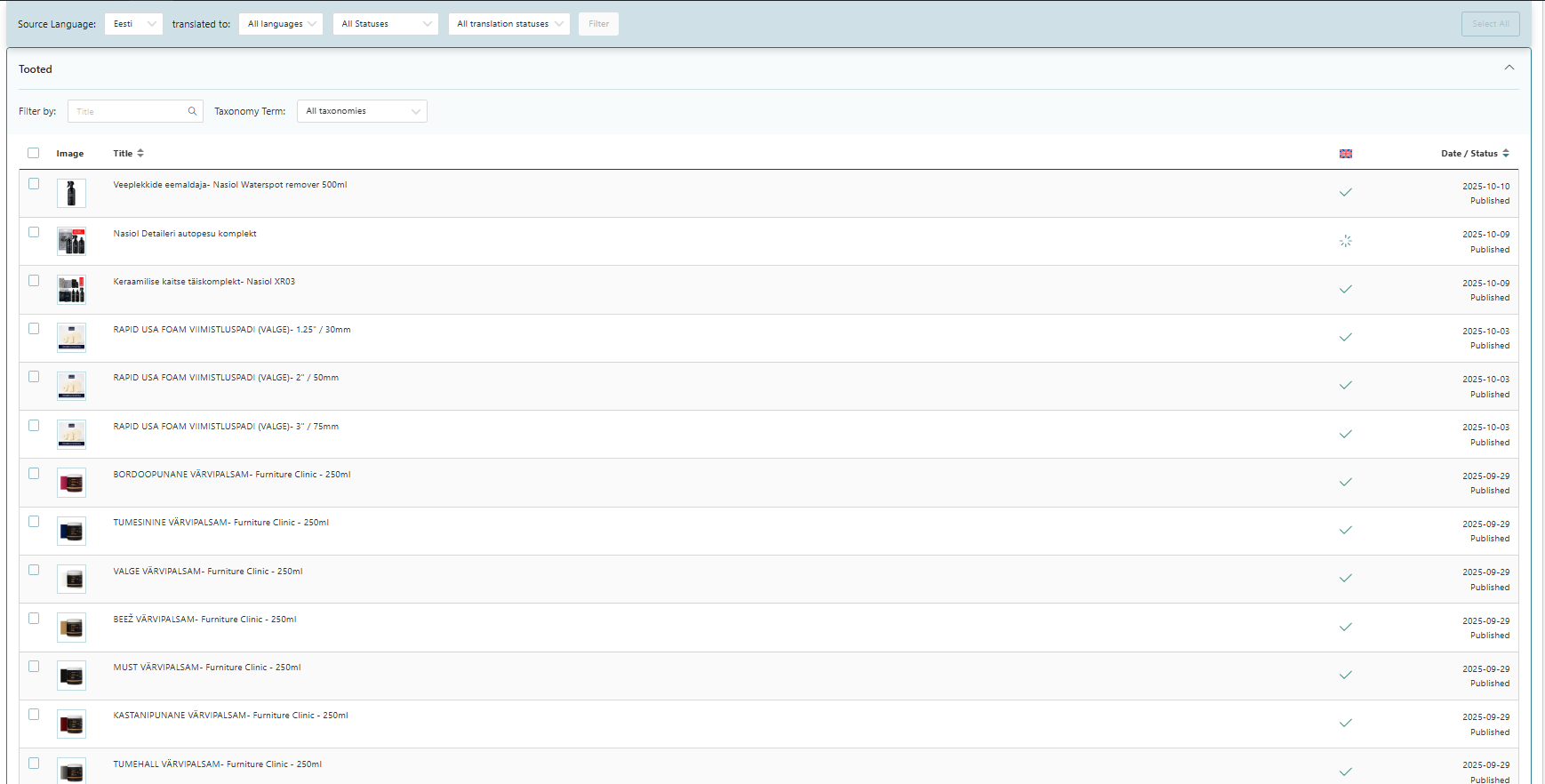
It shows all my products translated, but they miss actually translation.
It is not due to plugin error, but this situation started happening when i "restored our website previous version" with Updraft plugin.
I did this because inside translations we found too many products that needed assistance. So we decieded to restore old version and start from beginning.
I have stopped "pay as you go" and my credit card was charged automatically the missing amount. But the translations are still not working. I think some metadata is messed up because of the homepage restoration with with Updraft. As i sent image previously it shows the products are translated, but actually they are missing 100%. Please check.
I have found the probleb but do not know how to solve it.
Any new product i create can be automatically translated.
However, the existing products are not trnaslatable, because since i did backup restore, the WPML still thinks these products have been translated and it cannot publish them because it is not finding the actual product translated version. I thought about How can we clean WPML cache?
I have entered into WPML troubleshooting and run different buttons.
I FIXED IT BY:
Running " Remove ghost entries from translation table"