Skip to content Skip to sidebar

This thread is resolved. Here is a description of the problem and solution.

Problem:
The client is experiencing an issue where a new user, added as a translator and translation manager in WPML, receives a "no privileges" error when trying to review translations from Finnish to Swedish and English to Swedish.
Solution:
1. We tested by creating a new user and found that changing the WPML > Languages > Language URL format to 'Different languages in directories' resolved the issue.
2. We suggested the client log in to the secondary domain corresponding to the language they wish to review. For example:
- To review English, log in at https://ledstore.pro/blog/wp-login.php
- For Swedish, use https://led-store.se/blog/wp-login.php
3. If this solution does not seem relevant or does not resolve the issue, please open a new support ticket with us for further assistance.

This is the technical support forum for WPML - the multilingual WordPress plugin.

Everyone can read, but only WPML clients can post here. WPML team is replying on the forum 6 days per week, 22 hours per day.

Tagged: ,

This topic contains 5 replies, has 2 voices.

Last updated by Kor 1 year, 10 months ago.

Assisted by: Kor.

Author Posts
January 11, 2024 at 6:40 am #15172270

janneH-6

HI.
Im adding new user to review translated content.
New user is editor or Author (I tried both!)
New user is added as translator in WPML (finnish to sweden, english to sweden)
New user is added as translation manager

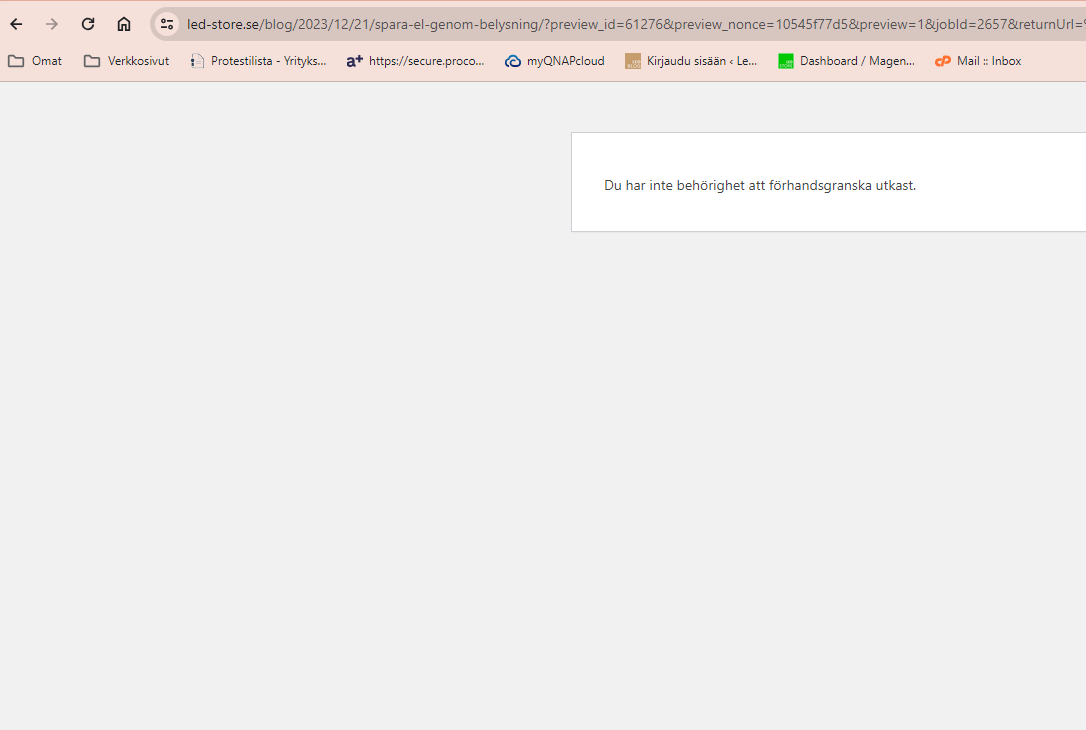
Still, if I try to review finnish-sweden translation, i get error: "no priviledges" (In swedish =)

review error.PNG
January 11, 2024 at 8:53 am #15172814

Kor
WPML Supporter since 08/2022

Languages: English (English )

Timezone: Asia/Singapore (GMT+08:00)

Hi there,

Thanks for contacting WPML support.

It sounds like you've configured the options correctly. I will need to closely examine your website. Therefore, I will require temporary access (WP-Admin and FTP) to a test site where the problem has been replicated, if possible. This will enable me to provide better assistance and determine if any configurations need to be modified.

Please note that it is important to have a backup for security purposes and to prevent any potential data loss. You can use the UpdraftPlus plugin (https://wordpress.org/plugins/updraftplus/) to fulfill your backup requirements.

Your upcoming reply will be treated with confidentiality and will only be visible to you and me.

✙ To resolve the issue, I may need your consent to deactivate and reactivate plugins and the theme, as well as make configuration changes on the site if necessary. This emphasizes the significance of having a backup.

January 12, 2024 at 3:47 pm #15180005

Kor
WPML Supporter since 08/2022

Languages: English (English )

Timezone: Asia/Singapore (GMT+08:00)

Thanks for your patience.

I've escalated this to our 2nd Tier Support and I will come back to you when I've feedback.

January 16, 2024 at 5:55 pm #15191605

Kor
WPML Supporter since 08/2022

Languages: English (English )

Timezone: Asia/Singapore (GMT+08:00)

Thanks for your reply.

I have feedback and could you please try logging in to your secondary domain and then try reviewing the post and see if it works?

January 16, 2024 at 6:27 pm #15191749

janneH-6

I logged in as "Emilia". still same error message.
What do you mean about seconday domain?

January 16, 2024 at 6:59 pm #15191860

Kor
WPML Supporter since 08/2022

Languages: English (English )

Timezone: Asia/Singapore (GMT+08:00)

Thanks for your reply.

For example.

If you wish to review English Language, you need to login here hidden link

and for Swedish, use this link hidden link

January 16, 2024 at 7:19 pm #15191884

janneH-6

I see now. You should have that as warning instead "you dont have needed rights"