This thread is resolved. Here is a description of the problem and solution.
Problem: The client was migrating their website from one server to another and encountered issues where WPML incorrectly detected the site's URL and displayed errors regarding the default language needing to be mapped to a supported language. Solution: 1. Verify the site URL in WPML settings and ensure it matches the current site URL after migration. 2. Check the default language settings in WPML to confirm it is mapped correctly to a supported language. If issues persist, manual intervention might be required to investigate potential configuration or database issues.
If this solution does not resolve your issue, or if it seems outdated or irrelevant to your case, we highly recommend opening a new support ticket. Additionally, please check related known issues at https://wpml.org/known-issues/, verify the version of the permanent fix, and confirm that you have installed the latest versions of themes and plugins. For further assistance, visit our support forum at WPML Support Forum.
This is the technical support forum for WPML - the multilingual WordPress plugin.
Everyone can read, but only WPML clients can post here. WPML team is replying on the forum 6 days per week, 22 hours per day.
Background of the issue:
I was trying to migrate my website from Server A to Server B. The website URL is hidden link. Before the migration, I unregistered the website and then registered it again after the migration.
Symptoms:
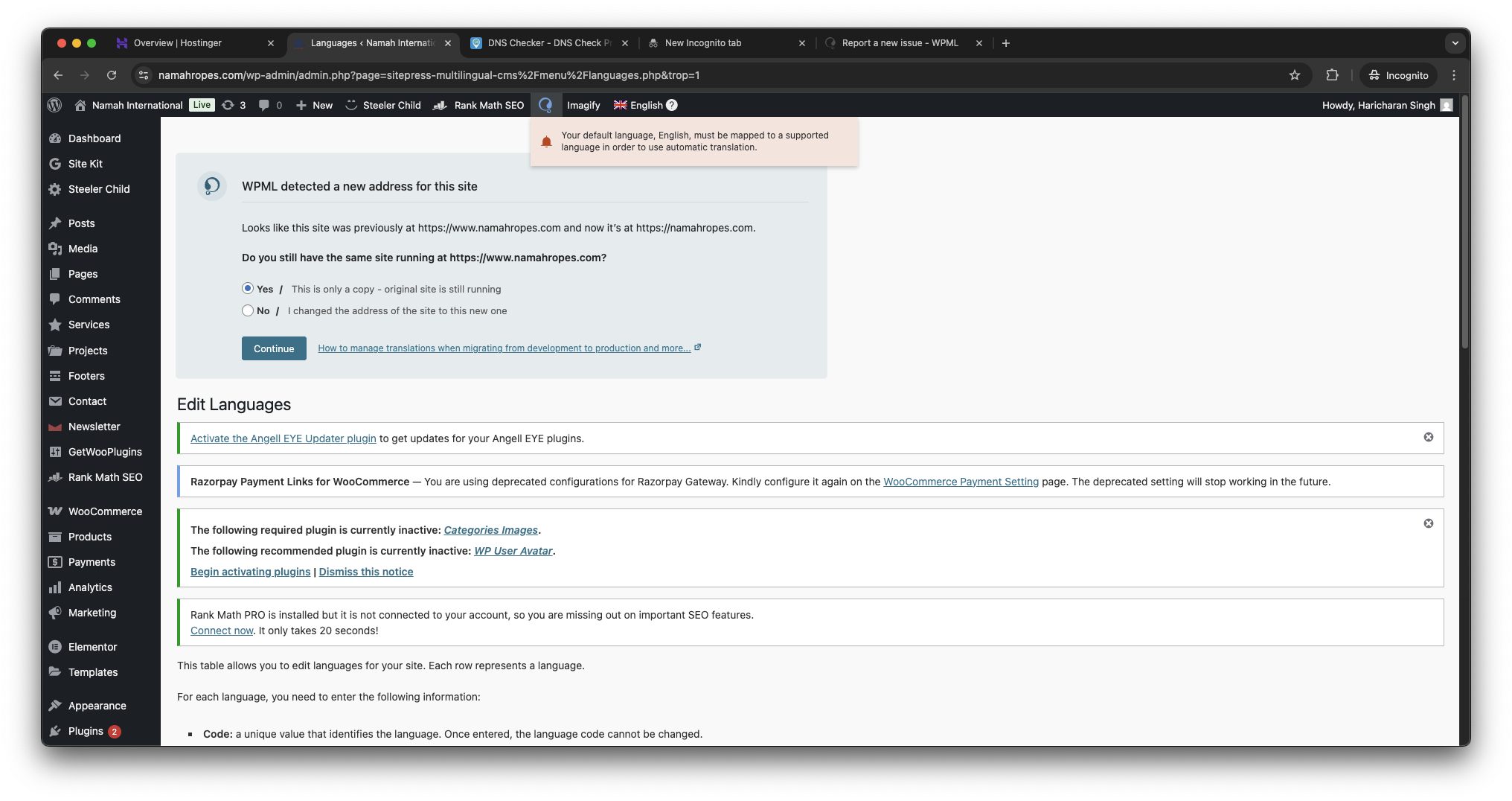
1. I am getting a message: "Looks like this site was previously at hidden link and now it’s at hidden link." 2. I am also getting a message: "Your default language, English, must be mapped to a supported language in order to use automatic translation."
Questions:
Why am I getting a message about the site being previously at a different URL?
How can I resolve the issue with the default language needing to be mapped to a supported language?
Languages: English (English )German (Deutsch )French (Français )
Timezone: Europe/Zagreb (GMT+02:00)
Hi,
Can you try the following:
1. Go to WPML → Support and click on the Troubleshooting link.
2. On the WPML Troubleshooting page, click the button labeled Force-enable WPML’s Advanced Translation Editor.
The button might not appear, but if it does, click on it. Does this help?
Hi,
I didn't find Force-enable WPML’s Advanced button.
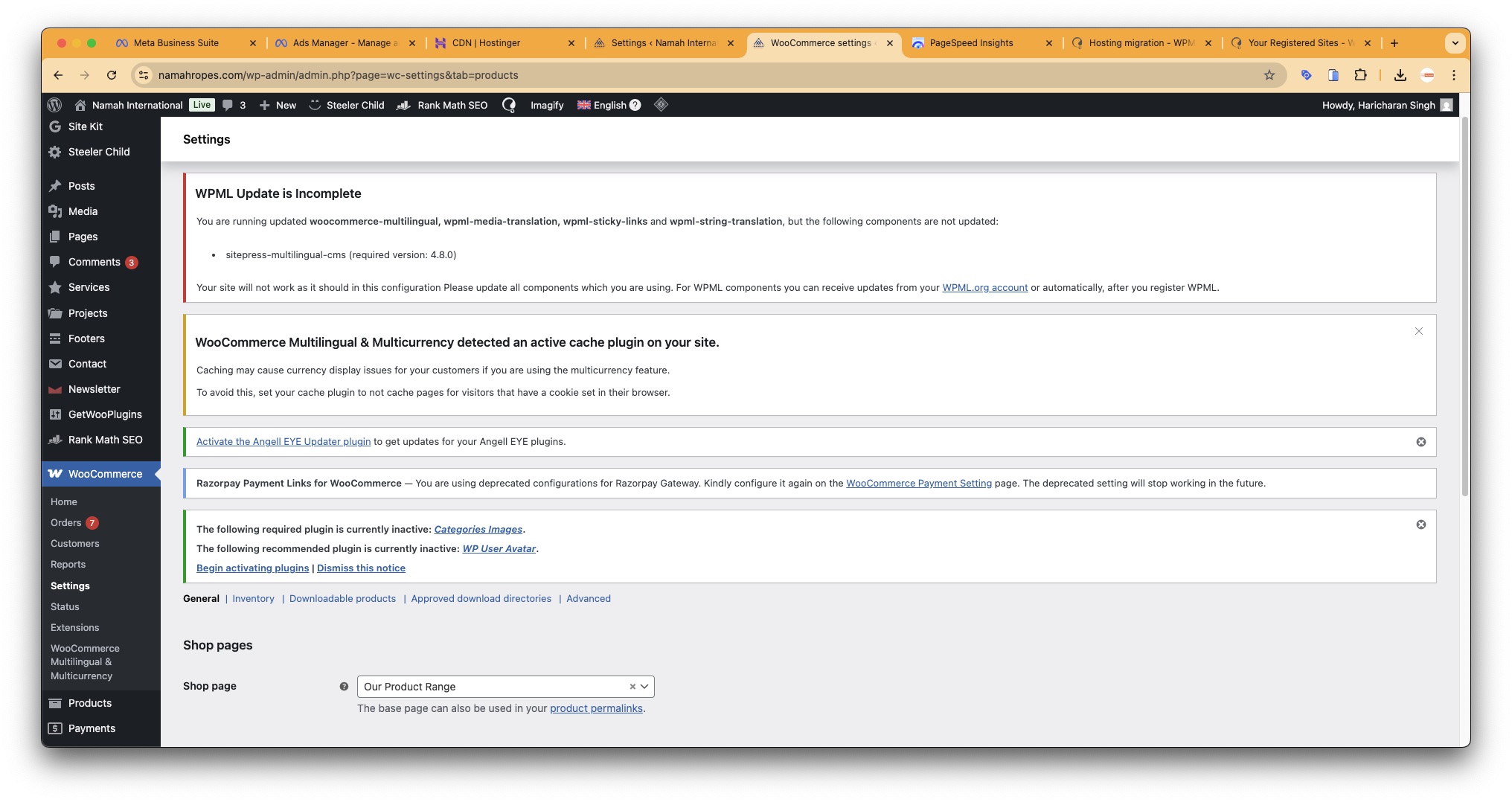
I tried updating the plugin post downloading from account. I am getting error. Attaching screenshot for your ref.
WPML Update is Incomplete
You are running updated woocommerce-multilingual, wpml-media-translation, wpml-sticky-links and wpml-string-translation, but the following components are not updated:
Also pls guide for below:
WooCommerce Multilingual & Multicurrency detected an active cache plugin on your site.
Caching may cause currency display issues for your customers if you are using the multicurrency feature.
To avoid this, set your cache plugin to not cache pages for visitors that have a cookie set in their browser.
Yes, now bannerand notification is not showing. I didn't made any changes.
It was showing outstanding amount of last month which i paid as was not able to translated any further. After making the payment, i found, the Invoice doesn't reflect in my account history. I have re-added the Pay-As-you-go.
I have downloade the invoice too. The Invoice no: QZKYQSXR-0004
This invoice doesn't reflect my company name and GST as well. This is also not reflecting into my account. Pls check.
Regards,
Kamal
New threads created by Bruno Kos and linked to this one are listed below: