[Resolved] I can't start any translation task at my local
This thread is resolved. Here is a description of the problem and solution.
Problem: After migrating a production website to a local development environment using the "All-In-One WP Migration" plugin and updating WPML settings, the client is unable to start any translation jobs. The edit button in the translation job redirects to the "Translation Queue" UI instead of allowing editing. Solution: We recommend changing the local development environment URL from the default http://localhost.local/ to a more specific one, as the Advanced Translation Editor (ATE) might not function correctly with common local URLs. Additionally, follow these steps to diagnose and potentially resolve the issue: 1) Activate the debug.log: - Enable WordPress debugging by editing the wp-config.php file. Insert these lines before the comment /* That's all, stop editing! Happy publishing. */:
- Replicate the error. - Check the debug.log file in the /wp-content directory for any WPML-related errors and share the full error message with us. 2) Verify if the same fatal error occurs as in a similar case found here: https://wpml.org/forums/topic/cannot-translate-3/#post-17937026 3) Apply the fix suggested in the support ticket linked above.
If these steps do not resolve the issue, it might be due to outdated solutions or a different problem. We highly recommend checking related known issues at https://wpml.org/known-issues/, verifying the version of the permanent fix, and confirming that you have installed the latest versions of themes and plugins. If the problem persists, please open a new support ticket at our support forum.
This is the technical support forum for WPML - the multilingual WordPress plugin.
Everyone can read, but only WPML clients can post here. WPML team is replying on the forum 6 days per week, 22 hours per day.
I have used "All-In-One WP Migration" plugin backup and restore my prod web site (shunfalaw.com) to my local development enviroment (localhost.local). After I restore the website, I follow the WPML instruction 1) migrate the site to the new licence key used as a development site; 2) Fix the error told me my local site doesn't meet the minimum requirement for WPML.
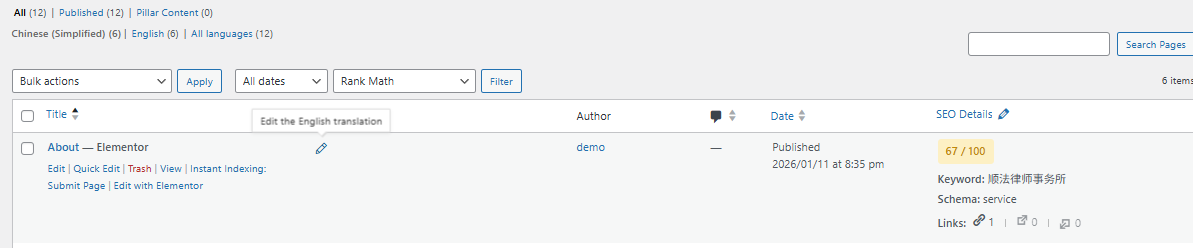
After I made all above changes, I can't start any translation job at my local, the translation job edit button will bring me to the "Translation Queue" UI.
After installing the All-In-One WP Migration package on your local environment, you should see the WPML migration banner, where you can choose the appropriate option and complete the migration. Could you please confirm if you completed this step?
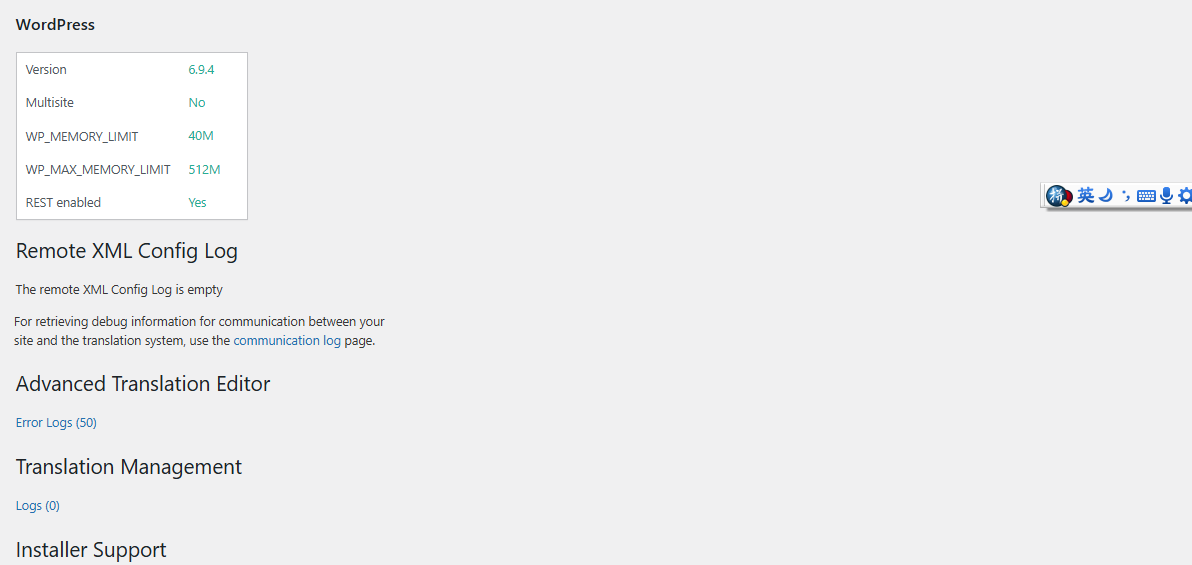
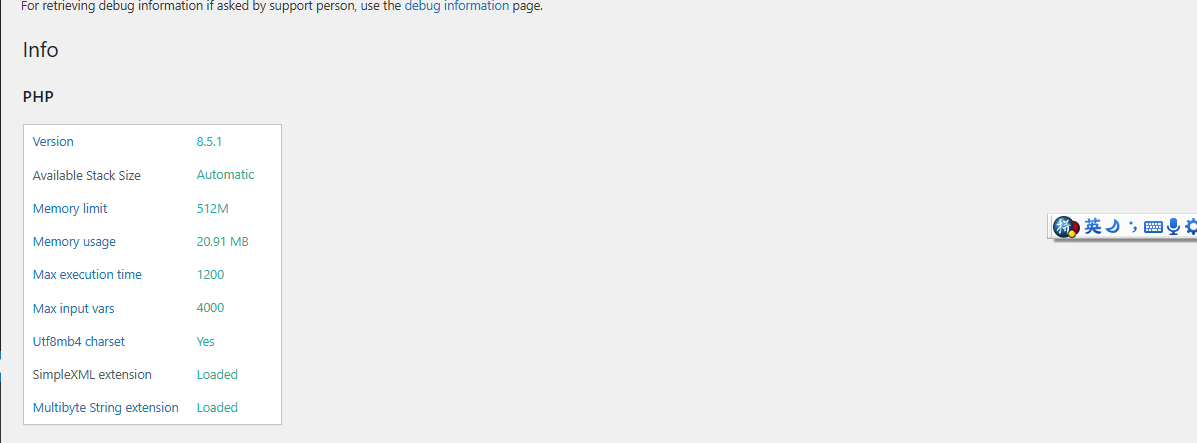
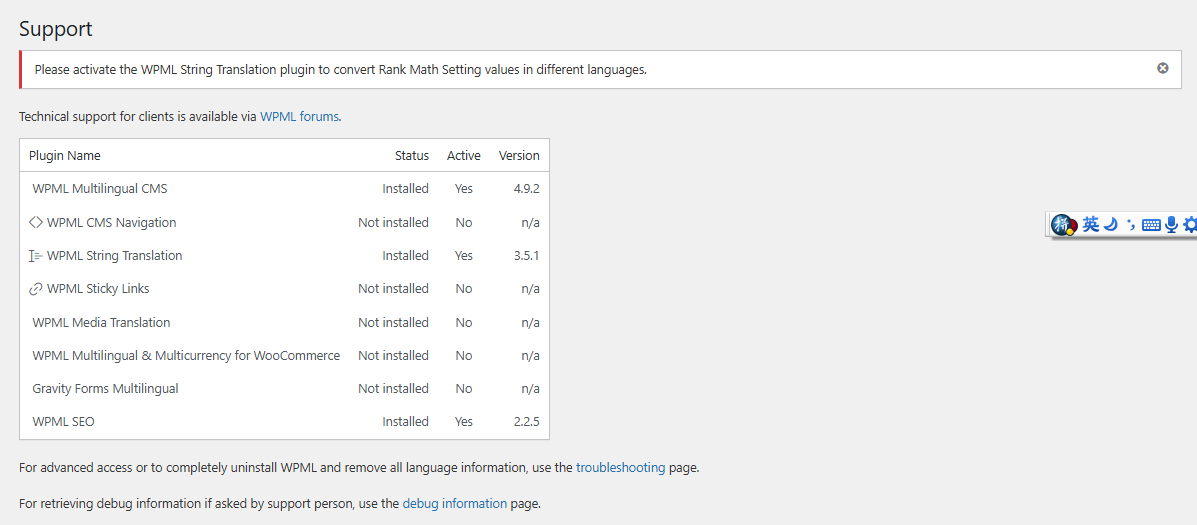
Additionally, could you please provide the following screenshots:
• WPML → Support page
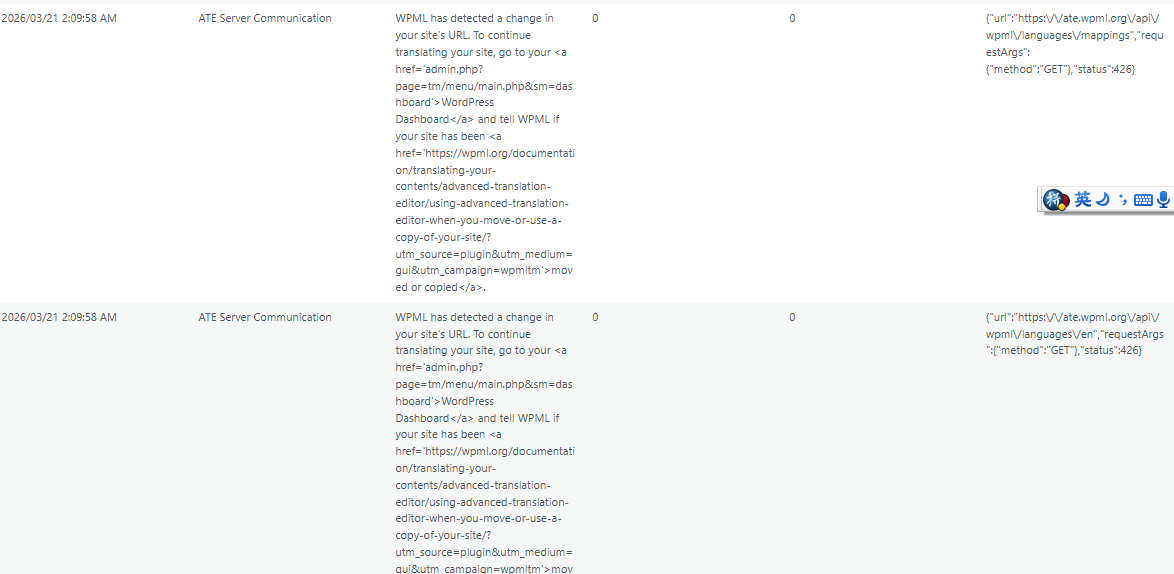
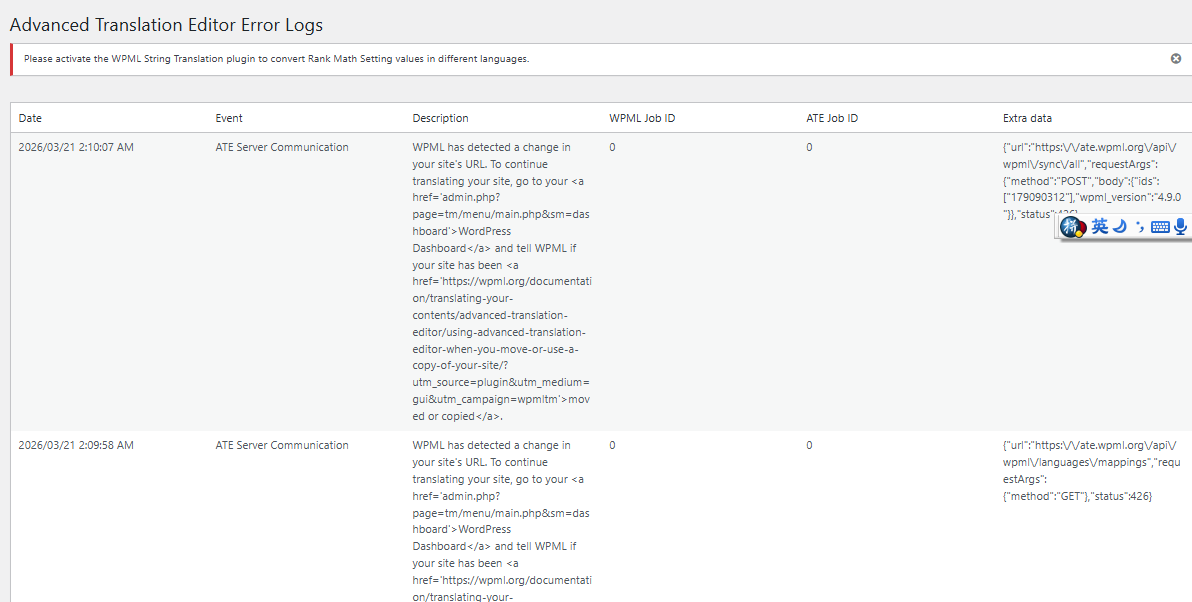
• WPML → Support → Advanced Translation Editor → Error Logs page
Here are the screenshot for WPML-support page and the error log. In the error log, I see it said it detects a site url change, but I check the site url is localhost.local (correct for my local site).
I recommend trying the following steps:
1. Go to WPML → Support → Installer Support and click “Check Now” to verify that your site can reach our API.
2. If there are no errors (no red marks), prepare a new import using a different domain.
3. Create a new staging site, for example: hidden link
4. Perform a fresh import of your site.
5. After the import, follow the WPML migration banner and indicate that this is a copy of the site.
Please let me know how it goes or if you encounter any issues along the way.
It can be any domain name — it doesn’t have to be anything specific. I would just recommend avoiding the default hidden link.
I don’t think this is necessarily the cause of the issue, but I’d like to rule it out. Since the ATE runs on our servers, hidden link is a common value, so it would be good to test with a more specific URL.
By the way, I found a similar issue today and resolved it; I think the user was also migrating using the "All-In-One WP Migration" plugin. I might think you might encounter the same problem. Please have a look here: https://wpml.org/forums/topic/cannot-translate-3/#post-17937026
If the issue persists after the new migration, please do the following:
1) Activate the debug.log
1. Enable WordPress debugging by editing your wp-config.php file. Add (or modify, if these lines already exist) the following lines before the comment /* That's all, stop editing! Happy publishing. */:
2. Replicate the error.
3. Check the debug.log file (located in the /wp-content/debug.log) for any WPML-related errors.
4. Copy and paste the full error message here.
I saw the similar SQL error as the other thread. I use localwp at my local, and my site I use MariaDB 10.6.23. I don't know how to access my local db to fix the column issue.
[31-Mar-2026 01:02:44 UTC] WordPress database error Unknown column 's.uuid' in 'SELECT' for query SELECT j.rid,
j.translator_id,
t.translation_id,
s.batch_id,
j.translated,
j.manager_id,
s.status,
s.review_status,
s.needs_update,
s.translation_service,
s.uuid,
s.ate_comm_retry_count,
t.trid,
t.language_code,
t.source_language_code,
iclt.field_data AS original_doc_id,
iclt.job_id,
ito.element_type AS original_post_type,
j.title,
j.deadline_date,
j.completed_date,
j.editor,
j.editor_job_id,
j.automatic,
j.wpml_words_to_translate_count,
j.wpml_automatic_translation_costs,
t.element_id,
SUBSTRING_INDEX(ito.element_type, '_', 1 ) as element_type_prefix
FROM wp_icl_translate_job j
JOIN wp_icl_translation_status s
ON j.rid = s.rid
JOIN wp_icl_translations t
ON s.translation_id = t.translation_id
JOIN wp_icl_translate iclt
ON iclt.job_id = j.job_id
JOIN wp_icl_translations ito
ON ito.element_id = iclt.field_data
AND ito.trid = t.trid
LEFT JOIN wp_posts p
ON ito.element_id = p.ID
AND ito.element_type = CONCAT('post_', p.post_type)
WHERE j.job_id IN (63)
AND iclt.field_type = 'original_id'
LIMIT 1 made by set_current_screen, WP_Screen->set_current_screen, do_action('current_screen'), WP_Hook->do_action, WP_Hook->apply_filters, WPML_Media_Attachments_Duplication->maybe_duplicate_original_post_media, WPML_Media_Attachments_Duplication->get_original_post, WPML\TM\API\Jobs::get, call_user_func_array, {closure:{closure:WPML\FP\curryN():136}:137}, call_user_func_array, WPML\TM\API\Jobs::{closure:WPML\TM\API\Jobs::get():267}, WPML_Translation_Job_Factory->get_translation_job_as_stdclass, WPML_Translation_Job_Factory->get_translation_job, WPML_Translation_Job_Factory->retrieve_job_data
[31-Mar-2026 01:02:44 UTC] WordPress database error Unknown column 's.uuid' in 'SELECT' for query SELECT j.rid,
j.translator_id,
t.translation_id,
s.batch_id,
j.translated,
j.manager_id,
s.status,
s.review_status,
s.needs_update,
s.translation_service,
s.uuid,
s.ate_comm_retry_count,
t.trid,
t.language_code,
t.source_language_code,
iclt.field_data AS original_doc_id,
iclt.job_id,
ito.element_type AS original_post_type,
j.title,
j.deadline_date,
j.completed_date,
j.editor,
j.editor_job_id,
j.automatic,
j.wpml_words_to_translate_count,
j.wpml_automatic_translation_costs,
t.element_id,
SUBSTRING_INDEX(ito.element_type, '_', 1 ) as element_type_prefix
FROM wp_icl_translate_job j
JOIN wp_icl_translation_status s
ON j.rid = s.rid
JOIN wp_icl_translations t
ON s.translation_id = t.translation_id
JOIN wp_icl_translate iclt
ON iclt.job_id = j.job_id
JOIN wp_icl_translations ito
ON ito.element_id = iclt.field_data
AND ito.trid = t.trid
LEFT JOIN wp_posts p
ON ito.element_id = p.ID
AND ito.element_type = CONCAT('post_', p.post_type)
WHERE j.job_id IN (63)
AND iclt.field_type = 'original_id'
LIMIT 1 made by set_current_screen, WP_Screen->set_current_screen, do_action('current_screen'), WP_Hook->do_action, WP_Hook->apply_filters, WPML_Translations_Queue->load, WPML\TM\Editor\Editor->open, WPML\TM\Jobs\Manual->maybeGetDataIfTranslationCreatedInNativeEditorViaConnection, WPML\TM\Jobs\Manual->get_job_data_for_restore, WPML\TM\API\Jobs::get, call_user_func_array, {closure:{closure:WPML\FP\curryN():136}:137}, call_user_func_array, WPML\TM\API\Jobs::{closure:WPML\TM\API\Jobs::get():267}, WPML_Translation_Job_Factory->get_translation_job_as_stdclass, WPML_Translation_Job_Factory->get_translation_job, WPML_Translation_Job_Factory->retrieve_job_data
[31-Mar-2026 01:02:44 UTC] WordPress database error Unknown column 's.uuid' in 'SELECT' for query SELECT j.rid,
j.translator_id,
t.translation_id,
s.batch_id,
j.translated,
j.manager_id,
s.status,
s.review_status,
s.needs_update,
s.translation_service,
s.uuid,
s.ate_comm_retry_count,
t.trid,
t.language_code,
t.source_language_code,
iclt.field_data AS original_doc_id,
iclt.job_id,
ito.element_type AS original_post_type,
j.title,
j.deadline_date,
j.completed_date,
j.editor,
j.editor_job_id,
j.automatic,
j.wpml_words_to_translate_count,
j.wpml_automatic_translation_costs,
t.element_id,
SUBSTRING_INDEX(ito.element_type, '_', 1 ) as element_type_prefix
FROM wp_icl_translate_job j
JOIN wp_icl_translation_status s
ON j.rid = s.rid
JOIN wp_icl_translations t
ON s.translation_id = t.translation_id
JOIN wp_icl_translate iclt
ON iclt.job_id = j.job_id
JOIN wp_icl_translations ito
ON ito.element_id = iclt.field_data
AND ito.trid = t.trid
LEFT JOIN wp_posts p
ON ito.element_id = p.ID
AND ito.element_type = CONCAT('post_', p.post_type)
WHERE j.job_id IN (63)
AND iclt.field_type = 'original_id'
LIMIT 1 made by set_current_screen, WP_Screen->set_current_screen, do_action('current_screen'), WP_Hook->do_action, WP_Hook->apply_filters, WPML_Translations_Queue->load, WPML\TM\Editor\Editor->open, WPML\FP\Right->map, WPML\TM\Jobs\Manual->createOrReuse, WPML\TM\Jobs\Manual->get_job_data_for_restore, WPML\TM\API\Jobs::get, call_user_func_array, {closure:{closure:WPML\FP\curryN():136}:137}, call_user_func_array, WPML\TM\API\Jobs::{closure:WPML\TM\API\Jobs::get():267}, WPML_Translation_Job_Factory->get_translation_job_as_stdclass, WPML_Translation_Job_Factory->get_translation_job, WPML_Translation_Job_Factory->retrieve_job_data
[31-Mar-2026 01:02:44 UTC] WordPress database error Unknown column 's.uuid' in 'SELECT' for query SELECT j.rid,
j.translator_id,
t.translation_id,
s.batch_id,
j.translated,
j.manager_id,
s.status,
s.review_status,
s.needs_update,
s.translation_service,
s.uuid,
s.ate_comm_retry_count,
t.trid,
t.language_code,
t.source_language_code,
iclt.field_data AS original_doc_id,
iclt.job_id,
ito.element_type AS original_post_type,
j.title,
j.deadline_date,
j.completed_date,
j.editor,
j.editor_job_id,
j.automatic,
j.wpml_words_to_translate_count,
j.wpml_automatic_translation_costs,
t.element_id,
SUBSTRING_INDEX(ito.element_type, '_', 1 ) as element_type_prefix
FROM wp_icl_translate_job j
JOIN wp_icl_translation_status s
ON j.rid = s.rid
JOIN wp_icl_translations t
ON s.translation_id = t.translation_id
JOIN wp_icl_translate iclt
ON iclt.job_id = j.job_id
JOIN wp_icl_translations ito
ON ito.element_id = iclt.field_data
AND ito.trid = t.trid
LEFT JOIN wp_posts p
ON ito.element_id = p.ID
AND ito.element_type = CONCAT('post_', p.post_type)
WHERE j.job_id IN (63)
AND iclt.field_type = 'original_id'
LIMIT 1 made by set_current_screen, WP_Screen->set_current_screen, do_action('current_screen'), WP_Hook->do_action, WP_Hook->apply_filters, WPML_Translations_Queue->load, WPML\TM\Editor\Editor->open, WPML\FP\Right->map, WPML\TM\Jobs\Manual->createOrReuse, WPML_Translation_Job_Factory->get_translation_job_as_active_record, WPML_Translation_Job_Factory->get_translation_job, WPML_Translation_Job_Factory->retrieve_job_data
Thanks for your help. After turn on the debug log, it really points to the error. Something funky happen when using "All-In-One WP migration" plugin, the column name is changed.