This thread is resolved. Here is a description of the problem and solution.
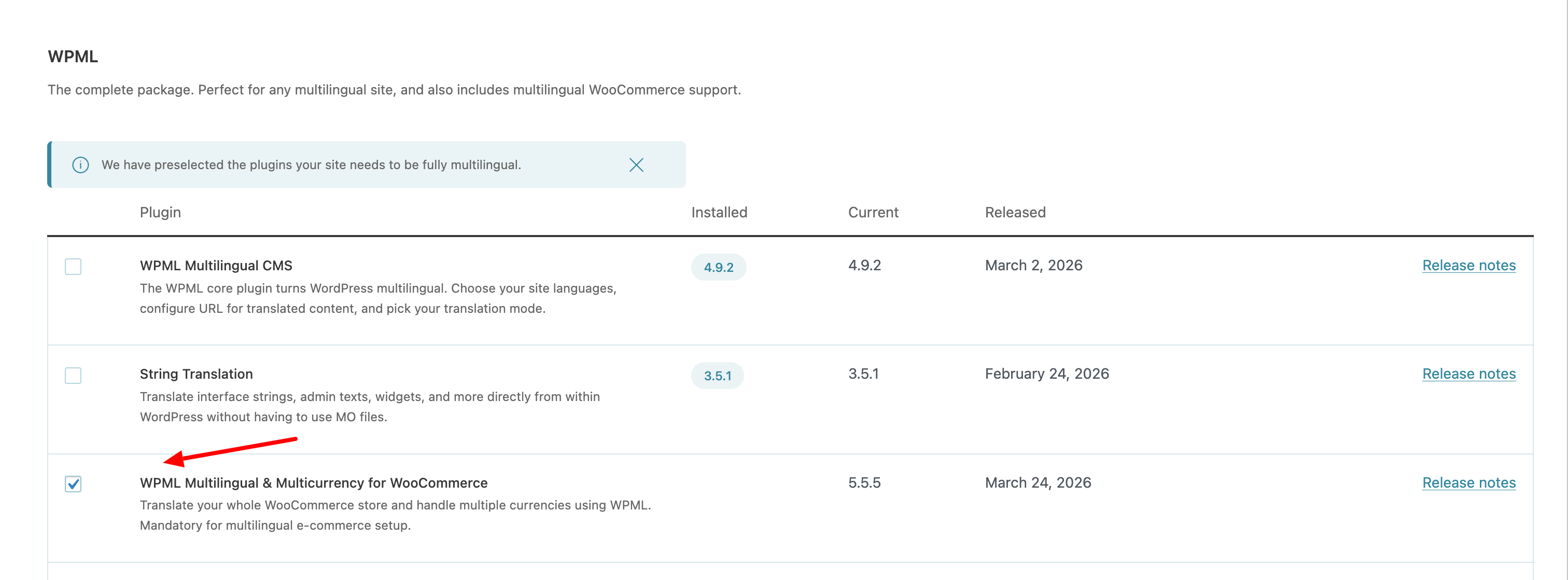
Problem: The client is experiencing issues with the SHOP page in the Thai language. Using the language switcher leads to the correct product page but with untranslated text. Using the navigation menu link results in a translated shop page but without the products displayed. Solution: We recommend installing the WPML Multilingual & Multicurrency for WooCommerce plugin to address these issues: 1. Go to Plugins → Add New 2. Open the Commercial tab 3. Install WPML Multilingual & Multicurrency for WooCommerce 4. Activate it and complete the setup wizard 5. Test the issue again For more details, visit How to Translate WooCommerce with WPML.
Please note that this solution might be irrelevant if it's outdated or not applicable to your case. We highly recommend checking related known issues at https://wpml.org/known-issues/, verifying the version of the permanent fix, and confirming that you have installed the latest versions of themes and plugins. If the problem persists, please open a new support ticket.
This is the technical support forum for WPML - the multilingual WordPress plugin.
Everyone can read, but only WPML clients can post here. WPML team is replying on the forum 6 days per week, 22 hours per day.
Hello,
We are having a strange issue with the SHOP page in Thai language.
If we use the language switcher, it does get us to the correct Thai shop product page but the text isn't translated.
If we use the link in our synched navigation menu in the Thai version, we get the translated shop page but NOT the products below !!!
We tried deleting and editing the shop page to no avail...
Can you assist?
hidden link (ENGLISH SHOP) hidden link (With the language switcher, correct product, wrong text) hidden link (navigation menu link, correct text, NO products)
Have you tried using the same shop page slug as in English (e.g. /shop/)? Using Latin characters may help avoid encoding-related issues. Currently it is /ร้านค้า/.
If the issue still persists, I recommend enabling debugging, reproducing it, and sharing the full error message from your debug.log file.
Please follow these steps:
1. Enable WordPress debugging by editing your wp-config.php file. Add (or modify, if already present) the following lines before the comment
/* That's all, stop editing! Happy publishing. */:
Hello Andrey,
Thank you for your message.
We didn't create the page separately in Thai. We translated it in the WPML new editor.
We then used the WPML Menu Sync to add it to the navigation menu.
This is why when you switch from the English to the Thai it shows the products (but strangely the English text that we added), but if you click on the menu item, it shows the correct translated text but not the products !!
It is very strange... did you try it on our live website? hidden link
Activating the Debug doesn't help as there are no errors thrown by the system.
Would you like an admin access to check it out?
Again, thank you for your assistance.
I need to request temporary access (wp-admin and FTP) to your site—preferably to a test site where the problem has been replicated if possible—in order to be of better help. When you log in to leave your next reply, you will find the needed fields below the comment area. The information you will enter is private, meaning only you and I can see and access it.
I’ve reviewed the issue and noticed that the WPML Multilingual & Multicurrency for WooCommerce plugin is not installed. This plugin is essential for running a multilingual WooCommerce store properly.
Please try the following:
1. Go to Plugins → Add New
2. Open the Commercial tab
3. Install WPML Multilingual & Multicurrency for WooCommerce
4. Activate it and complete the setup wizard
5. Test the issue again
Hello Andrey,
Thank you for your help. The install kept failing and we noticed that an old version of the plugin was lingering in the "plugins" folder from 2 years ago.
We removed it and installed the new one, and all is working now.
That's a good final outcome, much appreciated.