This thread is resolved. Here is a description of the problem and solution.
Problem: The client needed help translating button texts in a multilingual site using the Shop Kit plugin, which is an additional plugin for Kadence. The texts included 'Winkel', 'In winkelwagen', and 'Kies de uitvoering' in Dutch; 'Shop', 'Im Warenkorb', and 'Wählen Sie die Version' in German; 'Boutique', 'dans le panier', and 'Choisissez la version' in French. The client was unable to find a way to translate these texts directly within the plugin. Solution: We recommended adding the necessary strings from the Admin Texts for translation. This can be done by navigating to the WPML String Translation page from the WordPress admin panel. Once the strings are added, they can be translated using the WPML String Translation tool. We asked the client to check if the translations were applied correctly.
If this solution does not resolve your issue, or if it seems outdated or irrelevant to your case, we highly recommend checking related known issues at https://wpml.org/known-issues/, verifying the version of the permanent fix, and confirming that you have installed the latest versions of themes and plugins. If further assistance is needed, please open a new support ticket at WPML support forum.
This is the technical support forum for WPML - the multilingual WordPress plugin.
Everyone can read, but only WPML clients can post here. WPML team is replying on the forum 6 days per week, 22 hours per day.
Hey Kor,
Thank you for you efforts to help me out here.
I only worked on the menus. Just for practicing reasons. I did not do anything further.
I noticed that a bunch of strings are not translated. I.e. add to cart buttons and such.
I hope you will find the culprit as it will be a tremendous tasks otherwise to get sites translated properly.
Thanks for your patience. I’ve checked your site and noticed that you’re using Kadence Woo Templates. I’ve enabled translation for this custom post type under WPML > Settings > Post Types Translation > Woo Templates.
You can now translate your templates here hidden link
Alternatively, you can trigger the translations from WPML > Translation Dashboard. Please let me know how it goes.
See my other post for incomplete or no translations.
Translated strings does not show.
Kadence headers are not showing.
Translated strings in woo template parts are not showing.....
I'm pulling my hair out on how to get this mess straighten out.
What I see:
On the homepage when you are scrolling down a bit you see a product gallery running for 3 products. When you switch to the geman or french language it is messed up.....
If I'm correct its from this template: hidden link
The other one seems to be ok after I completed the translation of the shop page (again).
That's WINKEL in Dutch.
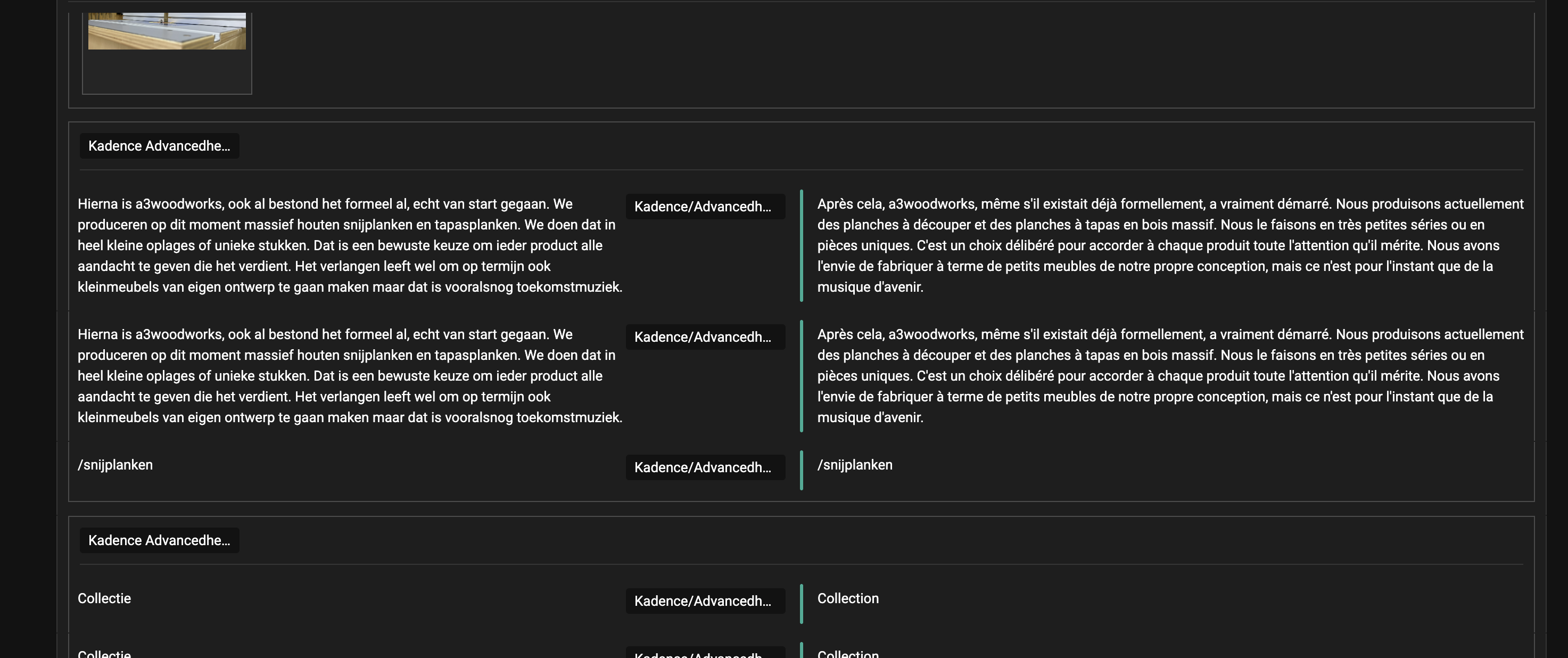
Next, when I translate a page I do see almost all strings appearing twice. Is that needed and, does it cost me twice the credits? See screenshot.
I've corrected this also. Could you check? As for the duplicated strings showing in ATE, you will not be charged twice. If it's saved in the translation memory, similar strings will be translated without consuming any credits.
Dutch -> In winkelwagen
German -> Im Warenkorb
French -> dans le panier
Dutch -> Kies de uitvoering
German -> Wählen Sie die Version
French -> Choisissez la version
I think these are the first and most prominent ones.
I could edit the default texts in Shop kit (a kadence additional plugin). I don't see a way to translate them there. Would you be so kind to look at it?
Ok, thank you.
No harm done, take your time....
I spoke to my client and for now he is ok with it. I just blamed you guys to be the guilty ones 🙂 🙂 🙂
Was a relieve to learn he was willing to be patient as well.
Yeah, sure go ahead, as long as you promise to keep me in the loop and delete the copy after it all is resolved. The more you guys are able to learn from actual issues the better the plugin suite will be (I hope).
Thanks for your reply. I will proceed with creating a copy of the site. I think the issue is that the Shop kit needs to be tested again, as the last tested date is quite long ago https://wpml.org/plugin/kadence-shop-kit/ . I will come back to you as quickly as possible.
Note: when I go to WPML -> Theme and Plugins Localisation I get a critical error. I can hit the back button but still, I'm not able to enter this option. Yet another ticket? LOL
New threads created by Kor and linked to this one are listed below: