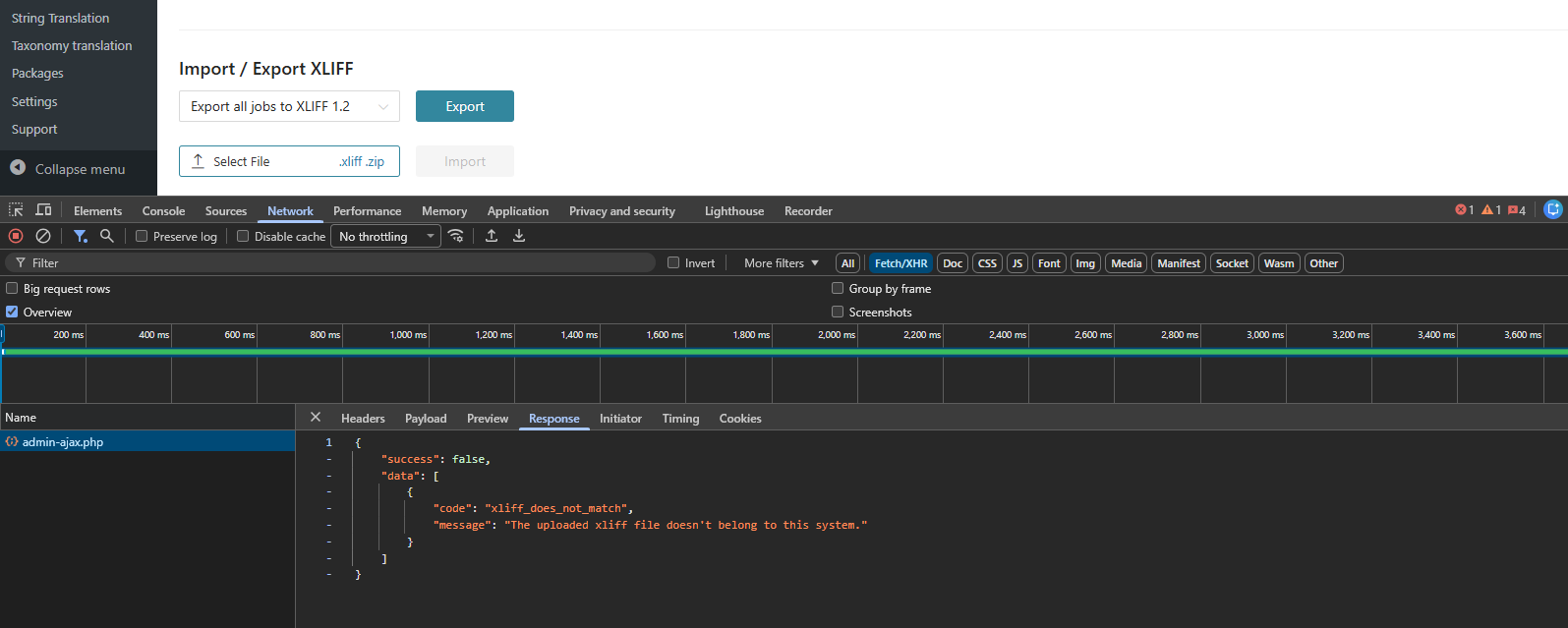
We have installed and activated the WPML Pro plugin on the Smartcode site, which has been in use for the past two years. However, over the last six to seven months, we have started encountering issues during the translation import process.
Specifically, when importing translated XLIFF files, the import sometimes fails or throws errors.
Smartcode is running on a WordPress multisite setup, and this issue occurs randomly for any languages. For example, if Site A has 5 languages enabled and Site B also has 5 languages enabled—with 2 languages common between both sites—the issue may occur on Site A for a language like French, while the same French language works correctly on Site B. This behavior is inconsistent and happens at random times.
Wanted to create a support ticket with WPML. Please refer error attached with.
Thank you for waiting. To be able to check the issue and provide support I need to verify the issue directly.
1. Is there a consistent way to reproduce the issue? Perhaps an XLIFF that is failing that I can check as an example.
2. Access to a staging website, where I can reproduce the issue. If possible, please share access to one.
The required fields can be found below the comments section. The information you enter is private, i.e. only you and I can see it and have access to it.
I may need to replicate your website locally. To do this, I need to temporarily install a plugin called "Duplicator" or "All in One WP Migration" on your website. This will allow me to create a copy of your website and content. Once the issue is resolved, I will delete the local website. Let me know if this works for you.
IMPORTANT
Please make a backup copy of the site files and database before giving us access.
- If you do not see the wp-admin/FTP fields, this means your post and site login details are being made PUBLIC. DO NOT post your website details if you do not see the required wp-admin/FTP fields. If you do not, ask me to enable the private box. The private box looks like this:
While we understand that replication is essential for accurate resolution, this issue is not reproducible in the QA environment and occurs only in the client environment. Unfortunately, we are unable to provide access to the client environment. As we continue attempts to replicate the issue in QA, could you please let us know if a similar issue has been reported by other clients and what the likely resolution was? We would also like to understand if any configurable settings could be triggering this behavior, so we can review and adjust them accordingly.