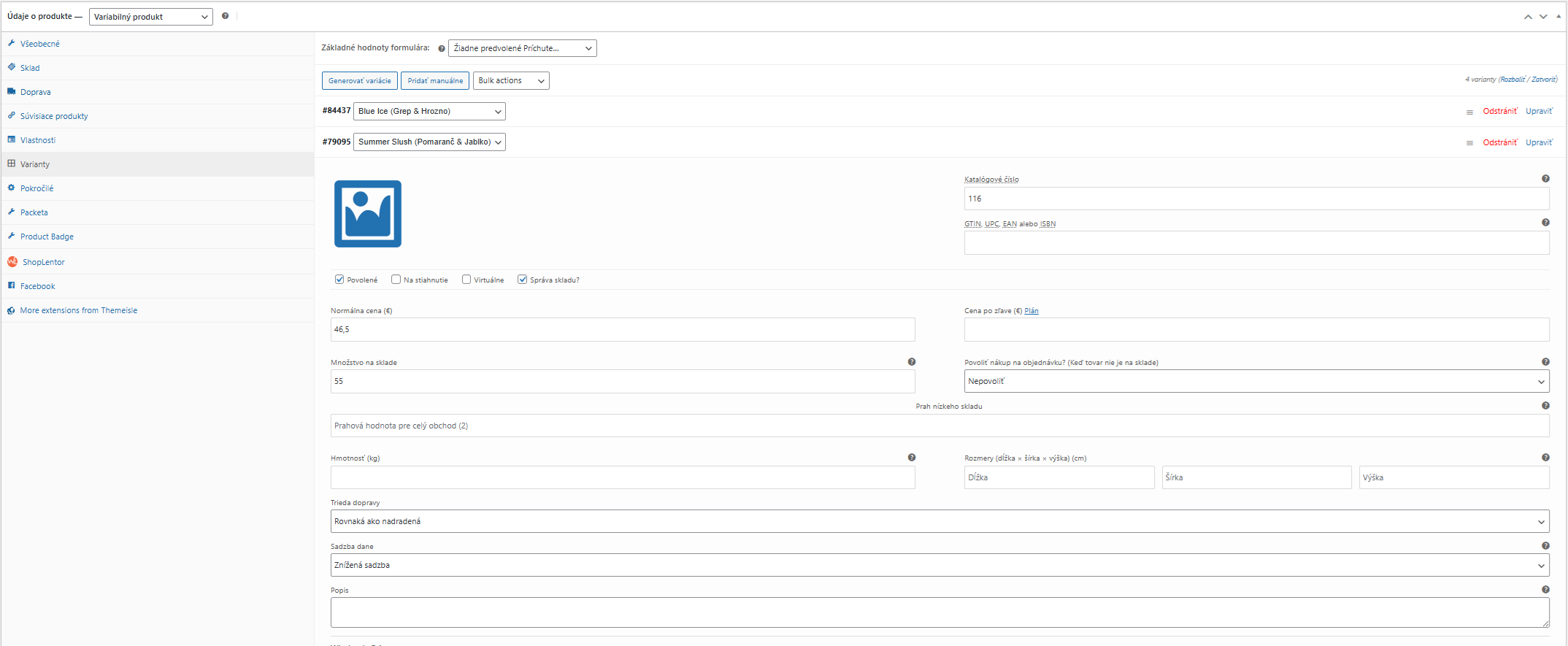
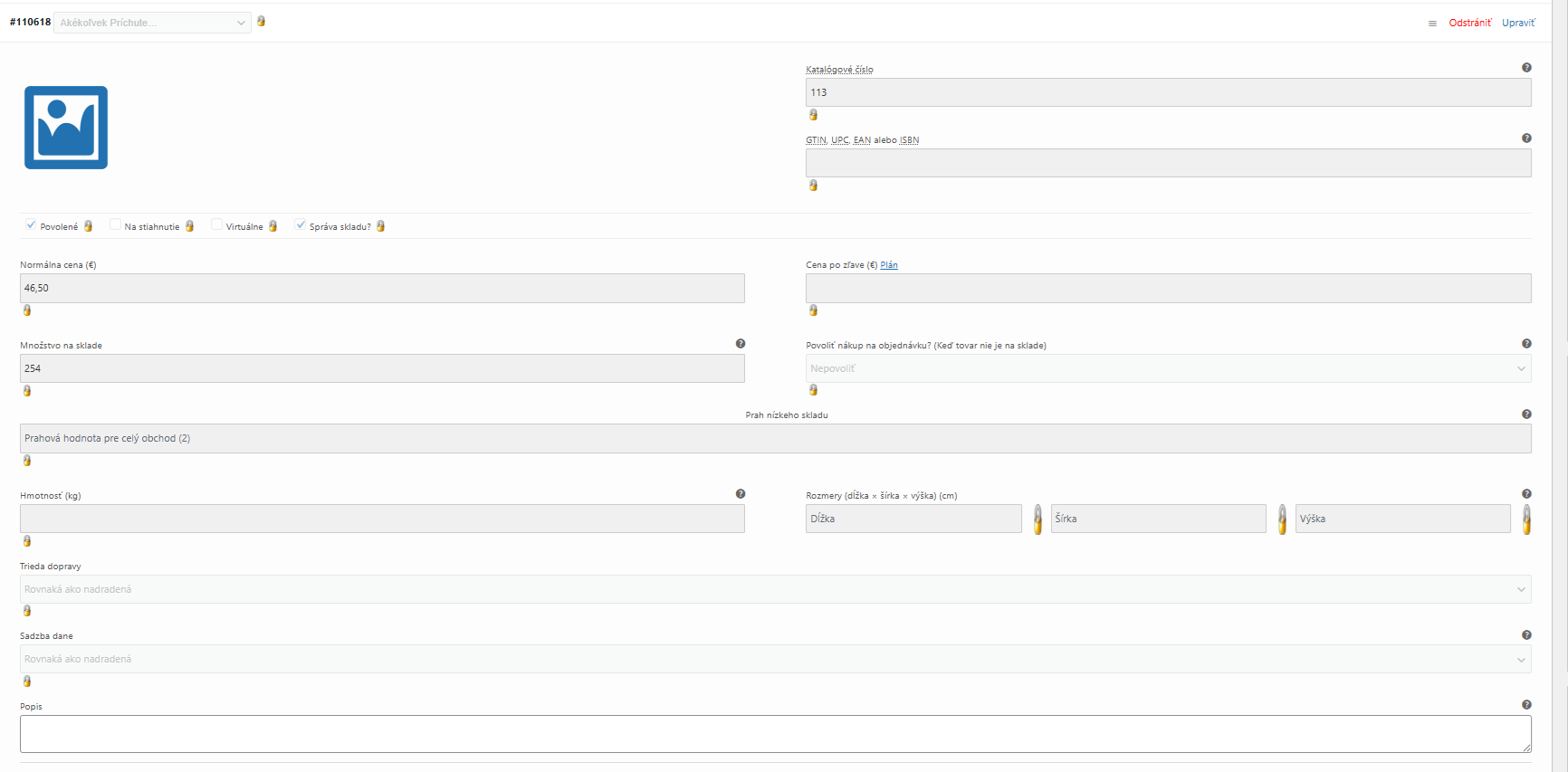
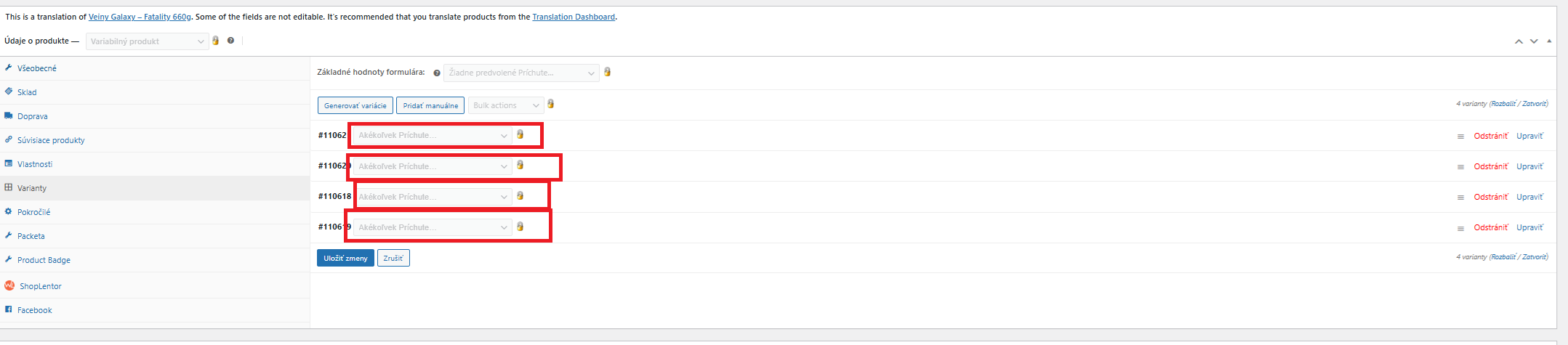
When creating a translation of a variable product, there are no variations after the translation is created, or if they exist, they have no name. On the frontend, the customer can see the variations but cannot purchase any of them. At the same time, the translated product variations also have stock assigned.
I tried deleting the translated product and translating it again. I also tried all the options in the troubleshooting section except the category-related ones.
it looks like the chat was left inactive, so to avoid it being closed I’ve created this ticket.
Once the staging site is ready, please share the access details so I can log in and take a look. Also, please include the URL of a product where the issue is visible.
I’m enabling a private reply for your next message, as it will contain sensitive information.
thanks for getting back and providing the staging site.
I’ve taken a look and will suggest a few things to try.
Regarding the mentioned product, the main issue seems related to stock/variation synchronization. This can fail if a small update is made in the default language but is not synced to the secondary language, or if the connection between translations is lost for reason. I also noticed you are using local attributes, which can sometimes cause this type of issue.
In general, and in this case as well, the best approach would be to use global attributes via Products > Attributes, translate them, and then assign them to the appropriate products. After translating the product again, it should work correctly.
Since this happens only for 1 product, please try so and lets if that helps and issue is gone.
Hello, thank you for your response. However, I would like to continue using the attributes the way I currently have them set up. Do you have any solution for this?
I have been using the plugin for a year, and until now I haven’t had an issue that couldn’t be resolved through troubleshooting or by updating the product.
thank you for getting back, and of course, we will be glad to help as much as we can.
I completely understand that you would prefer to continue using the attributes in your current setup, and we can certainly try to work within that. However, to be able to suggest a more precise solution, we would really need to understand how the issue happens. Were you able to identify any specific steps that consistently reproduce the problem?
Without knowing what triggers it, it is unfortunately quite difficult for us to determine the exact cause or recommend a reliable fix, as mentioned previously.
At the moment, the best workaround we can suggest is the one from the previous ticket — syncing the variations using WPML troubleshooting. Could you please confirm if that helps in your case? If not we can proceed and further help fix current state.
Looking forward to your reply.
Regards,
Drazen
The topic ‘[Closed] Issue with variations’ is closed to new replies.