Skip to content Skip to sidebar

This is the technical support forum for WPML - the multilingual WordPress plugin.

Everyone can read, but only WPML clients can post here. WPML team is replying on the forum 6 days per week, 22 hours per day.

This topic contains 1 reply, has 0 voices.

Last updated by Itamar 1 month, 1 week ago.

Author Posts
November 21, 2025 at 10:55 am #17598410

yuriyT

Background of the issue:
I am trying to ensure that terms added to the glossary as non-translatable remain untranslated. The issue can be seen on this page: hidden link.

Symptoms:
The terms that were added to the glossary as non-translatable are being translated by WPML.

Questions:
Why are terms marked as non-translatable in the glossary being translated?
How can I prevent WPML from translating these glossary terms?

November 23, 2025 at 7:32 pm #17602570

Itamar
WPML Supporter since 02/2016

Languages: English (English )

Timezone: Asia/Jerusalem (GMT+02:00)

Hi,

Thank you for contacting WPML support. While you wait for one of my colleagues to take this ticket and work on it, let me ask some questions.

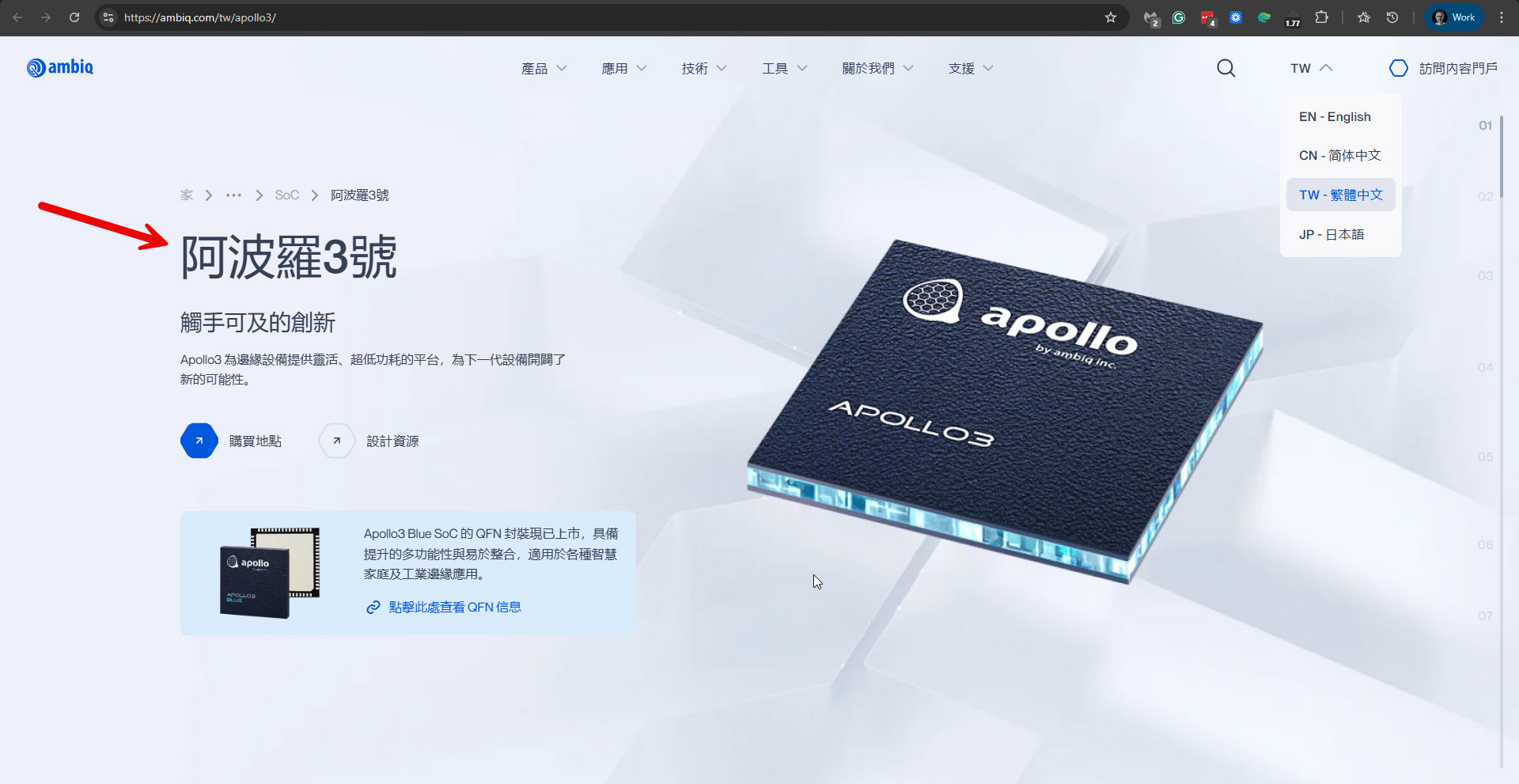
Are you referring to the term "Apollo3" in the title?
Please see the attached screenshot.

Also, have you imported the terms to the glossary with a CSV file?
If so, and if your imported glossary terms include special characters, please know that they might be badly encoded when importing Glossary. You can read about it here:
https://wpml.org/errata/advanced-translation-editor-special-characters-are-badly-encoded-when-importing-glossary/

Please share your site's Debug information if you need further help with this issue. You can read about it here: http://wpml.org/faq/provide-debug-information-faster-support/

Regards,
Itamar.

2025-11-23_21-28-31.jpg

The topic ‘[Closed] Terms uploaded to Glossary are being translated’ is closed to new replies.