We think we've found the source of the problem with the links on your site, and it is not WPML's fault. Here is what we have seen.
The correct links that also work in the translation are, for example, like this: hidden link
Please note the part of the URL that points to the parent page: /success-stories/.
The incorrect links that do not work in the translation are, for example, like this: hidden link
Please note the part of the URL that points to the parent page: /projects/.
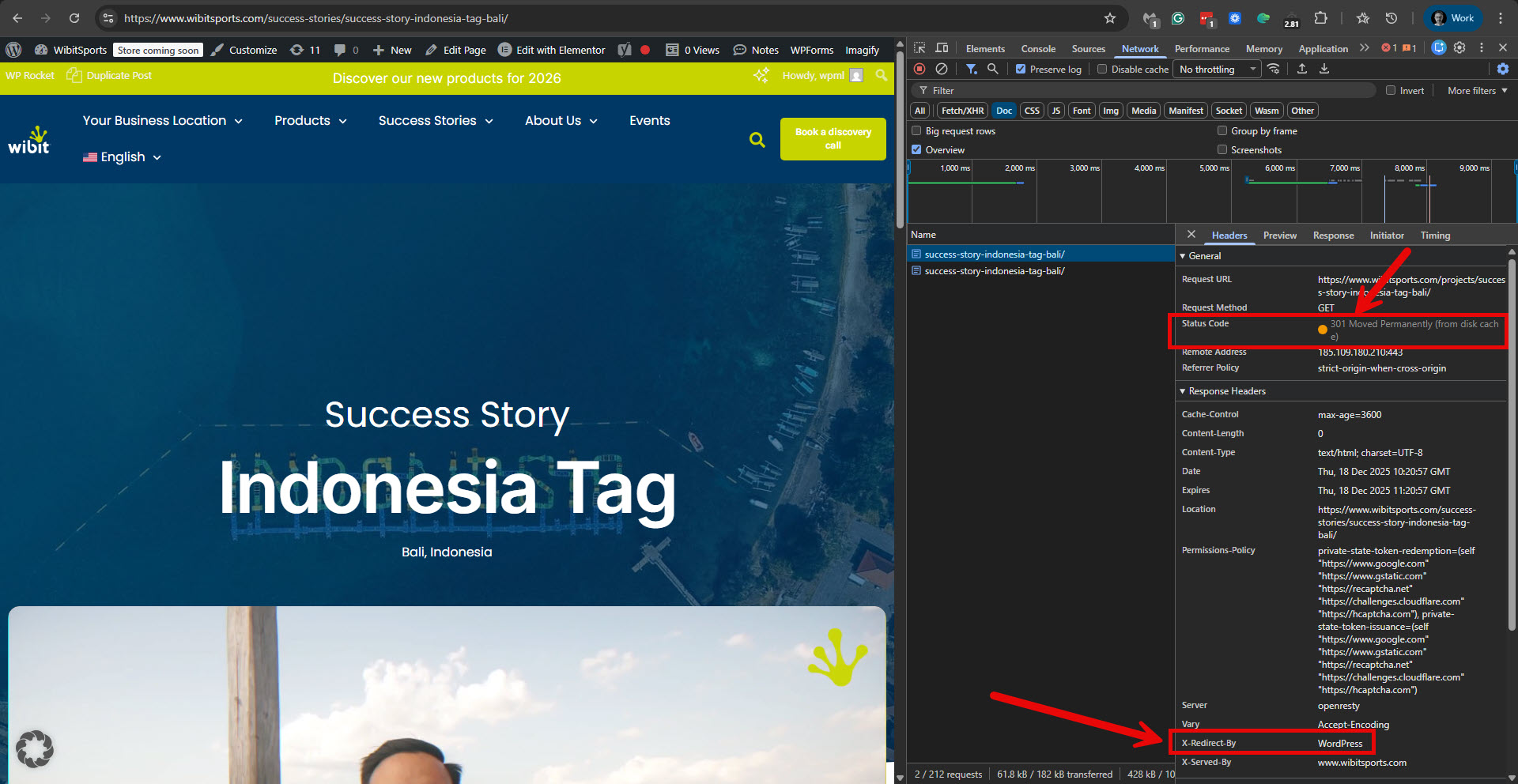
There is no such parent page in English, the default language, so WordPress redirects hidden link to hidden link. Please see the attached screenshot projects-redirection.jpg.
However, in the translated page, WPML can find a translation for hidden link, so it delivers the original link to the English page.
What you should do is the following.
1. Edit the original English page with Elementor.
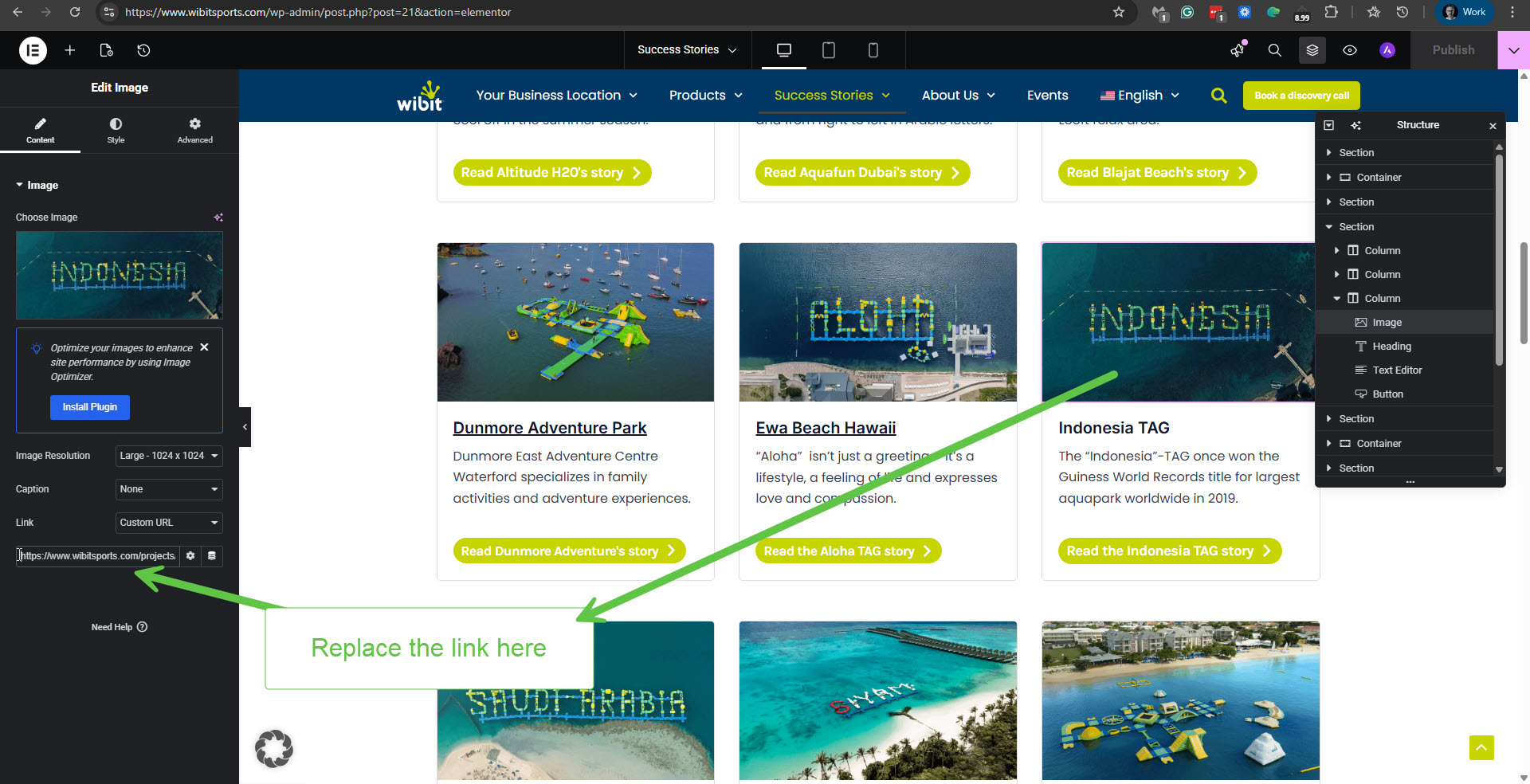
2. Replace all the wrong links with this part in the slug: /projects/ with the correct link. For example, instead of hidden link insert hidden link. Please see the attached screenshot replace-link.jpg.
3. Save the changes on the English page. (This will also eliminate the redirection you have in English.)
4. Update the translations into the other languages, and this will correct the links with the problem. We already tried it with the above example link and the French translation, and it works as expected.
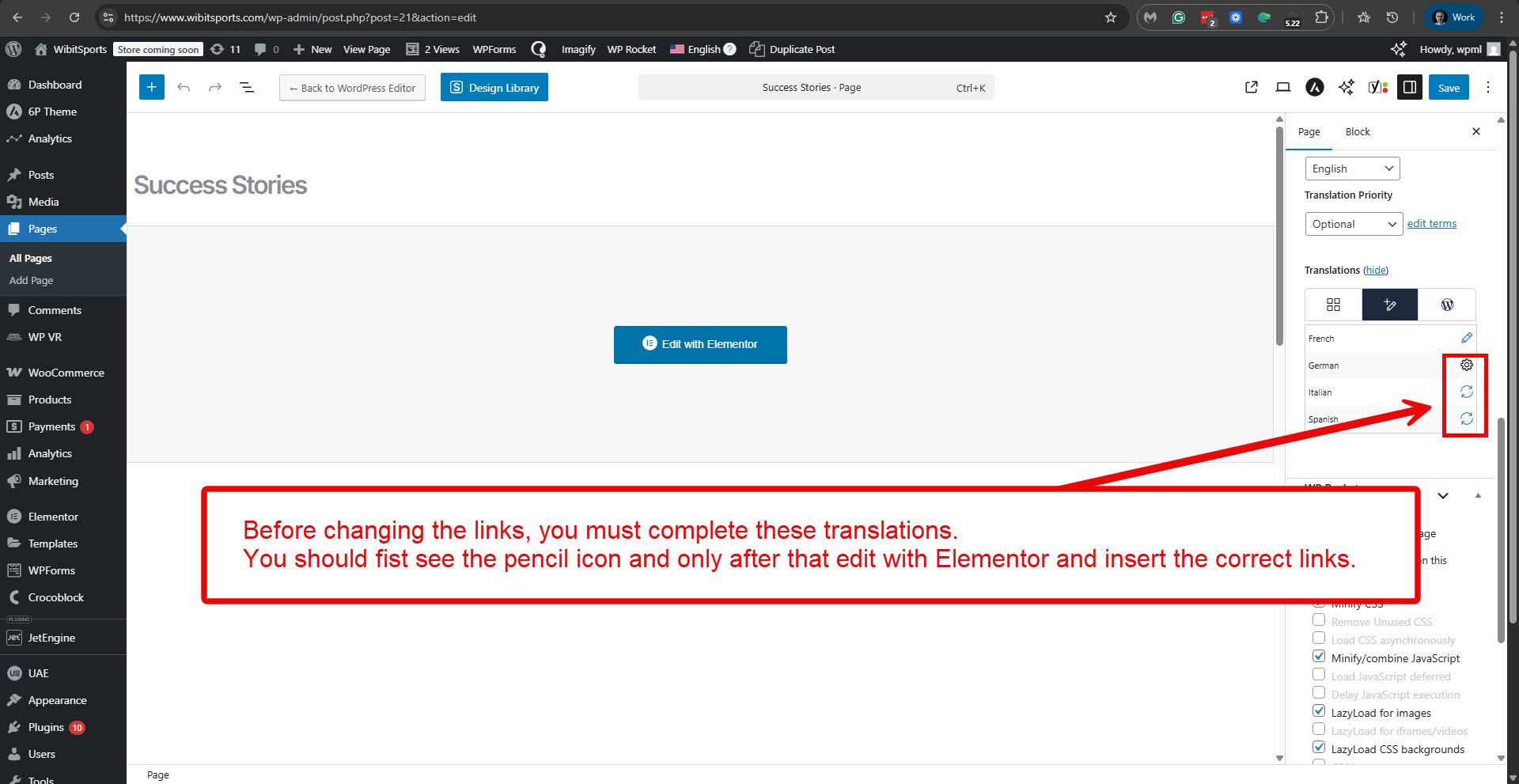
It is essential to know the following before proceeding with the steps suggested above. First, ensure the translation of the Success Stories page into the other languages is complete (you should see the pencil icon), and only then proceed with the steps. Please see the attached screenshot, complete-translations.jpg.
2. Go to WPML -> Support -> Troubleshooting (link)
3. Once on the troubleshooting screen, press the following buttons and check if it helps. Press each button in turn and wait for the process to complete.
- 'Synchronize posts taxonomies' for 'Posts'
- 'Clear the cache in WPML'
- 'Remove ghost entries from the translation tables'
- 'Fix element_type collation'
- 'Fix WPML tables collation'
- 'Assign translation status to duplicated content'
- 'Set language information'
- 'Reset languages' Press this button only if you didn't add a custom language!
- 'Fix terms count'
- 'Fix post type assignment for translations'
- 'Cleanup and optimize string tables'
- 'Clear invalid strings'
*** Please make a backup of your database before using this.***
Then please edit the original Blog page in English and click the Update button. Then update the translations in the Advanced Translation Editor (you will only need to visit it and ensure it is 100% complete.
Does this solve the issue?
If not, please consider the following. You have the filtering tabs for 'All' and 'Wibit in general'; however, it seems that all your posts are under 'Wibit in general'. So I'm wondering if there is a point to this filtering? If not, please disable it in Elementor, then update the Blog page translations to see if that helps.