
This thread is resolved. Here is a description of the problem and solution.
Problem:
On four websites, the WPML plugin fails to translate the 'Gastronomie' page, showing an error that WPML has attempted to translate the page three times unsuccessfully. The issue persists across all sites with this specific page.
Solution:
1. Cancel the in-progress translation job for the 'Gastronomie' page by navigating to WPML -> Translation Management -> Translation Jobs.
2. Make a minor edit to the original 'Gastronomie' page.
3. Change the translation setting for the
_elementor_data
custom field from 'Translate' to 'Copy' by going to WPML → Settings → Custom Fields Translations, clicking on Show Custom Fields, and adjusting the setting.
4. Disable the Multilingual Tools plugin.
5. Update the page and attempt to edit the translations again.
If these steps do not resolve the issue or if the solution seems outdated or irrelevant to your case, we highly recommend checking related known issues at https://wpml.org/known-issues/, verifying the version of the permanent fix, and confirming that you have installed the latest versions of themes and plugins. Should the problem persist, please open a new support ticket at WPML support forum for further assistance.
This is the technical support forum for WPML - the multilingual WordPress plugin.
Everyone can read, but only WPML clients can post here. WPML team is replying on the forum 6 days per week, 22 hours per day.
Tagged: ATE
This topic contains 10 replies, has 0 voices.
Last updated by maxW-13 2 weeks, 4 days ago.
Assisted by: Shekhar Bhandari.
| Author | Posts |
|---|---|
| December 11, 2025 at 4:03 pm #17656910 | |
 maxW-13 |
On our four websites, WPML fails to translate the page “Gastronomie” (Gastronomy), which has identical content. Despite extensive measures (modification, WPML cache, Elementor cache, page cache, etc.), WPML fails with the following error message: |
| December 11, 2025 at 4:16 pm #17656983 | |
 Itamar WPML Supporter since 02/2016 Languages: English (English ) Timezone: Asia/Jerusalem (GMT+02:00) |
Hi, Please give me access to your site so I can check the problem you are having with the Advanced Translation Editor. I'm enabling a private message for the following reply. |
| December 16, 2025 at 10:17 am #17666964 | |
|
Itamar WPML Supporter since 02/2016 Languages: English (English ) Timezone: Asia/Jerusalem (GMT+02:00) |
Hi, I'm consulting our second-tier supporters on this issue and will update you here once I have their response. I appreciate your patience. |
| December 17, 2025 at 8:15 am #17670007 | |
|
maxW-13 |
Hello Itamar, Thank you for checking. We have already tested the suggested workaround with minimal changes to generate a new translation job several times. Unfortunately, that didn't work either. It would therefore be great if support could take another look at the issue. Thanks and best regards, |
| December 17, 2025 at 10:09 am #17670363 | |
|
Itamar WPML Supporter since 02/2016 Languages: English (English ) Timezone: Asia/Jerusalem (GMT+02:00) |
Hi. I could fix this problem on your site. These are the steps I took. 1. In WPML -> Translation Dashboard, I turned off Translate Everything. Please see the attached screenshot, everything-off.jpg. 2. Then, in WPML -> Translation Dashboard -> Translation Tools (the tab showed because Translate Everything has been disabled), I canceled the translation job for GASTRONOMIE. Please see the attached screenshot gast-cancel.jpg. 3. Then I could see that the GASTRONOMIE needs an update. Please see the attached screenshot gast-update.jpg. (Before the gear icon, in-progress, showed.) 4. I clicked the icon to edit the translation with the Advanced Translation Editor, and it worked. I was transferred to the Advanced Translation Editor without an error. 5. I then completed the translation. Please see the attached screenshot trans-complete.jpg. 6. And now the translation of GASTRONOMIE is done. Please see the attached screenshot gast-done.jpg. Can you please confirm that the problem is solved now? Note that I left Translate Everything off on your site. Regards, 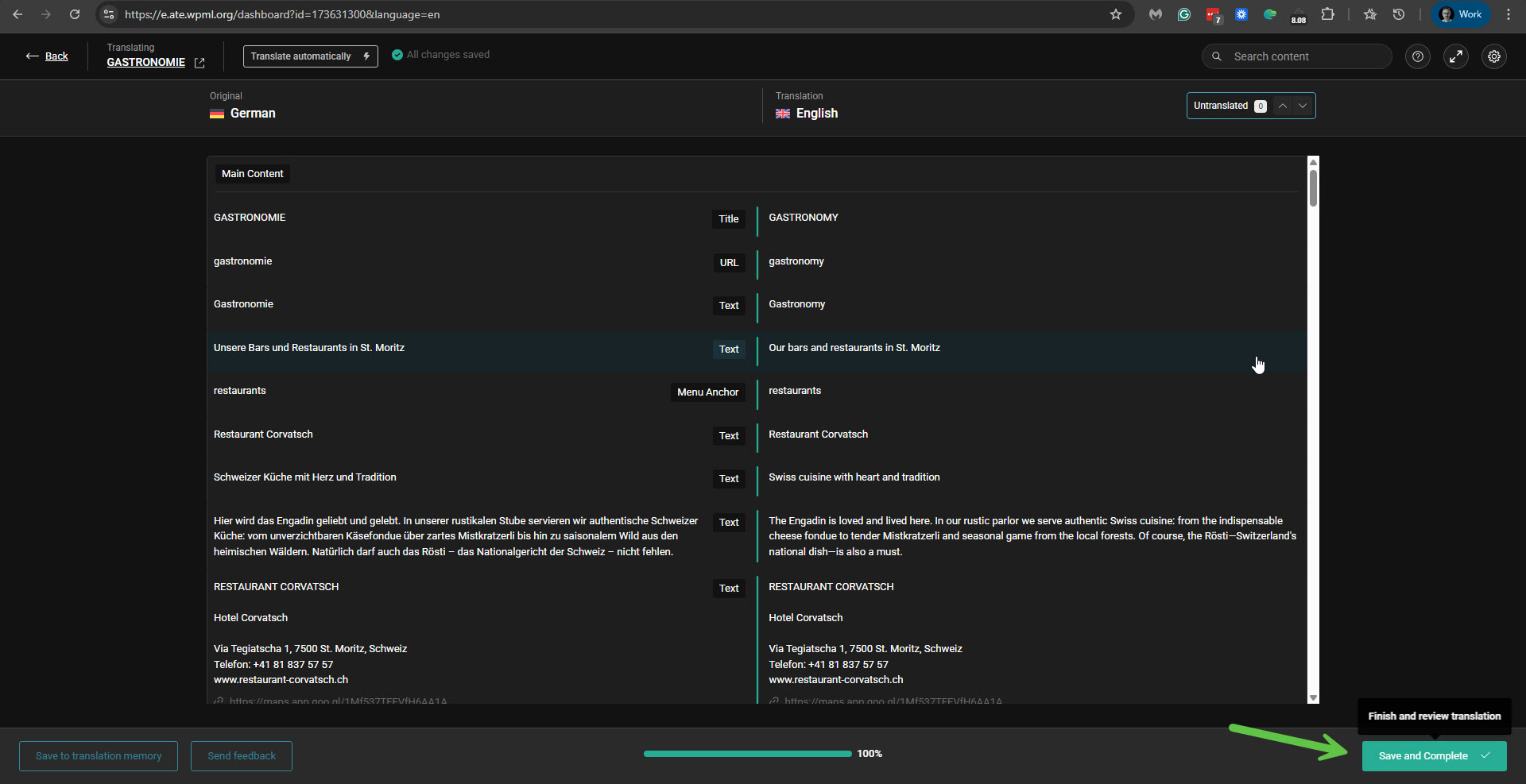 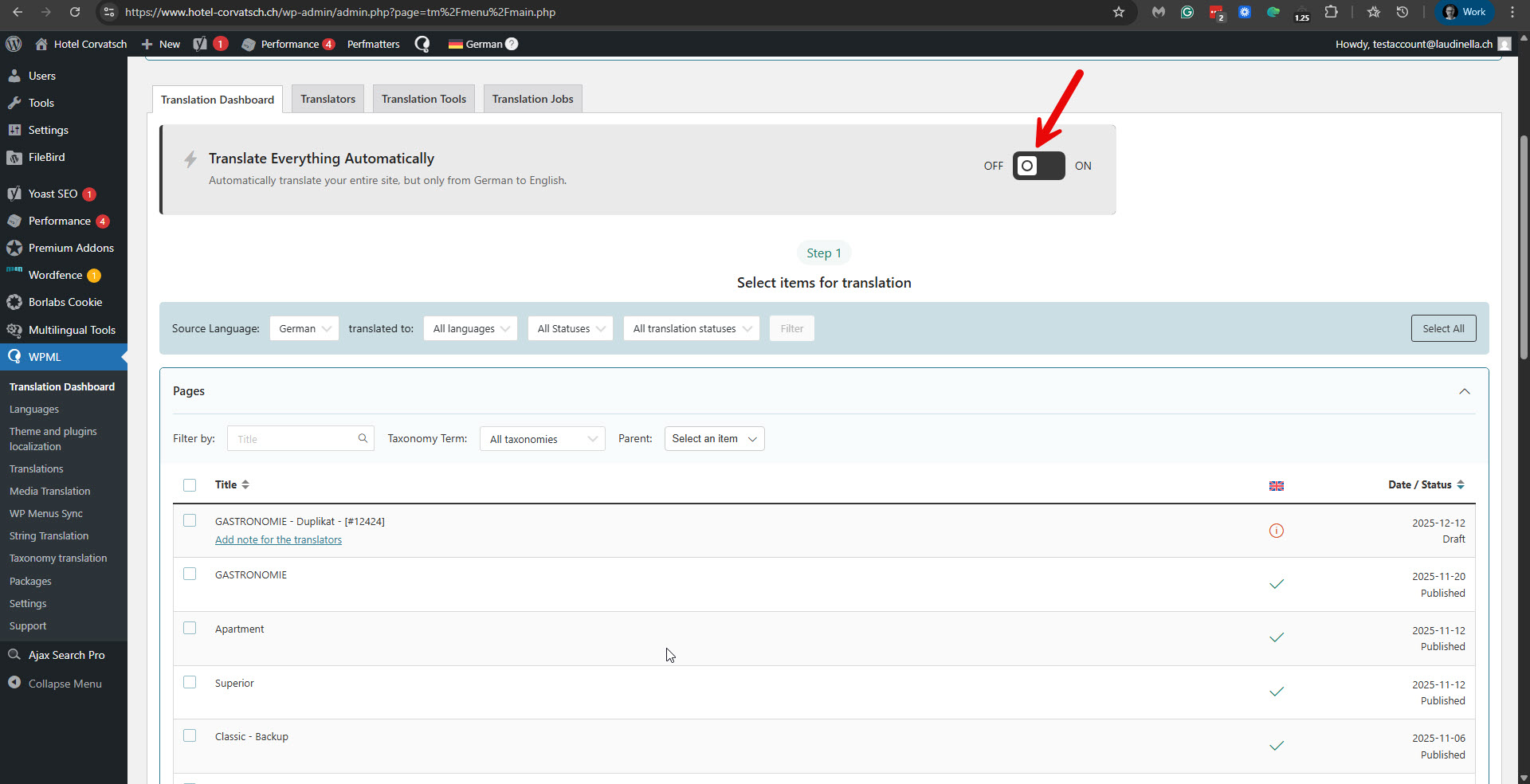 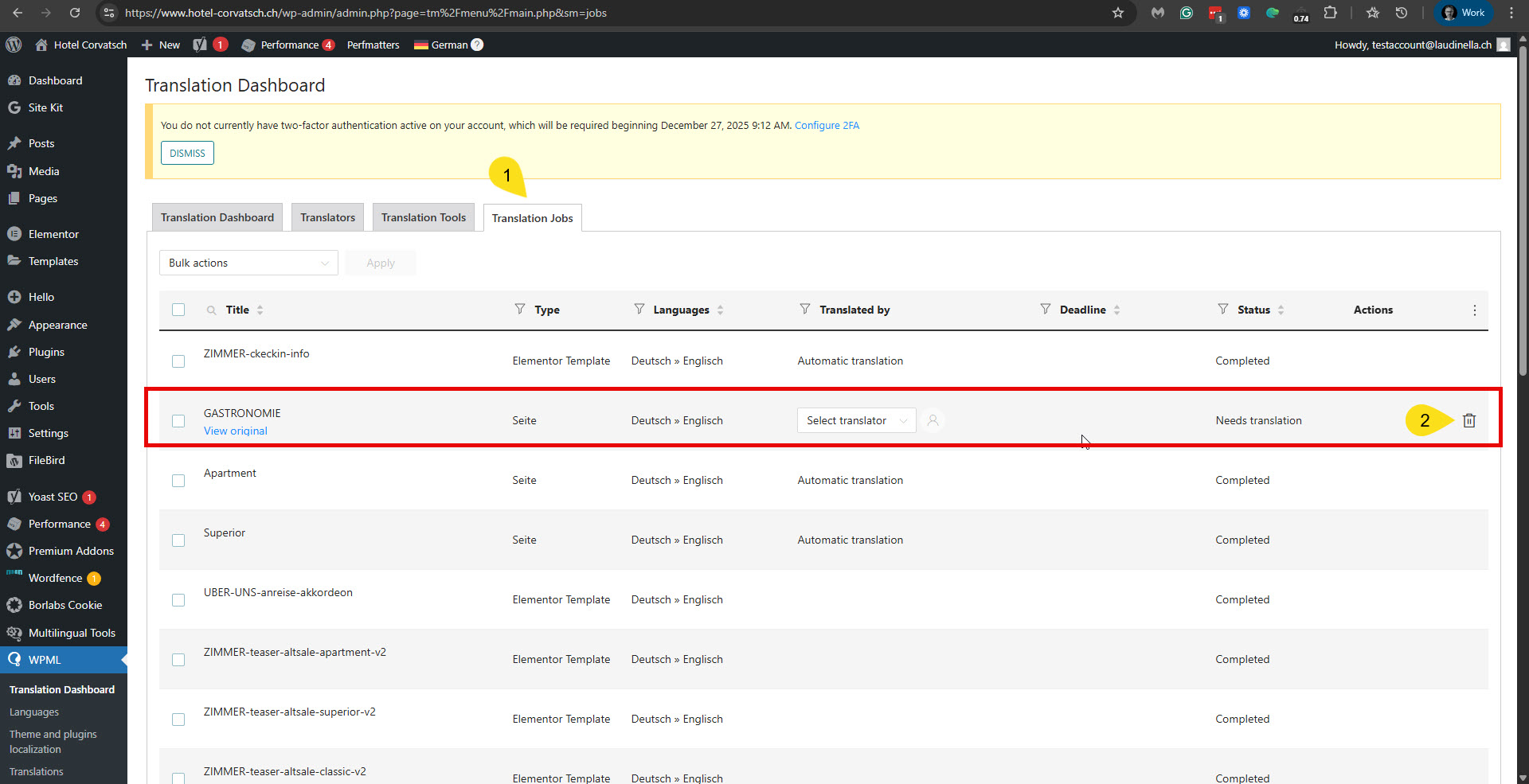 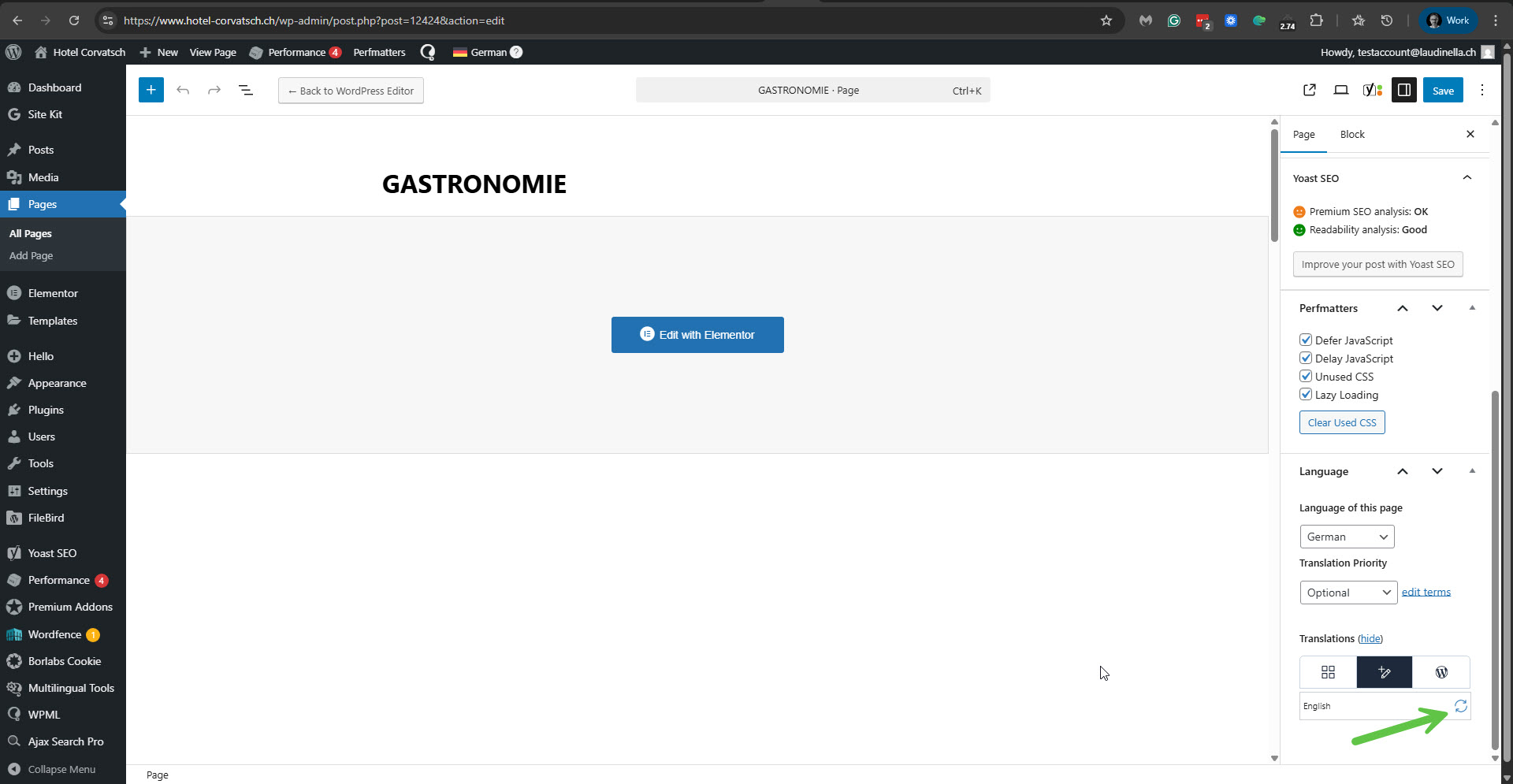 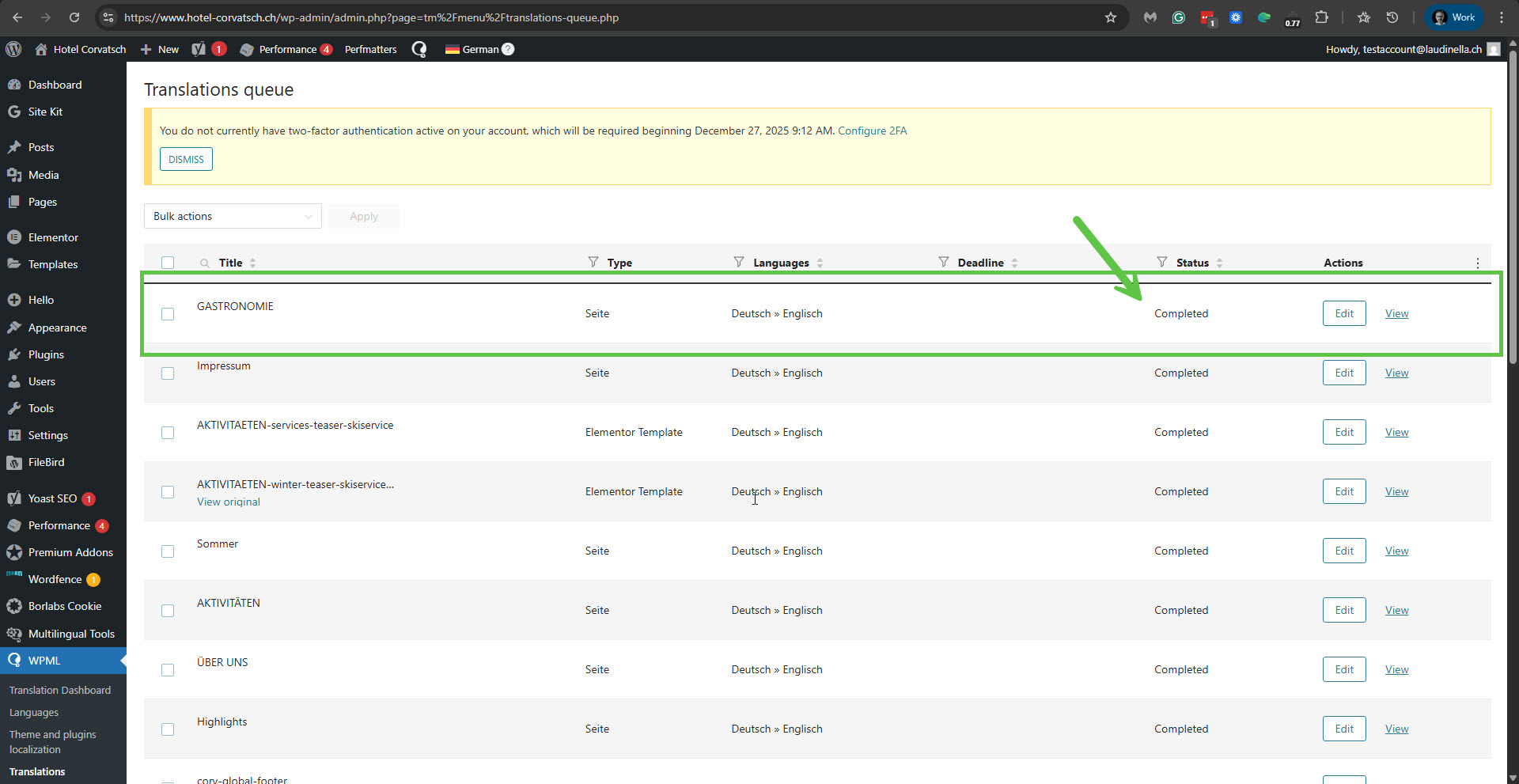 |
| December 17, 2025 at 10:34 am #17670513 | |
|
maxW-13 |
Hello Itamar, Thank you for your message. For me, however, this is not a solution to the problem, but rather a workaround until a complete solution is found. I can't disable automatic translation, go through the individual intermediate steps, and then re-enable automatic translation every time on all four pages that have an almost identical gastronomy page. It would be more helpful to me if we could find the problem and get a solution. Especially since the workaround doesn't even work on my other site. Thanks and best regards, |
| December 17, 2025 at 12:53 pm #17671015 | |
|
Itamar WPML Supporter since 02/2016 Languages: English (English ) Timezone: Asia/Jerusalem (GMT+02:00) |
Hi, Max. So far, we have only been informed about the Gastronomie page. What I did may have solved the issue completely. If needed, please turn on Translate Everything again and check whether the problem persists. If it persists, specify which pages are affected. Please note that I can only refer to the site you shared access to. If you need help with hotel-laudinella.ch, please share the access details. I'm enabling a private message for the following reply. |
| December 17, 2025 at 9:18 pm #17672827 | |
|
Itamar WPML Supporter since 02/2016 Languages: English (English ) Timezone: Asia/Jerusalem (GMT+02:00) |
Hi, Max. As for hidden link, I'm blocked from accessing it. Please check and correct this. I could access hidden link. I followed the same steps that worked for me on the other site, but when I reached the step to update the translation, I got a fatal error. Please see the attached screenshot. This happened at UTC+0 time of 21:12 on December 17. If you don't have this error, please try this:
define('WP_DEBUG', false);
Change it to:
define('WP_DEBUG', true);
// Enable Debug logging to the /wp-content/debug.log file
define('WP_DEBUG_LOG', true);
// Disable display of errors and warnings
define('WP_DEBUG_DISPLAY', false);
@ini_set('display_errors', 0);
After this, repeat the action that causes the problem on your site. In this case, the errors will be saved to a debug.log log file inside the /wp-content/ directory. Then please share the errors with us. Regards, 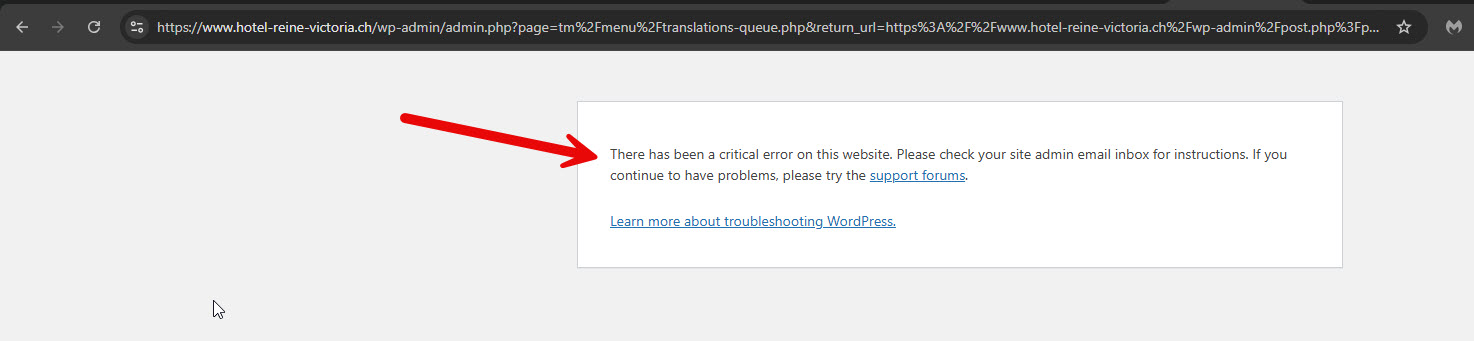 |
| December 18, 2025 at 4:20 pm #17675687 | |
|
maxW-13 |
Hello Itamar, You were blocked on the domain hotel-laudinella.ch because you tried to log in with the wrong email address and did not use the one I provided. We found the following error message in the log, which was generated by our test: [18-Dec-2025 16:08:22 UTC] PHP Fatal error: Allowed memory size of 2147483648 bytes exhausted (tried to allocate 20480 bytes) in /home/p-m94vlf/html/wordpress-hotel-gfgx6/wp-content/plugins/sitepress-multilingual-cms/vendor/wpml/wpml/src/Core/Component/WordsToTranslate/Domain/Calculator/Diff.php on line 111 Best regards, |
| December 18, 2025 at 5:52 pm #17676072 | |
|
Itamar WPML Supporter since 02/2016 Languages: English (English ) Timezone: Asia/Jerusalem (GMT+02:00) |
Hi, Max. Thanks for sharing the error with me. Please note that the security plugin still blocks hidden link. Do you also get the same fatal error on this site when trying to translate the page in question? Regards, |
| December 19, 2025 at 4:52 am #17676491 | |
 Shekhar Bhandari WPML Supporter since 03/2015 Languages: English (English ) Timezone: Asia/Kathmandu (GMT+05:45) |
Hello, I am currently investigating the issue as Itamar is on Vacations, the site I am investigating is hidden link I’ve followed the below steps 1. Go to: hidden link 2. Locate the “GASTRONOMIE” page and cancel its translations. You can also do this for multiple jobs at once 3. After doing that, I am able to click on “Edit translations,” but it results in a fatal error. Additionally, I noticed that _elementor_data is set to “translate,”. Could you please try the steps below to see if they resolve the issue without fatal error? 1. Go to WPML → Settings → Custom Fields Translations At this stage, I don’t have FTP details, so I’m unable to verify the exact fatal error. I’ll likely need permission to make additional changes, including enabling/disabling certain plugins for testing purposes. I’ve enabled a private reply option for you, so you can securely share the FTP login details for further debugging. Looking forward to your response. Thank you! |
| December 19, 2025 at 12:47 pm #17677926 | |
|
maxW-13 |
Hello everyone, Thank you very much for the last two messages. So that we can now close the issue without further action, we have found a workaround that solves the problem for us. Since the page seems too large due to the many individual elements, I have divided the individual sections of the restaurants into templates and integrated them via shortcode. This allows me to translate everything individually and then translate the actual page without any problems. Thank you and best regards |







