This thread is resolved. Here is a description of the problem and solution.
Problem:
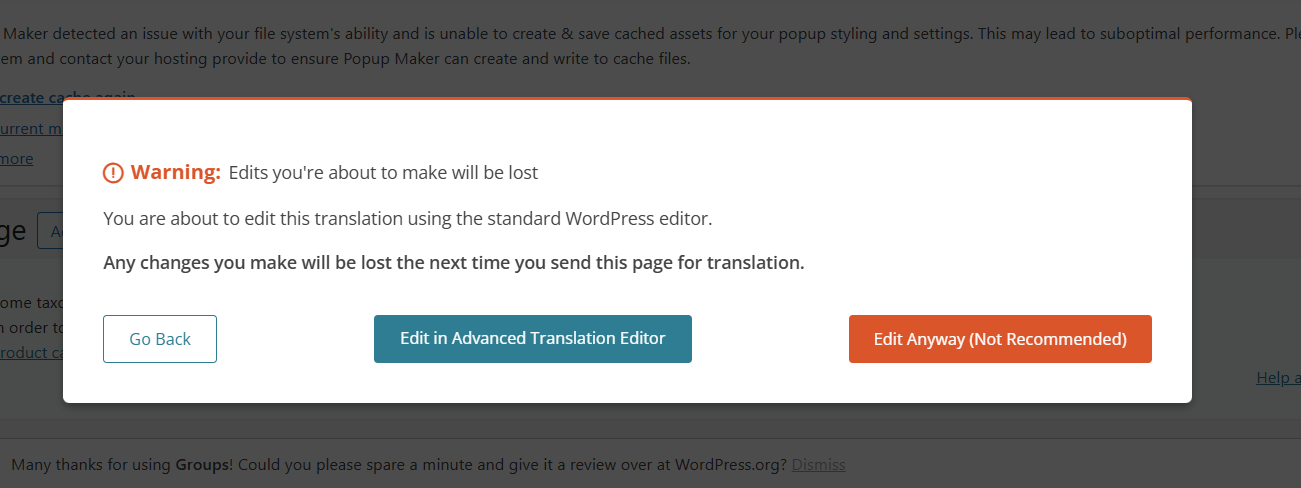
You are receiving a popup when editing the French side of your website, which you had not encountered before. This popup appears when you choose to edit in the Advanced Translation Editor but opt to edit anyway in the WordPress editor, despite recommendations against it.
Solution:
The popup you are seeing is a standard warning indicating that any existing translations made using the Advanced Translation Editor will be lost if you proceed with editing directly in the WordPress editor. We do not support mixing translation methods. You must choose one method: either continue using the Advanced Translation Editor or use the WordPress editor for all translations. If you decide to use the WordPress editor, you can disable the Advanced Translation Editor for specific pages or posts by following the instructions here: Using Different Translation Editors for Different Pages.
Please note that this solution might be outdated or not applicable to your specific case. We highly recommend checking related known issues at https://wpml.org/known-issues/, verifying the version of the permanent fix, and confirming that you have installed the latest versions of themes and plugins. If the issue persists, please open a new support ticket at WPML Support Forum.
This is the technical support forum for WPML - the multilingual WordPress plugin.
Everyone can read, but only WPML clients can post here. WPML team is replying on the forum 6 days per week, 22 hours per day.
This topic contains 1 replies, has 0 voices.
Last updated by 2 weeks, 2 days ago.
Assisted by: Andrey.