Hi,
I have been working for days to make shipping costs work properly. But there are still problems.
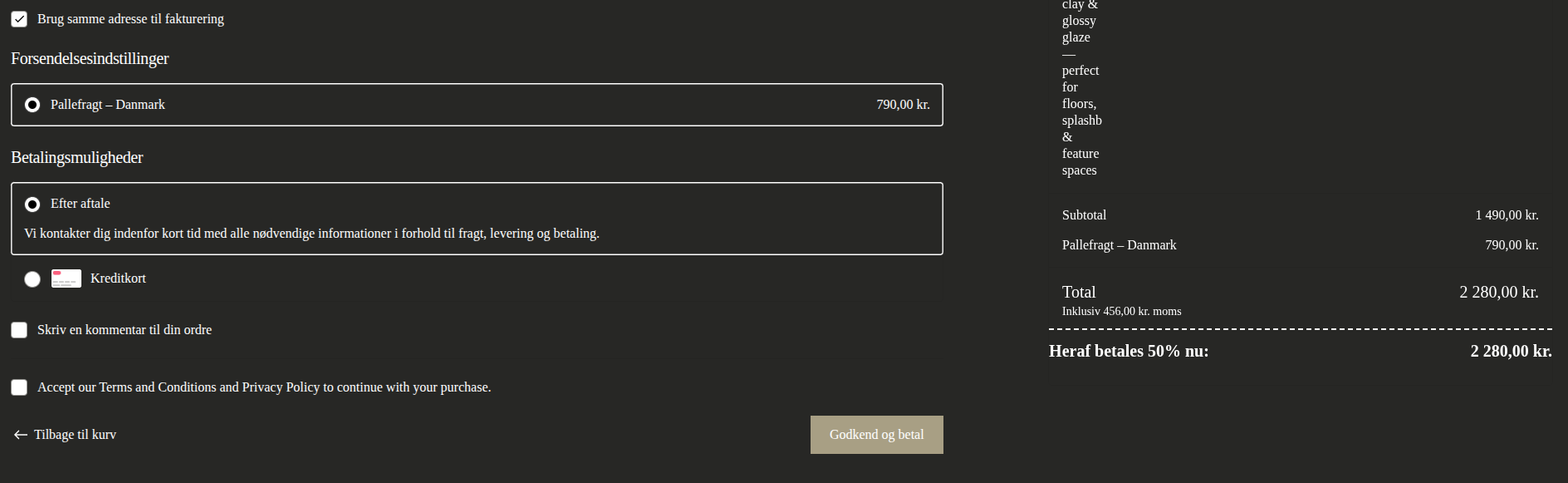
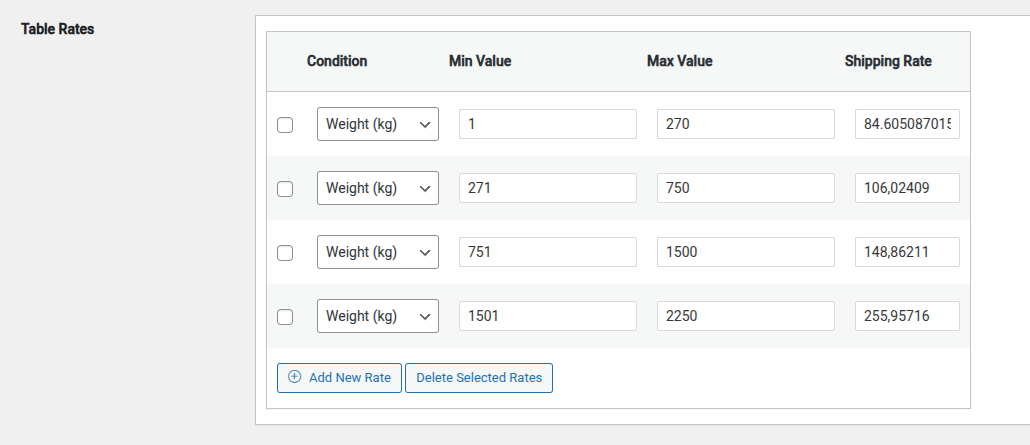
1) The shipping costs only show in default currency, making it impossible to set up in DKK (tried everything!!!). At last I surrendered to the solution to set up the costs in Euro with exchange to DKK. But the amounts are still not looking good in DKK - because you do not accept decimals. Ex: the cost in DKK should be 790 DKK (incl. 25% tax). That means a cost in Euro at 84,605087 (exchange rate 7,47) should make it happen. But it calculates at 84 euro - showing 784,35 DKK in shipping in stead. How do I get 790 DKK (incl. tax) shipping in Danish checkout?
Thank you for contacting us and for bringing this matter to our attention. Please be assured that we are actively investigating the issue in order to identify the root cause and determine the appropriate solution.
To perform a thorough analysis, I would like to review the behavior directly on your website. For this purpose, I kindly ask that you provide temporary administrative access to the site. Preferably, this would be to a test or staging environment where the issue has been replicated, if such an environment is available.
You will find the required credential fields below the comment section. Please note that any information submitted there will remain strictly private and accessible only to you and our support team.
Important:
Before granting access, we strongly recommend creating a full backup of your website files and database to ensure everything is safely preserved.
We will keep you informed of our progress and provide updates as soon as we have relevant findings. Should additional information or access be required, we will share clear instructions to facilitate the investigation.
I have been waiting for some days now.
But it turns out that the problem mentioned is the lesser problem.
The BIG problem now is as follows:
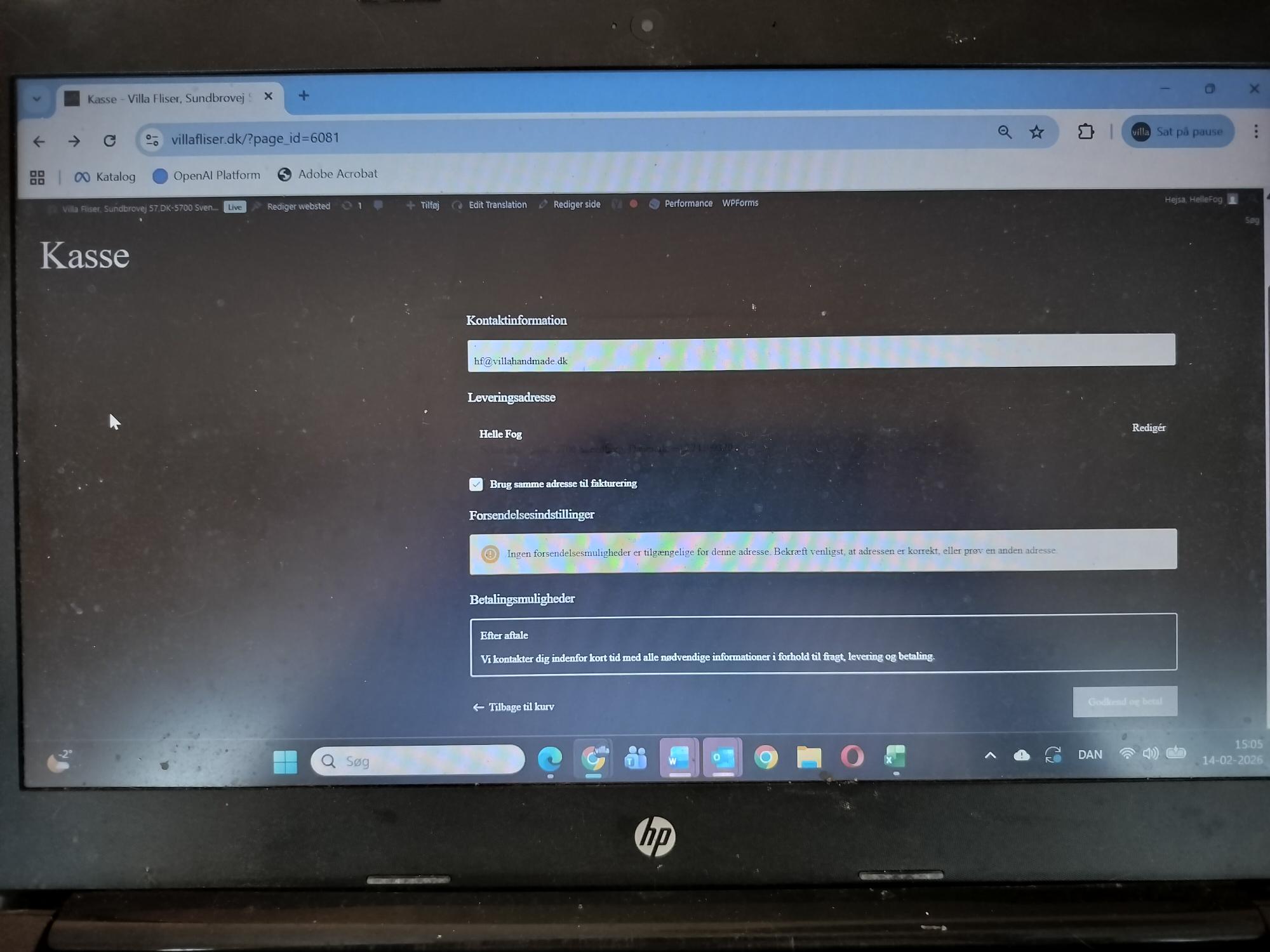
The checkout is not working at all.
What I Want:
- Shipping according to weight rates - and a possibility to chose pickup at warehouse
- 50 % deposit that is drawn in by OnPay (card payment) when ordering - checkout showing the amounts for payment now - as well as for payment later when goods are delivered.
What I Experience:
- checkout that does not show order panel on the right side (only address etc.)
- no possibility of checking if 50% deposit works or not - or if clients get a proper information about terms concerning 50% payment now - 50% payment later
What I Have Tried in Order to Trouble Shoot and Solve the Problem:
- deactivated all snippets conc. checkout and cart
- deactivated OnPay
- deactivated all shipping set ups
- trashed the checkout with the missing right panel
- created a new checkout with WP tools
What I Find Now:
- checkout still not showing right panel with order information
- going from cart to checkout - the checkout is not loading - meaning it is not possible to access checkout from cart
Hi again,
just to let you know. I also did a trouble shoot concerning the theme.
I changed to Twenty Twenty four to try out - but the problem did also occur in that theme. So it is not theme related either.
Thank you for providing the access credentials. I can confirm that I was able to successfully access the WordPress admin panel.
I will now proceed with the investigation and work actively to identify the root cause of the issue. I will keep you informed and share an update as soon as I have any findings.
Hi,
I did manage to solve the problem with 50% deposit and the right summary panel in the Danish frontend checkout. After around 15 hours of work over the weekend. You had apparently installed CORS headers between the domains - not enabling the transmission of data to the Danish site.
As OnPay is still not ready, I am not ready to check if the 50% withdrawal is actually working. If you have possibility of checking on that issue - please let me know if it is actually working. Thanks. For now: Please concentrate on the shipping data which is still an open problem to be solved.
Thank you.
Best regards
Helle
Hi again,
Well - as it turns out. I did only partly manage to solve the problem with the checkout.
The issue concerning 50% deposit is not solved in relation to OnPay. The amount which is passed on to OnPay and drawn in is the total - and not the deposit of 50%.
the code which I placed in "code Snippet" is as follows:
/**
* 1. TEKNISK (BLOCKS): Halver beløbet i det nye Blocks-checkout
* Dette rammer ordren lige før den gemmes og sendes til OnPay API'et.
*/
add_action('woocommerce_store_api_checkout_update_order_meta', function($order) {
$current_total = $order->get_total();
$order->set_total($current_total / 2);
$order->save(); // Vigtigt: Gemmer ændringen i databasen
}, 10, 1);
/**
* 2. VISUEL INFO: Besked i toppen af kurv og checkout
*/
add_action('wp_head', function() {
if (is_cart() || is_checkout()) {
$is_dan = (defined('ICL_LANGUAGE_CODE') && ICL_LANGUAGE_CODE === 'da');
$msg = $is_dan
? 'Bemærk: Du betaler kun 50% nu. Resten faktureres ved levering.'
: 'Note: You only pay 50% now. The balance will be invoiced at delivery.';
if (totalElement && !document.querySelector('.custom-deposit-row')) {
let totalText = totalElement.innerText;
let cleanTotal = totalText.replace(/[^\d]/g, '');
let totalNum = parseFloat(cleanTotal) / 100;
if (!isNaN(totalNum)) {
let deposit = (totalNum / 2).toFixed(2).replace('.', ',');
let isDan = document.documentElement.lang.includes('da');
let label = isDan ? 'Heraf betales 50% nu:' : 'To be paid now (50%):';
let currency = isDan ? ' kr.' : ' DKK';
The problem is apparently that the block system does not accept the codes, - no matter how I do it. Could you please help with this as well. Thank you.
5 days ago, I sent you a support ticket - and I still have not received any help with my issues. You have´nt even started yet.
What is going on? Please respond asap - thank you.
I have completed an initial analysis and since there are several issues, I will start with the one that affects the most mechanisms - converting from EUR to DKK. Then I will look for solutions for the next ones (perhaps this will eliminate some problems elsewhere)
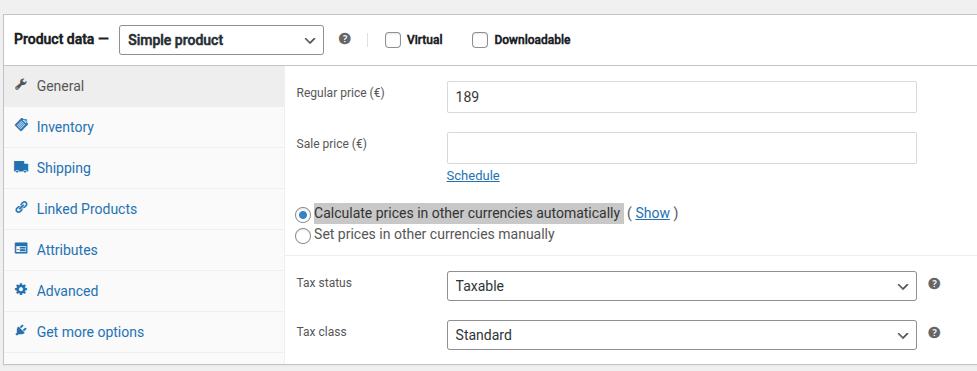
The product must have:
- a single price set in EUR
- the option “Calculate prices in other currencies automatically” must be enabled.
Next, in the WooCommerce admin panel under WooCommerce → WCML → Multicurrency (tab), in the “Currencies” section:
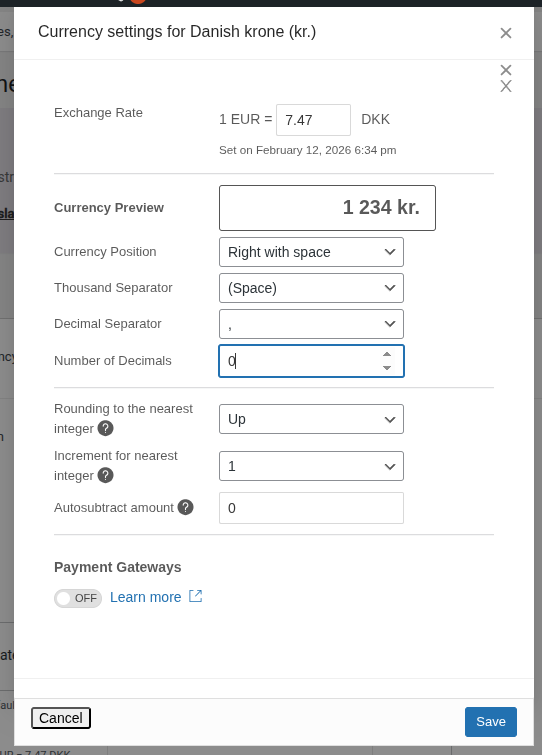
- Click edit (pencil icon) in the "Danish krone" row.
- A popup will appear, where you need to click edit (pencil icon) again in the "Currency Preview" row.
- A menu will appear allowing you to configure the currency behavior. Here you can set “Number of Decimals” to “0” - only whole numbers will then be displayed.
- Below, there are also options to set price rounding
- documentation section for more details: https://wpml.org/documentation/related-projects/woocommerce-multilingual/multi-currency-support-woocommerce/#secondary-currencies
This configuration should cause product prices and shipping to be displayed according to the rules used for the DKK currency
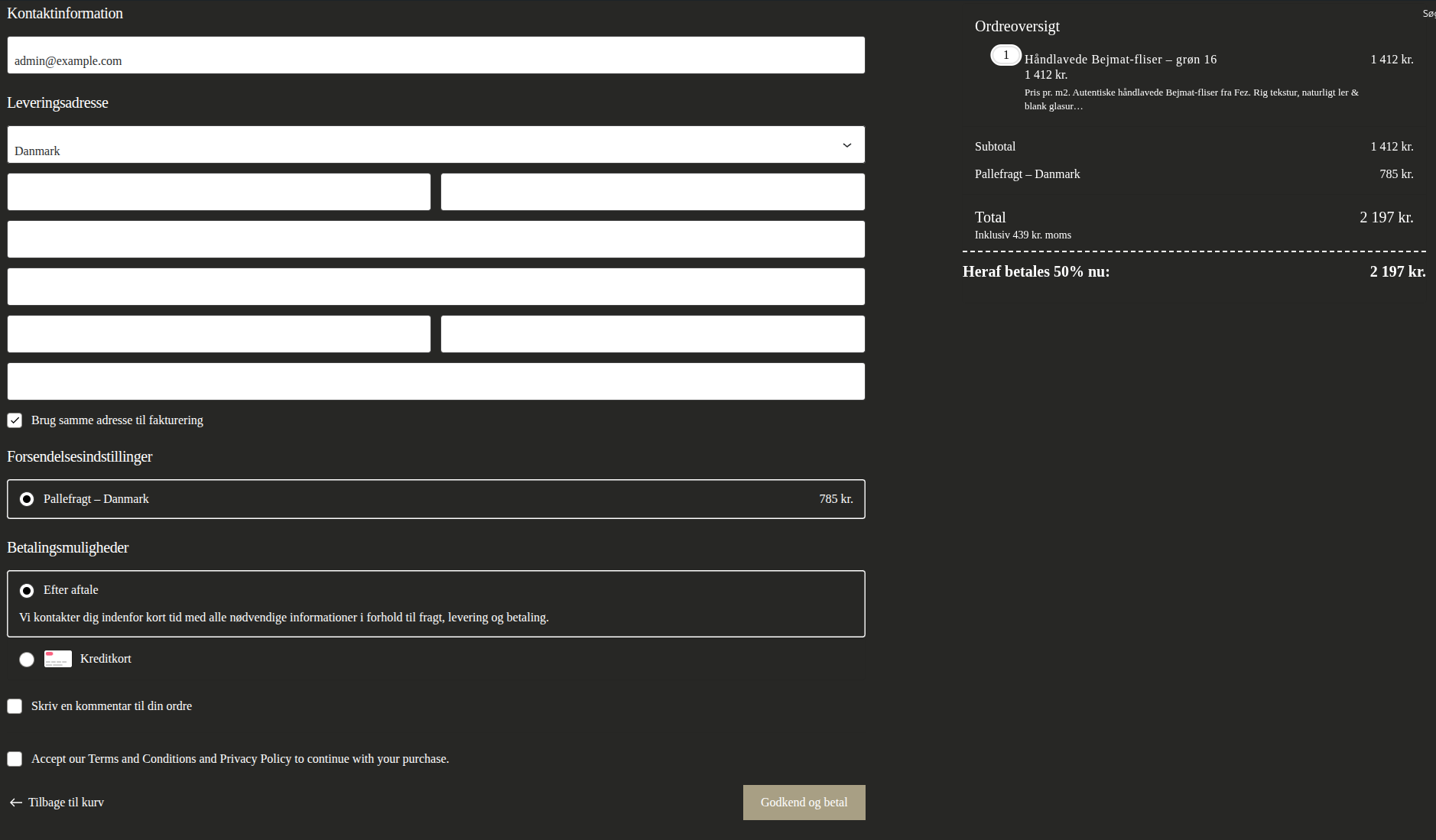
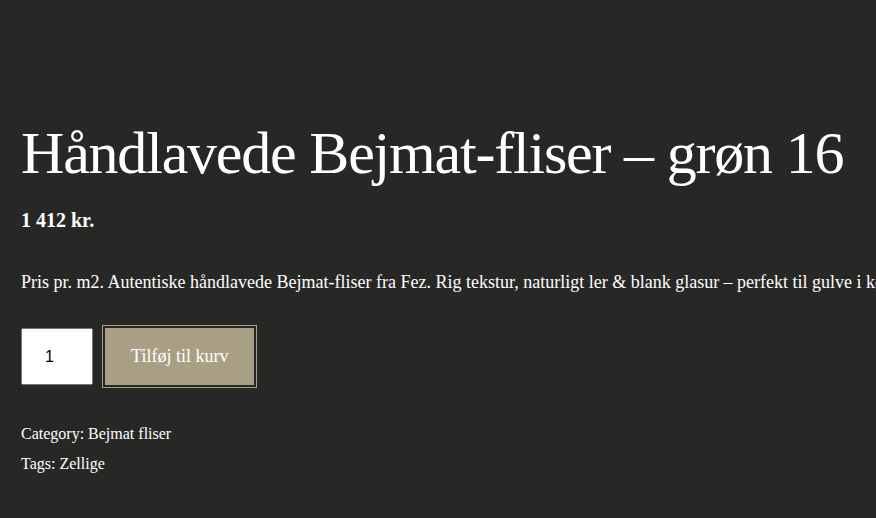
In the screenshots, I am attaching the final result
---
Please let me know if this is a step in the right direction, so we can move on to solving further problems. Or if you need any help (in this area) before we move on to the next reported issues.
- Are VAT problems already occurring at this level?
Hi Pawel,
Please concentrate on the issues that are relevant. I never mentioned currency problems or price problems for the products.
I have waited for 8 days for help with the checkout. Why you start with something completely different - I really do not understand.
Ref. product prices) No, the product prices should not be converted from Euro. I do not want the prices in DKK to follow Euro prices. For a lot of reasons. I have made fixed prices which works without any problems.
I do not understand why you have taken up this matter at all. I do not have problems with the prices or the currencies for the products. And I do not want to change that.
The problems that I have, which you should concentrate on:
1st priority:
1) The checkout page - the English checkout with ID 6080 does not connect with the Danish checkout page with the id 6077. WPML reports that my site URL has changed (ATE Server Communication error).
Because of this:
• The Advanced Translation Editor is locked
• I cannot connect existing translations
• Language box is greyed out
• Checkout translation cannot be linked to its original page
There is no “Reset ATE connection” or Troubleshooting option available in my WPML Support page.
Could you please reset / reassign the ATE site ID for my installation?
2nd priority:
2) I want to draw in a deposit of 50% via card payment (OnPay) - not the total amount - and later invoice the rest at delivery. The block set up does not accept my codes (code snippets). Tell me what to change in the code to make that happen - as I do not know where the issue occurs. Deposit plugins do not work, as they calculate pr. item - not 50% of total order amount.
3rd priority:
3) I cannot set the shipping costs in fixed DKK (secondary currency). Either you fix that - or you tell me how to get WPML to calculate (not display!) with decimals (from Euro) - in order to display DKK prices that are not with decimals.
This should not be solved by changing the whole price policy on my page. If WPML shipping cannot be displayed properly in secondary currency, I will accept that - and live with this flaw. Tell me if that is the case.
Thank you, I am already trying to resolve each issue.
1) At the beginning, it looks like we need to try re-authorizing, and I can see that the standard methods are not available. However, please try the following:
wp-admin / Plugins / Add Plugins / Commercial (tab) - on the grey background on the right-hand side, there should be a link “Unregister WPML from this site.” Please click it, and it should then be possible to register the site again from scratch. Unfortunately, I cannot perform this action on my end - it has to be done from your side.
2. We are trying to prepare a workaround that would allow this behavior - as soon as we determine something, I will let you know.
---
3. The conversion is linked to rounding - that is why I made this suggestion. However, if the current state is correct, then with the current configuration it should be enough to replace “,” with “.” - I am attaching screenshots showing the result on my end.
Please provide your feedback, and I will prepare the next steps.