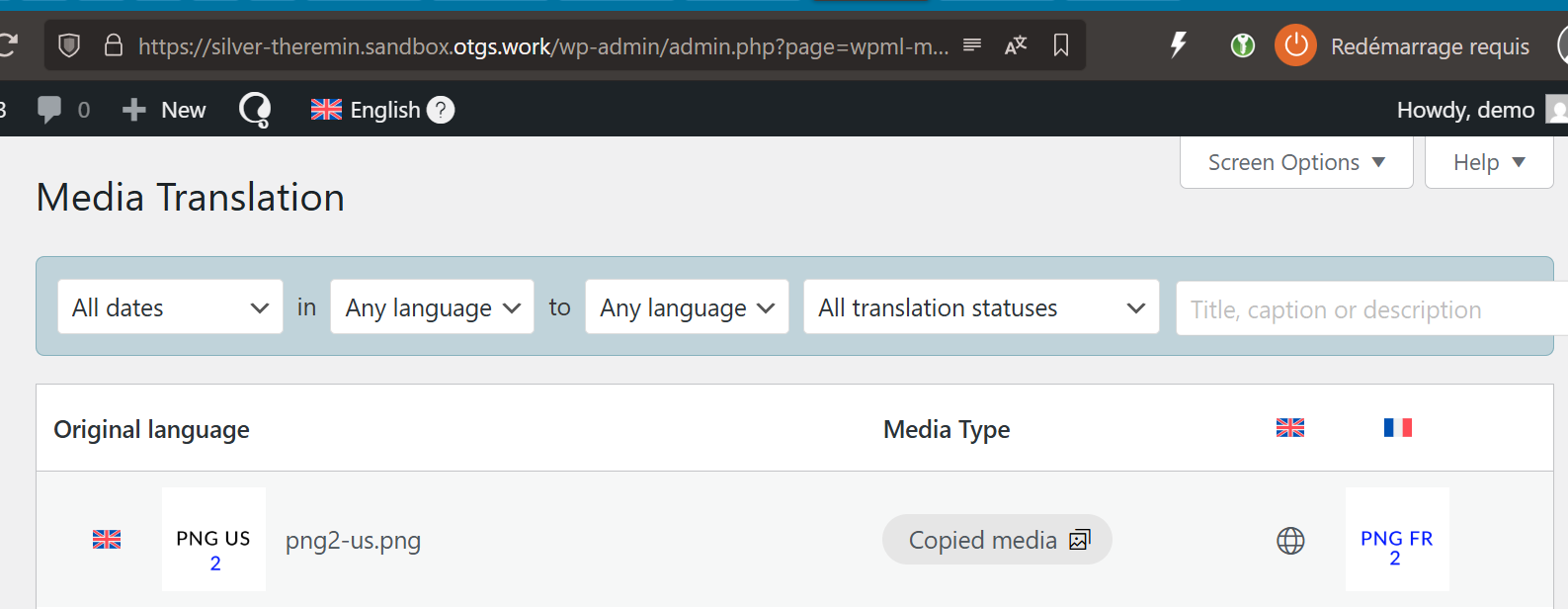
Another specific issue I noticed, is that the CSS class wp-image-ID don't seem to translate properly, wathever the media format.
I did a test on your sandbox:
1. I uploaded 2 images (png and webp)
2. I created a page and added these images + the svg one: hidden link
3. I translated the page
4. I displayed the translated page. No images were translated: of course, neither the png and the webp since I didn't upload a translation yet, and not the svg.
5. I translated the new images by uploading a french version for each of them, from the media translation
6. I check that both were displaying on the french page >> That was the case
7. I opened the page for individual edition, and noticed that both the png and webp images were broken (attempt recovery). I checked the HTML, and it appears that the images had no CSS class at all, while I already had checked that the original ones did. Then I purposely did not save the page.
8. From the media library (I didn't close that thumbnail), I clicked to option at the top of the page to update the page where the uploaded images were added.
9. I checked that nothing had changed on the frontend
10. I reloaded the admin page : both image were still the the Attempt Recovery state, but now had a class="wp-image-0" (yes, zero), when to my understanding, they should get the translated media ID.
11. Try playing with the media size, and it will break the translation.
I feel this test is pretty basic, but obviously, something already goes wrong here.
Currently, the only way I found to get the images I translated (through the media translation) on the frontend, is to manually : Replace > Open Media Library > Select my image > Validate.
With this method, the ID class is moved to the right one, and I can swith the size (if needed) without breaking anything. And it seems to be the only way.
However, it's not translation anymore: it's all manual! Here, the Media Translation becomes useless, it's just a media library organization tool.
And these issues are not even related with SVGs.
Can you please confirm you notice the behaviors I encounter?
This is a very annoying issue, since in these conditions, my content translated through your tool (and not edited individually) don't get the translated images they should.
Therefore, for now, I can't publish content with translated medias in an organized process, which is what the Media Translation is made for.
Thanks for reporting this issue.
The core problem is that the replaced images disappear from Media translation once the translated page is edited with the WordPress editor.
I escalated this problem to our second-tier supporters.
I'll update you once I have news about this issue.
Sorry, that's not what I notice during my tests.
I didn't notice media disappearing from the Media Translation panel after translation - /wp-admin/admin.php?page=wpml-media
In case, I did it another test on your sandbox.
1. I uploade a media (PNG) from the Media library (with title and alt data)
2. I uploade another file for french translation from the Media Translation panel (and translate the meta along)
3. I created and uploaded this new media in new page in original language: hidden link
4. I translated it with the ATE (you guys still didn't move the sandbox settings to CTE, so I guess I must assume our issues are not related with the editor)
5. I checked that the media is translated in the from end (it is)
6. I edited the french page individually, and change the media alt value locally > Update >
> The media is still the right one in the frontend
> The media is still available in the Media Translation panel
7. I change the size of the image from full to medium
> The image is replaced by the original one in the editor straight away
8. If I click update,
> The media is now the orignal one on the french page,
> The French media is definitly still available in the Media Translation panel.