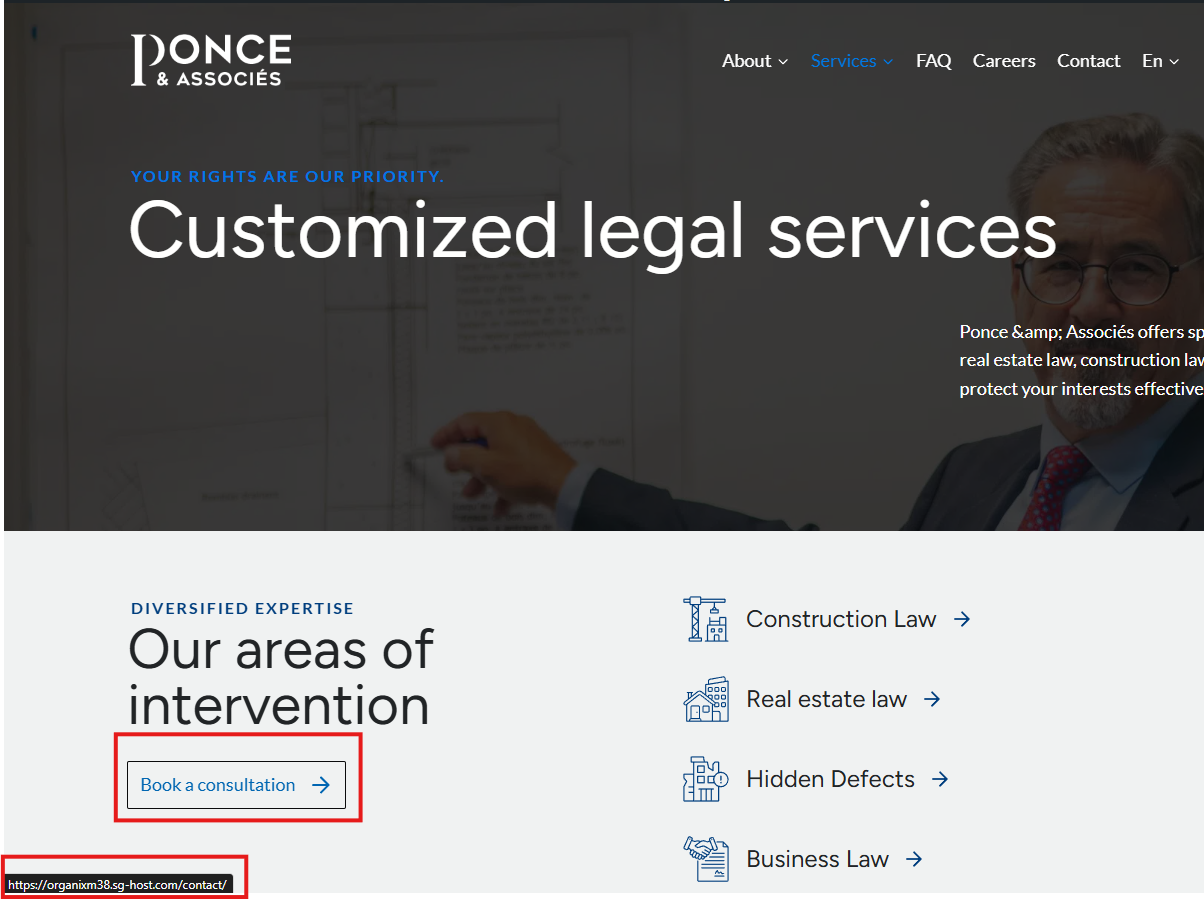
It's still not working even when adding the translated urls manually. They appear translated in the editor, but then on the front end it's still the french url. Look at the hero banner for example the contact button and also all the sections below you will see there should be /en/ in the URL.
I regret any inconvenience caused, but to proceed with troubleshooting, I kindly ask for a snapshot of the site. Alternatively, with your permission, I can create one myself. For this purpose, I typically recommend using the free plugin "Duplicator." If you're already familiar with Duplicator (https://wordpress.org/plugins/duplicator/), please skip the following steps and simply send me the archive file you downloaded.
To guide you further, please adhere to these instructions:
1. View the Duplicator instructions video: hidden link
3. If the archive file exceeds 400MB, please use Duplicator's file filters to exclude cache, wp-uploads directory, media, and archive files.
Once you have the archive file ready, kindly share the link with us. You can utilize platforms like Google Drive, Dropbox, or similar for file sharing, as the snapshot file might be large.
Please note that your next reply will be private, visible only to you and me. You can paste the file link there. Rest assured that once the issue is resolved, I will delete the local site.
Hi, you offered to create the snapshot yourself. I've downloaded and activated the plugin to the site. Is there anything else that you need me to do in order for you to create the snapshot ? Thank you!
Hi Sir. We didn't need Duplicator plugin as we use All-in-one WP Migration. We've exported the site to a file and saved it locally but we don't have the option to share a private link now.
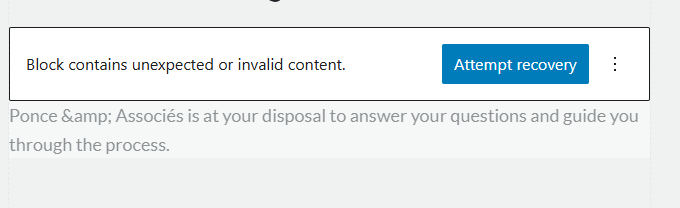
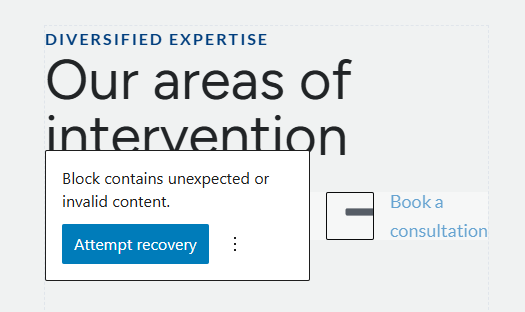
I just saw something. When doing in the editor of the english page, I'm seeing this code ''block contains unexpected or invalid content''. This is what is creating the problem it seems because in the WPML editor, the urls appear translated, and inside the gutenberg editor as well. When i click on ''attempt recovery'', it repairs the block and now the url appears translated. Same thing for the ''& '' symbol, it appears that error and the issue is fixed when i click on attempt recovery.
I was able to do this as quick fix since we need to launch the site but it's not convenient because when we update the translation, then the bug reappears and the urls revert back to the french ones.
You can check the service page as an example.
I also think you missed my last message where I said ''Hi Sir. We didn't need Duplicator plugin as we use All-in-one WP Migration. We've exported the site to a file and saved it locally but we don't have the option to share a private link now.''
Thanks for your reply. My apologies for overlooking your reply. I've enabled the private option for you and could you please share the link to download your backup copy?
Like I told you in my previous long message, the method i used to make it work is NOT a real solution.
I had to go in the gutenberg editor to fix the blocks error and then save to make the urls and ''&'' symbol work. Please check above for all details.
This will not work as a solution though because the changes revert back to what is was before as soon as we update the translation.
Look at this page for example : hidden link
I had to do an edit in the original language, then when i updated the translation, everything that i did in the gutenberg editor in the english page was lost (which is normal because we shouldn't edit from there).
So no, the issue is not fixed. I just found a temporary solution because it's been a while since we've been troubleshooting this and the client needs their site to be live.
Thanks for your reply. As mentioned in your other ticket, I've added some custom XML configuration and could you please retry now and let me know if the issue is resolved?
can we just keep this ticket open for this please ? the cause is seems to be the same.
the added custom XML configuration didn't fix the issue. Links still appear in french in the service page, and the symbol still appears broken. And it's worse now, many titles in the english pages now appear in french. Look at the h1 on the home page for example.
Thanks for your reply. Could you check on the links first? As for the untranslated titles, we might need to add a few more custom XML configurations. I'm looking at this page now hidden link
Thanks for your reply. Since I've just inserted some custom XML configuration, we need to resync the translated pages.
What I've done,
1. Edit the primary language page
2. Update the page.
3. Then, retranslate the page.
I can see the issue with titles and I'd like you to know that our support policy allows us to take care of only one issue per ticket.
Continuing with one issue per ticket helps not only supporters to focus on one issue at once, but also enables other users to find solutions to their questions faster.
the thing is that this issue with the titles is caused by the code you put, i don't see this as a separate issue, it's just not the correct solution. it's even worse now, not only the titles are in french on the english page, but also the buttons
The topic ‘[Closed] translated urls not working’ is closed to new replies.