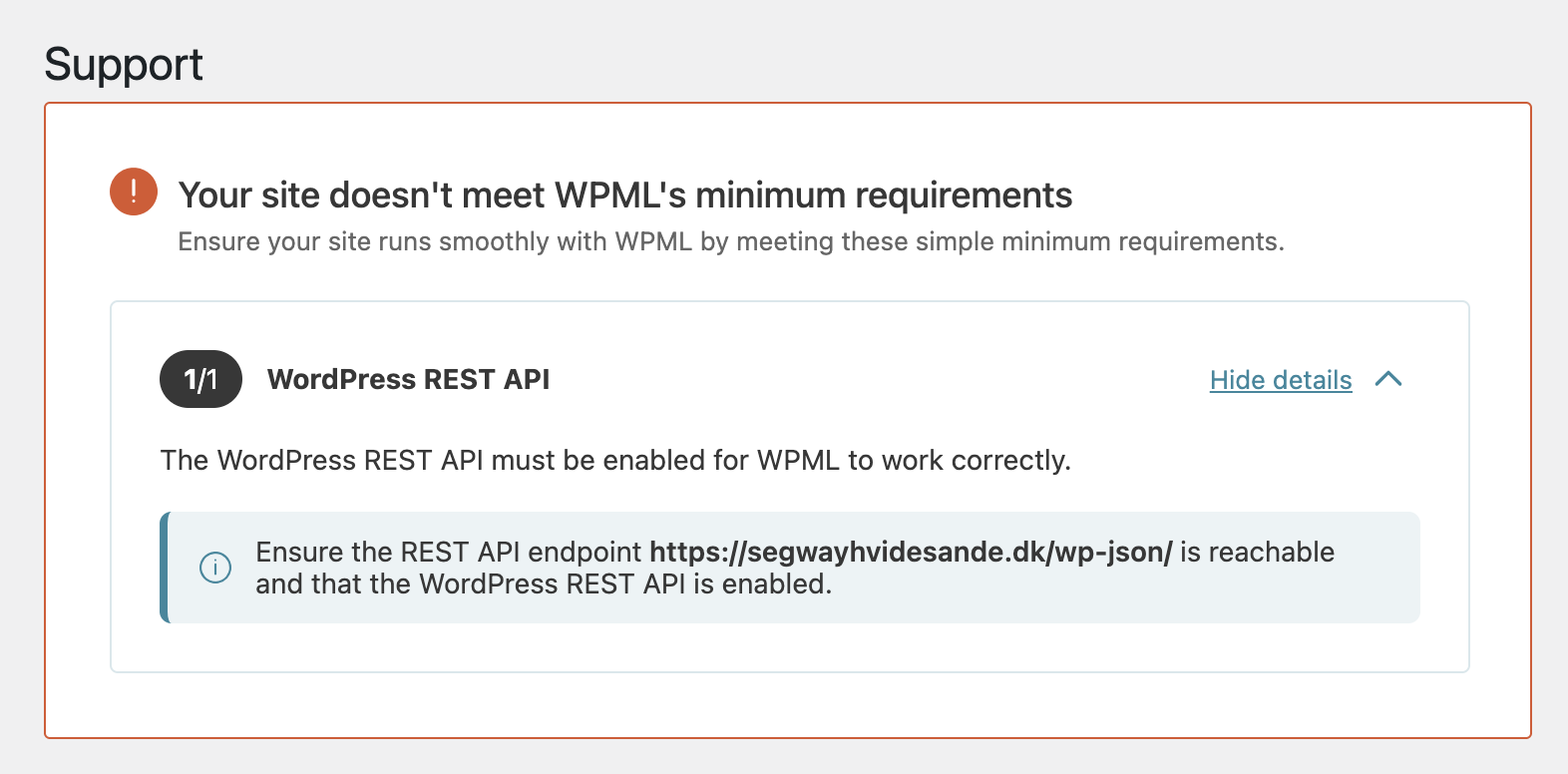
This thread is resolved. Here is a description of the problem and solution.
Problem: You are trying to update WPML but receive an error message stating that your site doesn't meet WPML's minimum requirements, even though the WordPress REST API is reachable. Solution: If you're experiencing this issue, we recommend trying the following steps: 1. Visit the following WPML errata page for a workaround: https://wpml.org/errata/warning-about-wordpress-rest-api-if-non-authenticated-requests-blocked/ 3. A permanent fix for this issue will be included in future WPML releases. Before making any changes, please ensure to back up your database.
This solution might be irrelevant if it's outdated or not applicable to your case. We highly recommend checking related known issues at https://wpml.org/known-issues/, verifying the version of the permanent fix, and confirming that you have installed the latest versions of themes and plugins. If the problem persists, please open a new support ticket at WPML support forum.
0% of people find this useful.
This is the technical support forum for WPML - the multilingual WordPress plugin.
Everyone can read, but only WPML clients can post here. WPML team is replying on the forum 6 days per week, 22 hours per day.
Background of the issue:
I am trying to update WPML, but after doing so, I encountered an error message stating that my site doesn't meet WPML's minimum requirements. I checked with my developers and hosting teams, and they confirmed that the WordPress REST API is working and reachable. They used the command wp eval 'print_r( rest_url() );' and curl to verify this, although curl returned a 401 error, which they said is expected due to authentication requirements. The issue can be seen at hidden link.
Symptoms:
After updating WPML, I received an error message: 'Your site doesn't meet WPML's minimum requirements.' The REST API endpoint is reachable, but WPML still reports an issue.
Questions:
Why does WPML report that my site doesn't meet the minimum requirements when the REST API is reachable?
What steps should I take to resolve the error message after updating WPML?
Looking at the debug information that you provided, I see that the Rest API is enabled on your site. Have you tried closing this message?
However, if you check the site using the following URL hidden link, as you mentioned, there is a 401 error saying "Sorry, you do not have permission to make REST API requests." Usually, such requests are accessible.
Your message: "However, if you check the site using the following URL hidden link, as you mentioned, there is a 401 error saying "Sorry, you do not have permission to make REST API requests."
Their reply:This is expected as no API token is provided when you visit that enpoint via the web browser
So the 401 error says that you don't have permission because you're not authenticated with a token
I need to request temporary access (wp-admin and FTP) to your site—preferably to a test site where the problem has been replicated, if possible—in order to be of better help. When you log in to leave your next reply, you will find the needed fields below the comment area. The information you will enter is private, meaning only you and I can see and access it.