Background of the issue:
I am trying to duplicate a page in WPML. Look at the video: hidden link. Here is the link to the page I am working on: hidden link.
Symptoms:
I can't duplicate the page.
Questions:
Why can't I duplicate the page?
Is there a specific setting in WPML that I need to adjust to duplicate pages?
I would like to request temporary access (wp-admin and FTP) to your site to test the issue.
(preferably to a test site where the problem has been replicated if possible)
**Before we proceed It is necessary to take FULL BACKUP of your database and your website. Providing us with access, you agree that a backup has been taken **
I often use the Duplicator plugin for this purpose: http://wordpress.org/plugins/duplicator/
You will find the needed fields for this below the comment area when you log in to leave your next reply.
The information you enter is private which means only you and I have access to it.
NOTE: If access to the live site is not possible and the staging site does not exist please provide me with a duplicator package created with the duplicator plugin.
Are you still experiencing this issue? When I test it, I am not able to reproduce the issue, it is working as expected. I also created a test page called WPML and that duplicated right away.
Thank you, I was able to reproduce the issue with the posts.
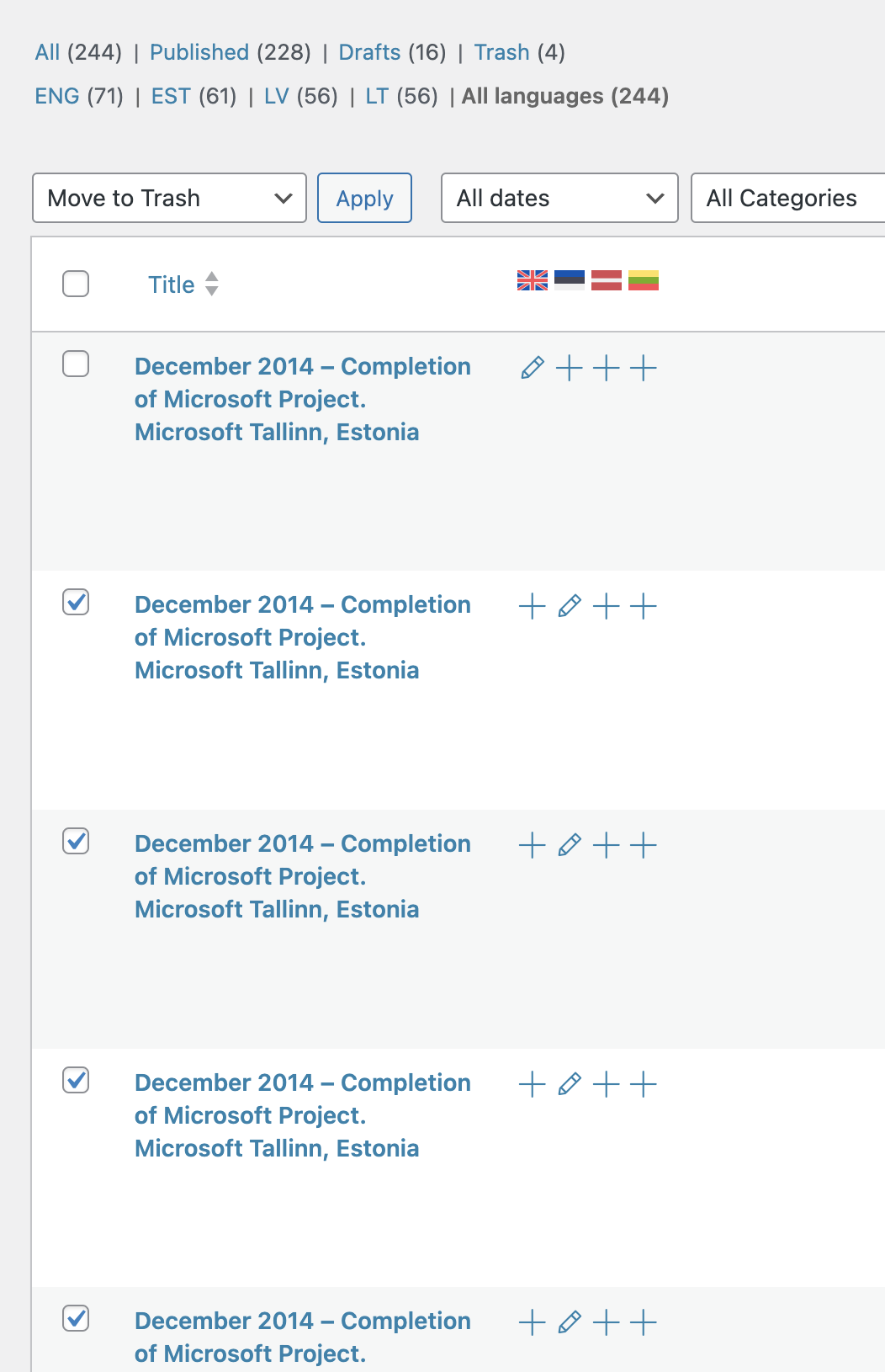
After duplicating the post is created as a clone but it is not attached to the original post.
This issue will happen when a page/post has been corrupted (which is why new pages/posts do not reproduce the issuee). Did you possibly migrate the site?
These are the steps to resolve the issue:
1. Go to Posts and switch to 'all languages'
2. Search for the post title that is having this issue
3. Select all duplicates of it and delete them, **DO NOT DELETE THE DEFAULT LANGUAGE**
4. Go to trash and empty.
5. Go back to posts -> click on + -> copy content from English and publish
You can see the steps here as well from a similar case: hidden link
I followed these steps and was able to duplicate the post from EN to ET.
Okay thats works.
I have one more question. I translated the footer and everything works. Now if I make a change in the English footer, all others will also change back to English. Why? Is there a sync somewhere?
If you are using the "duplicate" feature, the default language is synchronized with the duplicated versions.
if you are using the "duplicate" feature to add the translation and have separate versions you have to break the synchronization otherwise the changes will be overwritten once you make a change inn the default language.
Please go to the layout and edit-> switch to the secondary language (you can use the language switcher at the top header) , once in the secondary language edit page click on "translate independently "
Let me know your results, please.
The topic ‘[Closed] Cant dubliate page’ is closed to new replies.