[Resolved] Content Translated into the Wrong Language
This thread is resolved. Here is a description of the problem and solution.
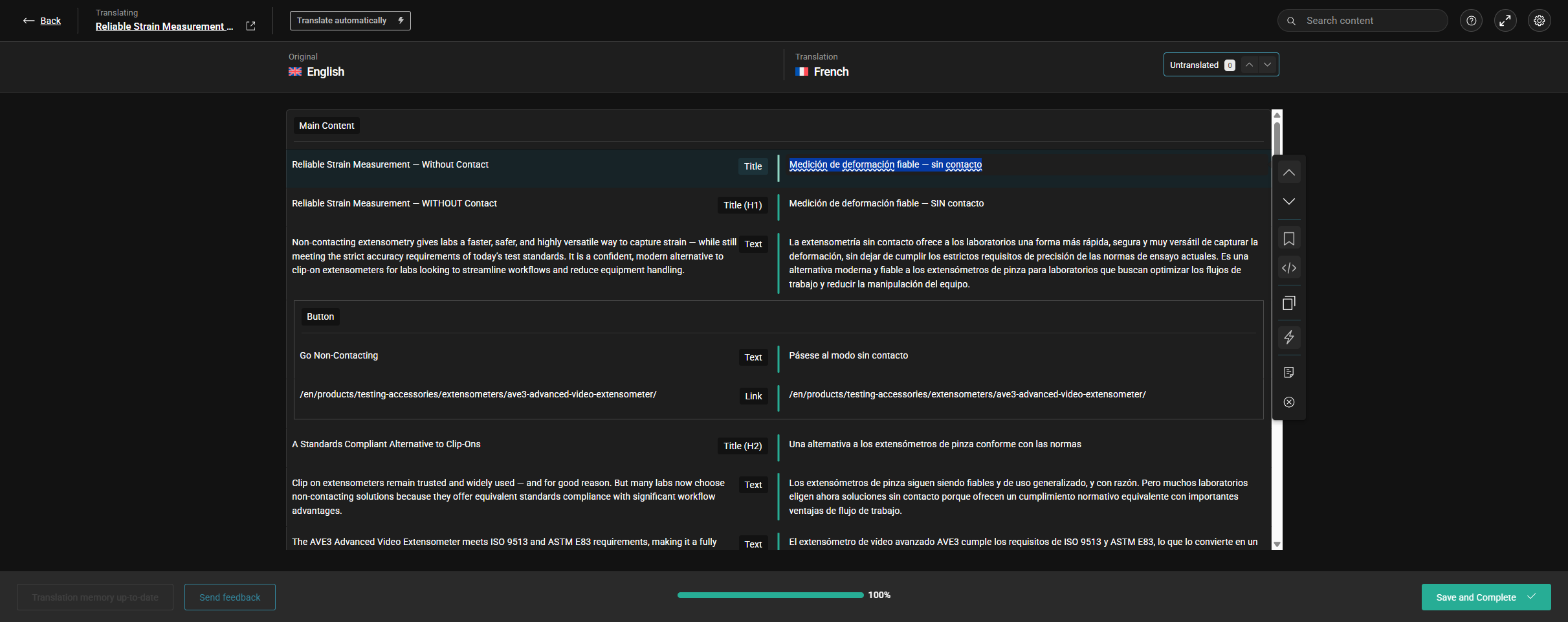
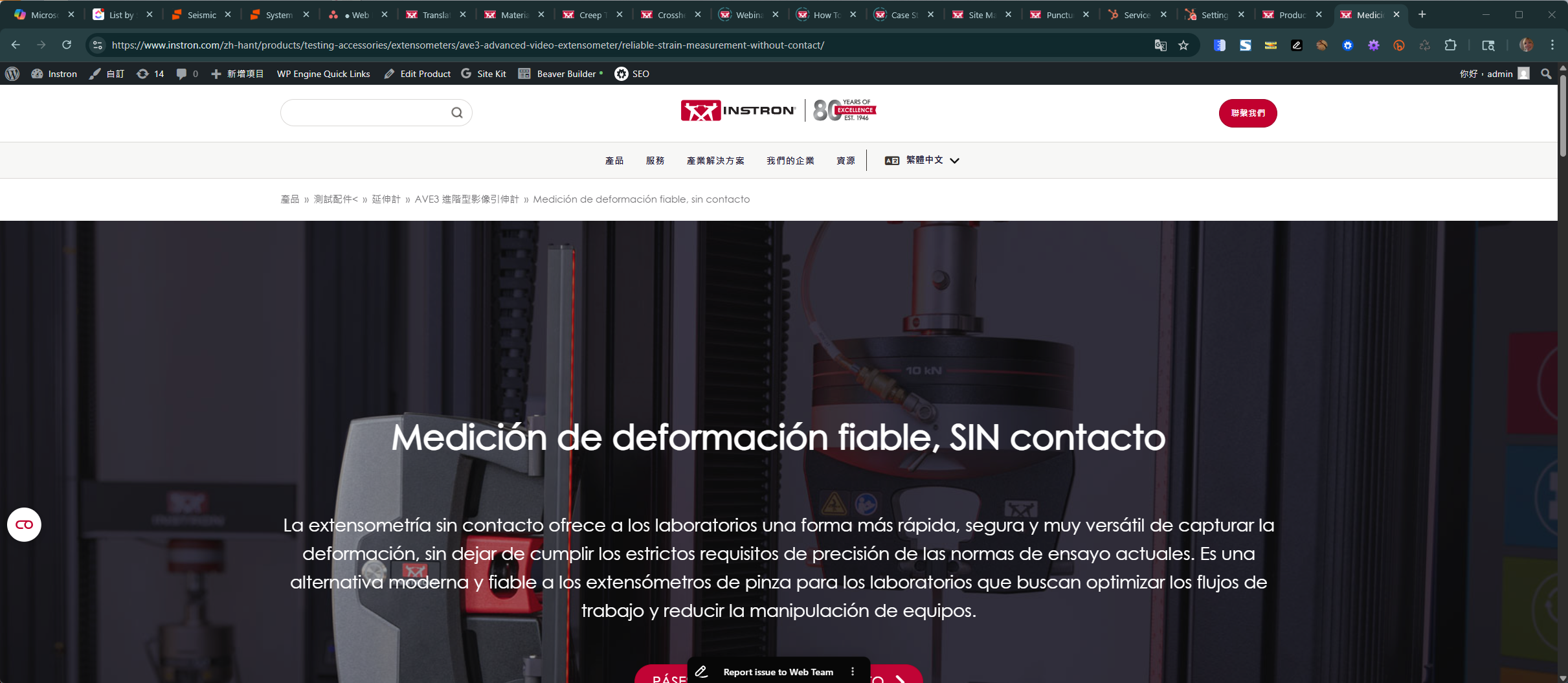
Problem: You translated a page from English to French, but the content appeared in Spanish. Solution: We identified a minor issue on our server that caused this problem. We have since resolved the issue on our server. We recommend you select
Overwrite existing translations
and resend the post for automatic translation. If the problem persists, please check the related known issues, verify the version of the permanent fix, and confirm that you have installed the latest versions of themes and plugins. If this solution does not resolve your issue or seems outdated, we encourage you to open a new support ticket. For further assistance, you can also visit our support forum.
This is the technical support forum for WPML - the multilingual WordPress plugin.
Everyone can read, but only WPML clients can post here. WPML team is replying on the forum 6 days per week, 22 hours per day.
Languages: English (English )Vietnamese (Vietnamese )
Timezone: Asia/Ho_Chi_Minh (GMT+07:00)
Hi Dawn,
I'm Long from the WPML Development team, I'm happy to help you with this issue.
Based on your screenshot and checking on our server, I see that the translation segments are applied from the translation memory; no credits were used. You can double-check the usage credits from WPML > Translation Dashboard > Payment and Maintenance tab > Automatic translation usage reports.
That means somehow the content in the English language was translated into the French language with Spanish content and saved to the translation memory. So the same content in the next translation will be applied from the translation memory. You can read more about this feature in the documentation https://wpml.org/documentation/translating-your-contents/how-wpml-keeps-track-of-your-translations/
To resolve the issue, you can go to WPML > Translation Dashboard > Select the post > Select the option "Overwrite existing translations" and send it to automatic translation again. This will ignore the translation memory and translate it as new content.
Languages: English (English )Spanish (Español )Italian (Italiano )
Timezone: Europe/Rome (GMT+02:00)
Hello!
We had a small issue on our end that created this problem. We're in the process of fixing it and should be fixed in a few hours but I'm the meantime we refunded you the credits used plus an extra because the problem was in our end.
Please wait a bit and try to retranslate the page and it will work correctly.
Thanks for the quick reply. We are able to translate the page into FR however we've encountered the same problem translating the same page from EN to HANT (traditional Chinese). It is still translating into ES (Spanish) instead of Chinese.
Languages: English (English )Vietnamese (Vietnamese )
Timezone: Asia/Ho_Chi_Minh (GMT+07:00)
Hi,
This issue has been resolved on our server. Can you please follow my suggestion above, select "Overwrite existing translations" and send the post to automatic translation again?