Home›Support›English Support›[Resolved] Installed the WPML Plugin on my website and the french website isn't functionnin
[Resolved] Installed the WPML Plugin on my website and the french website isn't functionnin
This thread is resolved. Here is a description of the problem and solution.
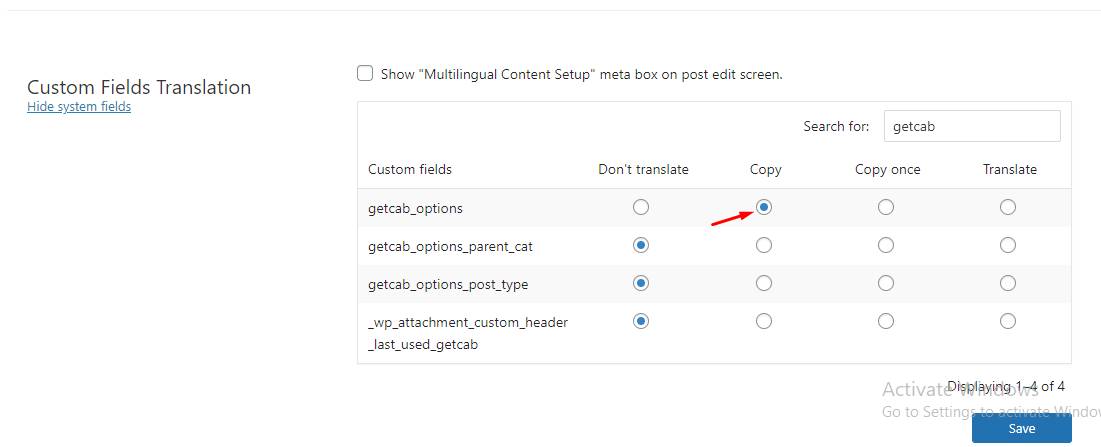
Problem: The client installed the WPML plugin and noticed that the French version of their website displayed an unwanted sidebar on all pages. Solution: 1. We navigated to WPML >> Settings > Custom Fields Translation section. 2. We set the
"getcab_options"
field to
"Copy"
and pressed the save button. 3. Then re-saved the default language pages to apply the changes to the translated pages and it solved the issue.
This is the technical support forum for WPML - the multilingual WordPress plugin.
Everyone can read, but only WPML clients can post here. WPML team is replying on the forum 6 days per week, 22 hours per day.
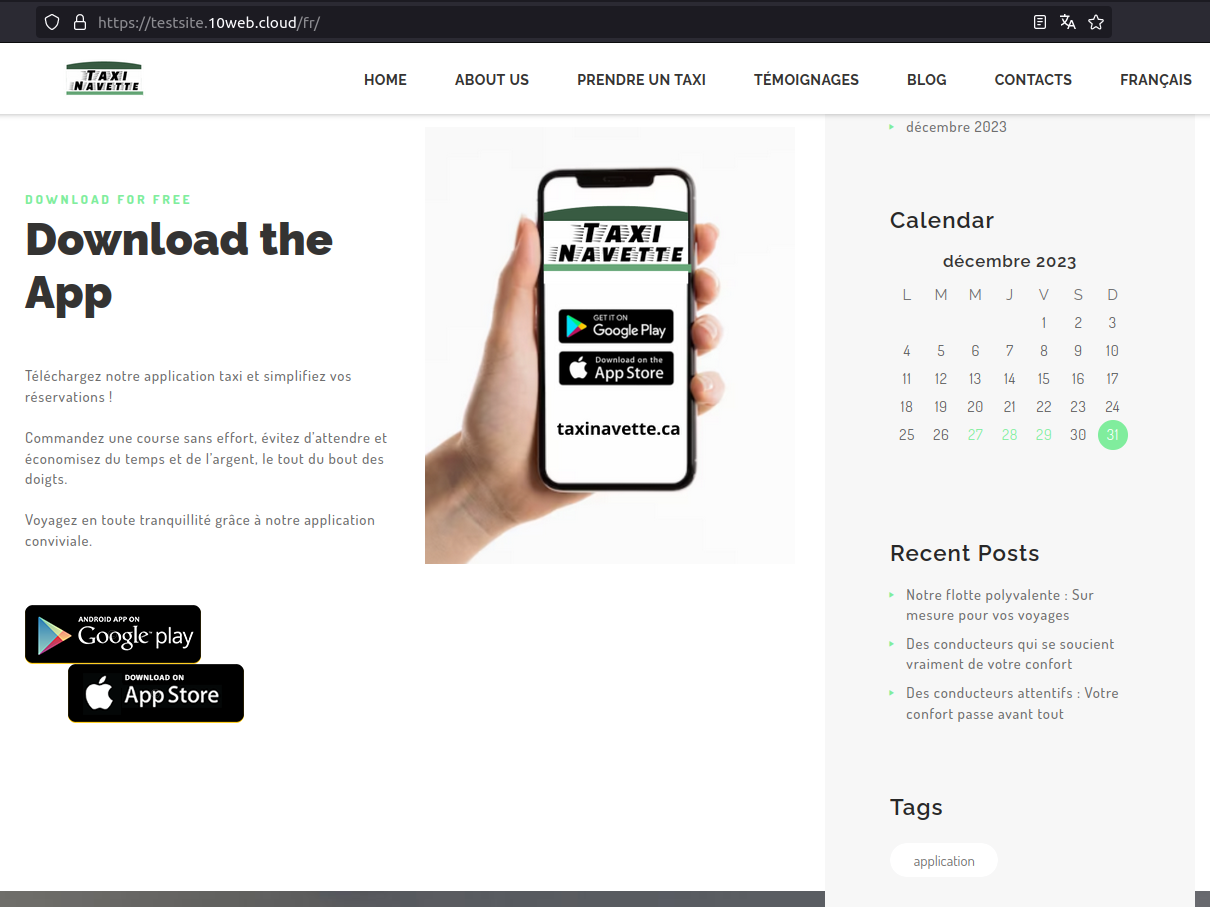
I installed the WPML plugin on my website hidden link and I got the french version showing a side bar section on all websites pages that are in french hidden link , attached is a screenshot (the first screenshot uploaded by mistake) , please help!
New threads created by Noman and linked to this one are listed below:
Thank you for contacting WPML Support. I’ve visited your site and I can see the right sidebar on the French language. This issue usually happens when the page options custom fields don't sync properly. If your theme provides page options to control the page layout then please open both language pages as edit mode and make sure the page options have the same values. If they have different values then please go to WPML >> Settings >> Custom Fields Translation section and search the problematic field and set that field to “Copy” and save it. Then please re-save the default language page again to apply the changes in a secondary language page. I hope it will resolve this issue.
If the issue still persists, please provide temporary access (WP-Admin and FTP Login info) to your site (preferably staging site), so that I can look into your setup and debug the issue.
Your next answer will be private which means only you and I have access to it.
=== Please backup your database and website ===
✙ I would additionally need your permission to deactivate and reactivate Plugins and the Theme and to change configurations on the site. This is also a reason the backup is really important.
1. I went to WPML >> Settings > Custom Fields Translation section, set the “getcab_options” field to “Copy” and pressed the save button.
After that re-saved the default language pages to apply the changes to the translated pages and now all pages show correctly. Could you please check and confirm?