This thread is resolved. Here is a description of the problem and solution.
Problem: You are experiencing issues where adjustments made on a translated page in Elementor are lost when the original page is updated. This happens because WPML overwrites manual adjustments if it thinks you are using the WPML editor. Solution: To prevent losing your manual adjustments on the translated page, you need to switch to the WordPress editor for making these changes. This way, WPML will not overwrite your manual work when the original page is updated. For detailed guidance, please refer to our documentation on using different translation editors for different pages: Using Different Translation Editors for Different Pages.
If this solution does not apply to your case, or if it seems outdated, we highly recommend checking related known issues at https://wpml.org/known-issues/, verifying the version of the permanent fix, and confirming that you have installed the latest versions of themes and plugins. Should you need further assistance, please do not hesitate to open a new support ticket at WPML Support Forum.
This is the technical support forum for WPML - the multilingual WordPress plugin.
Everyone can read, but only WPML clients can post here. WPML team is replying on the forum 6 days per week, 22 hours per day.
Background of the issue:
I wanted to ask if there is a way to save the edits and styles in elementor. since when you edit the original page in elementor, the whole fine tunnings and adjustments you do for the translation page resets.
like I translate a page from english to arabic, i go to the translated page I have to edit and adjust some positions since arabic is different than english in shape and size. and save it. all good so far.
a day later i go and change a picture in english version and when i update the arabic for the picture to show there too, all the little adjustments i did, all gone. have to start all over.
is there a way to save the adjustments as a kit or something to apply them again in one click? rather than doing it all over again?
Symptoms:
When I change a picture on the English version and update the Arabic version, all previous adjustments on the translated page are lost.
Questions:
Is there a way to save the adjustments as a kit or something to apply them again in one click?
How can I prevent losing adjustments on the translated page after editing the original page?
That is expected if you are mixing translation methods and doing adjustments manually on the 2nd language page.
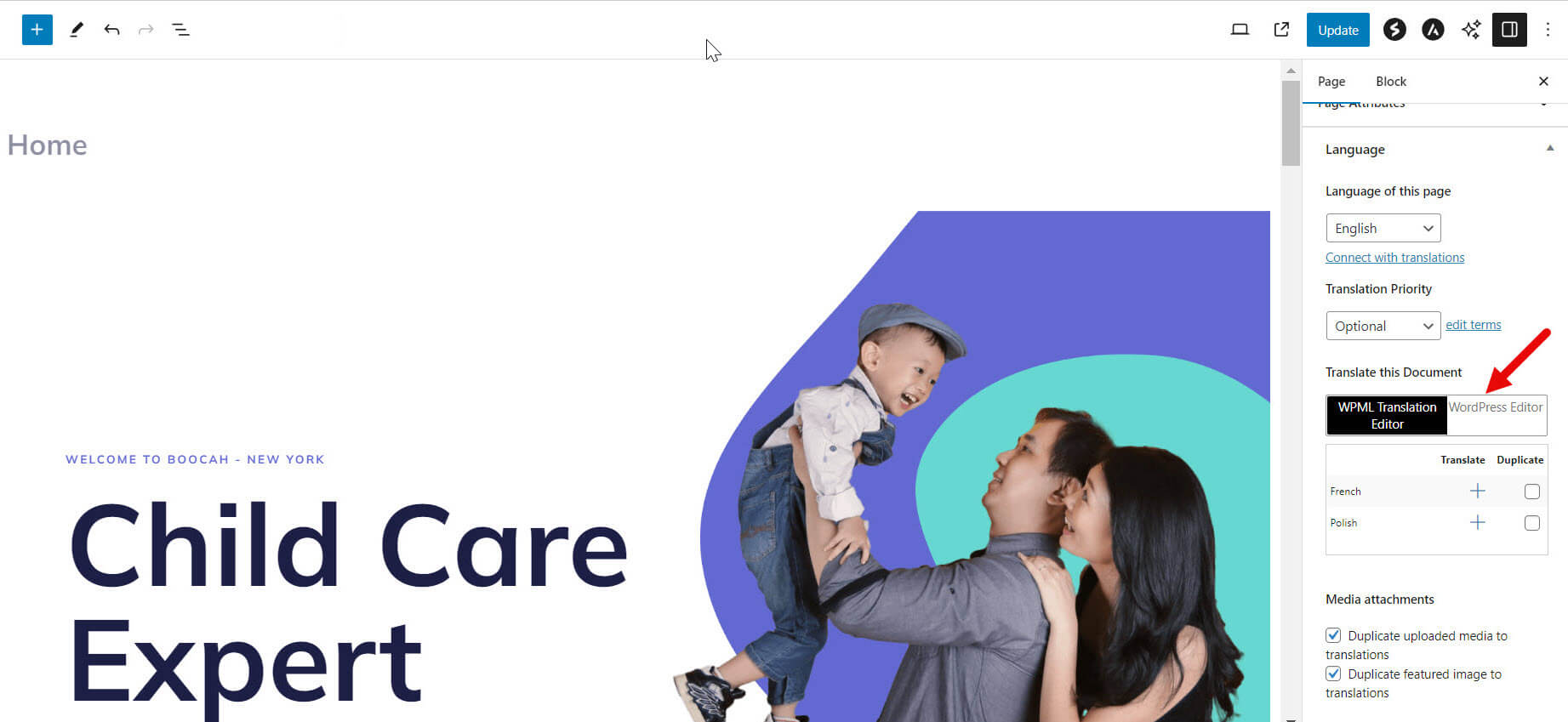
If you wish to add manual adjustment and translate the page manually, you will need to switch to the WP editor and continue to do it like that. Since otherwise WPML will think you are using WPML editor, and overwrite any manual work you have done.
are we talking about the same problem?
I have a page made with elementor in english and then ill translate it to arabic.
since there are shape differences between in english and arabic words, and also arabic is RTL.
i have to go edit the arabic version in elementor editor and change the elements sizes and paddings and margins and also links so it directs to the arabic version of that link and all that stuff.
understandable i get it so far.
then a day goes by, my client or myself need to do lets change the hero image of that english page. I do that. now i need to reflect on my arabic page too. to do that I have to go to "edit translation" and click on complete translation to see the updated image.
now all those changes i made all gone. have to redo all the adjustments in elementor all over again.
what is the soloution. i need an easy way please, i cant keep changing all over again and again everytime there is a change.
as I said in my first message, you can not mix translation methods.
If you wish to continue to add manual adjustments you need to switch to WP editor as in the shared image and continue to adjust and translate the page like that, manually. Then you will not lose manual changes when the default language is updated.