Skip to content Skip to sidebar

This thread is resolved. Here is a description of the problem and solution.

Problem:
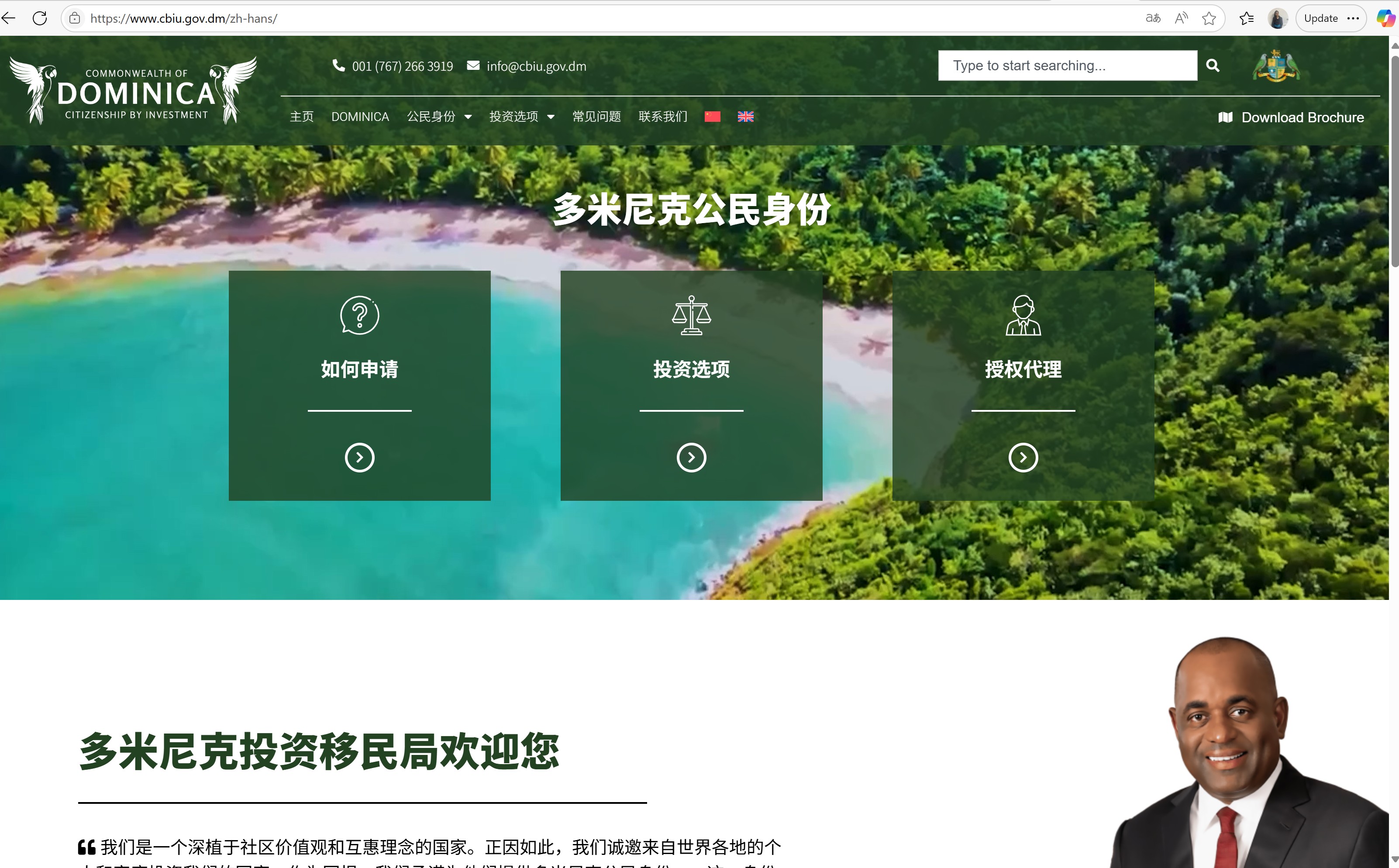
The client is experiencing issues with translating custom link strings in the menu and syncing them using WPML. Some menu items still appear in English and link to English pages instead of being fully translated into Chinese and linked to Chinese language pages.
Solution:
1. Take a backup of your site first for safety reasons.
2. Navigate to WPML >> WP Menu Sync page and press the Sync button.
3. Select all the menu items and press the “Apply Changes” button.
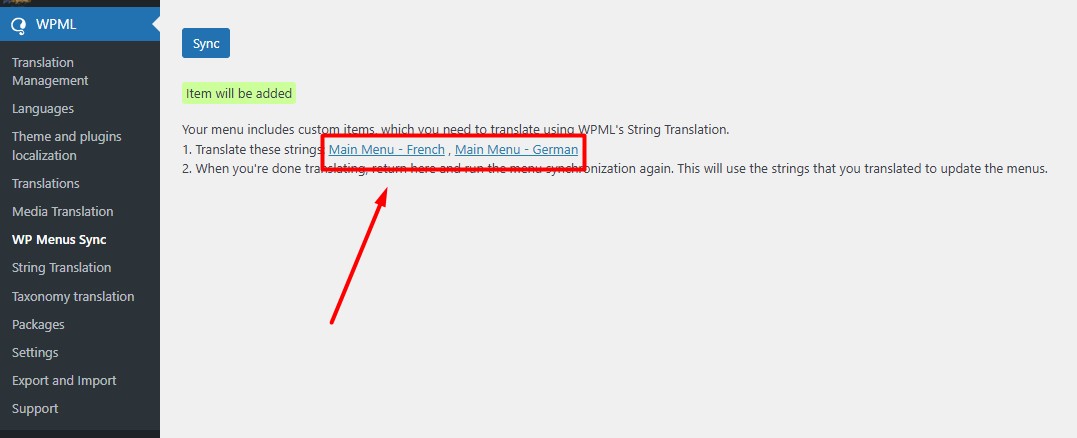
4. Complete the translation of custom menu links from WPML >> String Translation using the link on WP Menu Sync page.
5. After translating the custom links, return to WPML >> WP Menu Sync page and press the Sync button again.
If the issue persists:
1. Go to Appearance >> Menus page.
2. Choose the header/Main menu.
3. Click on the secondary language icon to open up the secondary language menu.
4. Ensure the menu items are translated correctly in the secondary language and press the Save Menu button.
For more details about menu translation, visit https://wpml.org/documentation/getting-started-guide/translating-menus/.

If this solution does not resolve your issue or seems outdated, we recommend checking related known issues at https://wpml.org/known-issues/, verifying the version of the permanent fix, and confirming that you have installed the latest versions of themes and plugins. If further assistance is needed, please open a new support ticket at WPML support forum.

This is the technical support forum for WPML - the multilingual WordPress plugin.

Everyone can read, but only WPML clients can post here. WPML team is replying on the forum 6 days per week, 22 hours per day.

This topic contains 1 reply, has 0 voices.

Last updated by Noman 8 months, 1 week ago.

Assisted by: Noman.

Author Posts
August 5, 2025 at 2:58 pm #17297047

mE-2

Background of the issue:
I am trying to translate custom link strings in the menu and sync them using WPML. I have cleared both WPML and Hummingbird caches. The issue can be seen here: https://wpml.org/documentation/getting-started-guide/translating-menus/

Symptoms:
Some of the menu items are still appearing in English and are linked to English pages instead of being fully translated into Chinese and linked to Chinese language pages.

Questions:
Why are some menu items still appearing in English after syncing?
How can I ensure all menu items are translated and linked to the correct language pages?

August 6, 2025 at 10:28 am #17299078

Noman

Hi,

Thank you for contacting WPML Support. To translate the menu items correctly, please follow the below steps:

1. Take a backup of your site first for safety reasons.
2. Go to WPML >> WP Menu Sync page and press the Sync button.
3. Select all the menu items and press the “Apply Changes” button.
4. Please make sure to complete the translation of custom menu links from WPML >> String Translation using the link on WP Menu Sync page as you can see in the attached screenshot.
5. After translating the custom links, go to WPML >> WP Menu Sync page and press the Sync button again.

If the issue persists, please try to follow the below procedure:

1. Go to the Appearance >> Menus page.
2. Choose the header/Main menu.
3. Click on the secondary language icon to open up the secondary language menu.
4. Please make sure the menu items are translated correctly in secondary language and press the Save Menu button.

Here is a doc for more details about menu translation:
https://wpml.org/documentation/getting-started-guide/translating-menus/

Kindly let me know the results,
Thank you

Menu Custom Links translation.jpg