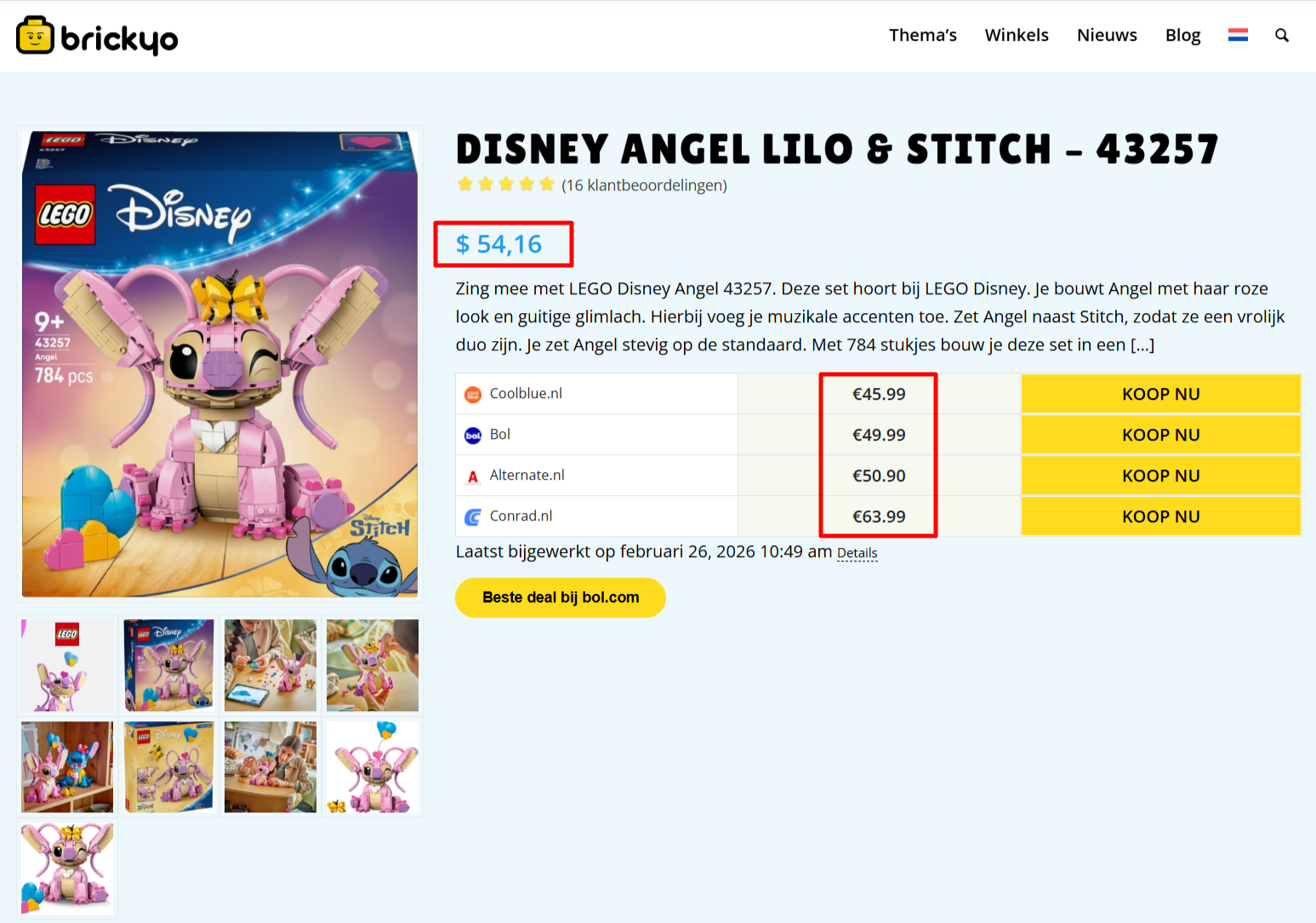
On our website brickyo.com we compare lego set prices in multiple languages. Here is the issue, we cannot get the price synchronisation correct.
The setup:
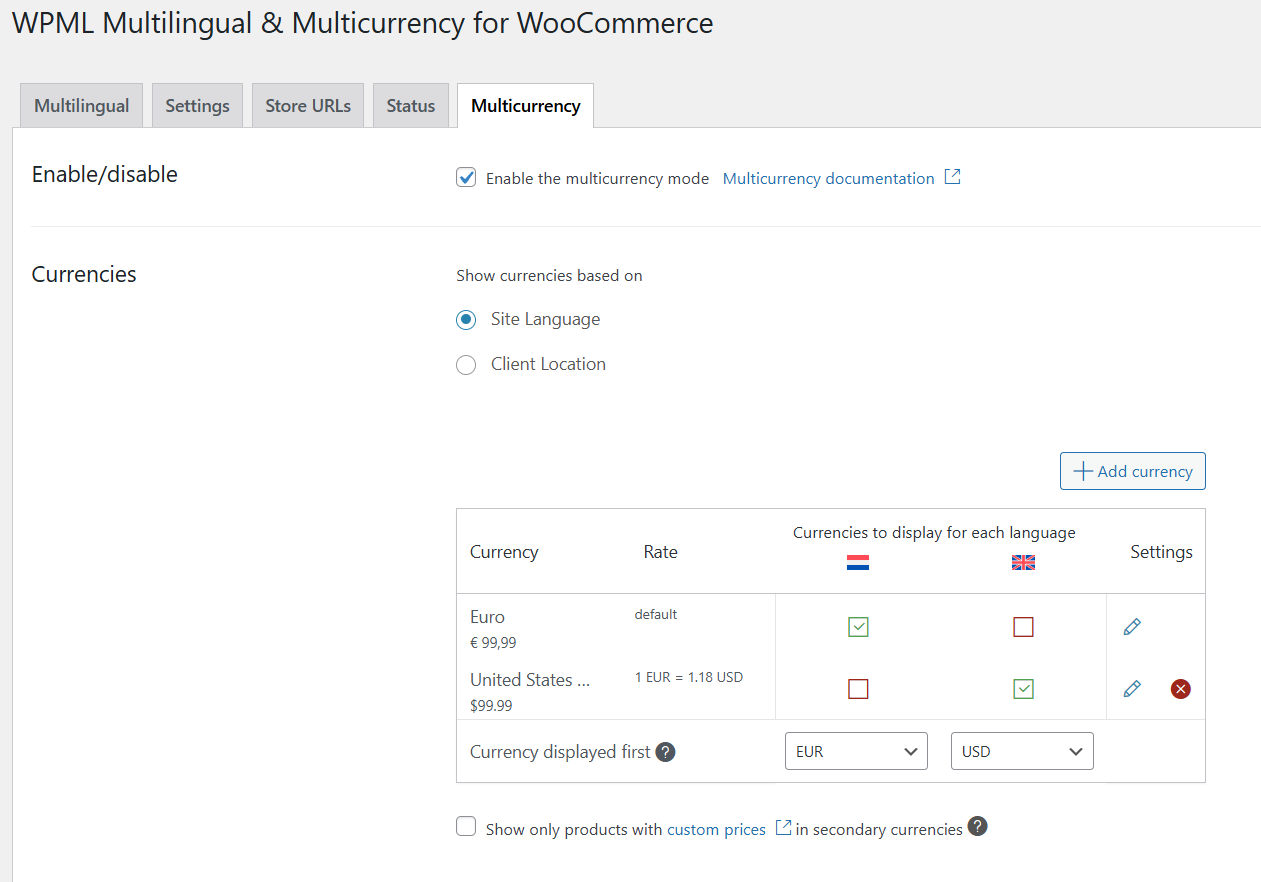
- WordPress + Woocommerce
- WPML for multilingual
- Contentegg (multiple retailer price sync) + External importer (import products, main price sync)
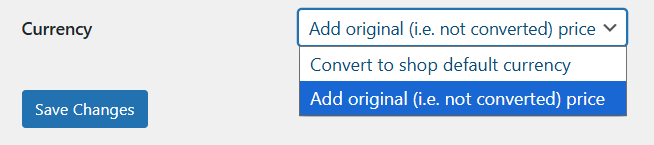
I can change these options:
1. External importer (same for each language though, cannot set different settings per language)
2. WPML + Woocommerce multi currency
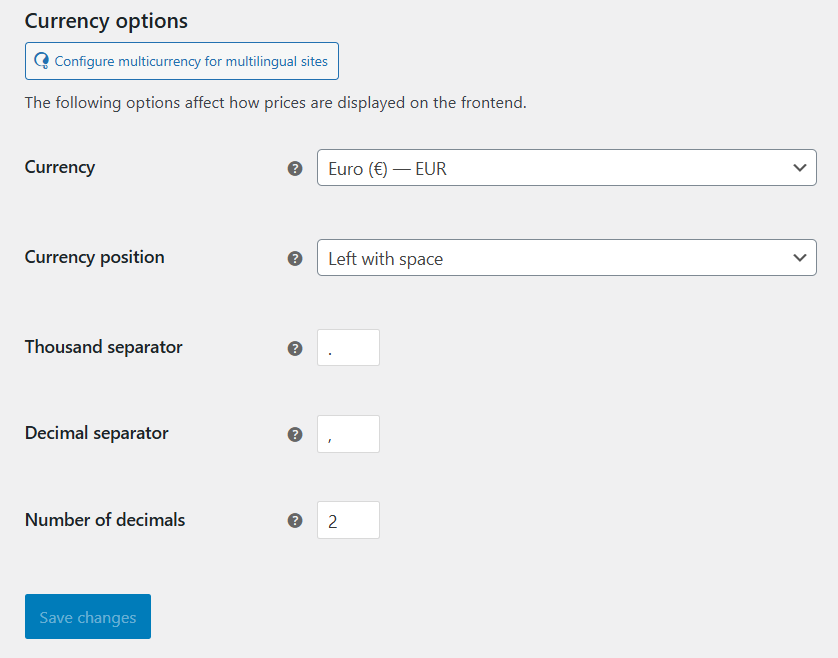
3. WooCommerce Default shop currency (can only set 1 setting, not per language)
Now I get either the wrong currency displayed (USD instead of EUR) or a conversion takes place between the two. When investigating the issue, im not sure how I imported prices in the database (USD or EUR) so that might be worth checking. Next to that, I contacted the affiliate plugin and they told me the following:
---
Hi,
54.16 USD is likely the converted value of 45.99 EUR, which is the lowest price correctly synced by Content Egg to WooCommerce.
WPML then converts the WooCommerce price to USD on the frontend. However, WPML only converts WooCommerce prices. It does not recognize the Content Egg price comparison block, so those prices remain in EUR.
One idea is to insert two Content Egg comparison shortcodes - one with currency=EUR and one with currency=USD - and wrap them with WPML conditional shortcodes, for example:
[wpml_if_language lang="en"]
[content-egg-block template=price_comparison currency=USD]
[/wpml_if_language]
Please note: this will work only if your WPML setup supports these conditional shortcodes. I’m not a WPML expert, so I recommend confirming this with WPML documentation or their support team.
---
The feedback you received from their team seems quite accurate.
"However, WPML only converts WooCommerce prices. It does not recognize the Content Egg price comparison block, so those prices remain in EUR."
- The main product price gets converted by WPML (for example EUR → USD).
- The Content Egg comparison prices stay in the original currency (for example still EUR).
- So you end up with mixed currencies on the same page or unexpected
conversions.
WPML only converts WooCommerce prices, not external plugin prices like Content Egg.
So both systems are working correctly — but they don’t talk to each other about currency.
The solution provided above in theory is correct, but the shortcodes do not exist.
Please try this in your theme's functions.php and let me know your results
/**
 * [brickyo_price_comparison]
 * Outputs Content Egg price comparison in the right currency per WPML language.
 */
add_shortcode('brickyo_price_comparison', function () {
    $lang = apply_filters('wpml_current_language', null); // WPML official hook

    // Map language -> currency
    $currency = ($lang === 'en') ? 'USD' : 'EUR'; // adjust if needed

    return do_shortcode('[content-egg-block template=price_comparison currency=' . esc_attr($currency) . ']');
});
Then use one shortcode in your product template/content:
[brickyo_price_comparison]
NOTE: This code has not been tested or maintained by WPML, this is simply a quick test code I have put together for you to move forward your project, please ensure that you have a full backup in place before trying new codes on a live environment.