Skip to content Skip to sidebar

This thread is resolved. Here is a description of the problem and solution.

Problem:
The client was unable to maintain the same product category URL after enabling translation in WPML. Additionally, the client expressed concerns about the speed of support and requested information on how to apply for a refund.
Solution:
1. To address the URL issue, we advised the client to enable the Advanced Translation Editor by navigating to WPML > Settings.
2. For maintaining consistent product category slugs across translations, the client should use the option to translate or duplicate the product category slug found under WooCommerce -> WooCommerce Multilingual & Multicurrency -> Store URLs tab. We recommended reviewing the guide on setting up WooCommerce Multilingual, which can be found here: https://wpml.org/documentation/related-projects/woocommerce-multilingual/.
3. Regarding the request for a refund and concerns about support speed, we provided a direct link for refund requests: https://wpml.org/purchase/refunds/ and informed the client about the option to use real-time chat for immediate support.

Please note that the solution provided might be outdated or not applicable to your specific case. We highly recommend checking related known issues at https://wpml.org/known-issues/, verifying the version of the permanent fix, and confirming that you have installed the latest versions of themes and plugins. If the issue persists, please open a new support ticket.

This is the technical support forum for WPML - the multilingual WordPress plugin.

Everyone can read, but only WPML clients can post here. WPML team is replying on the forum 6 days per week, 22 hours per day.

This topic contains 7 replies, has 1 voice.

Last updated by Carlos Rojas 10 months ago.

Assisted by: Carlos Rojas.

Author Posts
June 3, 2025 at 5:55 am #17099964

deruizE

Background of the issue:
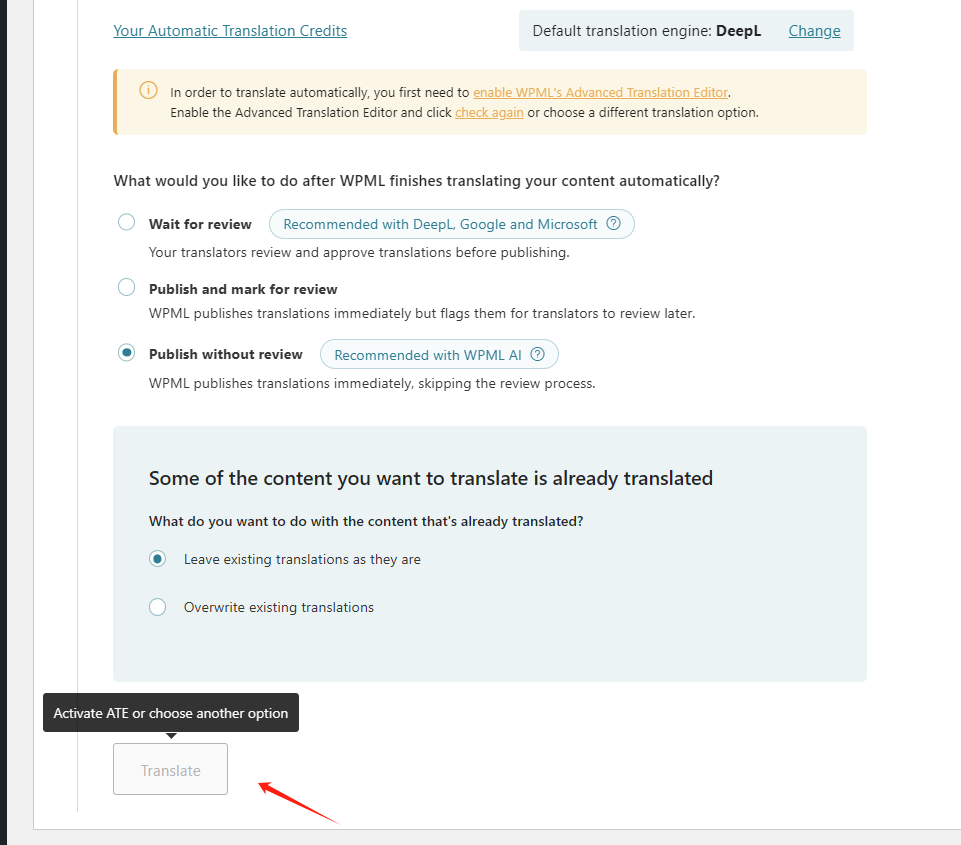
I can't click the button in the picture.

Symptoms:
I need help.

Questions:
I can't click the button in the picture.

June 3, 2025 at 6:37 am #17100100

Dražen
Supporter

Languages: English (English )

Timezone: Europe/Zagreb (GMT+02:00)

Hello,

Thanks for contacting us.

While you wait for my colleague to take over the ticket, let me try to help you with the issue quickly.

As it says in the message, you need to enable Advanced translation editor. Please go to WPML > Settings and make sure you have enabled it.

Let us know how it goes.

Regards,
Drazen

June 3, 2025 at 9:09 am #17100994

deruizE

Hello Drazen,

Thank you. I have solved this problem.

But I have a new problem and need your help. Please read the following content.
1.“hidden link
2.“hidden link
Link 1 is the link when translation is not enabled, but when I enable translation, the link changes to Link 2.
After enabling translation, can I keep Link 1 regardless of which language I translate to?

Regards,
Deruiz

June 3, 2025 at 9:22 am #17101097

Carlos Rojas
WPML Supporter since 03/2017

Languages: English (English ) Spanish (Español )

Timezone: Europe/Madrid (GMT+02:00)

Hello Deruiz,
My name is Carlos, and I will continue working on this ticket

You can translate or duplicate the product category slug in Woocommerce -> Woocommerce Multilingual & Multicurrency -> Store URLs tab

I recommend taking a look at this guide: https://wpml.org/documentation/related-projects/woocommerce-multilingual/ it might help you have a better understanding on how to setup Woocommerce Multilingual correctly.

June 4, 2025 at 5:21 am #17104475

deruizE

Hello!

I'm worried about the speed of your service support. Please help me arrange a refund.

thank you.

June 4, 2025 at 9:12 am #17105485

Carlos Rojas
WPML Supporter since 03/2017

Languages: English (English ) Spanish (Español )

Timezone: Europe/Madrid (GMT+02:00)

Hello,

If you need a real-time support service, you can open a chat, which will allow you to chat directly with our support service specialists.

If you want to request a refund you can do so in this link: https://wpml.org/purchase/refunds/

June 9, 2025 at 1:29 am #17116803

deruizE

Hello,

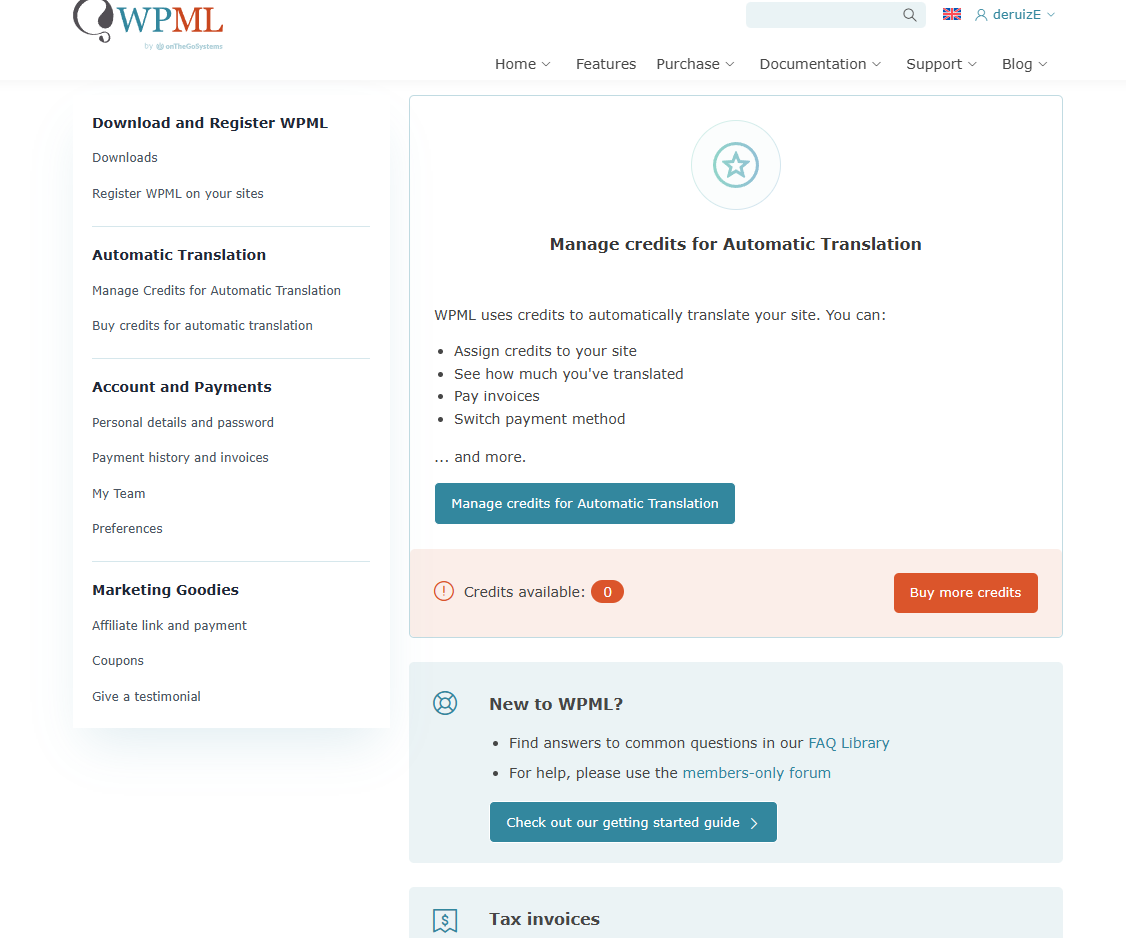
May I ask where I should apply for a refund?

Thank you.

20250609092753.png
June 9, 2025 at 7:26 am #17117161

Carlos Rojas
WPML Supporter since 03/2017

Languages: English (English ) Spanish (Español )

Timezone: Europe/Madrid (GMT+02:00)

Hello,

To request a refund, you must do it in the link I shared (https://wpml.org/purchase/refunds/)