Home›Support›English Support›[Resolved] Translation missing in ATE after updating primary language content
[Resolved] Translation missing in ATE after updating primary language content
This thread is resolved. Here is a description of the problem and solution.
Problem: The client is experiencing issues with translations not showing correctly in the Advanced Translation Editor (ATE) after updates in the primary language. They are concerned that the translated fields are blank instead of being highlighted as needing updates. Solution: We explained that the Classic Translation Editor (CTE) and ATE are not synchronized and use different methods. It's crucial to stick with one editor to avoid conflicts. We recommended continuing with ATE and noted that editing translations directly in the WordPress editor after using ATE can lead to loss of translations. To avoid this, if the client prefers to use the WordPress editor for specific pages or posts, they should disable ATE for those items by following the guide here: Using Different Translation Editors for Different Pages.
If this solution does not apply to your situation, or if it seems outdated, we highly recommend checking related known issues at https://wpml.org/known-issues/, verifying the version of the permanent fix, and confirming that you have installed the latest versions of themes and plugins. If issues persist, please open a new support ticket at WPML support forum for further assistance.
This is the technical support forum for WPML - the multilingual WordPress plugin.
Everyone can read, but only WPML clients can post here. WPML team is replying on the forum 6 days per week, 22 hours per day.
Hello!
I've read about many translation issues regarding ATE, in particular with rich text editors. I also read this ticket marked as resolved: https://wpml.org/forums/topic/some-of-the-translated-content-is-suddenly-not-showing-in-the-advanced-translation-editor/
I don't think this is a solution to the problem.
In a previous version of your plugin, when a field was updated in the primary language, the translated field wasn't blank in ATE, but simply highlighted as a field to be updated.
Don't you think this is the correct solution of the translation editor?
I hope you'll take this suggestion seriously beacuse we're receiving lots of complaints from our customers.
Thanks,
E
I just need to know if you're working on this critical issue and how much time is needed.
In the meantime I need to know the safe procedure for updating contents on the site.
I have these choices:
1) switch back to the Classic Editor, but from your backend panel I see this warning: "When should I use the WPML Classic Translation Editor?
We're keeping the WPML Classic Translation Editor as part of WPML for backward compatibility. You should only use it if you started with the Classic Editor and are concerned about losing your translation history.". I've been tested a little bit the Classic Editor and seems to work better than ATE. Can you please tell me if it's safe the switch or not?
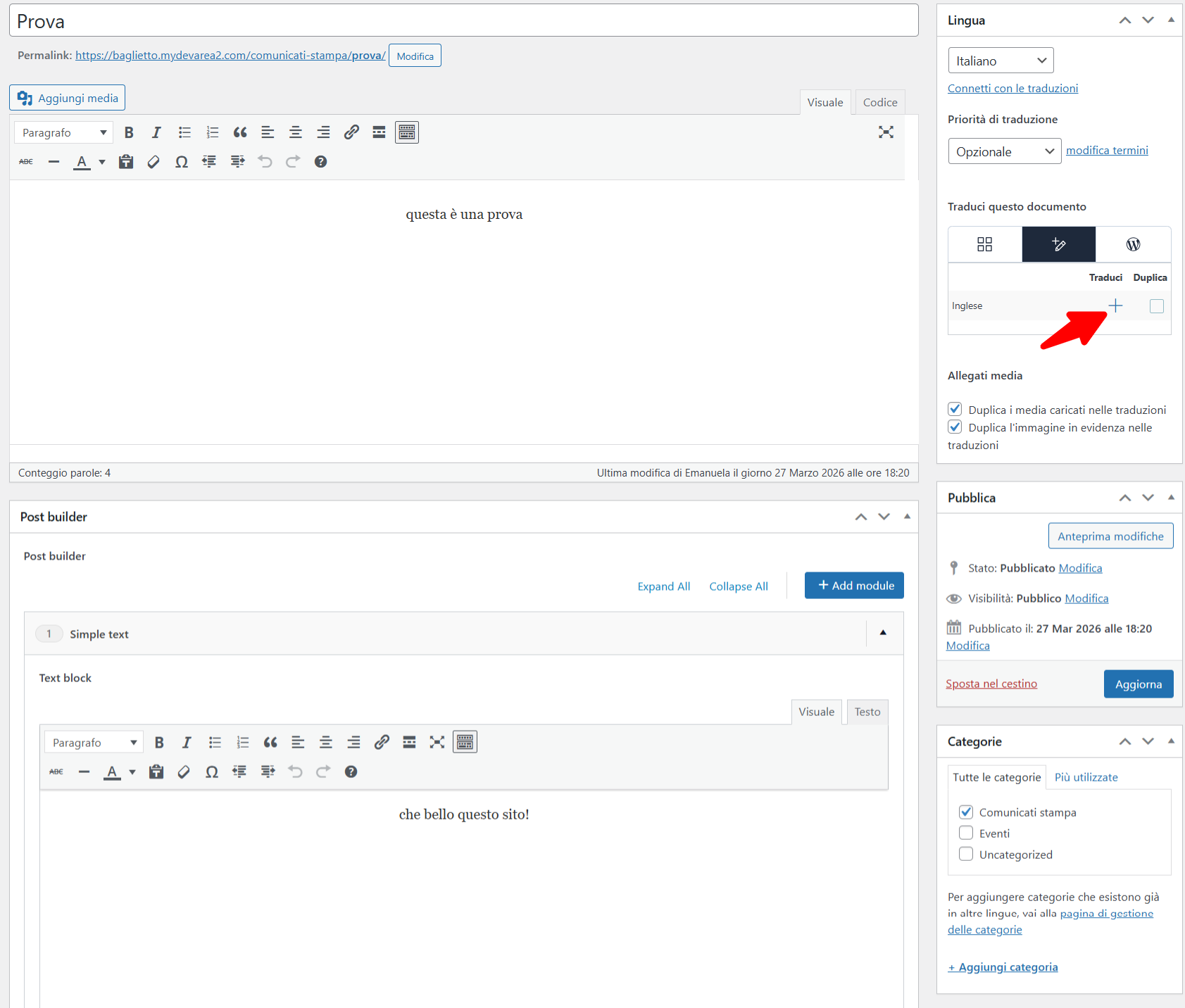
2) edit the translated page from the WordPress editor (wp-admin/post.php?post=XXXX&action=edit&lang=en). This is the warning the popups up: "The changes you are about to make will be lost. You are about to edit this translation using the standard WordPress editor. Any changes you make will be lost the next time you submit this page for translation."
Do ATE and Classic Translation Editor write in different database tables?
What's the safest choice right now regarding translation management?
1. The Classic Translation Editor (CTE) and the Advanced Translation Editor (ATE) are not synchronized with each other. They use different approaches, so it’s important to choose one and stick with it. I would recommend using the Advanced Translation Editor (ATE).
2. The warning you’re seeing appears because you are opening the page translation directly in the WordPress editor. It indicates that any translations created with ATE will be lost if you continue editing them in the WordPress editor.
Please note that WPML does not support mixing translation methods. You should choose one approach:
• Continue using ATE, or
• Use the WordPress editor for manual translations only.
If possible, could you please share more details about the original issue you’re facing? Screenshots showing the problem would be very helpful and would allow me to assist you more effectively.
As you suggest, I'll avoid switching between ATE and CTE, even if CTE works better.
I'll explain exactly what are issues regarding a specific site. This is my environment:
- WordPress latest version
- all plugins latest version, in particular I use ACF + WPML plugin set
- custom theme developed by me
- italian is the primary language, english the secondary
I used ACF to create a custom builder, with Repeater fields all syncronized between pages.
Let's have a look at the procedure for creating contents on the site:
1) I create a brand new post in Italian with the_content() and some custom sections with ACF (repeater with WYSIWYG editor, text or textarea fields inside)
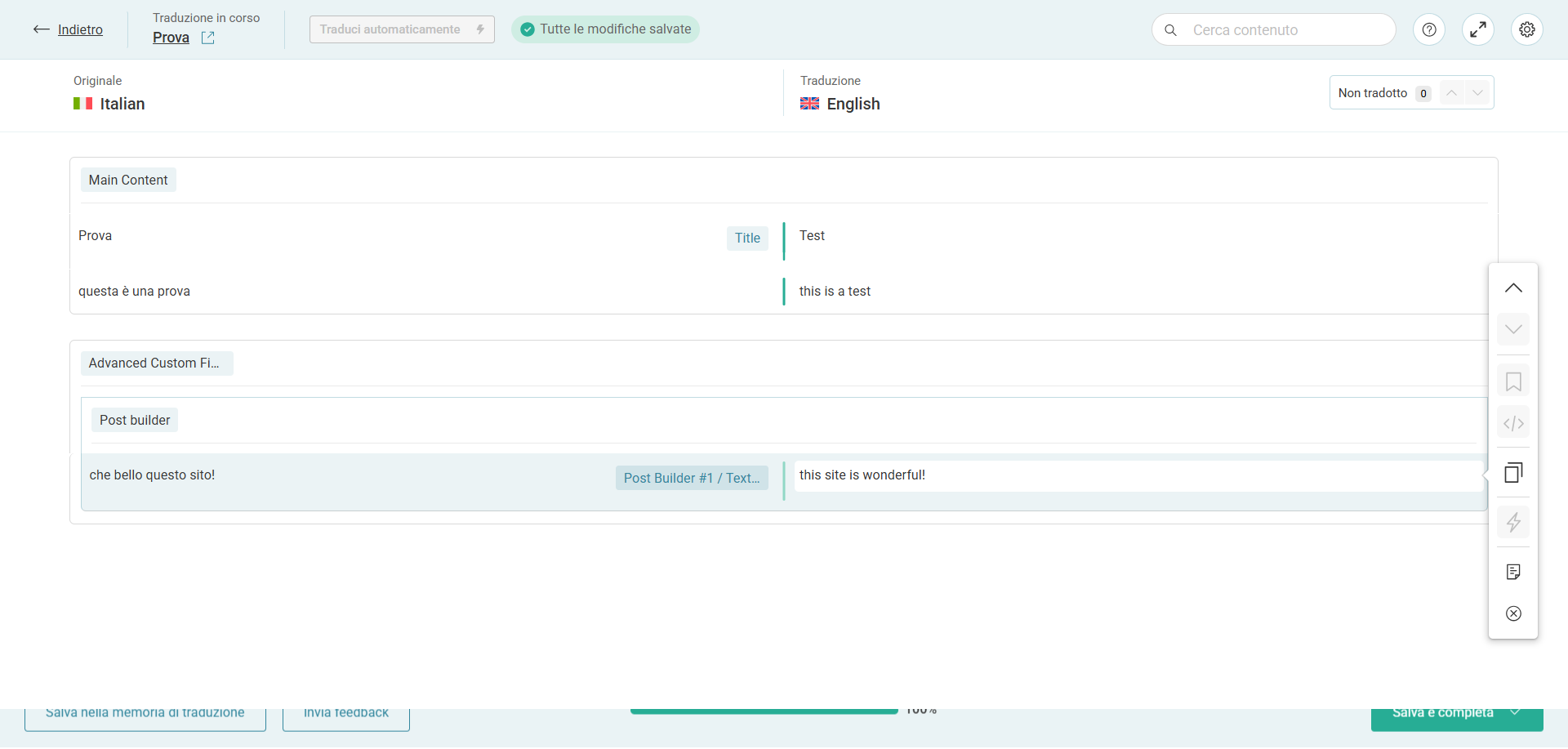
2) I create the English version of the post with ATE, the_title(), the_content() and my custom fields are filled
3) both posts are ok
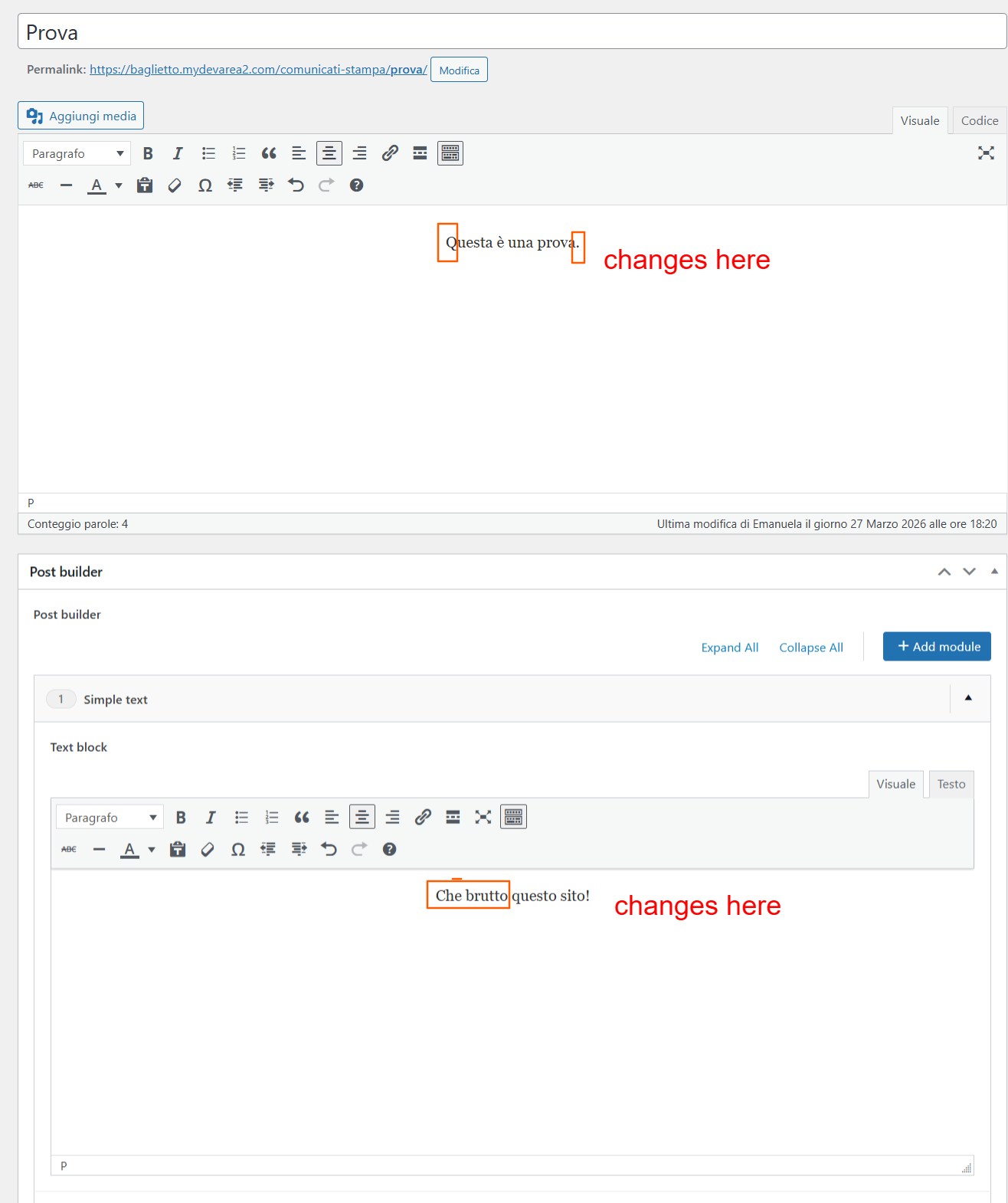
4) I edit the italian version of the post: I change title, the_content() and some custom fields (also little changes for example just a comma or a small part of the text)
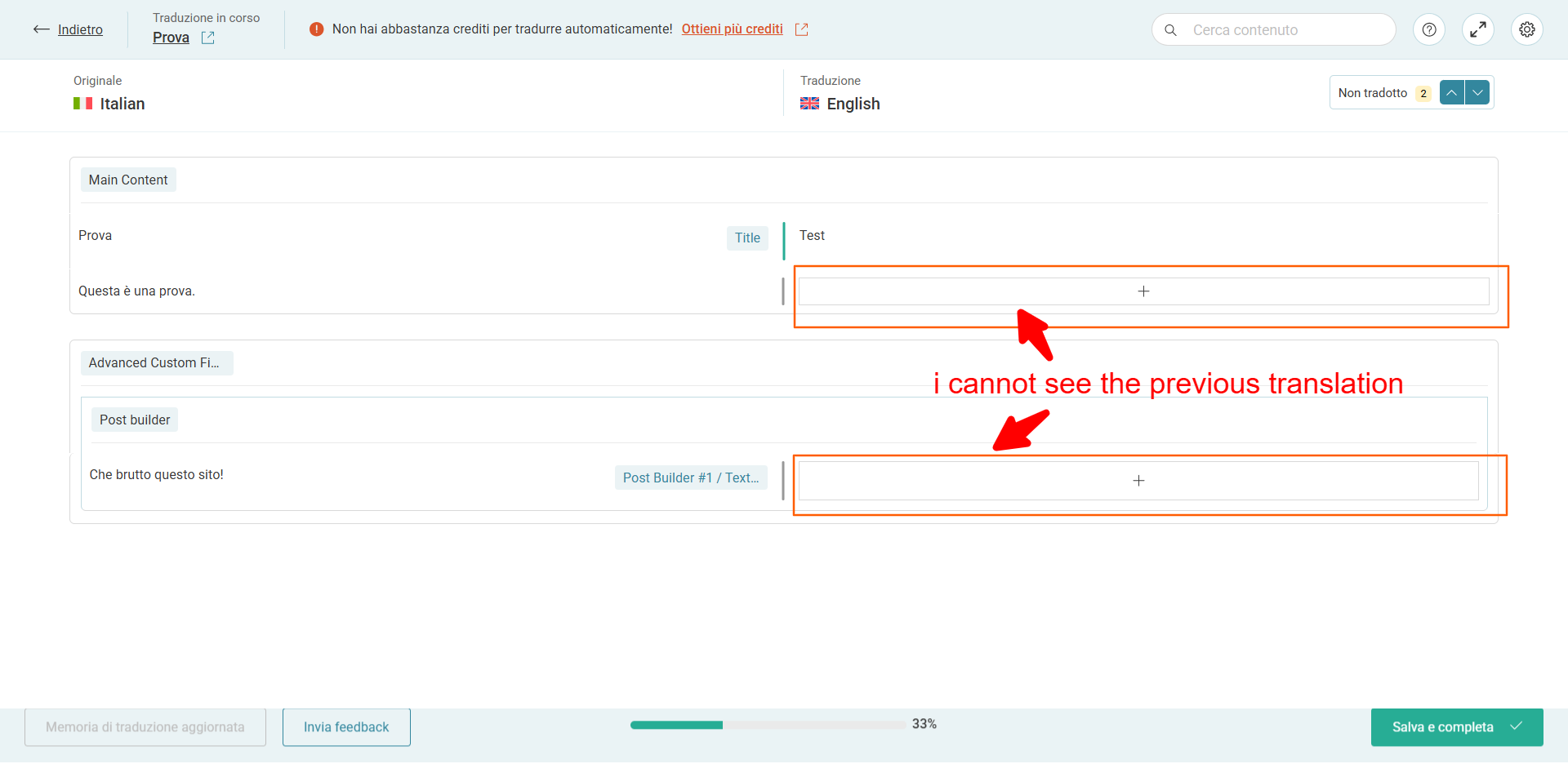
5) I open ATE to update my translations and in the right column I dont' see the previous English texts but empty fileds. For all fields I changed in the italian version the corresponding English fields are gone in ATE
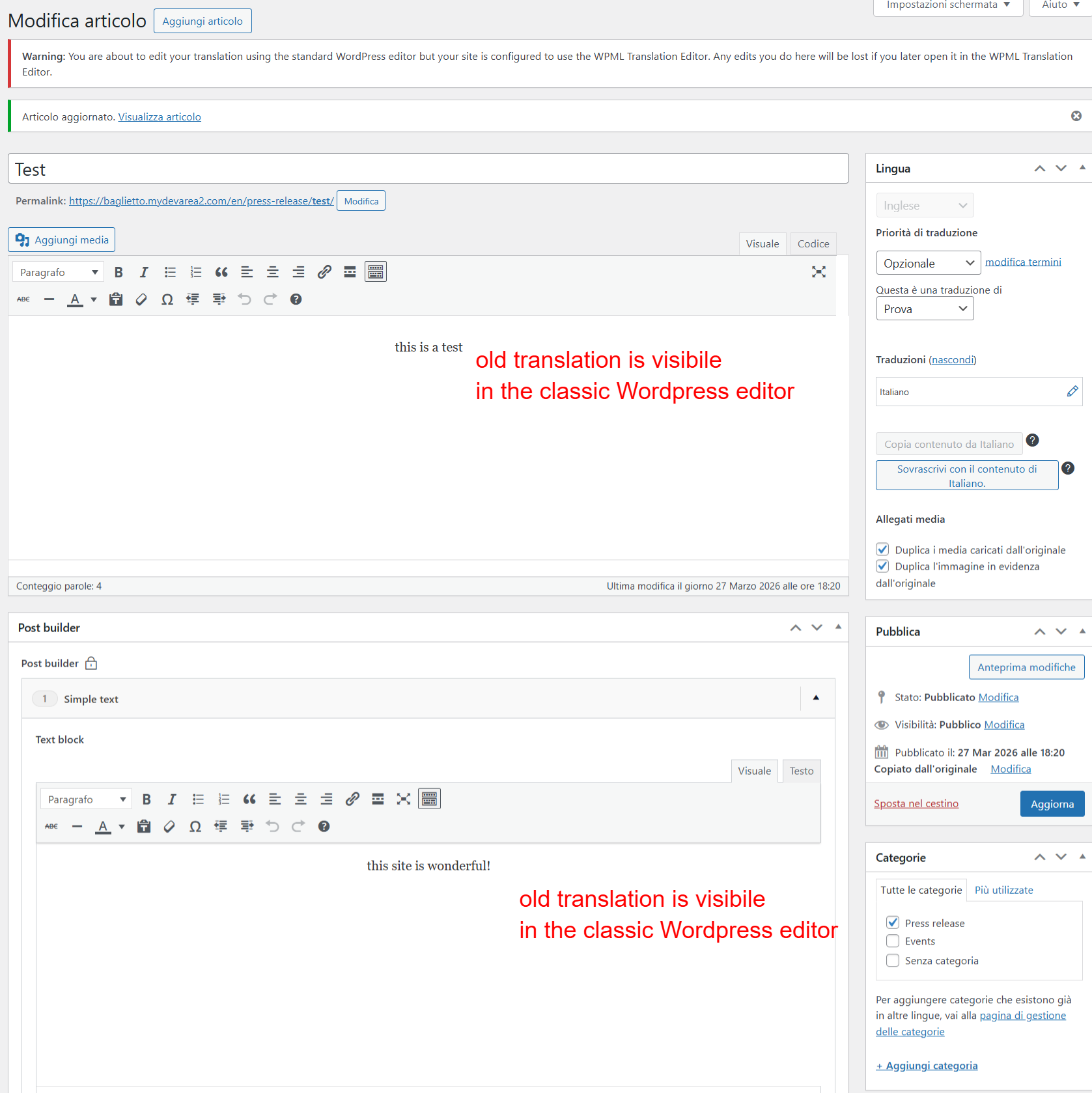
6) if I switch to the standard WordPress editor in English, the previous translations are there, I cannot see them in ATE!
I attached some screenshots with all these steps.
With CTE the previous translation was visible and highlighted so that I knew it needed to be updated.
The problem is that all ACF fields must be all syncronized between pages.
What happens if I create the translated version of a page with ATE, then for further changes I use the classic WordPress backend, then I add/remove a section in the italian version, what happens to the English version of the page? are custom fields still syncronized?
As you suggest, I need to disable ATE for that specific page, but what happens to custom fields after that? Can I disable ATE anytime? Obviously I cannot switch back to ATE, can I?
How do I know if a page is translated with ATE or not?
As you suggest, I'll avoid switching between ATE and CTE, even if CTE works better.
You can use either translation editor, including CTE, depending on your preference.
I'll explain exactly what are issues regarding a specific site. This is my environment:
...
I attached some screenshots with all these steps.
With CTE the previous translation was visible and highlighted so that I knew it needed to be updated.
What you’re experiencing with ATE is currently expected behavior. When the original content changes, the corresponding segments need to be translated again. That said, our development team is already considering ways to improve this experience.
What happens if I create the translated version of a page with ATE, then for further changes I use the classic WordPress backend, then I add/remove a section in the italian version, what happens to the English version of the page? are custom fields still syncronized?
In this case, you may need to re-translate content using the editor you switch to, as changes are handled based on the last editor used.
However, custom fields will remain synchronized, regardless of whether you use ATE, CTE, or the native WordPress editor.
As you suggest, I need to disable ATE for that specific page, but what happens to custom fields after that? Can I disable ATE anytime? Obviously I cannot switch back to ATE, can I?
Disabling ATE is simply a recommended option if you prefer working with the WordPress editor and want to avoid related warnings. You can disable or re-enable ATE at any time. Custom fields will continue to work as expected, regardless of the editor you choose.
Ok, I've just done a quick test by disabling and enabling back ATE and it's working.
The only issue regarding this switch is that some fields are not syncronized, unless I switch back to ATE.
For example, if I add an image inside a repater field (in ACF image ID si returned and set as element to be translated), if I don't switch back to ATE in the english editor I don't see the image.
If in a page in Italian I add/remove a new section, that change is not visible in the translated page unless I switch back to ATE, insert translations again and save the page.
In this context, it would have been better not to synchronize ACF fields between translations, but now there is no going back...
I hope you'll improve translation management with ATE.