[Resolved] Automatic Translation Stuck not running
This thread is resolved. Here is a description of the problem and solution.
Problem: The client's site stopped translating automatically. They tried clearing the cache, erasing translations, and canceling in-progress automatic jobs, but none of these actions resolved the issue. Solution: We ran an internal tool to fix the communication settings with the Automatic Translation Engine (ATE). After this adjustment, the automatic translation functionality was restored. We asked the client to verify that the issue was resolved on their end.
If you're experiencing similar issues with automatic translation not functioning, we recommend checking your communication settings with ATE or trying the steps the client initially attempted, such as clearing the cache or canceling any in-progress jobs. If these steps do not resolve the issue, it might be due to an outdated solution or a different underlying problem. We highly recommend visiting related known issues, verifying the version of the permanent fix, and confirming that you have installed the latest versions of themes and plugins.
The site does not translate automatically any more… I tried clearing cache, erasing Translations and "Cancel in-progress automatic jobs". Nothing works. Please help 😀
Yesterday I sent everything to translation overnight… this morning all at 0%
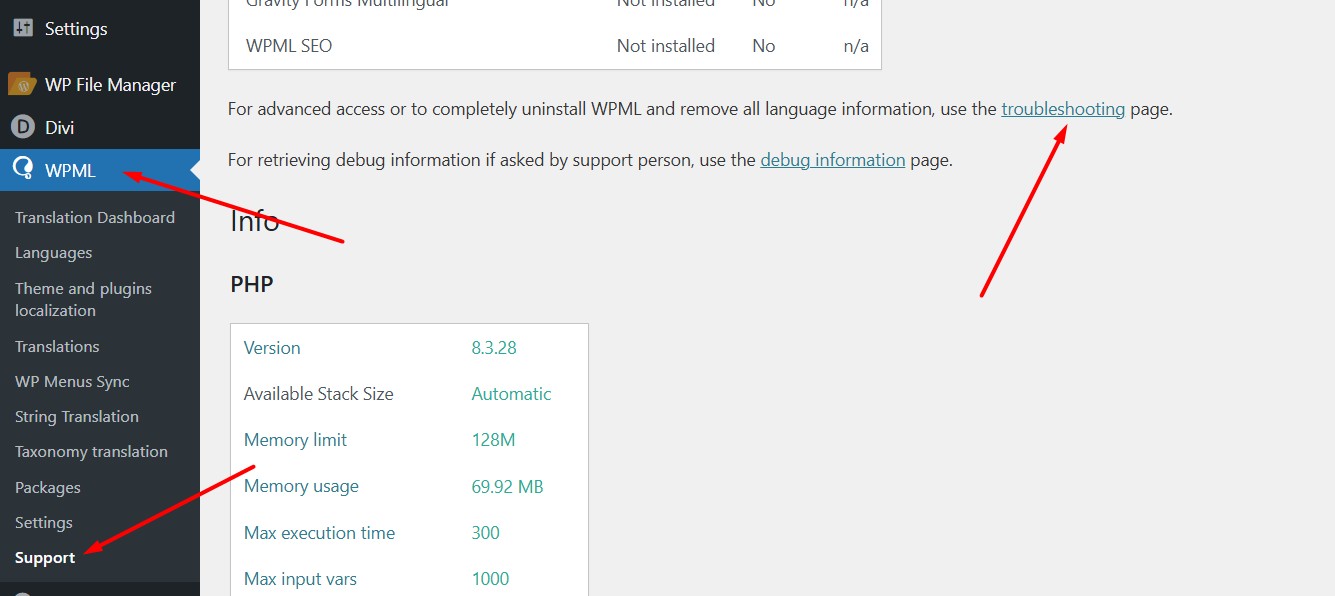
Could you please increase the WordPress memory limit (WP Memory Limit) to at least 256 MB?
Your current values are:
PHP Memory Limit 2048M
WP Memory Limit 128M
To do this, you need to connect to your website's server and open the wp-config.php file in a text editor. The file is located in the WordPress root directory.
Edit this code in the wp-config.php file to increase WordPress's memory:
You should see:
define ('WP_MEMORY_LIMIT', '128M');
Change it to:
define ('WP_MEMORY_LIMIT', '256M');
This line must be placed just before this comment:
// That's all, stop editing! Happy blogging.
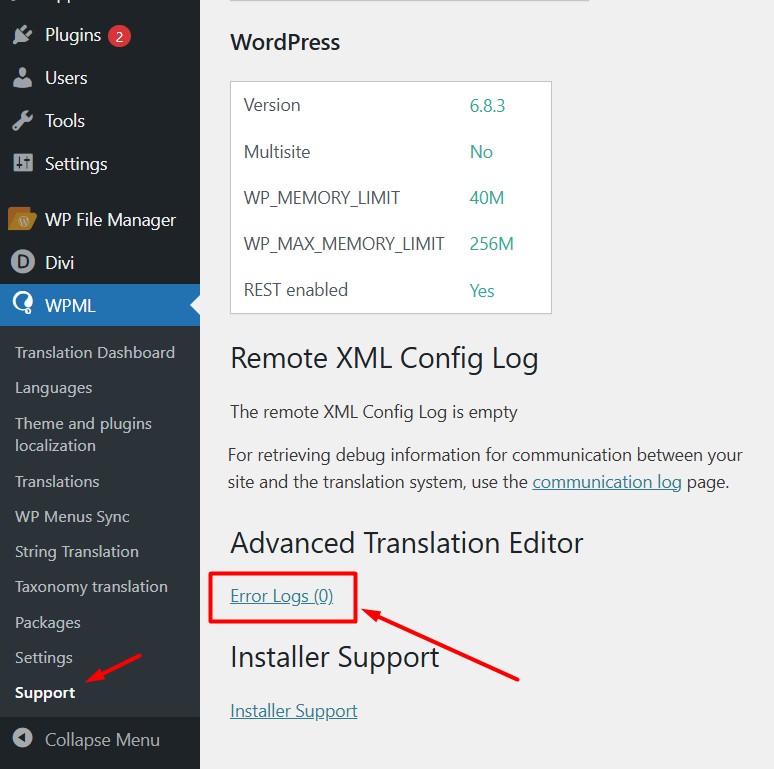
The current values can be viewed under WPML > Support > WordPress.
These settings can be restricted directly by your hosting provider. Therefore, I recommend contacting them and asking for assistance.
If adjusting the limit will not solve the issue with your translation jobs not running through, please let us know.
Thank you for contacting WPML Support. Sorry for the delay due to high workload and the reply time will be shorter from now.
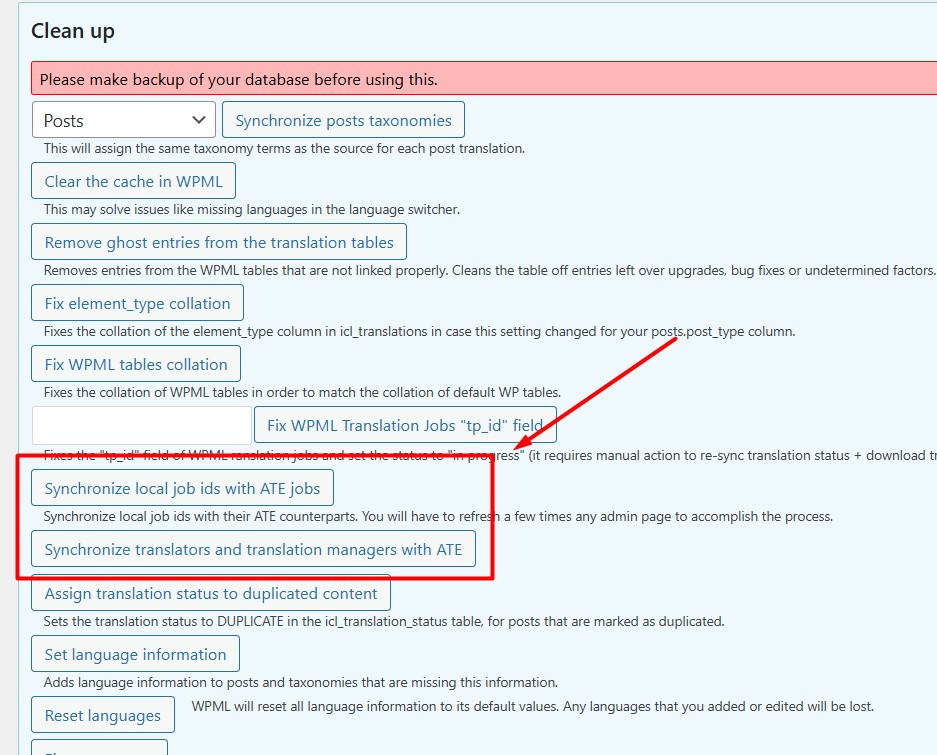
Could you please go to WPML >> Support > Troubleshooting page and press the below buttons:
- Synchronize local job ids with ATE jobs
- Synchronize translators and translation managers with ATE
And see if this resolves the issue.
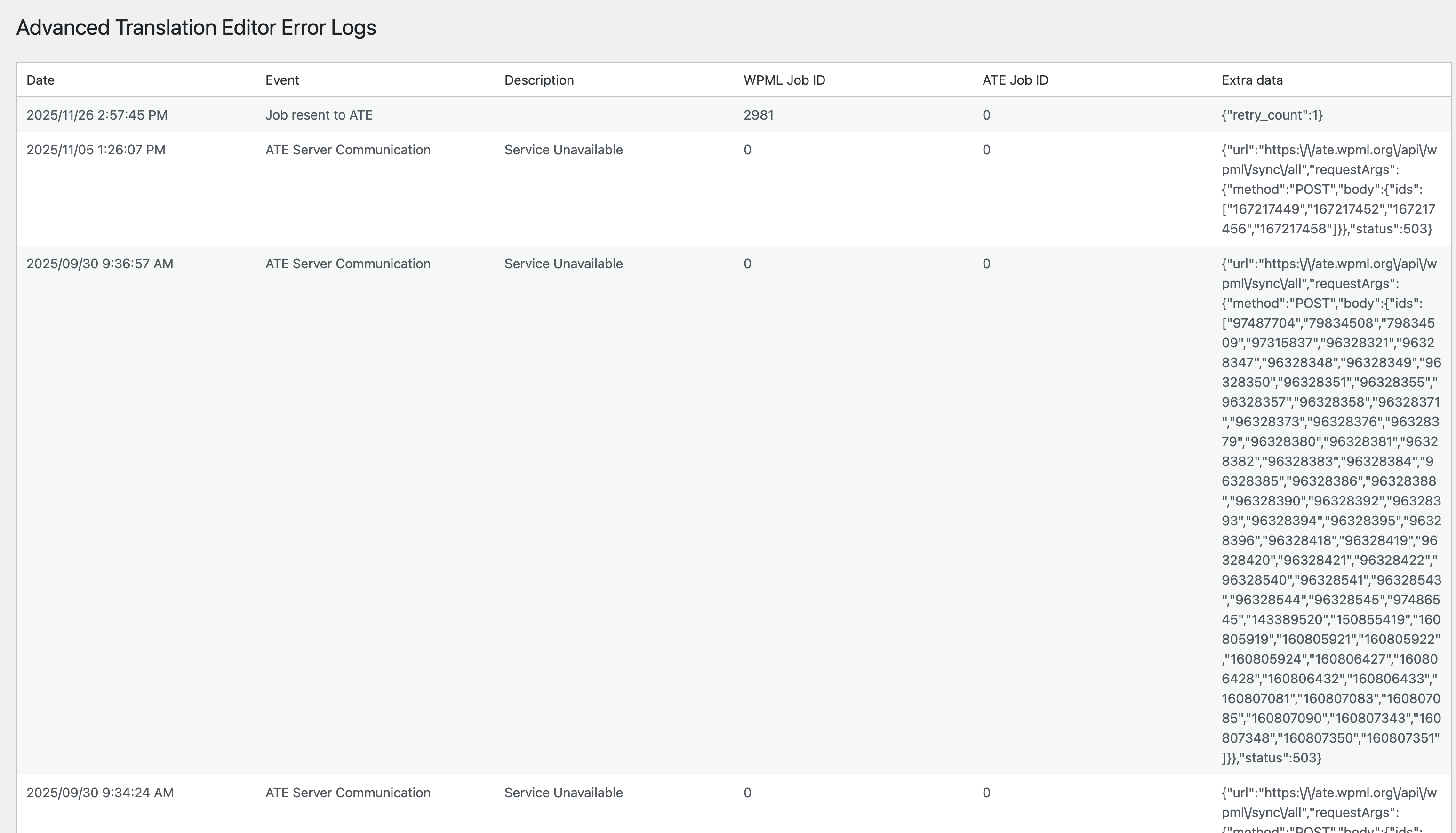
If the issue persists, please go to WPML >> Support page and click on the "Error logs" under Advanced Translation Editor and provide me a screenshot of the top few entries.
I tested Both button and refreshed. Still stuck a 0/12 (did i need to remove the queue and launch trads again ? here the troubleshooting list in attachement.
It seems they are old errors. To take a closer look at this issue, please provide temporary access (WP-Admin and FTP Login info) to your site (preferably staging site), so that I can look into your setup and debug the issue.
Your next answer will be private, meaning only you and I can access it.
=== Please backup your database and website ===
✙ I would need your permission to deactivate and reactivate Plugins and the Theme and to change configurations on the site. This is also a reason the backup is essential.
Thanks for providing the login details. I ran some checks and noticed that your site is being blocked by our server. I’ve escalated this to our second-tier support team, and I’ll update you as soon as I hear back.
Update from 2nd tier: We need to run an internal tool to fix some communication settings between your site and ATE servers, for this we will run an internal tool to change communication settings only for ATE.
Please ensure to take latest backup now, if you have not done already for today Backup - for safety purpose.
Will update you today with the result, in a hope that it will be fixed after this. Thank you for your cooperation and patience.