adrienL-15
|
Hi Andrey,
Thank you for your reply.
Before running any troubleshooting tools, I would prefer to proceed carefully to avoid breaking the current setup.
Would you recommend testing this on the staging site first?
Also, can you please confirm if I should run the following options:
- “Synchronize product variations”
- “Fix incorrect or missing translation links for product variations”
I would like to make sure I am using the correct options.
Thank you.
Best regards,
Adrien
|

Andrey
WPML Supporter since 06/2013
Languages:
English (English )
Russian (Русский )
Timezone:
Europe/Kyiv (GMT+03:00)
|
Hi Adrien,
Since you already have a staging site, I recommend testing this there first.
Also, can you please confirm if I should run the following options:
- “Synchronize product variations”
- “Fix incorrect or missing translation links for product variations”
Yes, let's run those.
|
adrienL-15
|
Hi Andrey,
I tested your suggestions on a staging environment.
Steps performed:
1. Fix incorrect or missing translation links for product variations (13,749 items processed)
2. Synchronize product variations (822 items processed)
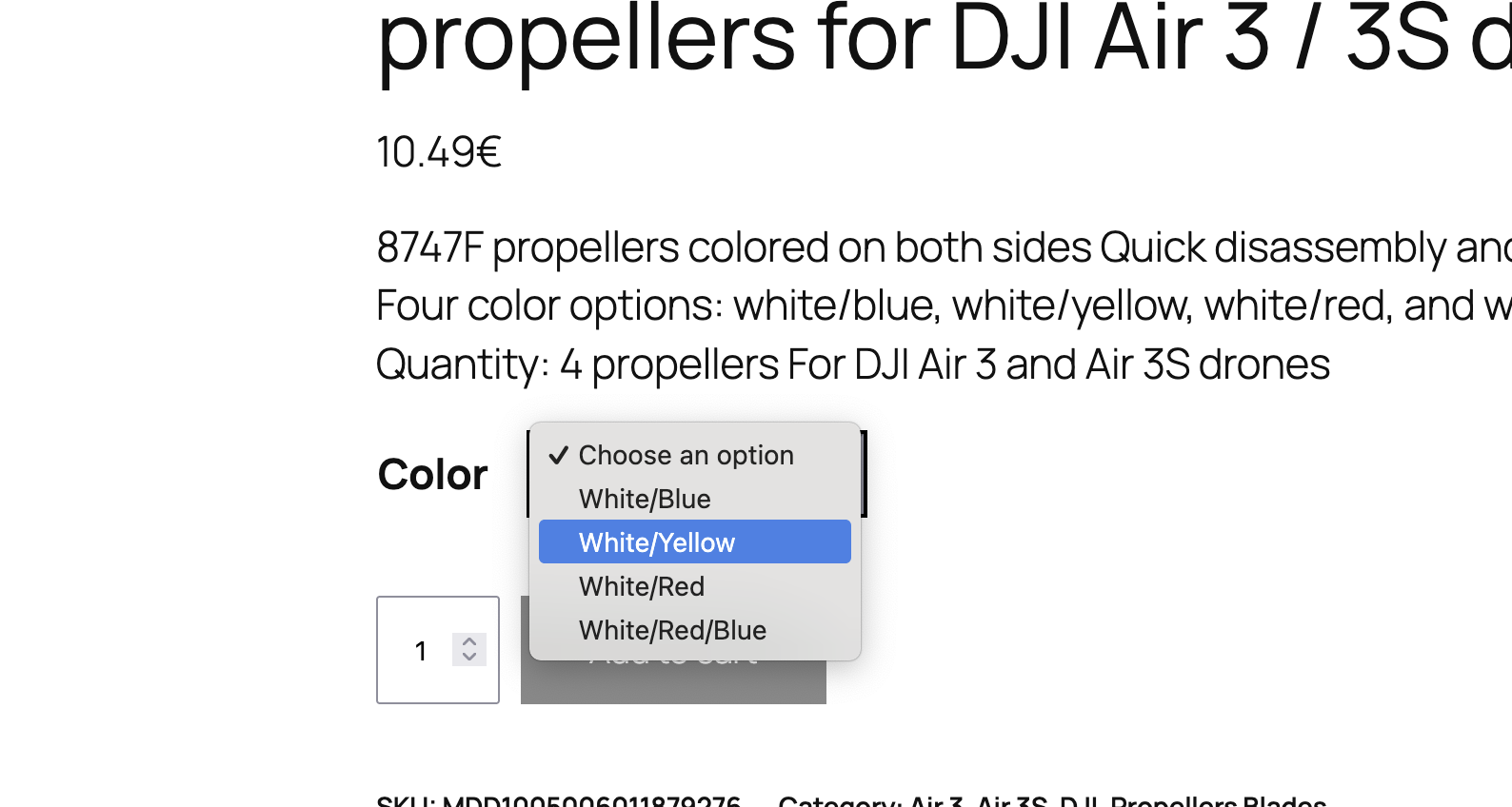
The variations are still displayed correctly, but the issue remains unchanged: all variation terms are still shown in French on the frontend in secondary languages.
For your information, I used a new staging environment (Rocket.net), as the previous one was not able to load the WCML status page.
If needed, I can provide access to this staging environment for further investigation.
Best regards,
Adrien
|
Andrey
WPML Supporter since 06/2013
Languages:
English (English )
Russian (Русский )
Timezone:
Europe/Kyiv (GMT+03:00)
|
Hello Adrien,
Thank you for the update.
Sure, the next reply will be set as private.
|
Andrey
WPML Supporter since 06/2013
Languages:
English (English )
Russian (Русский )
Timezone:
Europe/Kyiv (GMT+03:00)
|
Hi Adrien,
Sorry for the delay. I was away for a few days.
I have looked further into this issue, but I do not see the apparent reason for this.
I want to ask you about the possibility of replicating your site locally. I'll need to install a "Duplicator" plugin temporarily or the "All In One Migration" plugin on your site. This will allow me to create a copy of your site and your content.
Let me know how you feel about this.
|
adrienL-15
|
Hi Andrey,
Would it be okay to perform this on the staging site instead, to avoid any impact on the live website?
Best regards,
Adrien
|
Andrey
WPML Supporter since 06/2013
Languages:
English (English )
Russian (Русский )
Timezone:
Europe/Kyiv (GMT+03:00)
|
Hello Adrien,
I would like to proceed with creating a copy of your staging site to investigate the issue further using local tools. If I’m unable to find a solution, this will also allow me to properly escalate the case to our team.
This process will not impact your live site in any way. Once the issue is resolved, the local copy will be deleted.
For more information, please refer to our support policy:
https://wpml.org/purchase/support-policy/
|
adrienL-15
|
Hi Andrey,
Yes, that works for me.
Best regards,
Adrien
|
Andrey
WPML Supporter since 06/2013
Languages:
English (English )
Russian (Русский )
Timezone:
Europe/Kyiv (GMT+03:00)
|
Hi Adrien,
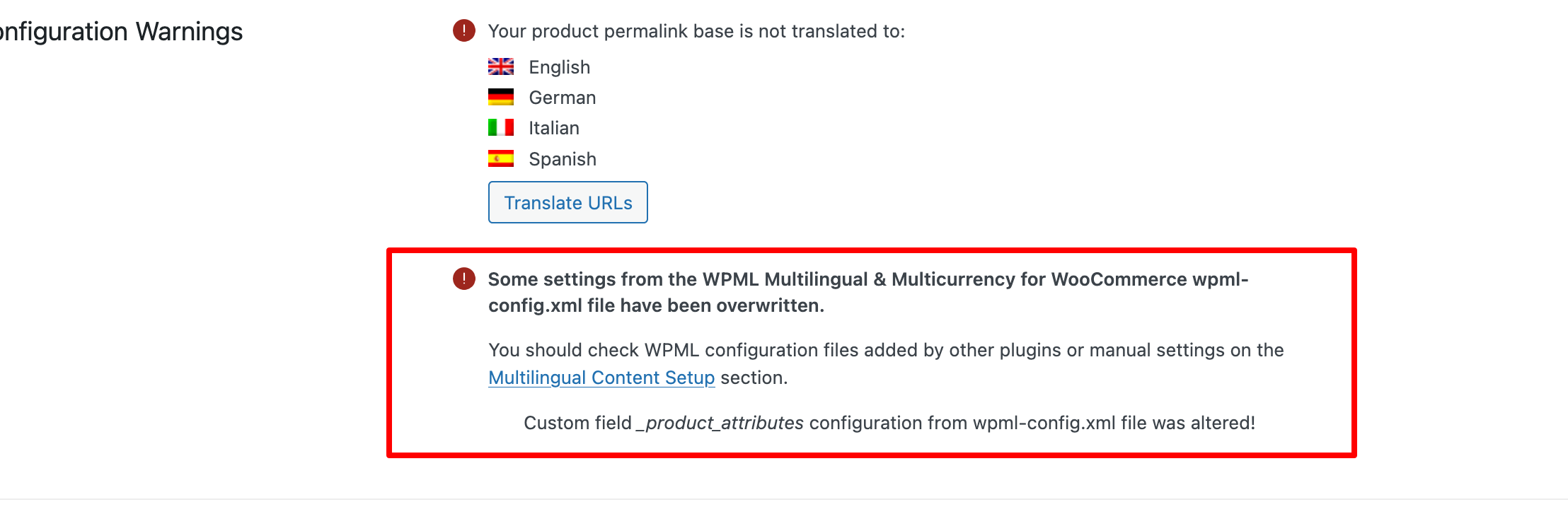
I have investigated this further and found that the "Custom field _product_attributes configuration from the wpml-config.xml file was altered!" message appears in Woocommerce → WCML → Status. This indicates that the _product_attributes custom field has an incorrect translation setting, which led to this issue.
Then, in WPML → Settings → Custom XML Configuration tab, I found the following config:
<wpml-config>
  <custom-fields>
    <custom-field action="copy">_product_attributes</custom-field>
  </custom-fields>
</wpml-config>
The custom field should be set to Don't Translate.
To fix this, you need:
1. Change the config to
<wpml-config>
  <custom-fields>
    <custom-field action="ignore">_product_attributes</custom-field>
  </custom-fields>
</wpml-config>
Save
2. Go to the original product
3. Make a tiny change to it, for example, change the description (you can revert it then)
4. Update it
5. Complete the translation
This is needed to trigger updates to the translation.
But first, after updating the config to the correct field setting, you can try running the troubleshooting settings in WCML again. If this doesn't help, then the only way is to update the product to show translated variations.
|