
This is the technical support forum for WPML - the multilingual WordPress plugin.
Everyone can read, but only WPML clients can post here. WPML team is replying on the forum 6 days per week, 22 hours per day.
| Sun | Mon | Tue | Wed | Thu | Fri | Sat |
|---|---|---|---|---|---|---|
| - | 9:00 – 13:00 | 9:00 – 13:00 | 9:00 – 13:00 | 9:00 – 13:00 | 9:00 – 13:00 | - |
| - | 14:00 – 18:00 | 14:00 – 18:00 | 14:00 – 18:00 | 14:00 – 18:00 | 14:00 – 18:00 | - |
Supporter timezone: Europe/Kyiv (GMT+03:00)
Related documentation:
This topic contains 27 replies, has 1 voice.
Last updated by Andrey 7 hours, 30 minutes ago.
Assisted by: Andrey.
| Author | Posts |
|---|---|
| April 9, 2026 at 3:26 am #17957850 | |
 adrienL-15 |
Hi Andrey, Thank you for your reply. Before running any troubleshooting tools, I would prefer to proceed carefully to avoid breaking the current setup. Would you recommend testing this on the staging site first? Also, can you please confirm if I should run the following options: I would like to make sure I am using the correct options. Thank you. Best regards, |
| April 9, 2026 at 12:38 pm #17959412 | |
 Andrey WPML Supporter since 06/2013 Languages: English (English ) Russian (Русский ) Timezone: Europe/Kyiv (GMT+03:00) |
Hi Adrien, Since you already have a staging site, I recommend testing this there first.
Yes, let's run those. |
| April 10, 2026 at 8:57 am #17961547 | |
|
adrienL-15 |
Hi Andrey, I tested your suggestions on a staging environment. Steps performed: The variations are still displayed correctly, but the issue remains unchanged: all variation terms are still shown in French on the frontend in secondary languages. For your information, I used a new staging environment (Rocket.net), as the previous one was not able to load the WCML status page. If needed, I can provide access to this staging environment for further investigation. Best regards, |
| April 10, 2026 at 2:10 pm #17962414 | |
|
Andrey WPML Supporter since 06/2013 Languages: English (English ) Russian (Русский ) Timezone: Europe/Kyiv (GMT+03:00) |
Hello Adrien, Thank you for the update. Sure, the next reply will be set as private. |
| April 14, 2026 at 2:40 pm #17969058 | |
|
Andrey WPML Supporter since 06/2013 Languages: English (English ) Russian (Русский ) Timezone: Europe/Kyiv (GMT+03:00) |
Hi Adrien, Sorry for the delay. I was away for a few days. I have looked further into this issue, but I do not see the apparent reason for this. I want to ask you about the possibility of replicating your site locally. I'll need to install a "Duplicator" plugin temporarily or the "All In One Migration" plugin on your site. This will allow me to create a copy of your site and your content. Let me know how you feel about this. |
| April 15, 2026 at 1:13 am #17970147 | |
|
adrienL-15 |
Hi Andrey, Would it be okay to perform this on the staging site instead, to avoid any impact on the live website? Best regards, |
| April 15, 2026 at 11:27 am #17971098 | |
|
Andrey WPML Supporter since 06/2013 Languages: English (English ) Russian (Русский ) Timezone: Europe/Kyiv (GMT+03:00) |
Hello Adrien, I would like to proceed with creating a copy of your staging site to investigate the issue further using local tools. If I’m unable to find a solution, this will also allow me to properly escalate the case to our team. This process will not impact your live site in any way. Once the issue is resolved, the local copy will be deleted. For more information, please refer to our support policy: |
| April 15, 2026 at 12:47 pm #17971415 | |
|
adrienL-15 |
Hi Andrey, Yes, that works for me. Best regards, |
| April 16, 2026 at 1:47 pm #17974700 | |
|
Andrey WPML Supporter since 06/2013 Languages: English (English ) Russian (Русский ) Timezone: Europe/Kyiv (GMT+03:00) |
Hi Adrien, I have investigated this further and found that the "Custom field _product_attributes configuration from the wpml-config.xml file was altered!" message appears in Woocommerce → WCML → Status. This indicates that the _product_attributes custom field has an incorrect translation setting, which led to this issue. Then, in WPML → Settings → Custom XML Configuration tab, I found the following config: <wpml-config>
<custom-fields>
<custom-field action="copy">_product_attributes</custom-field>
</custom-fields>
</wpml-config>
The custom field should be set to Don't Translate. To fix this, you need: 1. Change the config to <wpml-config>
<custom-fields>
<custom-field action="ignore">_product_attributes</custom-field>
</custom-fields>
</wpml-config>
Save 2. Go to the original product 3. Make a tiny change to it, for example, change the description (you can revert it then) 4. Update it 5. Complete the translation This is needed to trigger updates to the translation. But first, after updating the config to the correct field setting, you can try running the troubleshooting settings in WCML again. If this doesn't help, then the only way is to update the product to show translated variations. 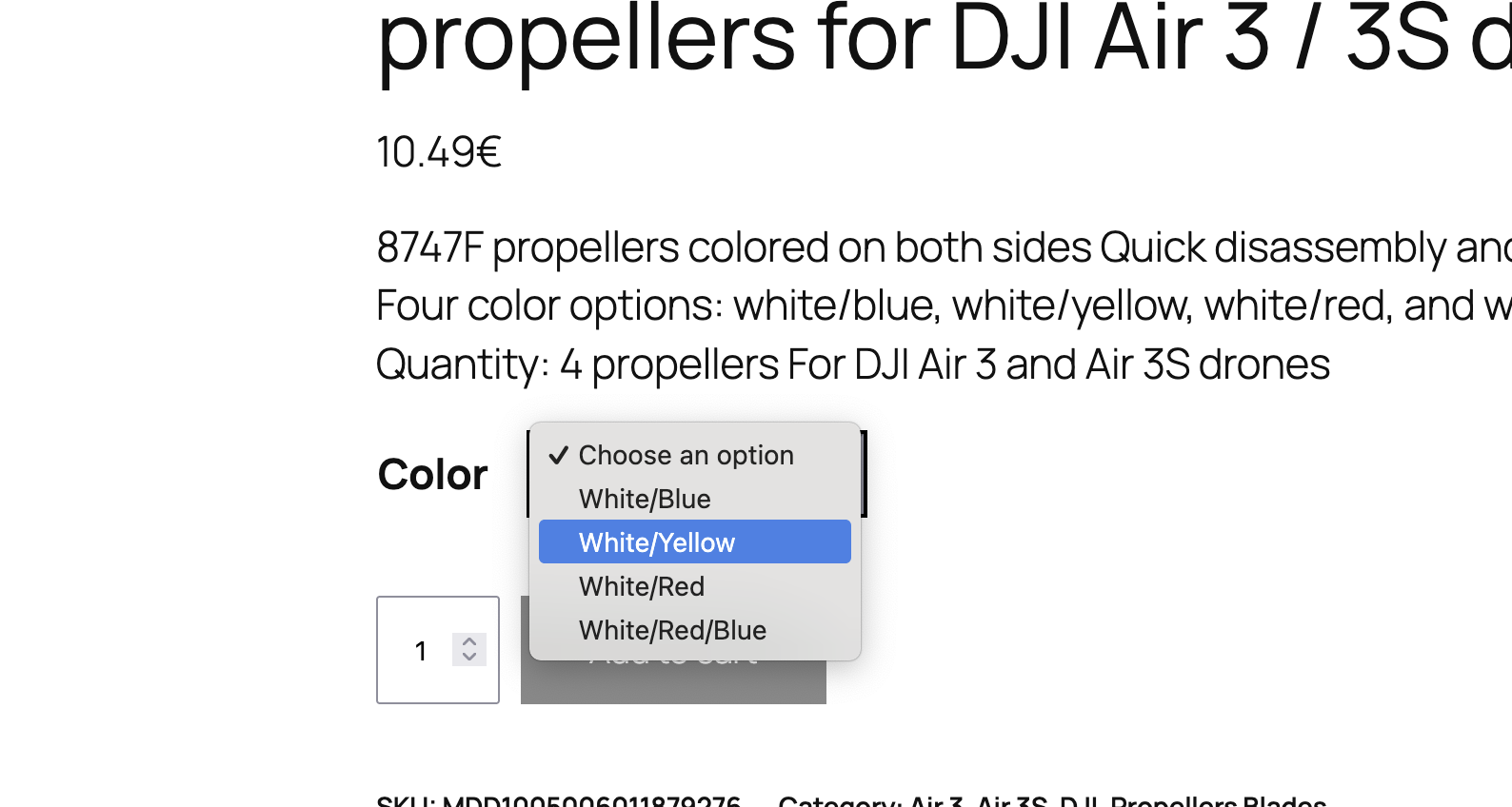 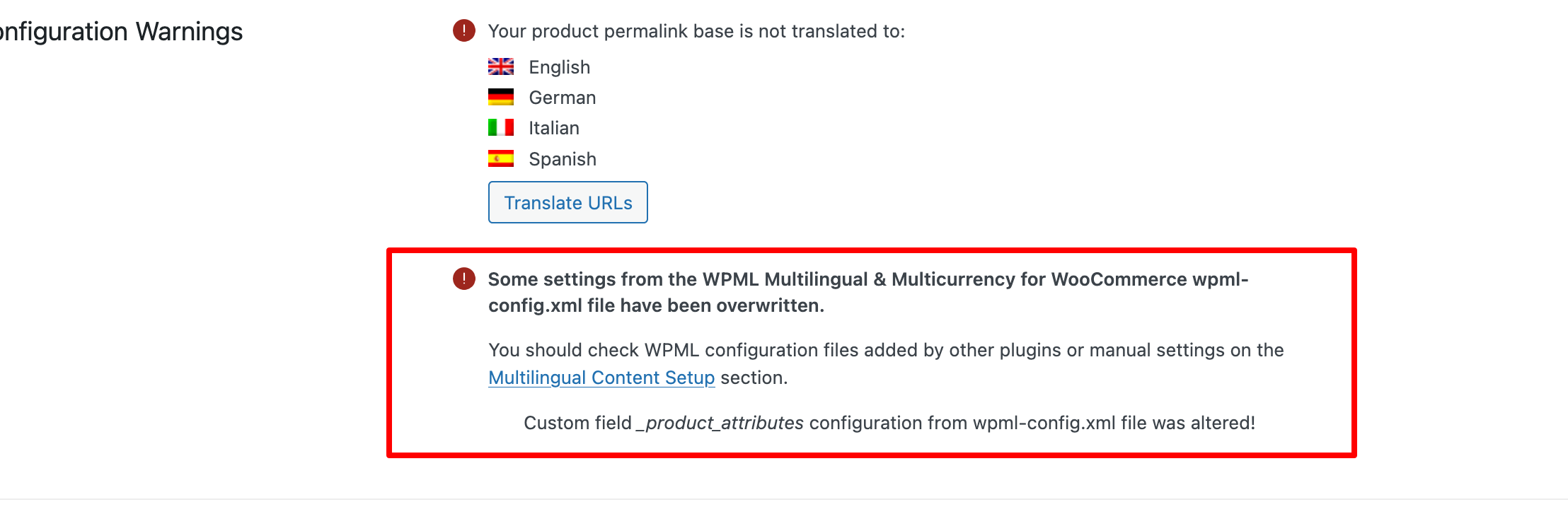 |
| April 20, 2026 at 7:25 pm #17982038 | |
|
adrienL-15 |
Hi Andrey, Thank you, your solution works. After updating the configuration and revalidating the translation on a product, the variations are now correctly translated on the frontend. However, this requires updating and revalidating each product individually, which would take an extremely long time given the number of products on the site. Is there a way to apply this fix globally without having to manually update each product? Best regards, |
| April 21, 2026 at 1:49 pm #17984502 | |
|
Andrey WPML Supporter since 06/2013 Languages: English (English ) Russian (Русский ) Timezone: Europe/Kyiv (GMT+03:00) |
Hello Adrien, Thank you for your feedback. Since these are custom attributes defined per product, there isn’t a global option to synchronize them automatically. You will need to re-run the translation for each affected product. As an alternative, you can try the following approach: * Make a small change to a group (in bulk mode) of products (for example, add and then category or tag) WPML should only translate the content that hasn’t been translated before. But I would test with a few products first. |
| April 23, 2026 at 5:57 am #17989051 | |
|
adrienL-15 |
Hi Andrey, Thank you for your explanation and suggestion. I understand the approach to trigger updates in bulk, and it makes sense. However, I am currently facing another issue with the Translation Dashboard (the button remains greyed out), which prevents me from re-sending products for automatic translation. I am already in contact with support regarding this issue. Once it is resolved, I will be able to test your suggested method properly. I will get back to you once the issue with the Translation Dashboard is resolved so I can properly test your suggested method. Best regards, |
| April 23, 2026 at 2:55 pm #17990694 | |
|
Andrey WPML Supporter since 06/2013 Languages: English (English ) Russian (Русский ) Timezone: Europe/Kyiv (GMT+03:00) |
Hello Adrien, Thank you for the update. I hope the other issue gets resolved soon so you can continue working on the site without interruptions. Have a great rest of the week! |





