This thread is resolved. Here is a description of the problem and solution.
Problem:
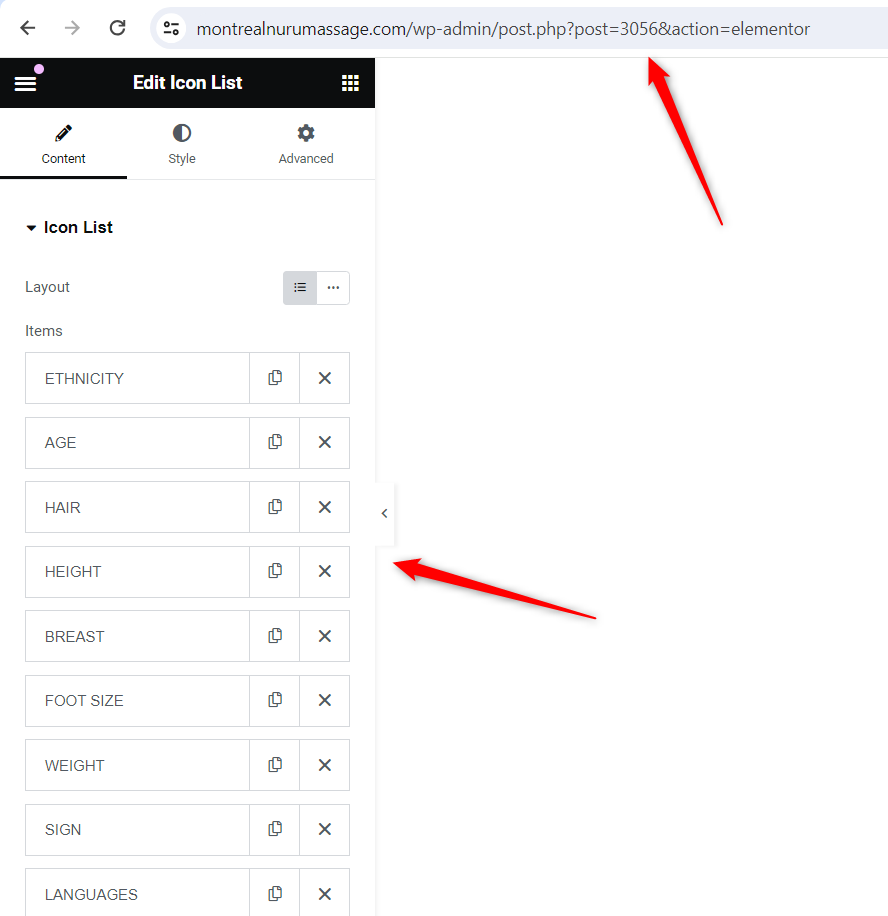
The client is experiencing an issue where the fields such as ETHNICITY, AGE, HAIR, etc., on a French page are displayed in English when hovering over elements, despite being on the translated page.
Solution:
First, we identified that the client is using the ICON List Elementor widget to list the details. We then provided a custom WPML language configuration to be added in WPML>>Settings>>Custom XML Configuration:
<wpml-config>
  <elementor-widgets>
    <widget name="icon-list">
      <fields-in-item items_of="icon_list">
        <field>text</field>
        <field>selected_icon>value</field>
        <field>selected_icon>library</field>
        <field>_id</field>
        <field>__dynamic__>text</field>
      </fields-in-item>
    </widget>
  </elementor-widgets>
</wpml-config>
After adding the configuration, we advised the client to update both templates in the original language after a minor edit to refresh the translation settings and then update its translation. We also suggested clearing all types of caches to ensure the issue is resolved.
In a follow-up, we noted that the issue might be related to cache, as it was working as expected on our end. We recommended the client to clear all types of caches again and check if the issue persists.
Please note that this solution might be irrelevant if it's outdated or not applicable to your case. If the issue persists, we highly recommend checking related known issues, verifying the version of the permanent fix, and confirming that you have installed the latest versions of themes and plugins. If you still need assistance, please open a new support ticket.
This is the technical support forum for WPML - the multilingual WordPress plugin.
Everyone can read, but only WPML clients can post here. WPML team is replying on the forum 6 days per week, 22 hours per day.
This topic is split from https://wpml.org/forums/topic/french-translation-shows-sorry-nothing-to-see-here-warning/
This topic contains 4 replies, has 2 voices.
Last updated by 1 year, 10 months ago.
Assisted by: Bigul.