Skip to content Skip to sidebar

This thread is resolved. Here is a description of the problem and solution.

Problem:
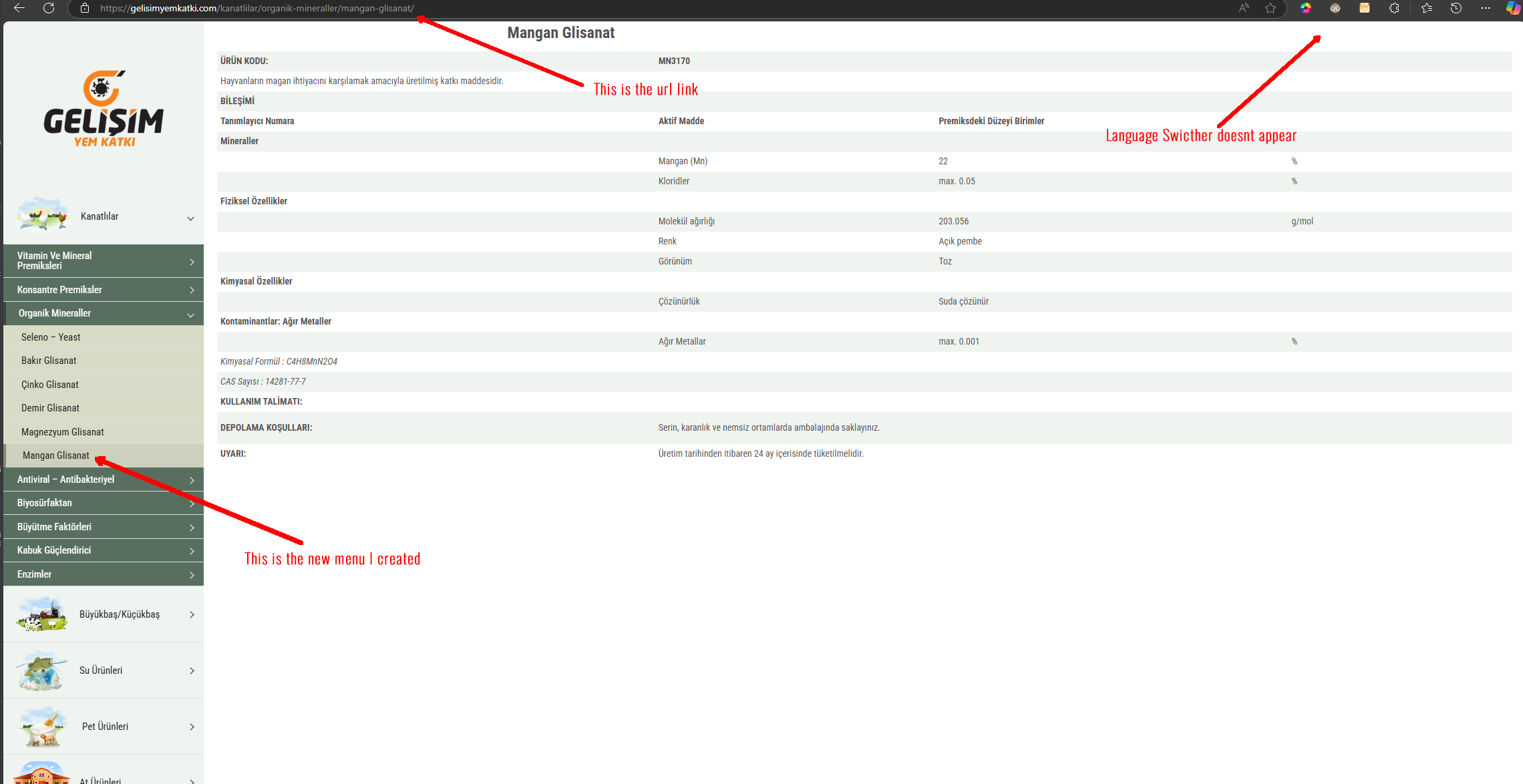
The client added new pages in Turkish, duplicated them, and translated them into English. These pages were assigned to related menus and categories. However, the language switcher did not appear in the primary widget area on these new pages, although it appeared when the style was changed from 'Horizontal List' to 'Dropdown'.
Solution:
We identified that the issue might be due to the absence of a header template which is necessary for displaying the language switcher in the header. If the page is neither duplicated nor translated, the language switcher won't show up in the header. To display the language switcher on pages that do not have translations, we recommend using the fallback option. You can find more information on how to implement this by visiting Displaying Untranslated Content.

If this solution does not resolve your issue or seems irrelevant due to being outdated or not applicable to your case, please open a new support ticket. We also highly recommend checking related known issues at https://wpml.org/known-issues/, verifying the version of the permanent fix, and confirming that you have installed the latest versions of themes and plugins. For further assistance, you can contact us through the WPML support forum.

This is the technical support forum for WPML - the multilingual WordPress plugin.

Everyone can read, but only WPML clients can post here. WPML team is replying on the forum 6 days per week, 22 hours per day.

This topic contains 2 replies, has 0 voices.

Last updated by Bruno Kos 9 months, 1 week ago.

Assisted by: Bruno Kos.

Author Posts
February 21, 2025 at 2:03 am #16731985

tolgaH

Background of the issue:
I have added new pages in Turkish, duplicated them, and translated the English page. I assigned these pages to related menus and categories. The issue can be seen here: hidden link

Symptoms:
The newly added Turkish page and its translation do not show the language switcher in the primary widget area. All other existing pages work fine. When I changed the Language Switcher from 'Horizontal List' to 'Dropdown' style, it shows up on the new page. I tried deleting the language switcher and creating it again. And I also added this lines to wp-config.php but the issue persists.
/* WP Memory Limit */
define('WP_MEMORY_LIMIT', '256M');
define( 'WP_MAX_MEMORY_LIMIT', '256M' );

Questions:
Why doesn't the language switcher show on the new pages?
How can I make the language switcher appear in the primary widget area for new pages?

February 21, 2025 at 7:19 am #16732268

Bruno Kos
WPML Supporter since 12/2018

Languages: English (English ) German (Deutsch ) French (Français )

Timezone: Europe/Zagreb (GMT+01:00)

Hi,

I see that it is attached to the header template, as on hidden link, correct?

Are there per-header settings available for each page? If so, can you check if hidden link is using the same settings for the header?

February 22, 2025 at 12:06 am #16735478

tolgaH

I dont know what you mean can you eleborate please?

February 24, 2025 at 7:52 am #16739210

Bruno Kos
WPML Supporter since 12/2018

Languages: English (English ) German (Deutsch ) French (Français )

Timezone: Europe/Zagreb (GMT+01:00)

Would you be willing to provide me with WordPress credentials so I could investigate the issue directly?

https://wpml.org/purchase/support-policy/privacy-and-security-when-providing-debug-information-for-support/

I marked your next reply as private so that you can safely add credentials.

Perhaps it would be better if I check the settings directly to see how this is all set in the backend, maybe there is a setting that we need to synchronize through custom fields.

March 7, 2025 at 6:16 am #16786088

Bruno Kos
WPML Supporter since 12/2018

Languages: English (English ) German (Deutsch ) French (Français )

Timezone: Europe/Zagreb (GMT+01:00)

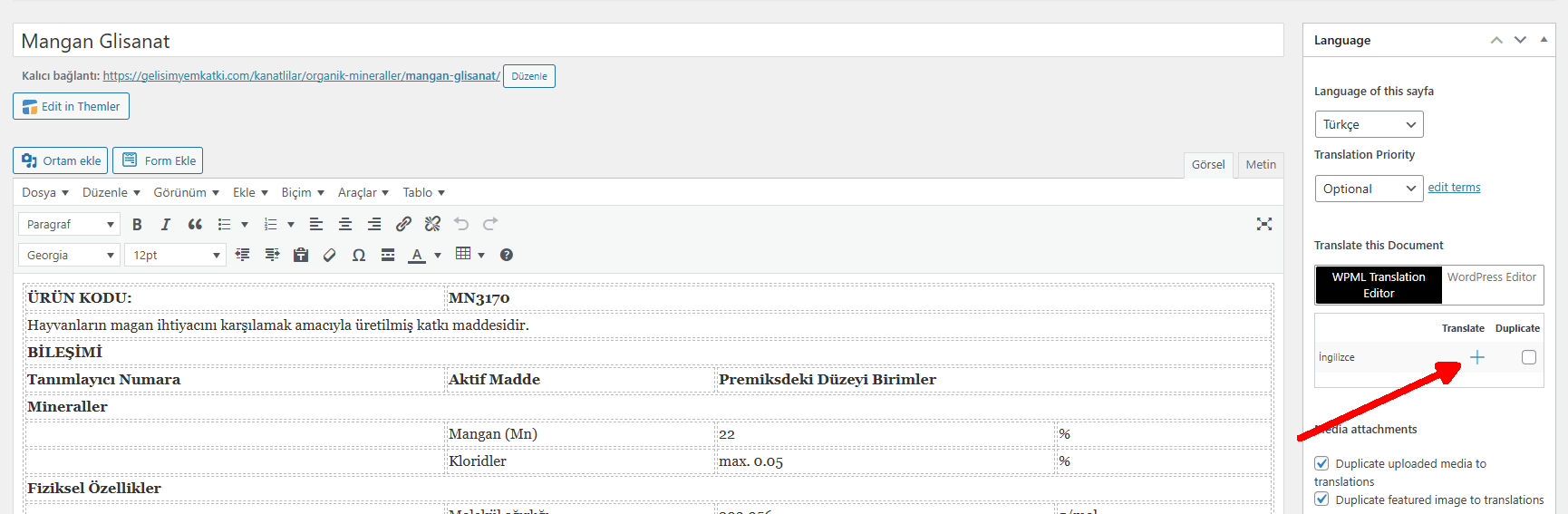
As far as I see there is no header template. The language switcher shows in the header if you duplicate the page or translate and hidden link did not have neither.

Does this look correct now? If not, can you send me a screenshot on what should I check?

March 7, 2025 at 11:33 am #16788081

tolgaH

Hello, thanks for looking into..

But problem is stilll there.

Screenshot enclosed.

This is the new page that doesn't show Language Switcher:

hidden link

Ekran görüntüsü 2025-03-07 140308.png
March 10, 2025 at 8:57 am #16795048

Bruno Kos
WPML Supporter since 12/2018

Languages: English (English ) German (Deutsch ) French (Français )

Timezone: Europe/Zagreb (GMT+01:00)

It has no translation either, that's why no language switcher shows up in the header.

If you want to show the language switcher regardless, you can go with fallback:
https://wpml.org/documentation/translating-your-contents/displaying-untranslated-content-on-pages-in-secondary-languages/#fallback-content

no translation.png