This thread is resolved. Here is a description of the problem and solution.
Problem:
You are developing a site using WPML's auto-translate feature and have encountered an issue where links within content translated using the Advanced Custom Fields (ACF) remain in the original language and point to the main language pages.
Solution:
To resolve this issue, you need to modify your template code to ensure that links are correctly translated and point to the appropriate language versions. Here is a step-by-step guide:
- Ensure that your ACF link field is set to 'Translate' to allow for the translation of the link URL and text.
- Modify your template code to use the
wpml_permalink
filter for translating the URL, and the
wpml_translate_string
filter for translating the link title. Here is an example of how you can implement this:
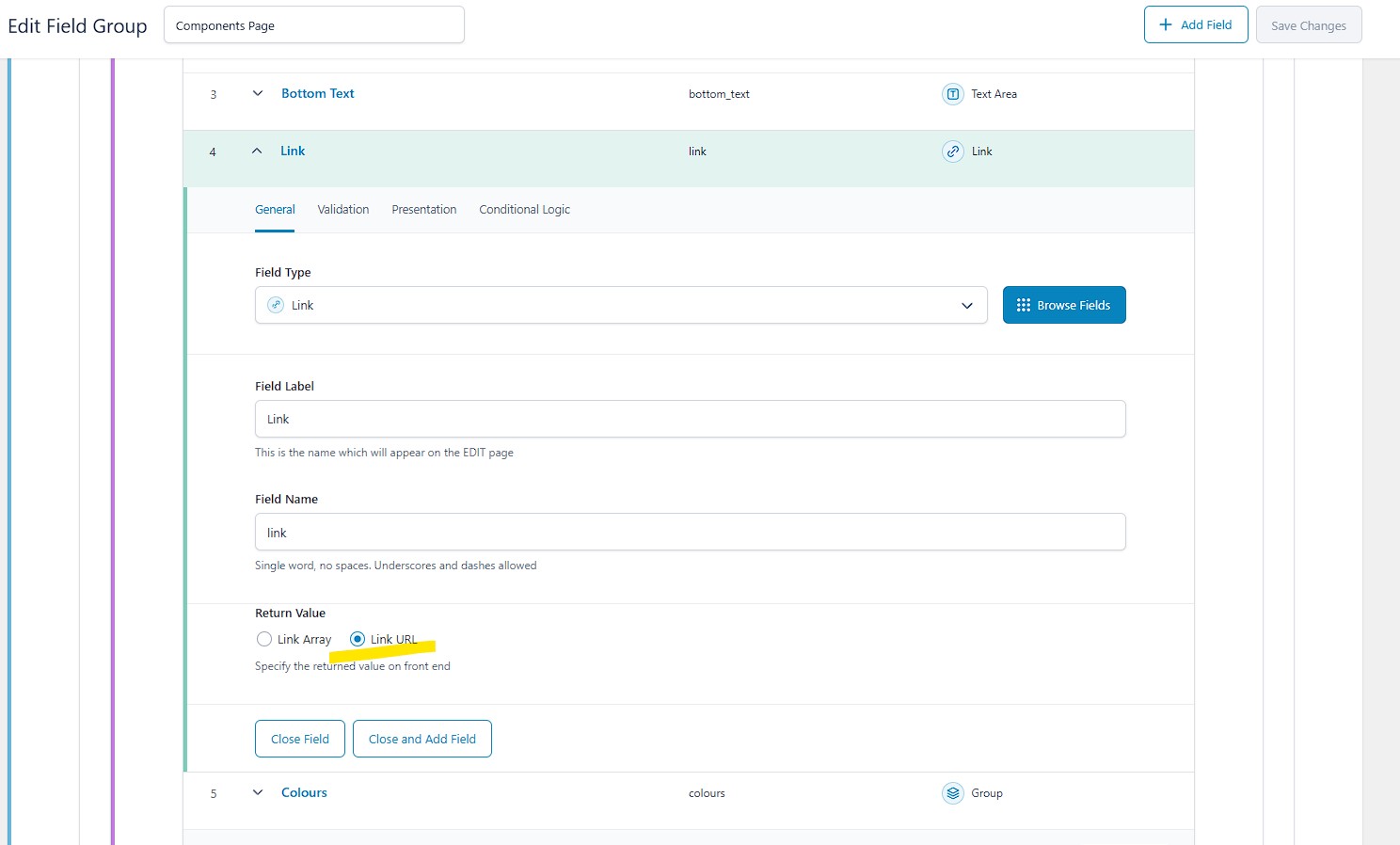
if ($link_url && $link_title) {<br /> $translated_link_url = apply_filters('wpml_permalink', $link_url);<br /> $translated_link_title = apply_filters('wpml_translate_string', $link_title, 'acf', 'link_title_' . $colourBox['link']['title']);<br /> echo '<a href="' . $translated_link_url . '">' . $translated_link_title . '</a>';<br />} - Adjust the return value of the link field to 'Link URL' to ensure the correct data type is used for URLs.
Please note that this solution might be outdated or not applicable to your specific case. If this solution does not resolve your issue, we highly recommend checking the related known issues, verifying the version of the permanent fix, and confirming that you have installed the latest versions of themes and plugins. If you still need assistance, please open a new support ticket.
This is the technical support forum for WPML - the multilingual WordPress plugin.
Everyone can read, but only WPML clients can post here. WPML team is replying on the forum 6 days per week, 22 hours per day.
This topic contains 16 replies, has 0 voices.
Last updated by 1 year, 2 months ago.
Assisted by: Andreas W..